
Changing web hosting companies can feel like a daunting task, but it doesn’t have to be. You might be wondering what you need to make this transition smoothly and without any hiccups.
Whether you’re facing frequent downtimes, looking for better customer service, or simply seeking a more cost-effective solution, switching hosts can be a game-changer for your website. Imagine the relief of faster loading times, improved security, and more reliable support. Your website’s performance directly impacts your audience’s experience and your business’s success, so making the right choice is crucial.
We’ll guide you through the essentials needed for a successful switch. You’ll discover practical tips, avoid common pitfalls, and learn how to ensure your website keeps running seamlessly during the transition. Don’t let uncertainty hold you back; let’s explore what you need to consider when changing web hosting companies.
Assess Current Hosting Needs
Your website needs space and speed. Check your current storage. Is it enough? Look at your website traffic. Does your site load fast?
Security is also important. Protect your data. Think about future growth. Will your needs change soon?
Your current host might have limits. Bandwidth and disk space are key. Are there any hidden fees? Check the customer support. Is it helpful?
Find out if there are downtime issues. Does your site go offline often? These limits can hurt your site.
Research Potential Hosting Providers
Finding the right hosting provider is important. Check if they offer reliable uptime. Look for storage space that fits your needs. Consider the bandwidth limits. Some providers offer free SSL certificates. Others might have easy-to-use control panels. Compare pricing plans carefully. Some plans may have hidden costs. Look for money-back guarantees. This can save you trouble later.
Customer support is crucial. Check if they have 24/7 support. Some providers offer live chat. Others might only have email support. Quick response times are important. Read customer reviews. They can show the real picture. A provider with good support solves issues fast. Friendly staff can make your experience better. Look for support in your language. This makes communication easier.
Considerations For Transition
Switching web hosting companies requires careful planning. Assess current needs, backup data, and check compatibility. Ensure a smooth transition by verifying DNS settings and testing website functionality.
Downtime Management
Downtime is the period when your website is not accessible. This can affect your business. Plan for minimal downtime. Inform your users about possible disruptions. Use tools to track downtime. Ensure your new host has a reliable uptime record. Choose a time with low traffic for the switch. Test the new setup before full transition.
Backup And Data Migration
Data migration is moving your website files to a new host. Always create a full backup of your site. This protects against data loss. Use secure methods for migration. Your new host may offer assistance. Check if they provide migration tools. Ensure all files and databases are transferred. Verify content after migration. Test functionality on the new server.

Credit: www.liquidweb.com
Domain And Dns Configuration
DNS records help route traffic to your website. Updating DNS records is crucial when switching hosts. First, log into your domain registrar account. Find the section for DNS management. Here, you will change the nameservers to point to your new host.
This change can take up to 48 hours. During this time, your site might be down. It is important to plan this step carefully. Always keep a backup of your site before making changes.
Transferring your domain is a key step. Start by unlocking your domain. This is done through your current registrar. Next, get the EPP code. This code is needed for the transfer. Submit this code to your new registrar.
Keep an eye on your email for transfer confirmations. The transfer may take up to 7 days. Make sure your contact information is up-to-date to avoid delays.
Testing And Verification
All parts of the website should work. Links need checking. Make sure they go to the right pages. Images must load correctly. Forms should send data properly. Buttons must do what they say. Check these things before going live. Your website should be easy to use. Visitors should find what they need quickly. This keeps them happy.
Speed is important. Pages should load fast. Check how long they take. Downtime means the site is offline. This must be low. Traffic shows how many people visit. Keep track of this. Errors should be fixed. They make the site bad. Performance affects user experience. Better performance means happier visitors.
Credit: www.liquidweb.com
Finalize And Optimize
Before you cancel, make sure everything is backed up. Check your website’s files and database. Confirm they are safe and stored. Look at your domain settings. They should point to the new host. You might lose data if you cancel too early. Be careful. Keep your old plan active until everything is working well on the new host. This helps avoid downtime. No one likes a broken website.
The new host might have different settings. Adjust your website’s code if needed. Check for compatibility issues. Some features may work differently. Explore the new host’s tools. They can help improve your site. Use their support resources to learn more. Ask for help if you get stuck. Your website should run smoothly. Make sure it is fast and secure. A well-optimized site keeps visitors happy.

Credit: firstsiteguide.com
Frequently Asked Questions
How To Transfer Web Hosting From One Company To Another?
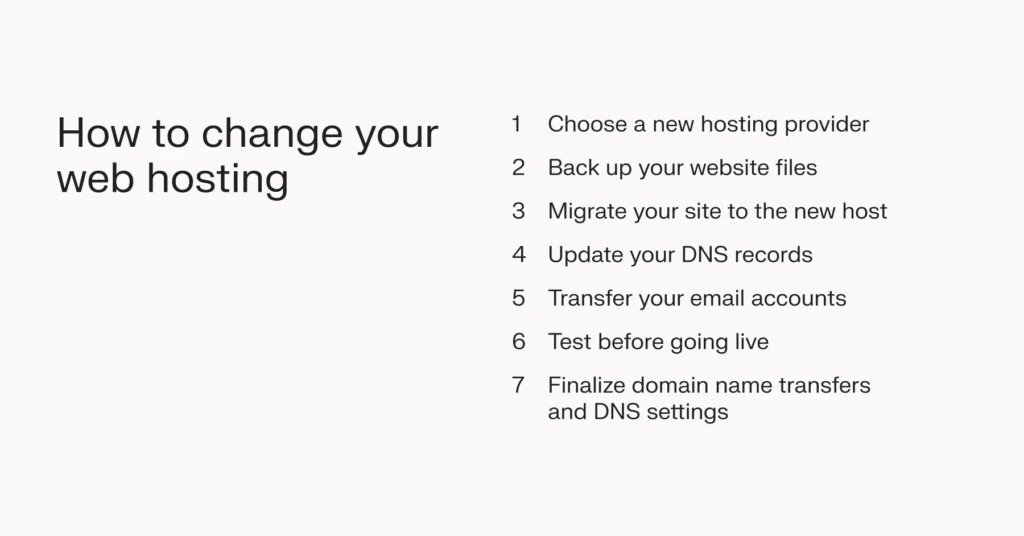
To transfer web hosting, choose a new host, backup your website, and migrate your files and databases. Update your domain’s DNS settings to point to the new host. Test the website to ensure everything works correctly before canceling the old hosting service.
Can I Change My Web Hosting Company?
Yes, you can change your web hosting company. First, choose a new host. Then, back up your website files and databases. Update your domain’s DNS settings to point to the new host. Test your site to ensure everything works smoothly.
Ensure minimal downtime during the transition.
How Do You Transfer Your Hosting Plan To A Different Server?
Transfer your hosting by backing up files, choosing a new server, and changing DNS settings. Verify configurations and test site functionality to ensure successful migration. Consult support for assistance if needed.
Does Changing Web Hosting Affect Seo?
Changing web hosting can affect SEO if downtime or slower site speeds occur. Ensure quick migration and minimal downtime. Choose a reliable host for better performance. Consistent site speed and uptime help maintain search rankings. Keep the same domain name to avoid losing backlinks and SEO authority.
Conclusion
Switching web hosting companies may seem tough, but it’s manageable. Start by researching suitable hosts. Compare their features and prices. Backup your website data carefully. Ensure you have all necessary login details. Check domain transfer policies. Test the new host’s customer service.
Transfer your website files with caution. Update your DNS settings promptly. Monitor your website for downtime or issues. Keep communication open with your new provider. Moving hosts can improve your site’s performance and reliability. With patience and planning, you’ll transition smoothly.
Your website deserves a reliable home.


