
Are you wondering if you can create a website without spending a dime? If you’ve heard of WordPress but aren’t sure if it’s truly free or easy to use, you’re in the right place.
Imagine having your own website up and running, showcasing your ideas, business, or hobby—without any upfront cost. You’ll discover exactly how to build a free website with WordPress, what to expect, and the simple steps you can take to get started today.
Keep reading, and you’ll see just how possible—and powerful—your free WordPress website can be.
Credit: www.elegantthemes.com
WordPress Free Website Basics
Creating a free website with WordPress is a popular choice for many people. WordPress offers tools that are easy to use. You do not need to pay to start a basic website. Knowing the basics helps you choose the best option for your needs.
This section explains the difference between WordPress.com and WordPress.org. It also covers what free plans include and the limits you might face with free websites.
WordPress.com Vs WordPress.org
WordPress.com hosts your website for free. It handles all technical parts like updates and security. You get a simple website up and running quickly.
WordPress.org offers the WordPress software for free. You need to find your own web host. It gives more control and options. But it requires more work and some technical knowledge.
Choosing between them depends on your skills and goals. WordPress.com is easier for beginners. WordPress.org is better for custom websites.
What Free Plans Offer
Free plans on WordPress.com include a basic website with a WordPress.com domain. You get free themes and basic design tools. Your site will have WordPress ads and branding.
You can create pages and posts easily. There is limited storage space for images and files. Basic security and backups are managed for you.
The free plan is great for small blogs or simple sites. It helps you learn how WordPress works without costs.
Limitations Of Free Websites
Free WordPress websites have limits. You cannot use custom plugins or themes. Your website address will include WordPress.com, not a custom domain.
There is limited space for media files. You cannot remove WordPress ads on your site. Some design and customization options are restricted.
These limits may affect businesses or larger sites. For more features, upgrading to a paid plan is needed.
Credit: wedevs.com
Setting Up Your Free Site
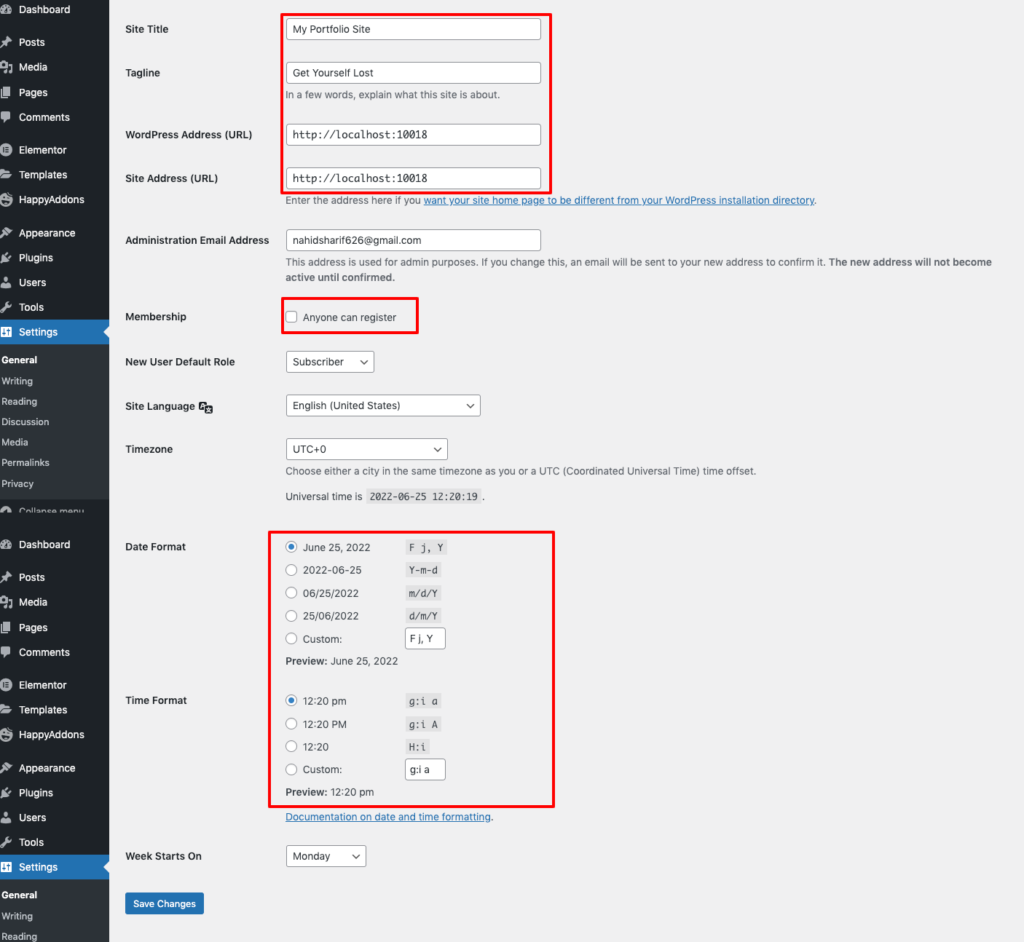
Setting up your free website with WordPress is simple and fast. WordPress offers tools that help you build your site step-by-step. You do not need any coding skills to start. Follow these steps to create a site that fits your needs.
Creating An Account
First, visit WordPress.com to create your free account. Enter your email, choose a username, and set a password. This account lets you access all WordPress features. It also keeps your site safe and easy to manage. The sign-up process takes only a few minutes.
Choosing A Domain And Theme
Next, pick a domain name for your website. WordPress offers free subdomains like yoursite.wordpress.com. Choose a name that matches your site’s purpose. Then, select a theme to decide how your site looks. Themes are ready-made designs you can change later. Pick one that fits your style and content.
Customizing Your Site
After choosing a theme, customize your site’s appearance. Change colors, fonts, and layout with simple tools. Add your logo or pictures to make it unique. Use the WordPress editor to create pages and posts easily. Customization helps your site stand out and feel personal.
Essential Features On A Free Plan
Creating a website with WordPress for free offers many useful features. These features help beginners and small projects get started easily. Understanding what the free plan includes helps you decide if it fits your needs. The essential features cover plugins, storage, and design options.
Available Plugins And Widgets
The free WordPress plan offers limited plugins and widgets. You can use basic tools for social sharing, contact forms, and simple SEO. Advanced plugins like e-commerce or custom analytics are not available. This keeps your site simple but functional. The built-in widgets help add menus, calendars, and recent posts.
Storage And Bandwidth Limits
Storage space on the free plan is limited to 3 GB. This space holds your images, videos, and files. Bandwidth is also limited, which means your site can handle only a certain number of visitors. Large files or high traffic may slow down your site or cause errors. This plan works best for small sites or blogs.
Design And Branding Options
The free plan provides many basic themes to choose from. You can customize colors, fonts, and layouts but with some restrictions. Your website will display WordPress ads and branding. Custom domain names are not allowed; your site address will include “wordpress.com.” This keeps costs down but limits full brand control.

Credit: www.youtube.com
Upgrading To Paid Plans
Creating a free website with WordPress is a great way to start online. Yet, free plans have limits. Upgrading to paid plans offers more tools and flexibility. This helps your site grow and work better.
When To Consider Upgrading
Think about upgrading when your site needs more space. Free plans limit storage and bandwidth. Also, consider paid plans if you want a custom domain name. Free sites show WordPress ads, which paid plans remove. Another sign is needing extra design options or plugins.
Benefits Of Paid Plans
Paid plans give you a professional look with your own domain. They remove ads and improve site speed. More storage means you can add more pictures and content. You get access to premium themes and plugins. Customer support is faster and more helpful. E-commerce tools help if you want to sell online.
Pricing And Features Comparison
WordPress offers several paid plans. Prices start low and rise with features. Basic plans include custom domains and no ads. Higher plans add advanced design tools and marketing features. Business plans allow plugin installations and SEO tools. Compare plans to find the best fit for your needs and budget.
Tips To Maximize Your Free Website
Creating a free website with WordPress is a great start. To get the best results, some smart steps help your site stand out. These tips make your free WordPress site more useful and visible. Small changes can have a big impact on your website’s success.
Optimizing Content For Seo
Use clear and simple words in your content. Include keywords that people search for. Write short sentences and use headings to organize text. Add alt text to images for better search engine understanding. Make sure your page titles are clear and include important words. Regularly update your content to keep it fresh and relevant.
Using Social Media Integration
Connect your website to your social media profiles. Add social sharing buttons on blog posts and pages. This helps visitors share your content easily. Share your website updates on social platforms often. Social media drives traffic and builds your audience. Use consistent images and messages across your website and social profiles.
Maintaining Website Security
Use strong passwords for your WordPress account. Keep your WordPress version and plugins updated. Avoid using too many plugins that may cause issues. Enable two-factor authentication if possible. Regularly back up your website data. A secure site builds trust and protects your work from hackers.
Common Challenges And Solutions
Building a free website with WordPress comes with some common challenges. Understanding these issues helps you manage your site better. Solutions are available for most problems.
Handling Traffic Spikes
Sudden increases in visitors can slow your free WordPress site. Free plans have limited resources. This can cause your site to load slowly or even crash. To handle traffic spikes, keep your site simple. Use fewer images and avoid heavy plugins. Upgrade to a paid plan if traffic grows steadily. This offers better performance and stability.
Dealing With Ads On Free Sites
Free WordPress sites show ads to cover hosting costs. These ads can distract visitors and reduce professionalism. Removing ads requires upgrading to a paid plan. Customizing your site design also helps lessen the impact. Focus on content quality to keep visitors interested despite ads.
Troubleshooting Common Issues
Free WordPress sites may face issues like broken links or slow loading. Regularly check your site for errors. Use simple themes and plugins to avoid conflicts. Clear your browser cache and update plugins often. The WordPress support forums provide helpful advice. Patience and regular maintenance keep your site running smoothly.
Frequently Asked Questions
Can You Create A Free Website With WordPress?
Yes, you can create a free website using WordPress. com. It offers free hosting, a subdomain, and basic themes. However, advanced features require paid plans.
What Are The Limitations Of WordPress Free Websites?
Free WordPress sites have limited storage, basic themes, and WordPress ads. Custom domain names and plugins are not available without upgrading.
Is WordPress Free Website Good For Business?
WordPress free sites suit personal blogs and small projects. For professional business websites, paid plans offer better customization and no ads.
How To Upgrade From Free To Paid WordPress?
You can upgrade anytime via your WordPress dashboard. Paid plans unlock custom domains, more storage, premium themes, and plugin support.
Conclusion
Yes, you can create a free website using WordPress. It offers many tools and themes without cost. You do not need advanced skills to start. Basic websites work well on the free plan. Keep in mind, some features require paid upgrades.
Still, the free option suits small projects or beginners. Take time to explore and learn. Start building your website today and see what you can create. Simple, easy, and free—WordPress makes it possible.


