
Are you wondering if you can use WordPress on Wix? If you’ve built or are planning to build a website, this question might be on your mind.
Both WordPress and Wix are popular tools, but they work very differently. Understanding whether you can combine them will save you time and frustration. Keep reading to discover the truth and learn what options you really have for your website.
This insight will help you make smart decisions that fit your goals perfectly.
Credit: www.elegantthemes.com
WordPress And Wix Basics
WordPress and Wix are two popular platforms for building websites. Each offers tools to create and manage online content. Understanding their basics helps decide which fits your needs best.
Both platforms serve different users. WordPress is known for flexibility and control. Wix is praised for ease and quick setup. Let’s explore their key features and differences.
Key Features Of WordPress
WordPress is an open-source platform. It allows full control over website design and functionality. Users can choose from thousands of themes and plugins. It supports blogs, e-commerce, portfolios, and more. WordPress requires separate hosting and domain setup. It suits users who want customization and growth potential.
Core Elements Of Wix
Wix is a website builder with drag-and-drop tools. It includes hosting and domain services in one package. Wix offers many ready-made templates for different industries. It has built-in SEO and marketing features. Wix is ideal for beginners who want fast results. The platform handles technical details automatically.
Differences Between The Platforms
WordPress gives more freedom but needs more effort. It requires learning to manage hosting and updates. Wix simplifies the process with a user-friendly interface. Wix limits some design options and plugin choices. WordPress scales better for complex websites. Wix is best for small to medium sites with simple needs.
Compatibility Challenges
Using WordPress on Wix presents several compatibility challenges. These issues can affect your website’s performance and ease of use. Understanding these challenges helps you decide the best platform for your needs.
Technical Limitations
Wix and WordPress use different technology systems. Wix is a closed platform, while WordPress is open-source. This difference limits direct integration between the two. You cannot install WordPress directly on a Wix site. This creates barriers for adding WordPress features on Wix.
Design And Layout Issues
Wix uses drag-and-drop tools for design, while WordPress relies on themes and code. This mismatch causes problems in matching designs. Transferring WordPress layouts to Wix is difficult. Custom designs from WordPress may lose functionality or appearance on Wix.
Plugin And App Integration
WordPress plugins add special functions to sites. Wix uses its own app market. WordPress plugins do not work on Wix. Wix apps cannot be used on WordPress sites either. This lack of plugin compatibility limits your options for site features.
Options For Using WordPress On Wix
Using WordPress content on a Wix site is possible through several methods. Each option lets you combine Wix’s ease with WordPress’s power. Choose a method based on your needs and technical skills.
Embedding WordPress Content
Embedding WordPress content means showing parts of your WordPress site inside Wix. You can use an iframe to display WordPress posts or pages. This method keeps your WordPress site separate but visible on Wix. It is easy to set up and requires no coding. The downside: it may affect site speed and user experience.
Using Third-party Tools
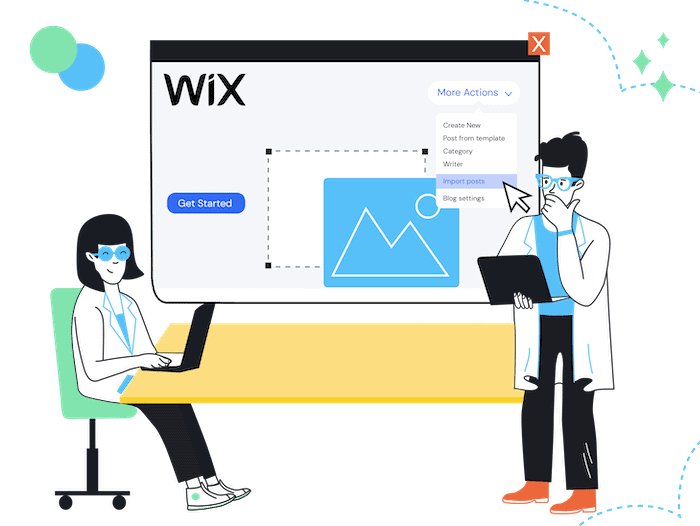
Third-party tools help connect WordPress and Wix more smoothly. Plugins or apps can sync content between the two platforms. Some tools allow importing WordPress posts into Wix blogs. Others help manage SEO and design consistency. These tools reduce manual work and improve integration quality.
Custom Code Solutions
Custom code solutions offer more control and flexibility. Developers can use APIs to fetch WordPress content and display it on Wix. This requires coding knowledge or hiring a developer. The code can style content to match Wix design. It is the best option for complex or unique needs.
Migrating Between Wix And WordPress
Integrating WordPress content on a Wix site requires careful planning. This ensures smooth functionality and good user experience. Follow best practices to keep your site fast, responsive, and secure. These tips help you avoid common problems and keep visitors happy.
Maintaining Site Performance
Site speed is key. Use lightweight plugins and tools for WordPress content. Avoid heavy scripts that slow down Wix pages. Optimize images before uploading. Load only necessary elements to reduce page weight. Test your site speed regularly to catch issues early.
Ensuring Responsive Design
Make sure WordPress content fits all screen sizes. Use flexible layouts and avoid fixed widths. Check how pages look on phones, tablets, and desktops. Adjust fonts and buttons to be easy to read and tap. Consistent style between Wix and WordPress sections improves user trust.
Backup And Security Tips
Backup both Wix and WordPress content regularly. Use reliable backup tools or services. Keep WordPress plugins and themes updated. Use strong passwords and enable two-factor authentication. Monitor site activity to spot unusual actions fast. Protect your site from hacking and data loss.
Best Practices For Integration
Combining WordPress and Wix can create challenges. Each platform works best alone. Mixing them might cause technical problems and confuse visitors. Instead, consider other ways to use both platforms effectively. These alternatives help keep your site organized and easy to manage.
Choosing One Platform
Select the platform that fits your needs most. WordPress offers great flexibility and plugins. Wix provides simple drag-and-drop tools and hosting. Pick the one that matches your skills and goals. This approach reduces hassle and keeps your site running smoothly.
Using Subdomains Or Separate Sites
Create separate sites for different purposes. Use a subdomain like blog.yoursite.com for WordPress content. Keep your main site on Wix. This method keeps platforms separate but connected. Visitors can enjoy both sites without technical issues.
Hybrid Solutions
Use tools to link features from both platforms. Embed WordPress content into Wix with iframes or widgets. Connect Wix forms to a WordPress blog. Hybrid setups need careful planning but offer a mix of both worlds. This lets you use the strengths of each platform.
Credit: www.swarmdigital.io
Credit: www.tooltester.com
Frequently Asked Questions
Can I Directly Use WordPress On Wix?
No, you cannot directly use WordPress on Wix. Wix is a separate platform with its own tools. WordPress and Wix operate independently and do not support direct integration.
How To Migrate WordPress Content To Wix?
To migrate, export your WordPress content as an XML file. Then, import it into Wix using their import tools. This process requires manual setup and design adjustments on Wix.
Does Wix Support WordPress Plugins And Themes?
No, Wix does not support WordPress plugins or themes. Wix offers its own app market and customizable templates. WordPress-specific features won’t work on Wix.
Can I Embed WordPress Blog In Wix Website?
Embedding a WordPress blog in Wix is not supported directly. You can link your WordPress blog or use an RSS feed widget, but full integration isn’t possible.
Conclusion
Using WordPress directly on Wix is not possible. Both platforms serve different purposes and work separately. Wix offers an easy drag-and-drop website builder. WordPress provides more tools and customization but needs hosting. Choose the platform that fits your needs best.
Think about your skills, budget, and website goals. Switching between them takes extra time and effort. Focus on one platform to build and grow your site well. Simple and clear choices lead to better results online.


