
Are you wondering if you can manage two websites on WordPress without extra hassle? Maybe you want to expand your online presence but worry about the cost, time, or technical challenges.
What if you could run both sites smoothly without needing to start from scratch or learn complicated setups? You’ll discover exactly how to handle multiple WordPress websites, what options you have, and the simple steps you can take to make it happen.
Keep reading, because mastering this could save you time and money while growing your online reach faster than you think.
WordPress Multi-site Basics
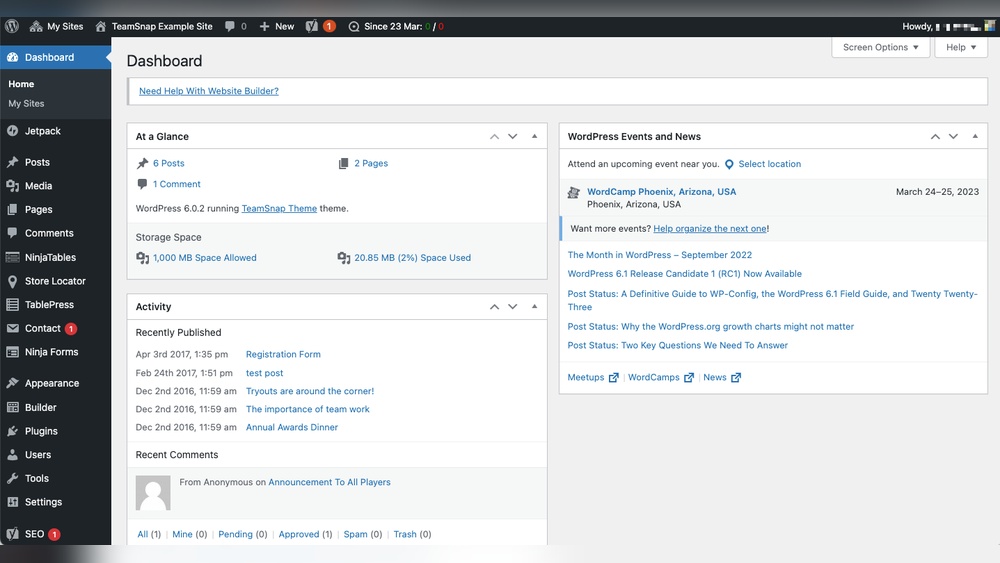
WordPress Multi-Site is a useful feature for managing more than one website from a single dashboard. It helps users control multiple sites without logging into each separately. This setup is ideal for businesses, schools, or anyone with several related websites.
Understanding the basics of WordPress Multi-Site can help you decide if it fits your needs. This section explains what Multi-Site is and the benefits it offers.
What Is WordPress Multi-site
WordPress Multi-Site lets you create a network of websites under one WordPress installation. You can add new sites quickly and manage them from one admin panel. Each site can have its own themes and plugins but shares the same WordPress core files.
This feature is part of WordPress by default. It only needs to be activated to start using it. Multi-Site saves time and simplifies website management for multiple sites.
Benefits Of Multi-site Setup
Managing many websites becomes easier with Multi-Site. You update WordPress, themes, and plugins once for all sites. This reduces maintenance work and keeps sites secure.
Multi-Site allows you to control user roles and permissions across your network. You can assign site admins to manage their own websites. This keeps everything organized and safe.
It also saves server space because all sites share the same WordPress installation. This can lower hosting costs and improve performance.

Credit: seahawkmedia.com
Requirements For Multi-site
Running multiple websites on WordPress needs a few important things. These requirements ensure your sites work smoothly and stay secure. Understanding these basics helps you set up multi-site without problems.
Hosting And Server Needs
Your hosting must support WordPress multi-site. Not all shared hosting plans allow it. Choose a hosting service with enough resources for several sites. This includes good storage space and bandwidth.
Your server should run PHP and MySQL versions compatible with WordPress. Apache or Nginx servers work best. You need access to server settings for configuration. This lets you enable multi-site features properly.
Domain And Subdomain Options
Multi-site can use subdomains or subdirectories. Subdomains look like site1.yourdomain.com. Subdirectories look like yourdomain.com/site1. Your choice depends on your domain setup and goals.
You may need wildcard DNS support for subdomains. Your host must allow this. For subdirectories, permalinks must work without conflicts. Both methods need correct domain mapping for each site.
Setting Up Multi-site
Setting up a multi-site on WordPress lets you manage many websites under one dashboard. It saves time and effort. You can control themes, plugins, and users across all sites easily. This setup is perfect for businesses, schools, or anyone with several websites.
Enabling Multi-site In WordPress
First, you need to enable the multi-site feature. Open your wp-config.php file in your WordPress root folder. Add this line above the “/ That’s all, stop editing! /” comment:
define('WP_ALLOW_MULTISITE', true);Save the file and refresh your WordPress dashboard. A new option called “Network Setup” will appear under the Tools menu. This step activates the multi-site capability.
Configuring Network Settings
Next, go to Tools > Network Setup to create your network. Choose between subdomains or subdirectories for your sites. Enter a network title and admin email. WordPress will provide code snippets to add to your files.
Add these snippets to your wp-config.php and .htaccess files as instructed. After that, log in again. Your multi-site network is ready. You can now add and manage multiple websites from one place.
Managing Multiple Sites
Managing multiple WordPress websites can seem tricky. It requires organization and clear control. Each site has its own settings, users, and content. You need tools to keep everything running smoothly. WordPress offers ways to handle many sites from one place. This saves time and effort.
Adding And Removing Sites
Adding a new site is easy with WordPress multisite. You create a network that holds all your sites. Each site gets its own address and dashboard. Removing a site is just as simple. You can delete sites you no longer need. This keeps your network clean and fast. Always back up your data before removing a site.
User Roles And Permissions
Each site needs users with different roles. WordPress lets you assign roles like admin, editor, or subscriber. Roles control what users can do on the site. Admins have full control, while subscribers have limited access. Setting clear permissions helps protect your sites. It also makes collaboration easier and safer.
Themes And Plugins Across Sites
Themes and plugins shape the look and function of WordPress websites. Managing them across multiple sites can be tricky. Each site needs its own style and tools. Knowing how themes and plugins work across sites helps keep things smooth and efficient.
Sharing Themes And Plugins
You can use the same theme on two WordPress sites. This saves time and keeps a consistent look. Plugins work the same way. Install a plugin once and activate it on both sites. This cuts down on extra work. But remember, updates affect all sites using that theme or plugin.
Site-specific Customizations
Each site can still have unique changes. Customize the theme’s colors, fonts, and layout per site. Plugins also allow different settings on each website. These changes do not affect other sites. This keeps your sites different, even if they share the same tools.
Credit: managewp.com
Common Challenges
Running two websites on WordPress can be useful but comes with some challenges. These challenges may affect your setup and site speed. Knowing them helps you prepare and avoid problems.
Troubleshooting Setup Issues
Setting up two websites on one WordPress account can be tricky. You might face confusion with domain names or site addresses. Managing plugins and themes for both sites may cause conflicts. Backup and updates need careful handling to avoid errors. Sometimes, the WordPress dashboard may become harder to navigate.
Performance Considerations
Two websites share the same server resources. This can slow down both sites if traffic increases. Hosting plans may limit storage and bandwidth. Poor performance affects user experience and search ranking. Optimizing images and using caching can help maintain speed. Regular monitoring is key to catch slowdowns early.
Alternatives To Multi-site
Managing more than one website on WordPress does not always require the Multi-Site feature. There are other options that allow you to run two or more websites efficiently. These alternatives offer flexibility and control without the complexity of Multi-Site. They can suit different needs and skill levels.
Using Separate WordPress Installs
One simple way is to use separate WordPress installs. This means setting up each website independently. Each site will have its own database and files. This approach gives full control over each website. You can customize themes and plugins without affecting the other site. It also improves security since one site’s issue won’t affect the other. Hosting providers often support multiple installs on one account. Managing updates and backups separately can be easier for beginners.
Third-party Multi-site Tools
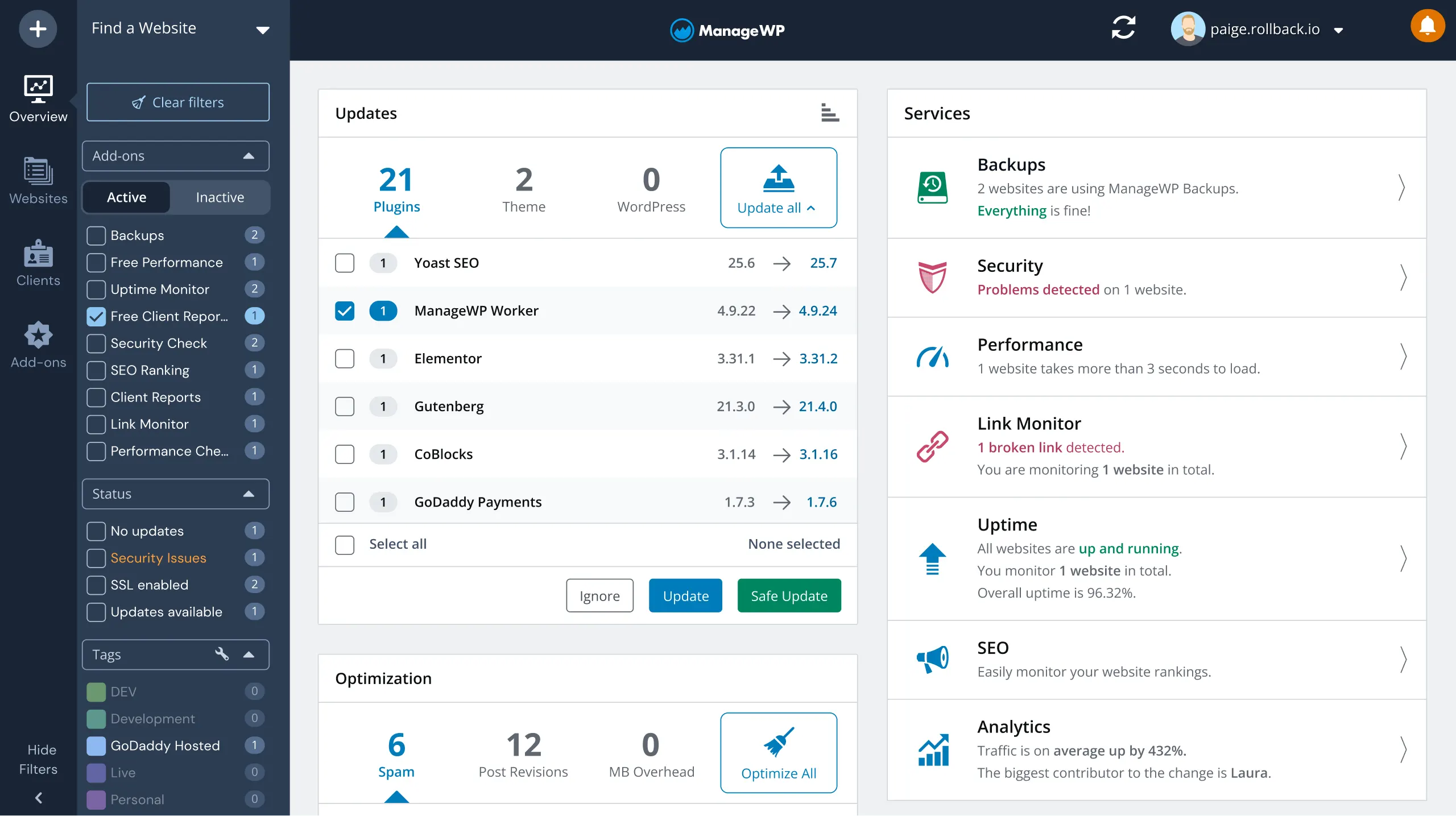
Some third-party tools help manage multiple WordPress sites from one dashboard. These tools connect your separate installs and offer centralized control. You can update plugins, themes, and core WordPress easily across all sites. They provide features like backups and security scans for every website. These tools reduce the time spent on maintenance tasks. They are useful for users managing several sites without wanting a full Multi-Site setup. Many offer free and paid plans to fit different budgets.

Credit: wordpress.com
Frequently Asked Questions
Can I Host Two Websites On One WordPress Account?
Yes, you can host two websites on one WordPress account using WordPress Multisite. It allows managing multiple sites under one dashboard efficiently.
Is It Free To Have Multiple WordPress Websites?
Creating multiple WordPress sites is free with WordPress Multisite. However, hosting and domain costs apply separately for each website.
How Do I Manage Two WordPress Websites Easily?
Use WordPress Multisite to manage two websites easily. It centralizes updates, plugins, and themes for all sites in one place.
Can I Use Different Themes For Two WordPress Sites?
Yes, WordPress Multisite supports different themes for each website. You can activate unique themes per site from the network admin panel.
Conclusion
Yes, you can have two websites on WordPress. Managing multiple sites is simple with the right tools. Use WordPress Multisite or separate installations to keep sites organized. Each site can have its own design and content. This helps you reach different audiences easily.
Just remember to keep your sites updated and secure. Running two websites is a smart way to grow your online presence. It saves time and effort while giving you flexibility. Start small, and expand as you learn. Two sites, one platform—easy and effective.


