
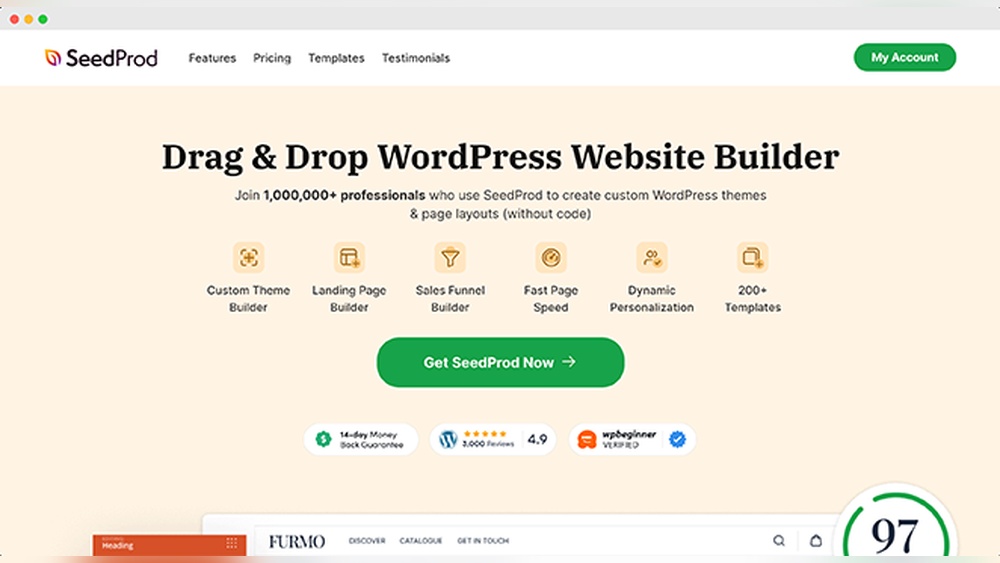
Have you ever wondered if you can create your own theme in WordPress? Imagine having a website that looks exactly the way you want, with no limits or compromises.
You might think it’s too complicated or that you need advanced coding skills. But what if you could design a unique theme tailored just for your needs? You’ll discover how creating your own WordPress theme is not only possible but easier than you think.
Stick with me, and by the end, you’ll feel confident to start building a site that truly stands out. Ready to take control of your website’s look and feel? Let’s dive in!
Why Create A Custom WordPress Theme
Creating a custom WordPress theme lets you build a website that fits your exact needs. It gives you full control over design, layout, and features. A custom theme can help your site stand out and reflect your brand better than a generic theme. You also get cleaner code, which helps your site run faster and rank better in search engines.
Benefits Of Diy Themes
Making your own theme saves money on buying premium themes or hiring developers. You learn valuable skills in coding and design. Custom themes avoid extra features you do not need, keeping your site simple and fast. You can update and change your site easily without waiting for others. Your website will load quicker, improving visitor experience and SEO.
When To Choose Custom Design
Choose a custom theme if your site needs unique features or style. If your brand image is important, a custom theme matches your identity perfectly. Custom design works best for business sites, portfolios, or online stores with special needs. It helps your site look professional and trustworthy. Use custom themes when you want full control over how your site looks and works.

Credit: artisanthemes.io
Essential Tools For Theme Development
Creating your own WordPress theme needs the right tools. These tools help you write code, test your theme, and keep track of changes. Using the proper tools makes theme development easier and faster. Below are some essential tools every theme developer should know.
Code Editors And Ides
Code editors and IDEs are where you write your theme’s code. They highlight syntax, suggest code, and find errors. Popular editors include Visual Studio Code, Sublime Text, and Atom. IDEs like PhpStorm offer more features, like debugging and code completion. Choose one that feels comfortable and fits your needs.
Local Development Environments
Local development environments let you build and test themes on your computer. Tools like XAMPP, Local by Flywheel, and MAMP create a WordPress setup locally. This setup helps you see your changes instantly without affecting a live site. Testing locally keeps your live website safe and speeds up development.
Version Control Basics
Version control helps track changes in your theme’s code. Git is the most common tool used for this. It saves different versions of your files and allows you to revert changes. Platforms like GitHub or Bitbucket store your code online. Version control improves collaboration and prevents losing work.
WordPress Theme Structure
Understanding the WordPress theme structure is key to creating your own theme. It helps you know how WordPress builds web pages. Themes control the look and feel of a website. They combine different files that work together. These files include templates, styles, and scripts. Each part has a role to play.
Core Files Explained
Core files form the base of any WordPress theme. The most important one is index.php. It acts as a fallback template for all pages. Another key file is style.css. It controls the design and appearance. You will also find functions.php. This file adds extra features and custom code. These core files are essential for a theme to work.
Template Hierarchy
Template hierarchy is how WordPress picks the right template file. It follows a specific order to display content. For example, WordPress uses single.php for a single post. If missing, it falls back to index.php. This system allows themes to handle different page types. It makes themes flexible and easy to customize.
Stylesheets And Scripts
Stylesheets control the colors, fonts, and layout of a site. The main stylesheet is style.css. Scripts add interactivity and animations. WordPress uses JavaScript files for this purpose. You add these files properly using functions.php. This keeps your theme fast and organized. Proper loading of styles and scripts improves user experience.
Designing Your Theme Layout
Designing your theme layout is a key step in creating a WordPress theme. This process shapes how visitors see and use your site. A good layout guides users and makes the site easy to navigate. It also helps your content stand out clearly.
Start by planning the structure and look of your pages. Think about what parts your site needs. This could include headers, menus, content areas, sidebars, and footers. Organize these parts in a way that feels natural and simple.
Wireframing And Mockups
Wireframes are basic sketches of your layout. They show where elements will go on the page. You can draw wireframes on paper or use tools like Figma or Sketch. Wireframes help you focus on layout, not colors or fonts.
Mockups add style to wireframes. They show colors, fonts, and images. Mockups give a clearer idea of the final design. Creating mockups lets you test how your theme looks and feels before coding.
Responsive Design Tips
Responsive design makes your theme work well on all devices. This includes phones, tablets, and desktops. Use flexible grids and images that scale. Test your design on different screen sizes often.
Keep navigation simple on small screens. Use touch-friendly buttons and readable fonts. Avoid fixed widths. Let elements adjust to fit the screen size smoothly.
User Experience Basics
User experience (UX) means making your site easy and pleasant to use. Clear menus help visitors find pages quickly. Use consistent colors and fonts to avoid confusion.
Fast loading times keep users happy. Avoid clutter and too many ads. Make sure buttons and links are easy to click. Good UX keeps visitors coming back to your site.
Building The Theme From Scratch
Building a WordPress theme from scratch lets you create a unique website design. It gives you full control over how your site looks and works. This process involves writing code and organizing files in a specific way.
Starting with the basic structure helps you keep your theme clean and easy to update. You will learn how to set up the main files and add important parts like the header and footer. These steps form the foundation of your custom theme.
Setting Up Style.css And Index.php
The style.css file tells WordPress about your theme. It includes details like the theme name, author, and version. This file also holds the main CSS to style your site.
The index.php file is the main template. It controls how your pages and posts show on the site. Without these two files, WordPress cannot recognize your theme.
Creating Header And Footer
The header and footer appear on every page of your website. The header usually contains the site title and navigation menu. The footer shows extra info like copyright and links.
Create header.php for the top part and footer.php for the bottom. WordPress uses special functions to include these files in your theme automatically.
Adding Template Parts
Template parts help you divide your theme into smaller sections. You can create files for different parts like sidebars or content blocks. This makes your theme easier to manage and update.
Use the get_template_part() function to include these parts in your main templates. This method keeps your code clean and organized.
Credit: www.notion.com
Integrating WordPress Functions
Integrating WordPress functions is key to building your own theme. These functions control how your theme works and looks. They help display content, menus, and other features. Learning to use these functions makes your theme more flexible and user-friendly.
Using The Loop
The Loop is a main WordPress function. It shows posts or pages on your site. The Loop checks for content and displays it. You can customize it to change how posts appear. This lets you control titles, images, and excerpts.
Without The Loop, your site would not show content. It works on home pages, archives, and single posts. Understanding The Loop is essential for theme creation.
Custom Menus And Widgets
Custom menus let users navigate your site easily. You register menus in your theme code. Users can add or change menu items in WordPress. This adds flexibility to your theme.
Widgets add extra content blocks like search bars or calendars. You can create widget areas in your theme. Users drag and drop widgets in these areas. Custom menus and widgets improve user experience.
Theme Support Features
Theme support features add extra options to your theme. You enable features like post thumbnails, custom logos, or backgrounds. This is done with simple code in your theme.
These features make your theme more modern and useful. They allow users to personalize the site easily. Adding theme support is a must for any custom theme.
Testing And Debugging Your Theme
Testing and debugging your WordPress theme is a key step in theme creation. It ensures your theme works well and looks good. Catching errors early saves time and improves user experience. Regular checks help maintain quality and performance.
Common Errors To Watch
Watch for broken links and missing images. Check for PHP errors and warnings. Look for CSS issues that affect layout and style. Missing files can cause theme problems. Also, check for slow loading times.
Using Debugging Tools
Enable WordPress debug mode to find errors easily. Use browser developer tools to inspect code and styles. Debug plugins can help spot issues fast. Tools like Query Monitor show database queries and hooks. These tools help fix problems step by step.
Cross-browser Compatibility
Test your theme in popular browsers like Chrome, Firefox, and Safari. Each browser may display elements differently. Check on mobile devices and tablets too. Fix issues so your theme looks good everywhere. Consistent experience keeps visitors happy.
Credit: www.seedprod.com
Packaging And Installing Your Theme
Packaging and installing your WordPress theme is an important step. This process makes your theme ready for use on any website. It also allows others to install your theme easily. Understanding how to prepare, upload, and activate your theme helps you share your work effectively.
Preparing For Distribution
Start by organizing all theme files in one folder. Include style.css, functions.php, and any template files. Make sure your theme follows WordPress standards. Check for errors or missing files. Compress the folder into a .zip file. This format is required for WordPress theme uploads.
Uploading To WordPress
Log in to your WordPress dashboard. Go to Appearance > Themes > Add New. Click “Upload Theme” and select your .zip file. WordPress will upload and unpack your theme. Wait for the upload to finish without closing the browser. If you get errors, check your file size or format.
Activating And Customizing
After upload, activate your theme with one click. Visit Appearance > Customize to change settings. Adjust colors, fonts, and layout to fit your style. Preview changes before saving them. Your custom theme is now live and ready for visitors.
Maintaining And Updating Your Theme
Creating your own WordPress theme is exciting. But maintaining and updating it is just as important. A well-kept theme runs smoothly and stays secure. It also keeps your site looking fresh and working well. Regular updates help your theme fit with WordPress changes and user needs.
Keeping Compatibility With WordPress
WordPress updates often. These updates can change how themes work. Keeping your theme compatible prevents errors and broken features. Test your theme after each WordPress update. Fix any problems quickly to avoid site issues. Use child themes to protect your custom work during updates.
Adding New Features
Users expect fresh features over time. Add new options carefully. Keep the design simple and clear. Avoid adding too many features at once. Test new features on different devices. Make sure they do not slow down your site. Focus on useful and easy-to-use features.
Handling User Feedback
User feedback shows what works and what does not. Listen to your users’ comments and questions. Fix bugs and improve weak areas. Use feedback to make your theme better. Respond politely and quickly to build trust. Good communication helps keep users happy.
Frequently Asked Questions
Can I Create A WordPress Theme Without Coding Skills?
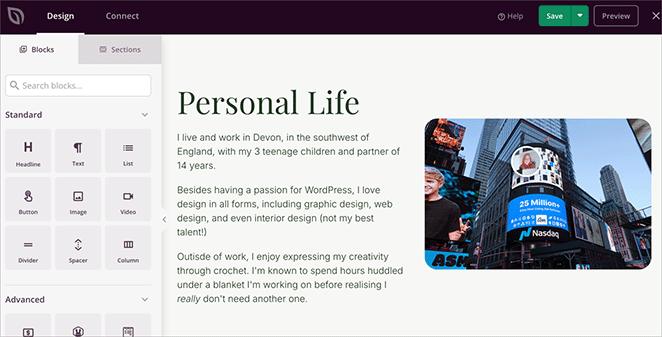
Yes, you can create a WordPress theme without coding. Use theme builders like Elementor or Divi. These tools offer drag-and-drop interfaces. They simplify design and customization. No coding knowledge is necessary.
What Tools Help Me Build A Custom WordPress Theme?
Popular tools include Elementor, Divi, and Beaver Builder. These offer visual editors for easy theme design. You can also use Underscores or Sage for starter themes if you prefer coding. Choose based on your skill level and needs.
How Long Does It Take To Create A WordPress Theme?
Creating a custom theme varies from hours to weeks. It depends on your experience and design complexity. Beginners may take longer, while pros can build themes quickly using frameworks or builders.
Is Creating My Own WordPress Theme Seo Friendly?
Yes, custom themes can be SEO friendly. Ensure clean code, fast loading speed, and responsive design. Use proper heading tags and optimize images. SEO-friendly themes improve search engine ranking and user experience.
Conclusion
Creating your own WordPress theme is possible with some effort. It lets you control how your website looks and works. Start with basic coding and build up your skills step by step. Many free resources and tutorials can help you learn.
This process may take time but is rewarding. Making a custom theme can fit your needs exactly. It gives your site a unique style. Keep practicing, and your theme will improve. Your website will stand out with a personal touch.
Give it a try and see what you create.


