
Are you wondering if GoDaddy websites use WordPress? If you’ve been thinking about building your own site or switching platforms, this question is key.
Knowing whether GoDaddy websites run on WordPress can change how you plan your online presence. You’ll discover the truth about GoDaddy and WordPress, helping you make smarter choices for your website. Keep reading to find out what works best for you and your goals.
Credit: www.godaddy.com
Godaddy Website Builder Basics
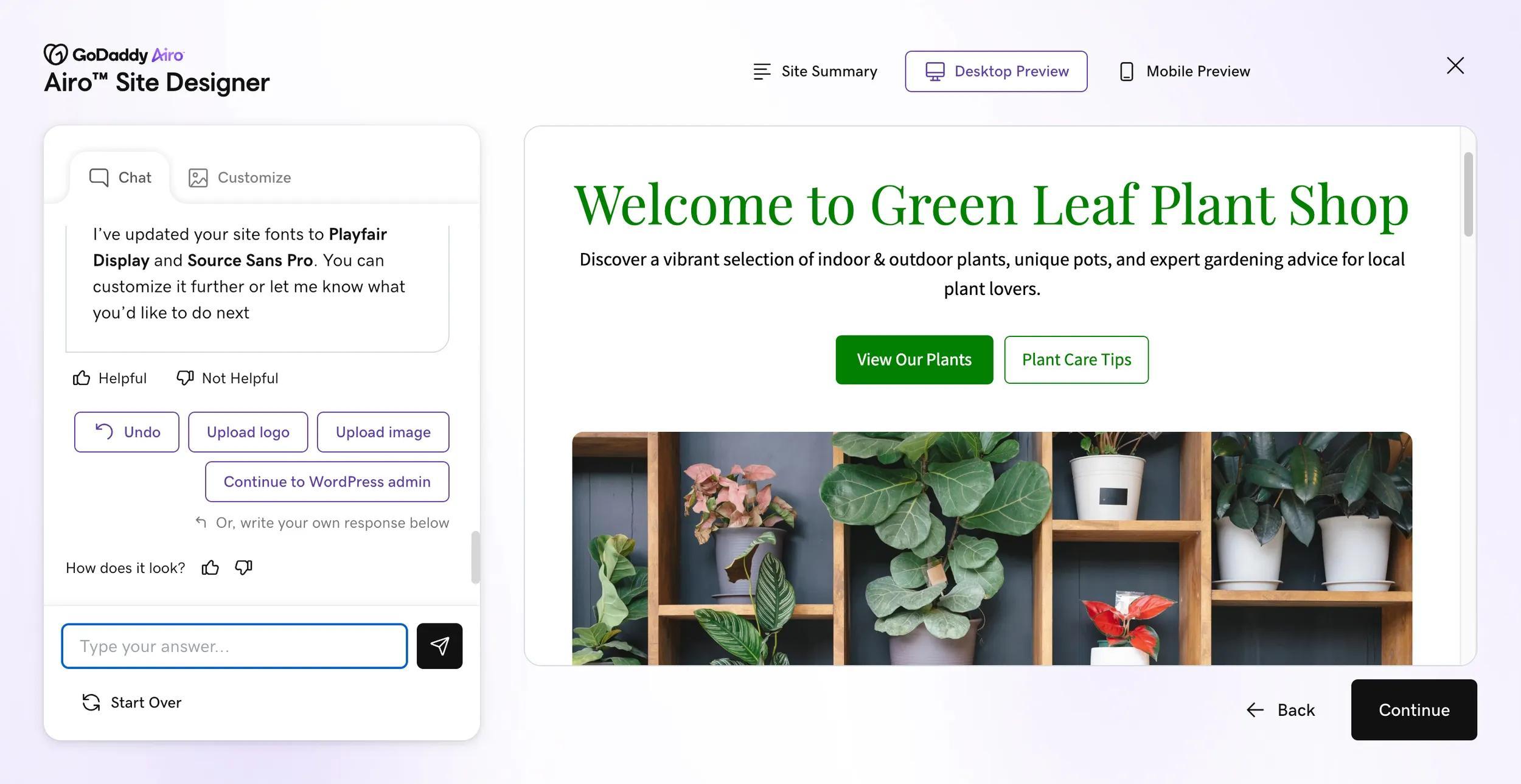
GoDaddy Website Builder is a tool designed to help users create websites quickly. It suits beginners who want a simple site without complex coding. The platform offers a straightforward way to build an online presence. Users can choose templates and customize them with ease.
This builder focuses on speed and simplicity. It guides users step-by-step through the process. No technical skills are needed to launch a functional website.
Key Features Of Godaddy Builder
GoDaddy Website Builder includes drag-and-drop editing for easy design. It offers mobile-friendly templates that adjust to any screen. Users get built-in SEO tools to help websites rank on search engines. The platform supports e-commerce for small online stores. It also provides hosting and a domain name within one package.
Customer support is available 24/7 through chat and phone. Users can add social media buttons to connect with visitors. The builder includes marketing tools like email campaigns and appointment scheduling.
How Godaddy Builder Differs From WordPress
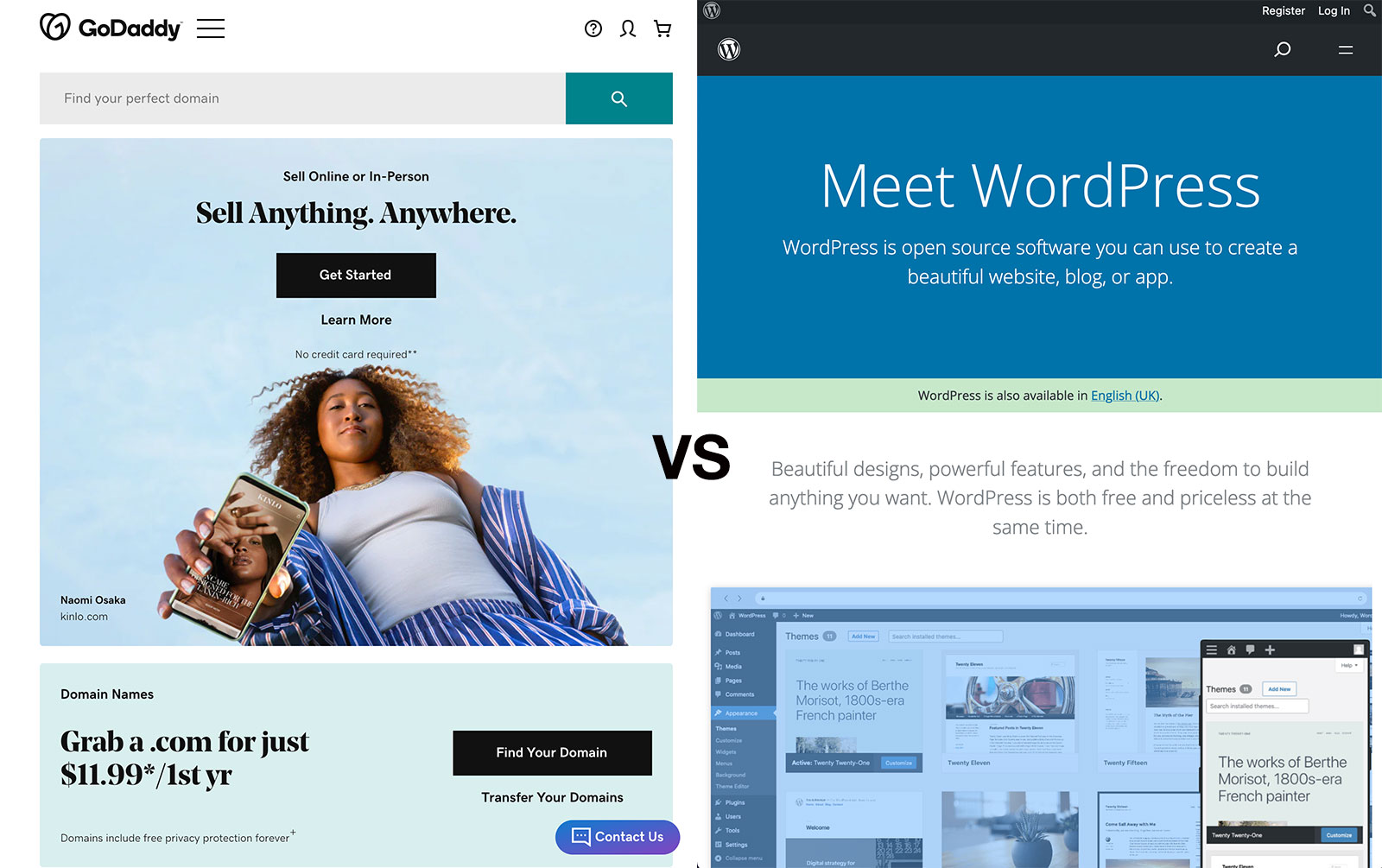
GoDaddy Website Builder is a closed system. It limits design options to keep things simple. WordPress is open-source, allowing full control over site design and features. WordPress supports thousands of plugins and themes from different developers.
GoDaddy handles hosting and security automatically. WordPress requires users to manage hosting and updates. WordPress suits users wanting advanced customization and control. GoDaddy Builder fits those who want fast setup without technical tasks.
In summary, GoDaddy Builder is easy and guided. WordPress is flexible but needs more effort to learn and maintain.
WordPress Hosting On Godaddy
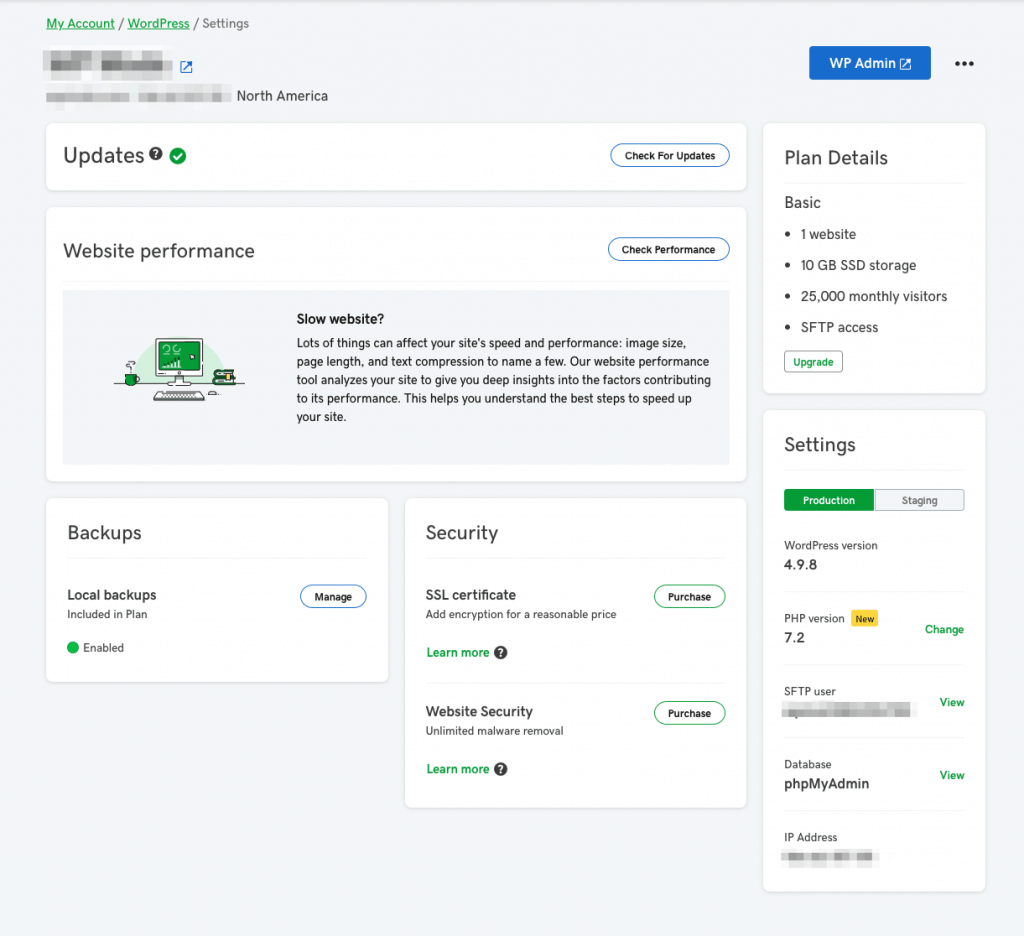
WordPress hosting on GoDaddy offers a simple way to create and manage websites. It combines the power of WordPress with GoDaddy’s reliable servers. This makes setting up a site fast and easy. Users get tools designed for WordPress sites, improving speed and security.
GoDaddy provides plans tailored for WordPress users. These plans include helpful features to keep your site running smoothly. You do not need to worry about technical details. GoDaddy handles updates, backups, and security for you.
Managed WordPress Plans
GoDaddy’s managed WordPress plans offer full support for your website. They include automatic updates for WordPress core, themes, and plugins. This reduces the risk of security problems. Daily backups keep your data safe. You can restore your site quickly if needed.
The plans also include a staging environment. This lets you test changes before making them live. Your website will load faster thanks to built-in caching and a global CDN. GoDaddy provides expert support focused on WordPress issues.
Benefits Of Using WordPress With Godaddy Hosting
Using WordPress with GoDaddy hosting improves site performance. The servers are optimized specifically for WordPress sites. This means faster page loading times for visitors. Faster sites keep users engaged and reduce bounce rates.
Security is strong with GoDaddy. The hosting environment blocks common threats and malware. SSL certificates come free with most plans, ensuring safe browsing for visitors. The setup process is simple, even for beginners.
GoDaddy offers one-click WordPress installation. This saves time and effort. You get access to many themes and plugins to customize your site. Managing your website is easier with GoDaddy’s user-friendly control panel.
Identifying If A Godaddy Site Uses WordPress
Identifying if a GoDaddy website uses WordPress can help you understand the site’s design and management. Many websites hosted on GoDaddy run on different platforms. Knowing if WordPress powers a site gives insight into its features and flexibility.
This knowledge helps when planning your own website or analyzing competitors. It is easier to spot WordPress sites with a few simple checks and tools. These methods work well even for beginners.
Tools To Detect WordPress
Several free tools help check if a website uses WordPress. Online scanners like BuiltWith and Wappalyzer quickly analyze websites. They show the platform and technologies behind a site.
Browser extensions also detect WordPress. These tools highlight CMS details in one click. They work on most browsers and require no technical skills.
Common Signs Of WordPress Sites
WordPress sites often have certain visible markers. The URL may include “/wp-content/” or “/wp-admin/” in links. These parts are unique to WordPress structure.
Page source code can show WordPress tags. Look for “wp-” prefixes in CSS or JavaScript files. These clues reveal WordPress usage without advanced tools.
Pros And Cons Of Godaddy Websites
GoDaddy offers a popular website builder designed for easy use. It helps people create websites quickly without deep technical knowledge. Many wonder how it compares to WordPress, a well-known platform. Understanding the pros and cons of GoDaddy websites gives clarity for users choosing the right tool.
GoDaddy’s website builder suits beginners and small businesses. It simplifies the web design process. Yet, it has limits that some users may find restrictive. Comparing its strengths and weaknesses with WordPress helps in making an informed choice.
Advantages Of Godaddy Builder
GoDaddy builder offers simple drag-and-drop tools. Users can add images, text, and buttons with ease. It includes built-in templates that look professional. These templates require no coding skills.
The builder integrates hosting and domain services. This reduces extra setup steps. GoDaddy also provides 24/7 customer support. This helps resolve issues quickly.
Speed is another plus. Sites built on GoDaddy load fast due to optimized hosting. It also includes basic SEO tools. These tools assist in improving search engine visibility.
Limitations Compared To WordPress
GoDaddy websites have fewer customization options than WordPress. Advanced plugins and themes are not available. This limits design flexibility and functionality.
WordPress offers a vast library of plugins for various needs. GoDaddy builder supports only basic features. Users needing complex tools may find it insufficient.
Content management on GoDaddy is straightforward but less powerful. WordPress handles large, content-rich sites better. Also, GoDaddy’s SEO tools are basic. WordPress allows deeper SEO optimization.
Exporting a site from GoDaddy to another platform is difficult. WordPress websites are portable and open-source. This gives users more control and freedom over their sites.
Choosing Between Godaddy Builder And WordPress
Choosing between GoDaddy Builder and WordPress can shape your website’s success. Both platforms serve different needs and skill levels. Understanding their differences helps pick the best tool for your goals.
GoDaddy Builder offers a simple, all-in-one solution. It combines hosting, design, and support in one package. WordPress is a flexible platform with endless customization. It requires more effort but gives full control.
Factors To Consider
Ease of use matters. GoDaddy Builder has a drag-and-drop interface. It suits beginners who want quick setup. WordPress has a learning curve but offers powerful features.
Customization is key. WordPress supports thousands of plugins and themes. GoDaddy Builder has limited design options. It works best for basic websites.
Cost affects choice. GoDaddy Builder charges a monthly fee. WordPress software is free but hosting costs vary. Extra features on WordPress may need paid plugins.
Use Cases For Each Platform
GoDaddy Builder fits small businesses and personal sites. It saves time and effort. Ideal for simple blogs, portfolios, or landing pages.
WordPress suits blogs, online stores, and complex sites. It handles large content and traffic easily. Perfect for users who want full control and growth options.
Credit: www.whatsthehost.com
Credit: winningwp.com
Frequently Asked Questions
Are Godaddy Websites Built With WordPress?
GoDaddy offers WordPress hosting but also supports other website builders. Not all GoDaddy websites use WordPress. Users can choose WordPress or alternative platforms based on their needs.
Can I Use WordPress On Godaddy Hosting?
Yes, GoDaddy provides optimized WordPress hosting plans. These plans include easy WordPress installation, automatic updates, and security features tailored for WordPress users.
Does Godaddy Provide WordPress Website Templates?
GoDaddy offers various website builders with templates, including WordPress themes. Users can select from many WordPress themes to customize their website’s design easily.
Is WordPress Better Than Godaddy’s Website Builder?
WordPress offers more customization and plugin options. GoDaddy’s website builder is simpler and faster for beginners. The choice depends on your technical skills and website goals.
Conclusion
GoDaddy offers website building tools that are not always WordPress. Many GoDaddy sites use their own builder for ease and speed. WordPress is popular for its flexibility and wide plugin options. Choosing between GoDaddy’s builder and WordPress depends on your needs.
Both have pros and cons to consider. Think about your skills and goals before deciding. Building a website with GoDaddy or WordPress can both work well. The key is to pick the right fit for your project.


