
Ever stumbled upon a website and wondered which web hosting company is behind it? Knowing the hosting provider can offer insights into a website’s speed, security, and reliability.
Whether you’re a curious tech enthusiast, a business owner seeking inspiration, or a competitor doing market research, understanding how to find this information is incredibly useful. Imagine having the power to uncover the backbone of any site you visit. It might sound like a digital detective mission, but it’s easier than you think.
In this guide, you’ll learn simple, effective methods to identify the web hosting company of any website. So, if you’re ready to unlock this mystery and gain valuable insights, keep reading. The secrets of the digital world await!
Importance Of Knowing Hosting Providers
Knowing your website’s hosting provider is crucial. It affects your site’s speed and security. Fast sites keep visitors happy. Slow sites make people leave. Security is vital too. Protect your data from hackers. Hosting providers offer different features. Some give more storage. Others give better security. Choose the right one for your needs.
Comparing hosting companies helps. Look for reliability and support. Good support means quick help. Reliability means less downtime. Downtime is bad for business. Check reviews online. See what others say. Popular providers are usually safe choices. They have many users. This means they are trusted.
Remember, hosting affects your website’s success. Choose wisely. A good host makes a strong website.

Credit: www.nameboy.com
Using Online Tools
Whois Lookup is a tool to find who owns a website. It tells you the web hosting company. Type the website name into the tool. Press enter. The tool shows details about the website. You see the registrar and the host’s name. It also shows the date the website was created. Use this info to learn about the website’s host.
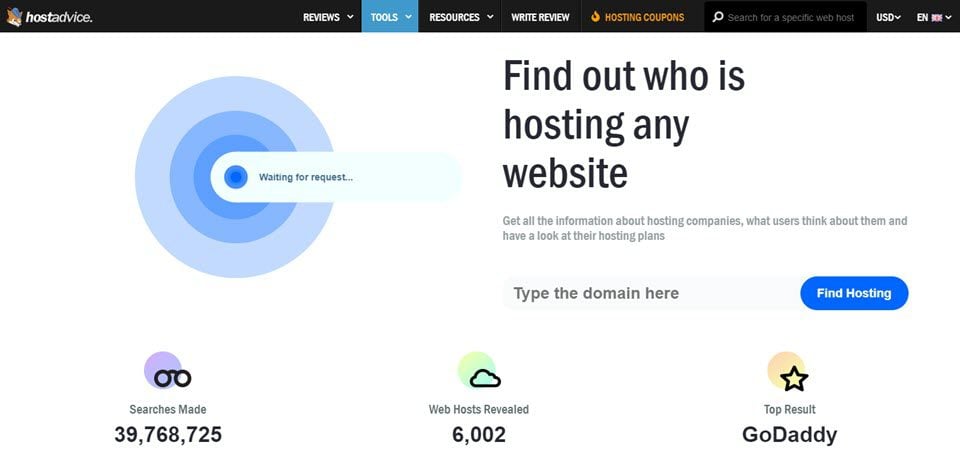
Hosting checker websites help you find the hosting provider. These sites are easy to use. You enter the website’s URL. The tool scans the website. It finds the hosting service. Results show the server details. Some popular hosting checker websites are HostAdvice and Site24x7. These tools are quick and reliable. They help you know where a website is hosted.
Command Line Methods
The Dig Command is a simple tool. It helps find a website’s hosting company. First, open the command line on your computer. Type dig +short example.com. Replace “example.com” with the website name. Press enter to see the IP address. This address tells you the hosting company. Use online tools to match IP to a host. It’s quick and easy. Great for beginners too.
Nslookup is another easy tool. It works like Dig. Open the command line again. Type nslookup example.com. Remember to change “example.com” to the website name. Hit enter to get the IP address. This number is important. It leads to the hosting company. Like a map for websites. Many people use it. Very helpful and not hard.
Analyzing Website Source Code
Website source code can give clues. Look for meta tags or comments. Sometimes they show hosting info. Not all websites display this. It needs careful checking. View the page source. Use right-click and select “View Page Source”. Find lines with server names or hosting patterns. Some lines might be tricky. Try to understand the code. It’s like reading a secret message.
DNS records reveal hosting details. They act like a phone book for websites. Use online tools to check DNS. Enter the website name. The tool finds records. Look for A records or CNAME records. They show the server address. This address tells where the site lives. DNS records are useful for finding hosts. They help solve mysteries.
Patterns help find hosting sites. Check for common server names. Some hosts use similar names. It’s like spotting family names. Look for IP addresses too. They might be the same for many sites. This indicates shared hosting. Identifying patterns needs patience. It’s a detective game. Patterns make the search easier. They lead to hosting clues.
Utilizing Browser Extensions
Browser extensions can help find a website’s host. Wappalyzer and BuiltWith are popular. They give details about a site’s hosting. Wappalyzer shows server types and more. BuiltWith reveals hosting providers and tech used. Both are easy to install and use.
First, visit the browser’s extension store. Search for the extension by name. Click “Add to Browser” to install. After installing, click the extension icon. It will show hosting details of the website. Easy and quick for beginners!

Credit: hostingchecker.com
Consulting Website Owner
Contacting the website owner is a good way to learn about hosting. The owner can provide details about their web hosting company. Sometimes, they respond quickly with the needed information. Sending a polite email often works well. Be clear and explain why you’re asking. Respect their time and privacy. Some owners might not reply immediately. Patience is essential in these cases. Try asking through social media if email fails. Direct contact can lead to valuable insights.
Finding contact details is easy with most websites. Look for an “About Us” page. This page often has contact information. Some sites have a “Contact” section. This section usually lists email addresses or phone numbers. Check the website footer for additional details. The footer often contains important links. Some sites have online forms for inquiries. Use these forms to send questions. Remember to keep your message clear and short.
Legal And Ethical Considerations
Choosing the right web hosting company involves understanding legal and ethical considerations. Know the company’s reputation and privacy policies. Ensure data protection aligns with local laws to secure your website.
Respecting Privacy
Web hosting information is sensitive. It is important to respect privacy. Do not misuse or share personal data. Always ensure you have permission. Protecting privacy shows respect and trust. Many people value their online privacy. Respecting privacy builds a good reputation. Keep data safe and secure.
Avoiding Unauthorized Access
Accessing a website’s hosting details without permission is wrong. Unauthorized access can lead to problems. It is important to follow rules. Always seek permission before accessing information. Breaking rules can have serious consequences. Protecting data is a shared responsibility. Work ethically and legally.
Tips For Accurate Identification
Use the WHOIS tool to find hosting details. Enter the website’s domain name. Check the registrar information. This often shows the web host. Another way is to use the DNS checker. It reveals the server’s IP address. Then, use an IP lookup tool. This tells you the host’s name.
Visit the website’s footer. Sometimes, it mentions the web hosting company. This is a simple way to find information. Also, search for reviews or forums online. People often discuss hosting providers there. Cross-check details from all these methods. It ensures accuracy.
Credit: www.elegantthemes.com
Frequently Asked Questions
How To Find The Hosting Provider Of A Website?
Use online tools like Whois or Hosting Checker. Enter the website URL to find hosting details. Check the “Server” section in the website’s HTTP headers for hosting information. Visit the website’s footer for hosting links or credits. Use command-line tools like “tracert” to trace server IP addresses.
How To Find Out What Platform A Website Is Hosted On?
Use online tools like BuiltWith or Netcraft to identify a website’s hosting platform. Inspect the site’s source code for clues. Check WHOIS data for hosting provider information. Look at the site’s server response headers for hosting details. These methods can reveal which platform hosts the website.
How Do I Know The Web Server Of A Website?
Use online tools like “What’s My DNS” or “BuiltWith” to identify a website’s web server. Access a website’s HTTP headers using browser developer tools to check server information.
How To Trace Where A Website Is Hosted?
Use an online tool like “Whois” to find hosting details. Enter the website URL and check hosting information. You can also use “IP Lookup” services to trace the server location. These tools provide insights into the hosting provider and server location, helping you understand where a website is hosted.
Conclusion
Finding the hosting company of a website can be easy. Use tools and steps discussed in the blog. Start with a domain lookup for quick results. Online tools offer detailed hosting information. Check the website’s footer or contact page for clues.
Forums and tech communities provide useful insights. Keep practicing these techniques to get better. Understanding hosting details helps in website management. It’s a useful skill for anyone interested in web development. Stay curious and keep exploring the web world. Happy browsing!


