
Switching web hosting providers might seem like a daunting task, but it doesn’t have to be. If your current host is causing you headaches with slow speeds, frequent downtime, or poor customer service, it’s time to make a change.
You deserve a reliable and efficient web hosting service that caters to your needs and enhances your online presence. Imagine the relief of knowing your website is in safe hands, running smoothly without constant hiccups. The process of switching can be straightforward and stress-free if you know the right steps to take.
You’ll discover a simple, step-by-step guide to help you transition seamlessly to a new host. Say goodbye to frustration and hello to a better web hosting experience. Stick around, and you’ll learn how to make the switch without losing your data or your mind.
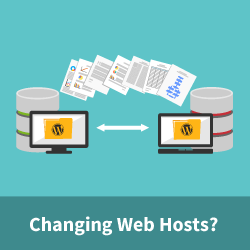
Credit: www.wpbeginner.com
Reasons To Change Web Hosting
Slow websites make visitors unhappy. They might leave quickly. Fast loading times are vital for success. If the host is slow, switching is wise. Speed impacts SEO, too. A better host can help improve rankings.
Hosting can be expensive. Cheaper options might be available elsewhere. Compare prices before deciding. Budget-friendly plans can save money. Look for discounts or promotions.
Good support helps solve problems fast. Friendly and quick help is crucial. If support is lacking, consider changing hosts. 24/7 support is ideal for peace of mind.
Some hosts limit what you can do. Limited features can stop growth. More features mean more possibilities. Upgrading may be necessary for business needs.
Evaluating New Hosting Options
There are many types of hosting. Shared hosting is the most common. It is cheap but can be slow. VPS hosting is faster and more private. It costs more than shared hosting. Dedicated hosting means you get your own server. It is the fastest and most private. It costs the most. Cloud hosting is flexible. You only pay for what you use.
Uptime is very important. It shows how often the server is working. Speed affects how fast your site loads. Support is key. Good support helps solve problems fast. Security is a must. It keeps your data safe. Scalability lets your site grow. Check if the host offers easy upgrades.
Reviews tell you what others think. Check for real experiences. Look for comments on speed and support. Testimonials can be on the host’s site. They show happy customers. But be careful. Not all are real. Compare different sources for the best view.
Preparing For The Transition
It is important to back up your website data. This keeps your files safe. Use tools or ask your current host for help. Save the backup in a safe place. You might need it later.
Make sure your domain settings are correct. Check if your email will work with the new host. You might need to change some settings. This helps keep your emails running smoothly.
Tell your users and clients about the switch. They need to know there might be changes. Send them a message or email. This keeps everyone informed and ready.
Initiating The Switch
Choose a trusted hosting provider. Look for good reviews. Once you decide, sign up for a plan. Ensure it meets your needs. Check for features like SSL certificates and backups. Complete the signup process. Keep your account details safe. They are important for future use.
Download all website files from the old host. Use FTP for this task. It’s a tool that helps with file transfers. Connect to your new host. Upload the files there. Ensure all files are copied correctly. Double-check for any missing items. This step is crucial.
Export your database from the old host. Use tools like phpMyAdmin. Save the file securely. Access the new host’s database section. Import the saved file there. Check for errors during import. Verify all data is intact. This ensures your website works well.
Testing The New Setup
Ensure every button works. Check each link and page. They should open correctly. Look for broken images. Fix any errors. This keeps the site user-friendly.
Pages should load quickly. Use online tools to measure speed. A fast site keeps visitors happy. Slow sites lose visitors. Improve speed by optimizing images and scripts.
Security is very important. Check the SSL certificate. It should be active. Use strong passwords. Update software regularly. This keeps the site safe from threats.
Credit: firstsiteguide.com
Managing Dns Changes
Changing web hosts means updating DNS records. These records tell where your site lives. Find your domain registrar. Log in to your account. Look for the DNS settings. Replace old records with new ones. Save your changes. This step is vital for a smooth switch.
After updates, DNS changes take time. This is DNS propagation. It can take up to 48 hours. During this time, some users see the old site. Others see the new one. Patience is key here. It happens automatically.
Downtime can occur during a switch. Use monitoring tools to check site status. These tools alert you if the site goes down. Keep an eye on the site until DNS is fully propagated. Respond quickly if there is any issue.
Post-migration Checks
Switching web hosting involves careful post-migration checks. Ensure all website files transferred correctly. Verify functionality of links and forms to prevent issues. Confirm site speed and security settings are intact for smooth operations.
Resolving Broken Links
Broken links can confuse visitors. These links can also hurt SEO. Use tools to find broken links. Fix them quickly. Redirect them to correct pages. This keeps users happy. It helps search engines too.
Updating Internal Links
Internal links guide users. They help search engines crawl your site. Check if these links work. Update links pointing to old URLs. This ensures a smooth user experience. It also boosts site navigation.
Checking Seo Settings
SEO settings are vital for online visibility. Make sure your meta tags are correct. Check robots.txt file. Ensure search engines can index your site. Verify your sitemap. This helps in maintaining your site’s SEO health.

Credit: www.greengeeks.com
Long-term Hosting Management
Regular backups are very important. They keep your data safe. If something goes wrong, you can restore it. Always keep a backup in a different location. This is a smart move.
Keep an eye on your website’s speed. Slow sites make visitors unhappy. Use tools to check performance. If the site is slow, find out why. Improve it to make users happy.
Security is key for a website. Always update your software. Updates fix bugs and keep your site safe. Check for updates often. This keeps your site protected from hackers.
Frequently Asked Questions
How Do I Move From One Web Host To Another?
Backup your website files and database. Choose a new host and set up your account. Transfer the files and database to the new host. Update your domain’s DNS settings to point to the new host. Test your website to ensure everything works correctly after migration.
Is It Easy To Change Web Hosting?
Changing web hosting is usually straightforward. Follow steps carefully to ensure a smooth transition. Backup files and databases. Update DNS settings promptly. Use hosting support if needed for guidance. Choose a reliable host for better service.
How Long Does It Take To Change Website Hosting?
Changing website hosting typically takes 24 to 72 hours. Factors include domain propagation and data transfer size. Plan ahead and ensure backups for a smooth transition. Contact your hosting provider for specific timelines and support during the process.
Can I Move My Domain To A Different Host?
Yes, you can move your domain to a different host. Start by unlocking your domain and obtaining the authorization code. Then, initiate the transfer with your new host, providing the necessary details. Ensure your domain’s email is active to confirm the transfer.
The process usually completes within a few days.
Conclusion
Switching web hosting isn’t complicated with the right plan. Take it step by step. First, choose a reliable host. Next, back up your files carefully. Then, transfer your domain and content. Ensure everything works correctly before canceling the old service.
Reach out to support if you face challenges. They can help resolve issues quickly. Test your website after the switch. Check speed and functionality. Keep your site secure by updating passwords. A smooth transition enhances your site’s performance. Enjoy improved hosting and better service.
Stay informed and maintain your website regularly.


