
Have you ever stumbled upon a website that left you wondering about its web host? Maybe you’re curious about the secret sauce behind its lightning-fast load times or its rock-solid reliability.
Knowing the web host of a website can be crucial, whether you’re a website owner looking for a new hosting provider or just someone eager to learn more about the digital landscape. In this guide, you’ll discover straightforward, effective methods to uncover the web host of any website.
Stick around, and you’ll gain the insights you need to make informed choices for your own online ventures. Ready to unveil the mystery? Let’s get started!
Credit: securitysenses.com
Identifying The Need
Many people want to know their website’s web host. A web host is like a home for your website. It stores all your website’s files. Choosing the right host is important for your site. It affects how fast your site loads. A good host makes sure your site is always up. If your site is down, visitors can’t see it.
Sometimes, you need to find a site’s host for other reasons. Maybe you want to contact them. Or you want to check if they are reliable. Knowing the host helps you make good choices. It ensures your website runs well. Understanding web hosts is key to managing your site.

Credit: www.nameboy.com
Basic Tools
Browser extensions can help find a website’s host. They are easy to use. Install them in your browser. Extensions like Wappalyzer or BuiltWith are popular. These tools show detailed information. They reveal the web host and other details. Just visit the site and click the extension. Information appears quickly. Browser extensions save time. They make it simple to identify a host. No special skills needed. Extensions are often free. Some might require a small fee. Check reviews before installing. Choose trusted extensions for safety.
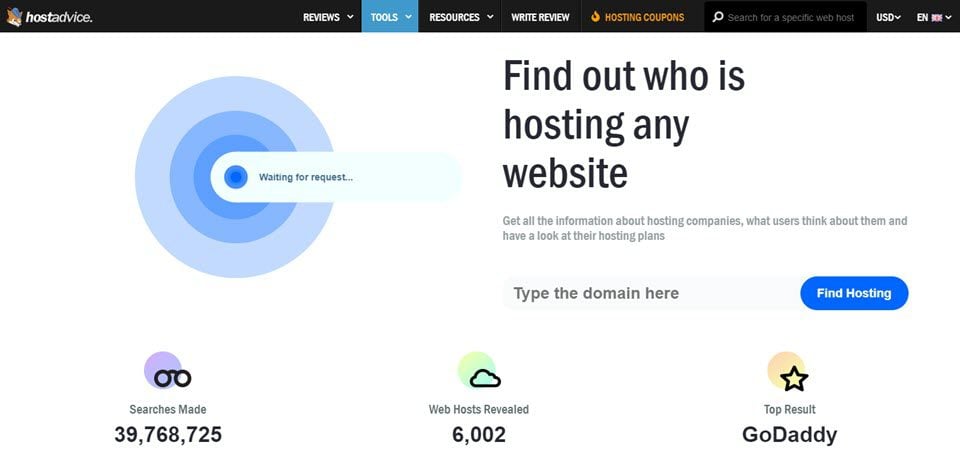
Online services help find the web host too. Websites like WhoIsHostingThis or HostAdvice are useful. Simply enter the website’s URL. The service shows the web host provider. These tools work fast. Results are usually accurate. They are accessible from any device. No downloads needed. Great for quick checks. Some services offer extra details. This includes server location and IP address. Always use reputable sites. Protect your data and privacy. Online services are generally free. Some offer premium features at a cost.
Using Command Line
Open the Command Prompt on your Windows computer. Type nslookup followed by the website name. Press Enter. You’ll see the IP address of the web host. This method is quick and easy. Helps in finding web hosts.
Open the Terminal on your Mac or Linux. Type host followed by the website name. Hit Enter. You’ll see the IP address and details. This tells you about the web host. It’s simple and fast to use. Handy for quick checks.
Inspecting Whois Records
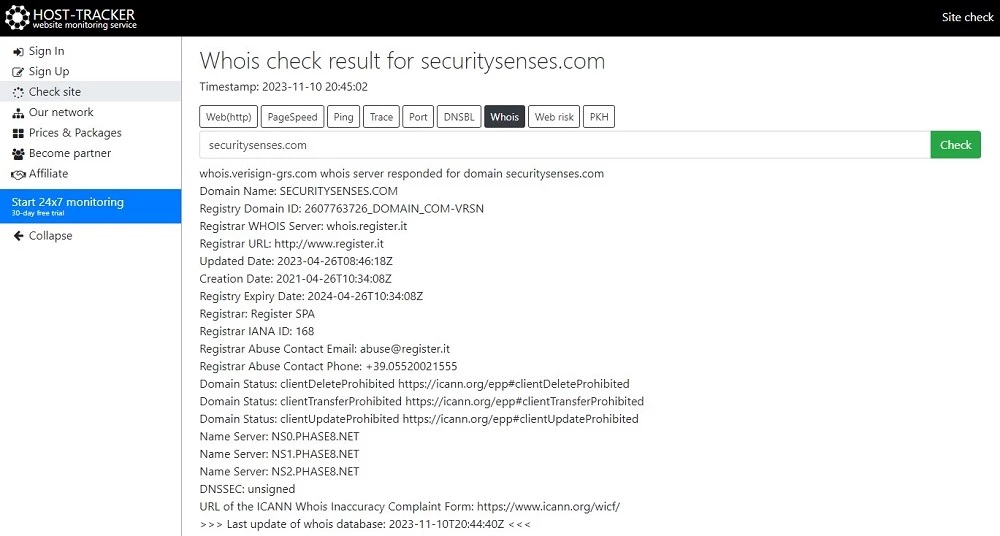
Discovering a website’s hosting provider involves inspecting its WHOIS records. These records reveal the registered domain’s hosting details. Accessing WHOIS information is simple with online tools, offering insights into server location and host identity.
Finding Whois Data
To find out a website’s web host, check its WHOIS records. You need a WHOIS lookup tool. Many websites offer this tool for free. Type the website’s domain name into the tool. The tool will show you the WHOIS data. This data includes the registrant’s name and contact details. It also shows the web host information. These details help identify the hosting company.
Understanding Whois Results
WHOIS results have many parts. The registrant is the domain owner. Contact details may include an email address. Look for the nameserver details. Nameservers point to the hosting company. The hosting company is often listed here. Some information may be private. Privacy services hide details. This makes finding a host harder.
Dns Lookup Techniques
Online DNS tools are useful. They help find a website’s web host. You enter the website’s URL. The tool shows the host details. It’s simple and fast. These tools are often free. Some popular ones are Whois.net and MXToolbox.
DNS information tells about a website. It includes the IP address and server location. This data helps identify the host. Understanding DNS info is important. It helps in troubleshooting problems. DNS data is like an address book. It shows where the website lives.
Credit: www.elegantthemes.com
Exploring Hosting Checker Websites
Hosting checker tools are easy to use. They help find a website’s host. Some popular ones include WhoIsHostingThis and Site24x7. These tools provide quick results. Just enter the website URL. The tool does the rest. Results show the host’s name. Sometimes, you get more details too. Many tools are free. Some may need a sign-up.
Hosting checkers are helpful for many reasons. They make finding a host easy. This saves time and effort. Knowing the host can help solve website issues. It can also aid in competitive research. You can see where competitor sites are hosted. This information is valuable for business strategies. Hosting checkers are simple and effective.
Advanced Methods
Discovering a website’s host is easier with advanced methods. Use online tools like WHOIS Lookup or HostAdvice. These platforms reveal essential hosting details quickly. Understanding hosting information can assist in troubleshooting and performance checks.
Tracing Server Ip
Finding a website’s host can be tricky. Tracing the server IP is a good method. Use online tools like Ping or Tracert. These tools show where the website is hosted. First, open your computer’s command prompt. Type “ping” followed by the website name. Check the IP address. The IP shows the server location. Sometimes, websites use CDNs. These can hide the real server IP. So, the IP might not be exact. Try multiple checks to be sure.
Analyzing Network Data
Network data gives clues about hosting. Use tools like Netcraft or Whois. These tools show server details. You might see the hosting company name. Look for SSL certificates. They often show host info. Check the HTTP headers of the website. These headers reveal server types. Sometimes, headers show the host’s location. Compare the data you find. It helps confirm the host. Always use safe tools. Avoid sharing private info.
Security And Privacy Considerations
Ethical considerations are very important when finding a web host. Make sure you have permission before looking up someone’s hosting information. Respect others’ privacy and data rights. Always ask before sharing what you find. This keeps everyone safe and respectful.
Understanding privacy concerns is crucial too. Some people want to keep their web host private. Respect their choice. Sharing this info without permission might cause issues. It could lead to unwanted attention or risk.
Always think about the safety of the website owner. Only use this info for good reasons. Never use it to harm or trick someone. Being ethical keeps the web community friendly and safe.
Frequently Asked Questions
How Do I Find The Host Name Of A Website?
To find a website’s host name, use the “ping” command in the command prompt or terminal. Alternatively, online tools like WHOIS can provide host information. Ensure the website URL is correct for accurate results. These methods are straightforward and widely used.
How To Find Out Who Manages A Website?
Use a WHOIS lookup tool to find website owner details. Check the website’s “Contact” or “About” page for information.
How Do I Know The Web Server Of A Website?
Use online tools like Netcraft or BuiltWith to identify a website’s web server. These tools provide details on server types and technologies used. You can also check HTTP headers for server information using browser developer tools or online header checkers.
What Is Your Website Host?
Our website host is Bluehost. They offer reliable hosting services with excellent customer support and affordable pricing options.
Conclusion
Finding a website’s web host is simple with the right tools. Use online services for quick results. Check WHOIS databases for detailed host info. Explore website source code for hidden clues. Contact the website owner if needed. Understanding your web host’s details can help you manage your online presence.
Keep your website secure and efficient. Knowing the host aids in troubleshooting. It empowers you to make informed decisions. Remember, a reliable web host is crucial for your website’s success. Stay informed and proactive. Your website deserves the best hosting support.


