
Have you ever scrolled through countless WordPress themes, only to find that none of them quite fit your vision for your website? Imagine the satisfaction of creating your very own unique theme that perfectly matches your brand’s personality.
Building your own WordPress theme might sound like a daunting task, but with the right guidance, it’s more achievable than you think. By the end of this article, you’ll have the insights and tools to craft a theme that’s not only visually stunning but also optimized for performance and user experience.
Ready to transform your website from ordinary to extraordinary? Let’s dive in and start building your very own WordPress theme!
Getting Started
Building a WordPress theme requires basic knowledge of HTML, CSS, and PHP. A good text editor is essential. You’ll need a local server like XAMPP or MAMP. A browser to test the theme is also necessary. Prepare a few design ideas before starting. Sketching helps. Ensure your computer meets the software requirements. Enough storage space is crucial. Keep your tools updated. This saves time. Using the latest version of WordPress is wise.
Begin by installing XAMPP or MAMP. This sets up your local server. Download WordPress from the official site. Place it in your server’s directory. Open your text editor. Create a new theme folder inside WordPress. Use a simple naming system. Organize files well. Start with basic HTML and CSS. Test your theme often. This ensures everything works. Regular testing helps find errors. Keep backups of your work. It prevents data loss.

Credit: www.youtube.com
Theme Design
Every theme needs a clear purpose. Is it for a blog, a shop, or a portfolio? Decide early. This helps in choosing the right features. Think about the target audience. Who will use the site? What are their needs? Keep the design simple and focused. Too many features can confuse users. A focused theme is easy to use and looks good.
Wireframes are like blueprints. They show the layout of your theme. Draw boxes for headers, footers, and content areas. Use wireframes to plan where things will go. This helps in visualizing the final design. Simple wireframes make changes easy. They are a guide for building the theme. Designers and developers use them to stay on track.
File Structure
Every WordPress theme needs some essential files. These files help the theme work. The style.css file is one of them. It controls how your site looks. Another important file is index.php. It shows content on your site. The functions.php file adds extra features. These files are the building blocks of your theme. Without them, your theme won’t work.
Keeping files in order is very important. Make a folder for your theme. Name it after your theme. Inside, put all your files. You can create sub-folders too. One for images, another for JavaScript. This keeps everything neat. It is easier to find files this way. It also helps your theme run smoothly.

Credit: www.dreamhost.com
Coding Basics
Start with HTML. It is the backbone of your theme. Use HTML to create the structure. Every page needs a header and footer. PHP makes WordPress powerful. It connects HTML with WordPress data. Use PHP for dynamic content. Place PHP code inside HTML. This shows blog posts and pages. Mix HTML and PHP carefully. Avoid errors. Test your code often.
CSS adds style to your theme. It changes colors and fonts. CSS makes your site look good. Start with a simple CSS file. Link it to your HTML. Use classes and IDs. They target specific elements. Adjust margins and padding. Make sure everything looks nice. Test styles on different devices. Keep it simple and clean. Use CSS for a beautiful site.
Advanced Features
Creating custom templates can make your WordPress theme unique. You can design layouts for different pages. Use HTML and CSS for styling. Templates help you control how pages look. You can make a template for blog posts. Another for the homepage. This gives visitors a nice experience. Templates let you show different content on different pages.
Widgets add functionality to your theme. Place them in the sidebar or footer. They can show recent posts or social links. Menus help users navigate your site. You can create custom menus for different pages. Users find things easily with menus. Both widgets and menus make your site user-friendly. They are essential for a good theme.
Testing Your Theme
Debugging tools are crucial for theme building. They help find errors. WP_DEBUG is a popular tool. It shows errors in your theme. Add it to your wp-config.php file. Set it to true. This makes errors visible. Another tool is Debug Bar. It adds a debug menu to your admin bar. Use it to check queries and cache. Query Monitor is also useful. It helps spot slow queries. Install these plugins for better debugging.
Browsers show websites differently. Test your theme on many browsers. Use Google Chrome, Firefox, and Safari. Check the look and feel. Adjust CSS if needed. BrowserStack is a great tool for this. It tests across multiple browsers. Ensures a consistent experience. Keep your users happy on all platforms.
Optimizing Performance
Creating your own WordPress theme improves website performance. Customize design and features for faster loading times. Enhance user experience and boost engagement by optimizing code and images.
Speed Enhancements
Fast websites keep users happy. Slow sites make them leave. To make your WordPress theme fast, use lightweight code. Avoid heavy images. Compress them for faster loading. Use caching plugins. They save time by storing data. This helps pages load quickly.
Another trick is to minimize CSS and JavaScript. This reduces file sizes. Smaller files load faster. Try using a Content Delivery Network (CDN). It sends data from the closest server. This speeds up delivery.
Seo Best Practices
Good SEO helps people find your site. Use clean code. It makes search engines happy. Add alt tags to images. Describe them well. This helps with image searches.
Choose keywords wisely. Place them in titles and headers. Don’t overuse them. Write simple sentences. Easy to read. Use links to trusted sources. This builds credibility. Follow these tips to make your theme perform well.
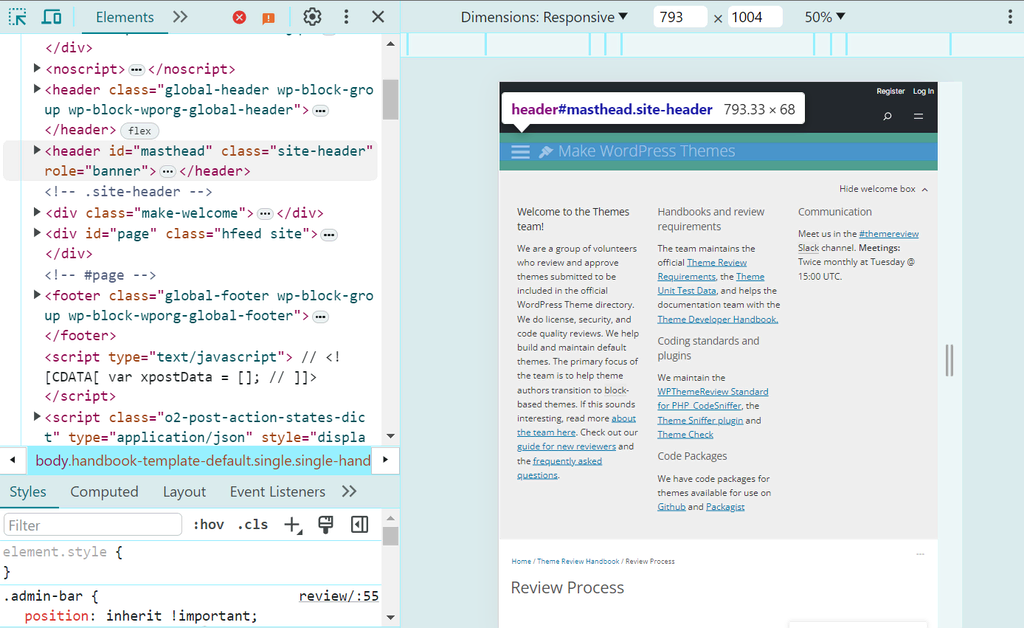
Credit: www.hostinger.com
Deploying Your Theme
First, prepare your theme files. Organize them in a folder. Name the folder clearly. Use lowercase letters and no spaces. Compress the folder into a .zip file. This makes it easy to upload. Open your WordPress dashboard. Find the Appearance menu. Click on Themes. Look for the Add New button. Then, select Upload Theme. Choose the .zip file from your computer. Click Install Now. Wait for WordPress to upload the file.
After uploading, activate your theme. Go back to the Appearance menu. Find your theme in the list. Click Activate. Check your website. Make sure everything looks right. If there are problems, go back to your theme files. Fix any errors. Upload again if needed.
Frequently Asked Questions
Can I Create My Own WordPress Theme?
Yes, you can create your own WordPress theme. Use HTML, CSS, PHP, and WordPress functions. Follow WordPress theme development guidelines. Many online resources and tutorials can guide you. Developing a custom theme allows flexibility and personalization. Ensure your theme is responsive and optimized for SEO.
Which Theme Builder Is Best For WordPress?
Elementor is the best theme builder for WordPress. It offers flexibility, ease of use, and a vast range of features. With its drag-and-drop interface, you can design custom themes without coding. It supports responsive design, ensuring your site looks great on all devices.
Elementor is widely popular among developers and beginners alike.
How Do I Create My Own Template In WordPress?
To create a WordPress template, access your theme directory via FTP. Create a new PHP file for your template. Add the necessary HTML, PHP, and WordPress functions. Save and upload the file. In WordPress, assign your template to a page under “Page Attributes.
“
How To Make A WordPress Theme Free?
To create a free WordPress theme, learn PHP, HTML, CSS, and JavaScript. Use WordPress Theme Development guidelines. Start with a basic theme framework. Design, develop, and test your theme thoroughly. Offer it in WordPress repository for exposure. Keep it updated for compatibility and security.
Conclusion
Creating your own WordPress theme is a rewarding journey. It starts with understanding the basics of HTML, CSS, and PHP. Gradually, you blend creativity with coding skills to design a unique theme. Testing your theme ensures it works smoothly across different devices.
Regular updates keep it secure and functional. Your theme reflects your brand’s identity and style. Remember, patience and practice are key. Dive into the process with enthusiasm. Enjoy the satisfaction of building something from scratch. Share your creation with the world.
Celebrate your success in crafting a personalized WordPress experience.


