
Have you ever stumbled upon a beautifully designed WordPress site and wondered which theme it’s using? You’re not alone.
Whether you’re a budding blogger, an experienced developer, or just someone with a keen eye for design, identifying a site’s theme can unlock a treasure trove of inspiration and ideas for your own projects. Imagine the satisfaction of effortlessly recreating that sleek, professional look you admire.
In this guide, we’ll reveal simple yet powerful methods to uncover the mystery behind any WordPress theme. Ready to satisfy your curiosity and elevate your web design game? Let’s dive in and discover the secrets hidden in plain sight.
Credit: www.greengeeks.com
Identifying WordPress Themes
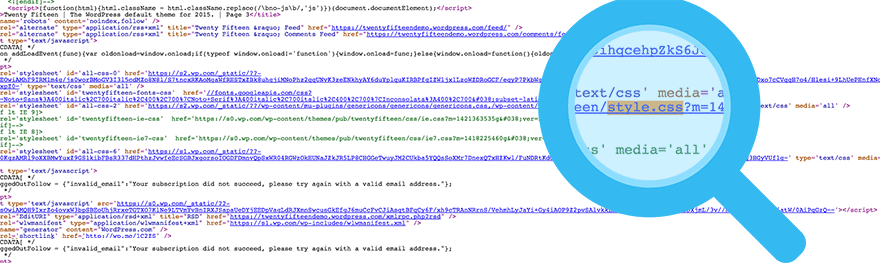
Many websites use WordPress for design. Finding out which theme they use can be fun. First, open the website in your browser. Right-click and select “View Page Source.” This opens a new page with codes. Use “Ctrl + F” to find words like “theme” or “style.css.” The theme name often appears near these words.
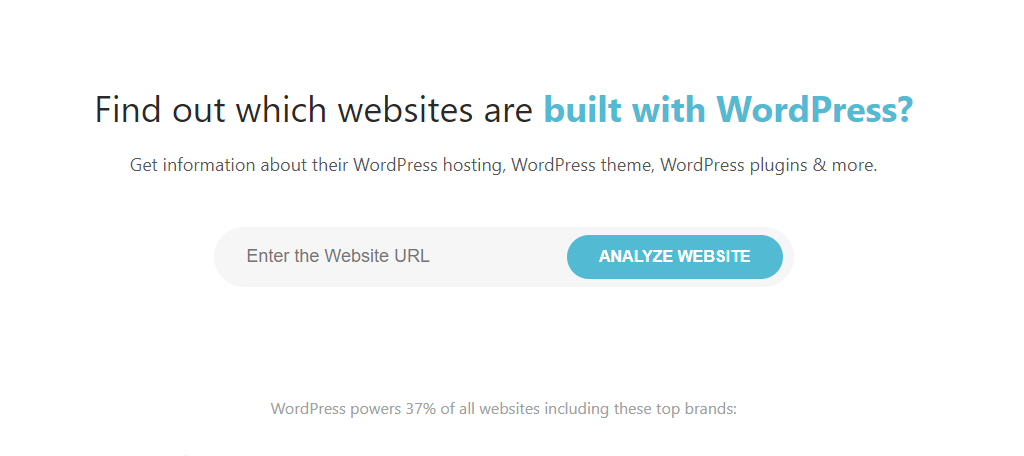
Another way is using online tools. Websites like WPThemeDetector can help. Enter the site URL, then click search. These tools show the theme name and other details.
Sometimes themes have custom names. In these cases, tools might not work. In such situations, contact the website owner. They might share the theme name with you.
Manual Inspection Techniques
Right-click on the webpage. Choose “View Page Source”. A new window will open. Look for style.css in the code. This often contains theme details. Search using Ctrl+F. Type “theme” or “template”. You might find clues there. Keep an eye out for theme name or author. These can help identify the theme.
Open the site you like. Press F12 or right-click and choose “Inspect”. Developer tools will appear. Click on the “Sources” tab. Look for folders named wp-content. Inside, find themes folder. This folder often reveals the theme name. It might display files like style.css. Check file details for more theme info. This method gives direct theme clues. A useful trick for curious minds.
Online Theme Detection Tools
Many websites help find out the theme. Some are free. Some are paid. The most popular is WhatTheme. Another one is WP Theme Detector. Both are easy to use. Just enter the website URL. The tool shows the theme name. Sometimes, it also shows plugins. Many users find this helpful.
These tools are quick. They save time. No need for coding skills. But they are not always accurate. Some themes are custom made. The tool may not detect them. Also, some tools need payment for full features. Choose wisely based on your needs.

Credit: www.hostinger.com
Analyzing Theme Structure
Inspecting Stylesheets can help identify a WordPress theme. Open the website in your browser. Right-click on the page. Choose “Inspect” or “Inspect Element.” Look at the CSS files. These are the stylesheets. Often, the theme name is in the URL of these files. Check for words like “theme” or “wp-content/themes.” This path shows the theme folder. You can see details here. This helps find out what theme is used.
Locating Theme Name and Author is crucial. Look for the “style.css” file. This file has important data. It usually contains the theme name. Also, look for the author’s name. The top section of the file has this info. You can see the theme name and author easily. This helps you learn more about the theme.
Using Browser Extensions
Discovering the WordPress theme a site uses becomes simple with browser extensions. These tools reveal theme details instantly. Enhance your browsing experience by installing them and gaining insights quickly.
Recommended Extensions For Theme Detection
Wappalyzer and BuiltWith are popular extensions. They help find theme details. They are easy to use and provide fast results. Users can install them in browsers like Chrome and Firefox. These tools detect the theme and plugins of a site. They offer a simple way to learn about any WordPress theme.
Installation And Usage Tips
Install extensions from browser stores. Click the extension icon after visiting a site. The extension will show theme info. Make sure the extension is up to date. Updating ensures better detection. Some sites might hide theme info. Extensions might not always succeed.
Contacting Site Owners
Discovering a site’s WordPress theme involves checking the page source or using online tools. These methods reveal the theme’s name and help you learn more about its design and functionality.
Reaching Out For Theme Information
Sometimes, the best way to find out a site’s theme is to ask. Contacting the site owner can be a direct method. Look for a contact form or an email address on the website. Write a polite message asking about the theme. Be clear and explain why you want to know. Respect their choice if they don’t want to share.
Appropriate Contact Etiquette
Being polite is important when reaching out. Start with a friendly greeting. Introduce yourself briefly. State your reason for contacting them. Use simple and clear language. Thank them for their time. Wait patiently for their reply. Remember, they are not required to answer. Be grateful if they do.
Legal And Ethical Considerations
Discovering a site’s WordPress theme involves understanding legal and ethical boundaries. Respect site privacy by avoiding unauthorized access. Utilize online tools that are designed for theme detection without compromising security.
Respecting Copyrights
Copyrights protect the original work of theme creators. Always respect their rights. It’s important to ensure you are not infringing on these rights. Use themes that are available for public use. Check if the theme is open-source or has a free license. This ensures you’re using it legally. Avoid using themes from illegal sources. This can lead to penalties or legal issues. Always give credit to theme creators where due. It shows appreciation and respect for their work.
Avoiding Unauthorized Use
Unauthorized use of themes can cause problems. It can lead to legal actions against you. Always get themes from trusted sources. Avoid downloading from unknown websites. They might offer themes that are unauthorized. Use theme directories that are official. They provide safe and legal options. If unsure about a theme’s legality, do some research. Ensure the theme follows legal guidelines. It’s best to play it safe.
Credit: winningwp.com
Frequently Asked Questions
How Do I Find Out What WordPress Theme A Site Is Using?
Use online tools like WPThemeDetector or What WordPress Theme Is That to identify a site’s theme. Alternatively, inspect the site’s source code for the “wp-content/themes” directory. This reveals the theme’s name. These methods efficiently uncover the WordPress theme in use.
How Do I Know Which Template Is Used In A Website?
Inspect the website’s code using browser developer tools to find template details. Check the theme or template folder names in the source code. Look for meta tags or comments indicating the template name. Online tools can also help identify the template used.
How To Detect What WordPress Plugins A Site Is Using?
Use online tools like BuiltWith or WPThemeDetector. Check the site’s source code for plugin-specific CSS or JavaScript files. Inspect the page using the browser’s developer tools to identify plugin-related elements. These methods help reveal active WordPress plugins on a site.
How Do I Identify A WordPress Site?
Check for “/wp-content/” in the site’s URL structure. Inspect the page source for WordPress-specific tags or generator meta. Use online tools like BuiltWith or Wappalyzer to detect WordPress. Look for common plugins or themes that are typically associated with WordPress sites.
Conclusion
Discovering a site’s WordPress theme is simpler than it seems. Use online tools like WPThemeDetector or What WordPress Theme Is That. Manually inspect the site’s source code for detailed information. These methods help identify the theme quickly and efficiently. Now you can explore themes with ease.
No more guessing games. Understanding a site’s design can inspire your own projects. Get creative and start building. Your journey into WordPress themes begins now. Enjoy the process and learn as you go. Happy designing!


