
Are you tired of using the same old WordPress themes that don’t quite fit your style or brand? Imagine having a unique theme that perfectly reflects your personality or business.
Creating your own theme on WordPress might seem daunting, but it’s more achievable than you think. With the right guidance, you can transform your website into a stunning showcase that stands out from the crowd. We’ll walk you through simple steps to craft your own WordPress theme, making the process not only manageable but also enjoyable.
Stick around, and you’ll discover how easy it is to give your website the personalized touch it deserves.

Credit: www.youtube.com
Understanding WordPress Themes
WordPress themes change how your website looks. They are like clothes for your site. Themes have designs, colors, and layouts. You choose how your site appears. Themes are important. They make your site unique. You can pick from many themes. Some are free, others cost money. Each theme has special features. Some are good for blogs. Others are great for shops. Choose a theme that fits your needs. It’s fun to make your site look cool!
Custom themes let you design your site your way. You can change colors, fonts, and layouts. Your website looks different from others. It’s special. You have control over the design. Your site matches your brand. Custom themes can improve user experience. Visitors find it easy to use. They enjoy the look. Custom themes can help your site grow. You stand out in the crowd. Your site feels unique and fresh.
Setting Up Your Development Environment
Start by installing WordPress on your computer. This helps you work offline. You need a few things. First, download a local server. Popular ones are XAMPP or MAMP. These make your computer act like a server.
Next, download the WordPress software. It’s free on their website. Unzip the files and put them in the server’s folder. This folder is usually called “htdocs” in XAMPP. Now, you can access WordPress locally.
Use a code editor. It helps you write and edit code. Examples are Visual Studio Code or Atom. These tools are easy to use. They help you spot mistakes in your code.
A web browser is essential too. Check how your theme looks and works. Use Chrome, Firefox, or any you prefer. Finally, have a backup tool. It saves your work, so you don’t lose it. These tools make theme development smooth and easy.
Planning Your Theme
Think about what your theme needs. Start with the basics. Choose colors and fonts. Decide on the layout. Make a list of features. Navigation menus, sidebars, and widgets are important. Include responsive design so it works on all devices. Consider SEO to help people find your site. Don’t forget social media buttons. They help share your content. Ensure your theme is easy to use. This keeps visitors happy.
Draw a simple sketch of your theme. This is called a wireframe. Use it to plan where things go. Place header at the top. Add a footer at the bottom. Think about where to put content. Use boxes for different parts. This helps organize your site. Keep it neat and clean. A clear layout is important. It guides users easily. Make changes as needed. The wireframe is just a guide.
Creating Basic Theme Structure
Building a theme needs some basic files. The style.css file is crucial. It holds the theme’s info and styles. A functions.php file is also key. It adds features to your theme. Every theme must have an index.php. It is the main template file.
A directory called the theme folder is needed. This folder stores all theme files. Subdirectories like images and templates can help keep things organized. These files and folders create the core of your theme.
WordPress uses a template hierarchy to decide which file to use. It checks the URL and decides which template to show. For example, a single post might use single.php. A page will use page.php. If these files don’t exist, WordPress falls back to index.php. Knowing this hierarchy helps in creating a neat theme.
Styling Your Theme
CSS helps you change how your site looks. It can make text look big or small. You can change colors easily. Use CSS to make buttons look cool. You can even add borders to pictures. Adjust the spacing between items. This makes your site neat. CSS can make your site look unique.
Websites should look good on all devices. Responsive design helps with this. You can use CSS to make this happen. Make sure text fits well on phones. Pictures should not be too big. Buttons should be easy to tap. This helps users enjoy your site. Everyone can see your site well.
Adding Functionality With Php
PHP lets you add cool features to your WordPress theme. Use custom functions to do this. Write these in the functions.php file. These functions can change how your site looks. They can also change how it works. Start small. Maybe add a simple greeting message on your homepage.
WordPress hooks are like magic keys. They help you change site parts without breaking things. Two types exist: actions and filters. Actions let you add new stuff. Filters let you change stuff. Use hooks to make your theme unique and fun. Learn them to make your site better.
Implementing Javascript
Create a unique WordPress theme by implementing JavaScript to customize features and enhance user experience. JavaScript allows interactive elements like dynamic sliders and responsive menus, making your theme more engaging and functional.
Enhancing User Experience
JavaScript makes your website interactive. It helps add fun effects. Animations and pop-ups can make pages lively. Users feel more engaged. They stay longer and enjoy more. JavaScript helps load content without refreshing. This speeds up the website. Users like quick and smooth pages. JavaScript can also handle form submissions. It checks for errors and gives feedback fast. This is helpful for users. They know what to fix right away. Interactive maps and sliders can also use JavaScript. These features make your site more useful.
Using Jquery In WordPress
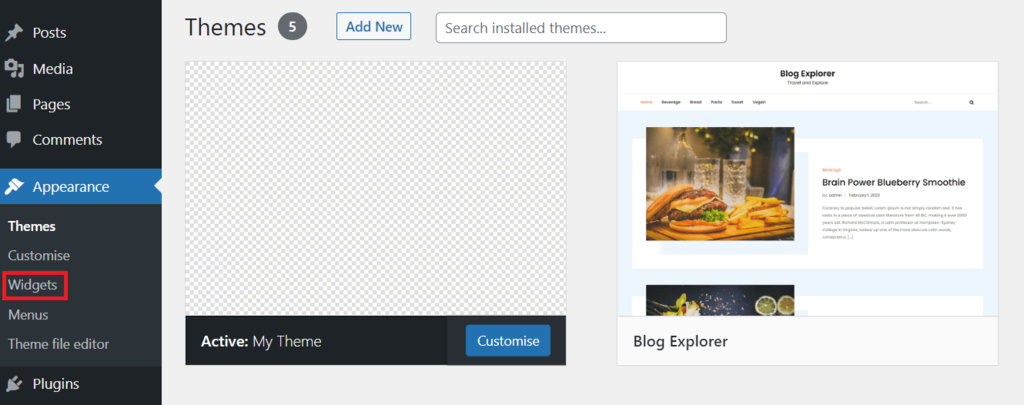
jQuery is a popular JavaScript library. It makes coding easier. Many developers use it with WordPress. jQuery simplifies tasks like animations and effects. It also helps with AJAX calls. This makes content load quickly. jQuery works well with different browsers. This ensures everyone can see your site the same way. To use jQuery in WordPress, enqueue it in your theme. This is done in the functions.php file. Add a script tag in the head section. This will load jQuery for your theme. Now, you can write jQuery code in your JavaScript files. Enjoy making your site interactive!
Credit: www.hostinger.com
Testing Your Theme
Crafting a unique WordPress theme involves testing for functionality and design consistency. Verify responsiveness across devices to ensure user-friendly experience. Adjust elements until the theme reflects your vision effectively, balancing aesthetics and performance.
Debugging Techniques
Use the WordPress Debugging tool. It helps find theme errors. Turn on the debug mode in the wp-config.php file. This shows errors and warnings on your site. It is crucial to fix these for a smooth user experience. Inspect your code line by line. Look for misplaced tags or missing semicolons. These small errors can break your theme. Always keep your code clean and organized.
Ensuring Compatibility
Ensure your theme works on all devices. Test on mobile phones and tablets. Make sure your theme looks good everywhere. Also, check different browsers. Test on Chrome, Firefox, and Safari. Ensure your theme works on each one. Check your theme with popular plugins. Some plugins might not work well with your theme. Testing helps find these issues early.
Packaging And Distributing Your Theme
First, gather all theme files. This includes stylesheets, templates, and scripts. Make sure the files are complete. Use a reliable program to compress the files. Most people use zip format. This format is easy to handle. Name the zip file clearly. Choose a name that is easy to remember. Add a version number. This helps with updates later.
Prepare your theme for submission. Check the WordPress guidelines. These rules are important. Follow them closely. Create an account on WordPress. You need this to submit your theme. Find the submission form. Fill it out carefully. Describe your theme. Make it clear and simple. Upload your zip file. Wait for approval. This can take time. Be patient.
Credit: www.wpzoom.com
Maintaining And Updating Your Theme
Themes need regular updates to stay fresh. Updates fix bugs and add new features. Check for updates often. You can find updates in the WordPress dashboard. Click on the update button to keep your theme current. New updates keep your site safe from hackers. Themes that are not updated can have problems. Problems can make your website slow or broken. So, always update your theme.
User feedback is important. It tells you what users like or dislike. Listen to user feedback to improve your theme. You can make changes based on suggestions. This helps make your theme better. Happy users will visit your site more often. Always thank users for their feedback. Good feedback can make your theme more popular.
Frequently Asked Questions
Can I Create My Own WordPress Theme?
Yes, you can create your own WordPress theme. Use HTML, CSS, PHP, and JavaScript. Follow WordPress Codex guidelines. Customize design and functionality. Utilize starter themes or frameworks for easier development. Test for responsiveness and compatibility. Ensure SEO optimization for better visibility.
How To Make A WordPress Theme Free?
To create a free WordPress theme, learn HTML, CSS, and PHP basics. Use WordPress’s theme development resources and guides. Install WordPress locally, design your theme, and test it. Finally, submit it to the WordPress Theme Directory for review and approval.
How Do I Create My Own Template In WordPress?
To create a WordPress template, start by creating a new theme folder in wp-content/themes. Add a style. css file and include theme details. Create a functions. php file for theme functions. Design your template files, such as header. php and footer.
php. Test the theme by activating it in your WordPress admin.
How Do I Add A Custom Theme In WordPress?
Go to your WordPress dashboard. Click “Appearance,” then “Themes. ” Select “Add New” and “Upload Theme. ” Choose your custom theme file, then click “Install Now. ” After installation, click “Activate” to apply the theme.
Conclusion
Creating your own WordPress theme is rewarding and fun. You gain control over design and functionality. Start small and learn as you go. Experiment with colors and fonts. Customize to reflect your style. Use online resources for guidance. Practice regularly to improve.
Always test your theme on different devices. Ensure it looks great on all screens. Share your theme with others. Gather feedback and make improvements. With patience, your skills will grow. Enjoy the process of designing something unique. Your WordPress theme can truly represent your vision.
Keep exploring and enhancing your creations.


