
Ever stumbled upon a website and wondered which WordPress theme it’s using? You’re not alone.
Whether you’re looking to replicate a stunning design or simply curious about the tools behind a beautiful interface, identifying a WordPress theme can unlock a world of possibilities for your own site. Imagine being able to craft a similar online experience, one that captivates and engages your audience just like the site that caught your attention.
By the end of this guide, you’ll have the skills to unveil the theme secrets behind any WordPress site. Get ready to elevate your web design game and unleash your creative potential. Keep reading to discover how easy it is to find out the WordPress theme powering your favorite sites!
Credit: torquemag.io
Why Identify A WordPress Theme?
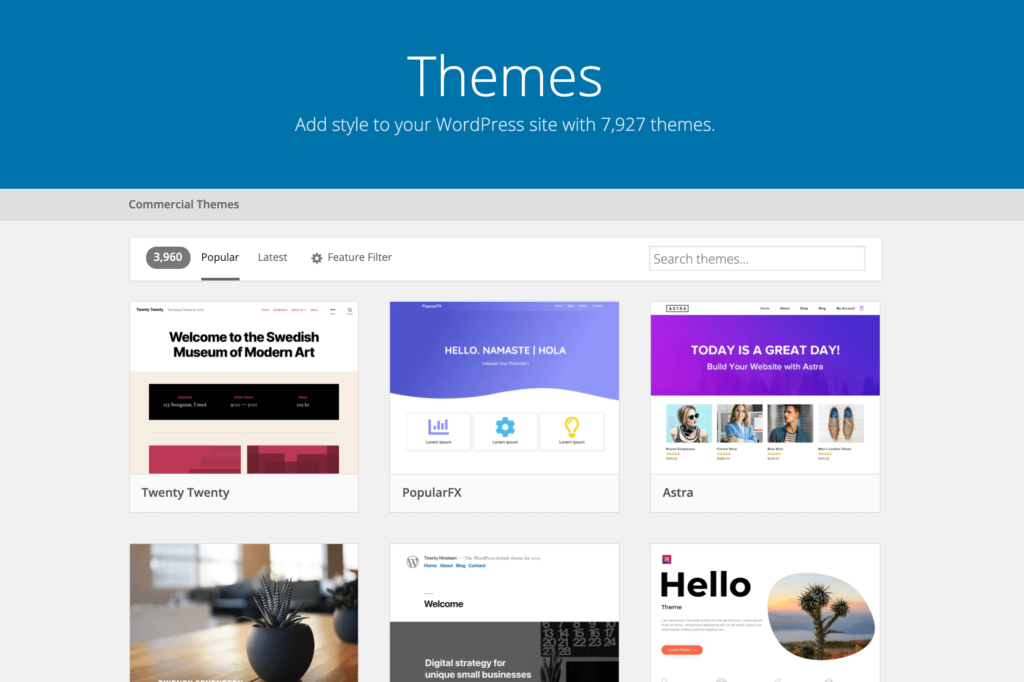
Finding a site’s WordPress theme can be useful. Themes show a site’s design style. Knowing the theme helps you learn about its features. You can find out how customizable it is. Some themes are easy to use and adapt. Others may need more skill. Understanding themes helps in choosing one for your own site. It saves time and effort. You won’t need to build from scratch. You can create a site that looks professional. Many themes have built-in features. This makes website building faster.
Credit: www.greengeeks.com
Tools For Theme Detection
Discovering the WordPress theme of a website is easy with specialized tools. These tools quickly analyze and identify the theme in use. This process saves time and helps users understand website design choices.
Online Detectors
Online detectors help find the theme of a WordPress site. Visit the site and input the website URL. The tool shows the theme name and details. Many sites offer this service free. They make theme finding easy for everyone. Popular detectors include WPThemeDetector and What WordPress Theme is That. These tools are simple to use. They save time and effort. Always ensure you enter the correct URL. This gives the right theme info.
Browser Extensions
Browser extensions can detect WordPress themes. Add them to your browser. They work with a click. Extensions show theme details fast. They are handy for theme research. Some popular ones are WordPress Theme Detector and WordPress Theme and Plugins Detector. They help find theme info directly from your browser. They provide detailed theme info quickly. Easy for kids and adults to use. Make sure the extension is compatible with your browser.
Manual Inspection Techniques
Right-click on the webpage. Select “View Page Source” from the menu. A new tab with code will open. Look for “wp-content/themes/” in the code. The text after this shows the theme name. Not all websites will show theme names.
Right-click anywhere on the webpage. Choose “Inspect” from the menu. A panel with code appears. Check the “Elements” tab. Search for “wp-content/themes/“. The text after it tells the theme name. Sometimes, the name is hidden. Explore other sections if needed.

Credit: www.greengeeks.com
Using WordPress Theme Detector Websites
Many sites can help find a WordPress theme. Some popular choices include What Theme, WPThemeDetector, and ScanWP. These tools are easy to use. Just type the website URL. They show the theme name and author. Some even list plugins used.
First, open the theme detector website. Enter the URL of the site you like. Click the analyze or detect button. Wait for the results. The tool will display the theme’s name. Some tools show the theme version too. It’s that simple!
Identifying Theme From Style.css File
Go to the website you like. Right-click anywhere on the page. Select “View Page Source” or “Inspect”. This opens the page’s code. Look for a link with “/wp-content/themes/” in it. This is the theme’s folder. Click the link. It takes you to the theme’s folder.
In the theme’s folder, find the file named “style.css”. Open it. The top part has important info. Look for the Theme Name. It shows the theme’s name. Also check for Theme URI. This link may lead to the theme’s page. Look for Author info too. It tells who made the theme. These details help identify the theme used.
Challenges In Theme Detection
Many websites use custom themes. These themes are made just for them. Finding the theme becomes hard. The theme might not have a name. It might have no clear files. It can look like a regular theme. But inside, it is different. This makes detection tricky. Developers use custom code. This adds to the challenge. Custom themes hide their true nature. It takes skill to find them.
Some themes are obfuscated. This means their code is hidden. People hide the code on purpose. They do this to keep secrets. The hidden code confuses tools. Tools cannot read these themes. Obfuscation makes themes hard to detect. Even experts find it tough. These themes are like puzzles. Solving them takes time. Patience is key. The right tools can help. But the process is not easy.
Alternatives To Theme Detection
Sometimes, the simplest way is to ask the site owner. Send a polite message. Many owners are happy to share theme details. This approach is direct and can save time. They might even give extra tips!
Explore other websites with a similar design. They might use the same theme. Online forums can help find these sites. It’s like a treasure hunt. Search engines are also helpful. Use keywords related to the theme’s look. This method needs some patience.
Frequently Asked Questions
How To Tell Which WordPress Theme A Website Is Using?
Use online tools like “What WordPress Theme Is That” or inspect the website’s source code. Look for the “wp-content/themes” directory. This often reveals the theme name used. Browser extensions can also help identify themes.
What Kind Of WordPress Theme Do I Have?
To identify your WordPress theme, check the theme folder in your website’s files. Alternatively, use online tools like “What WordPress Theme Is That? ” By entering your website URL. This reveals the theme name and author. You can also inspect the website source code for theme details.
How To Identify A WordPress Website?
Check the page source for “wp-content” or “wp-includes” directories. Use online tools to inspect CMS. Look for WordPress-specific plugins or themes.
How Do I Find The Right WordPress Theme?
Choose a WordPress theme by considering your site’s purpose and audience. Ensure it is responsive and fast. Check reviews and ratings for credibility. Customize it easily to match your brand. Test its compatibility with essential plugins.
Conclusion
Identifying a WordPress theme is simpler than it seems. With the right tools, you can easily uncover the theme behind any website. Start with browser extensions or online services. These tools scan websites quickly. They often provide theme details instantly.
Practice using them regularly. This helps you become more familiar with their features. Also, explore the source code for deeper insights. Remember, gaining knowledge about themes enhances your web skills. Stay curious and keep exploring. It’s a valuable step in understanding web design better.
Your skills will grow as you continue learning.


