
Have you ever gazed longingly at a stunning WordPress theme and wondered if it’s time for a change? You’re not alone.
Switching WordPress themes might feel daunting, but it doesn’t have to be. The allure of a fresh look and enhanced functionality is hard to resist. But, you might be asking yourself, “How hard is it really to switch WordPress themes?
” This is a question many website owners grapple with. Imagine having the power to transform your site’s design and user experience without the hassle of complex coding. In this post, we’ll unravel the mysteries behind theme switching. You’ll discover practical steps and insider tips that will make the transition smooth and stress-free. If you’re ready to take your WordPress site to the next level, keep reading. The answers you seek are just a scroll away.

Credit: jetpack.com
Factors Affecting Theme Switch
Switching themes can lead to compatibility issues. Some themes might not support certain plugins. This can break your site. Themes might not work well with your current setup. It’s a puzzle. You need to check theme requirements. Themes may clash with your WordPress version. Always ensure theme compatibility.
Moving content from one theme to another is hard. Old themes may use different layouts. New themes can change how content appears. Sometimes, images and text don’t fit right. You must adjust content for the new theme. This can take time. It’s like moving furniture. You need to make sure everything fits.
Every theme has unique features. Customization is needed to make your site special. You might need to change colors or fonts. Some themes allow easy changes. Others need coding skills. It’s like painting a picture. You want to make it your own. Customization requires patience and creativity.
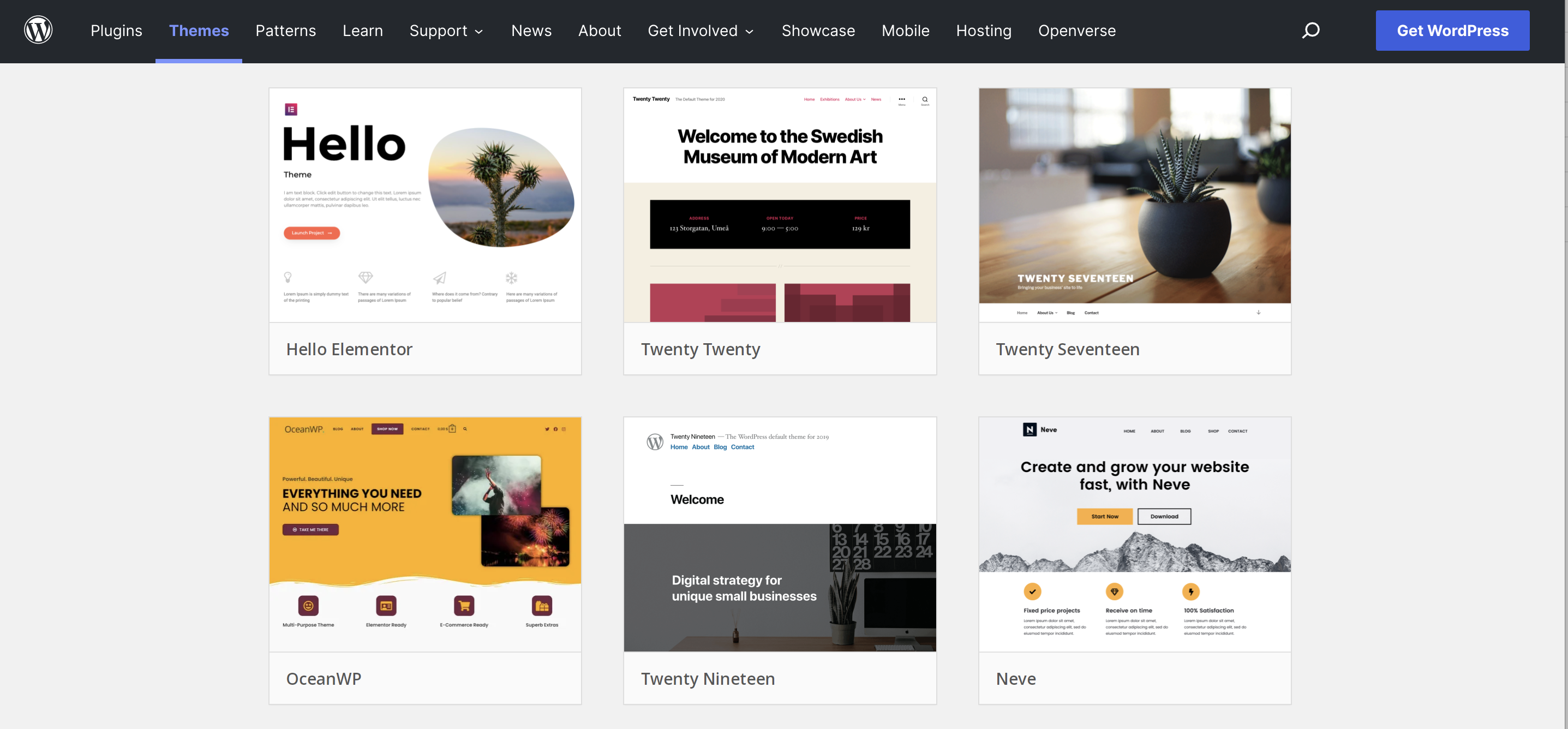
Credit: jetpack.com
Preparation Steps
Switching WordPress themes can be daunting. Start by backing up your site. Check your widgets and plugins for compatibility.
Backup Your Site
Backing up your site is very important. It keeps your data safe. Use a plugin for easy backup. This saves time. You can also use manual methods. These are a bit harder. Always save your backup in a secure place. Cloud storage works well. This step is crucial.
Evaluate New Theme Features
Check new theme features carefully. Design elements must suit your needs. Look at customization options. These should be easy to use. Some themes offer special widgets. These can enhance your site. Make sure features are compatible with your goals. The new theme must improve your website.
Check Plugin Compatibility
Plugins are key to site functions. Check if they work with the new theme. Test plugins before switching. Update plugins for better results. Some themes may need special plugins. Conflicts can cause problems. Always resolve these issues. Compatibility ensures smooth operation.
Technical Considerations
Changing your WordPress theme can affect SEO settings. Some themes have better SEO support. Others might lack it. Always check the meta tags and schema settings. These can change with a new theme. It’s crucial to keep your URL structure intact. Otherwise, search engines might get confused.
A new theme might slow down your site. Or it could make it faster. Some themes are lightweight. Others have too many features. This can affect loading speed. Always test your site speed after a switch. Use tools like Google PageSpeed Insights.
Many users visit sites on phones. A theme must be mobile-friendly. Check how your site looks on a phone. Some themes are better for mobile views. Make sure buttons and text are easy to use. If not, users may leave your site.

Credit: wpengine.com
Common Pitfalls
Switching themes can lead to loss of custom code. Many users add unique codes to their themes. These codes might include special scripts or styles. When a new theme is activated, these codes might disappear. Always back up your custom code. Save it somewhere safe. This ensures you can add it back to the new theme. Without backups, you might lose important functionality.
Changing themes may affect widgets and menus. Some themes have different widget areas. Your existing widgets might not fit well. Menus can also shift or break. Double-check all widget placements after switching. Ensure menus are still in the right places. This helps maintain a smooth user experience.
New themes can cause broken links. This results in 404 errors. Links might point to pages that no longer exist. Regularly check your site for broken links. Use tools to find and fix these errors. A clean link structure helps users navigate. It also improves your site’s performance.
Post-switch Optimization
After switching themes, test your site on many browsers. This ensures consistent performance. Some browsers may show different styles. Check for broken links or missing images. Fix any display issues quickly. This enhances user trust and satisfaction.
Update fonts and colors to match your new theme. Keep your brand identity consistent. Ensure that buttons and menus are easy to use. This helps visitors navigate your site smoothly. Check if all widgets work well. Adjust layouts to fit content properly.
Regularly check site speed and loading times. Slow sites drive users away. Improve loading times to keep visitors engaged. Watch how users interact with content. Are they clicking links? Do they stay on pages longer? Gather feedback to make improvements.
Helpful Tools And Resources
Switching WordPress themes can seem tricky, but helpful tools make the process smoother. Guides and plugins assist in maintaining content and design consistency. These resources ensure a seamless transition without losing essential site elements.
Theme Testing Plugins
Theme testing plugins help users try new themes. These plugins are easy to use. They show what a theme will look like. You can preview changes without making them live. This way, you don’t upset your current site. Some plugins also check for theme conflicts. This helps keep your site running smoothly.
Online Forums And Communities
Forums are a place to ask questions. Many people share their experiences. You can learn from others. They offer tips and tricks for switching themes. Communities are friendly and helpful. They can guide you to the best resources. Joining these groups can be very beneficial.
Developer Support Options
Developers often offer support options. They can help with problems. Some offer live chat support. Others might have a help desk. It’s important to know where to find help. This can make theme switching easier. It ensures you have expert guidance when needed.
Frequently Asked Questions
Is It Easy To Change A WordPress Theme?
Changing a WordPress theme is straightforward. Go to the dashboard, select Appearance, then Themes. Choose your desired theme and click Activate. Ensure you back up your site first and check for compatibility issues. Customizations might be needed, but the process is generally user-friendly.
Can You Switch Themes In WordPress Without Losing Content?
Yes, you can switch themes in WordPress without losing content. Content like posts, pages, and media remain unchanged. Widgets and theme-specific settings might need adjustments. Always back up your site before switching themes for safety.
Will Changing The WordPress Theme Affect Seo?
Changing your WordPress theme can impact SEO. It may alter site speed, structure, and mobile responsiveness. Ensure the new theme is SEO optimized, has clean code, and is mobile-friendly to maintain or improve your site’s SEO performance. Always back up your site before making changes.
How To Migrate From One WordPress Theme To Another?
Switch themes via WordPress dashboard. Preview before activating. Backup data to avoid loss. Check plugins and widgets compatibility. Customize new theme settings for seamless transition.
Conclusion
Switching WordPress themes can be manageable with the right approach. Careful planning helps avoid issues. Take backups before changes. Test your new theme thoroughly. Look out for compatibility problems. Sometimes, plugins need adjustments. Patience is key during this process. Small tweaks can make a big difference.
Ensure your site remains user-friendly. Keep an eye on loading speeds. Always prioritize your visitors’ experience. A successful theme change improves your site’s look and functionality. Ultimately, the effort pays off. Your site becomes more engaging. Enjoy the fresh design and enhanced features.
Happy theme changing!


