
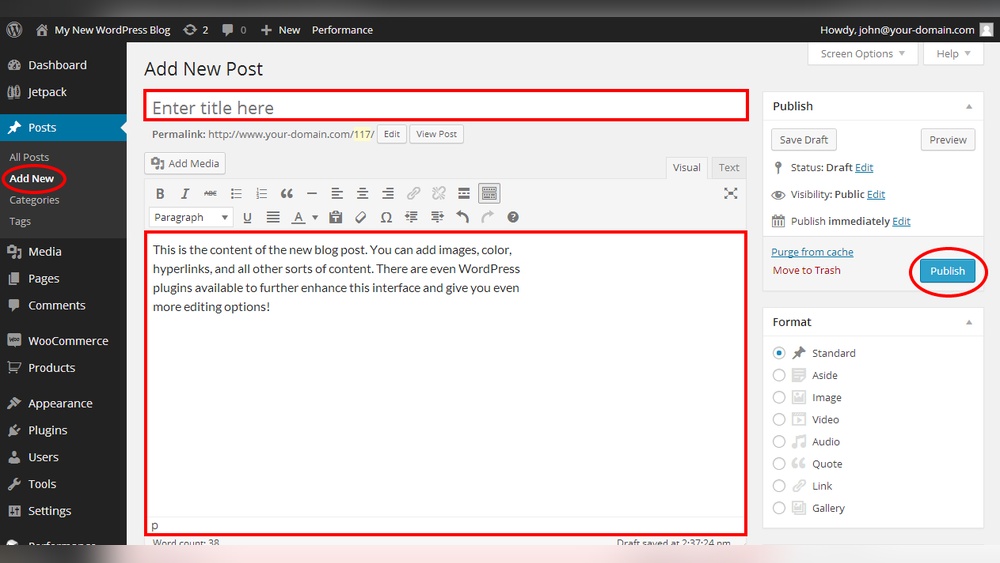
Are you ready to give your WordPress website a fresh boost? Adding a blog page is one of the smartest moves you can make.
It helps you connect with your audience, share your ideas, and even improve your site’s visibility on search engines. But if you’re unsure where to start, don’t worry—you’re in the right place. This guide will walk you through the simple steps to add a blog page to your WordPress site, so you can start sharing your story and growing your online presence today.
Keep reading, and you’ll have your blog up and running in no time!
Prepare Your WordPress Site
Preparing your WordPress site is a key step before adding a blog page. It helps ensure your site looks good and stays safe. This preparation sets the stage for a smooth blogging experience. Follow the steps below to get ready.
Choose A Suitable Theme
Select a theme that fits your blog’s style and purpose. A clean, simple design helps readers focus on your content. Make sure the theme supports blog features like post formats and comments. Check if it is mobile-friendly. A responsive theme improves user experience on phones and tablets.
Many themes offer customization options. Pick one that lets you change colors, fonts, and layouts easily. This helps keep your blog unique and attractive. Test the theme on your site to see how it looks before making it live.
Backup Your Website
Backing up your site protects your work and data. It creates a copy of your files and database. Use plugins or hosting tools to make backups regularly. Store backups in a safe place, separate from your website server.
Backups allow you to restore your site if something goes wrong. This is crucial when adding new features like a blog page. Always backup before making big changes. It saves time and stress later.
Create A New Blog Page
Creating a new blog page in WordPress is simple and quick. It helps organize your posts in one spot. This section guides you through making a fresh page for your blog. Follow these steps to set up your blog page correctly.
Add A Blank Page
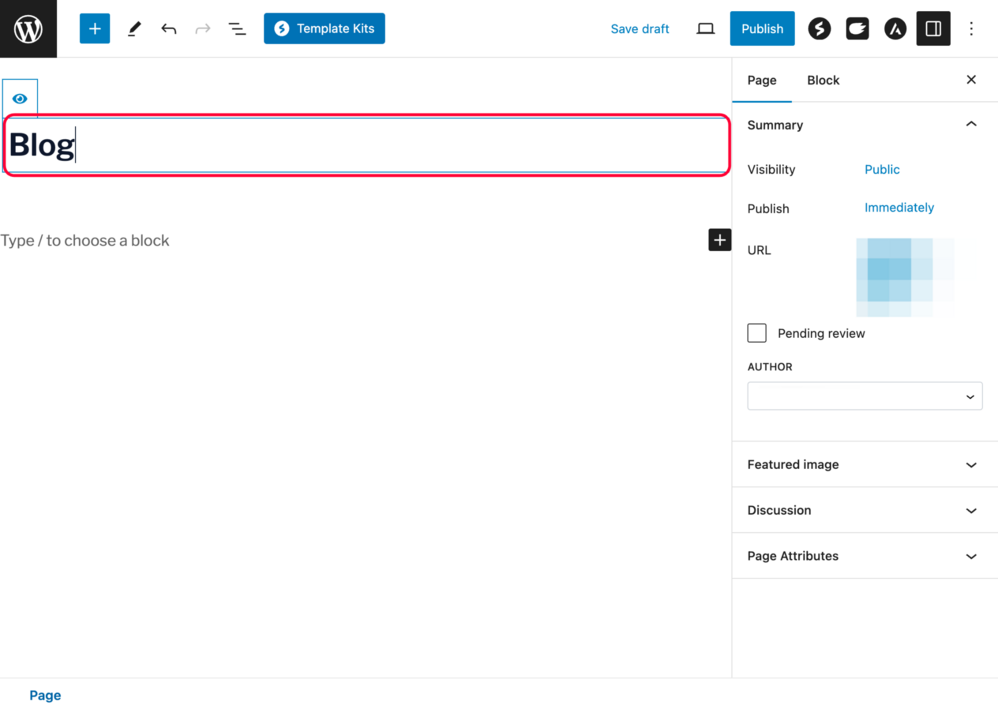
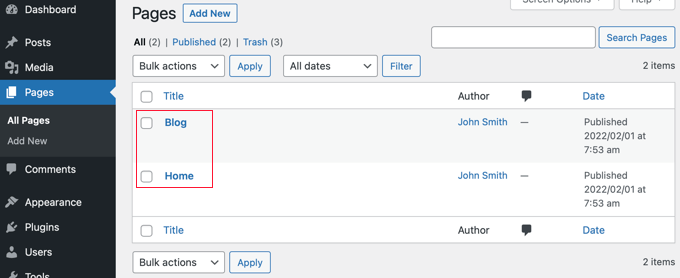
Start by logging into your WordPress dashboard. Navigate to the “Pages” menu on the left side. Click the “Add New” button to create a blank page. This page will serve as the home for your blog posts. Keep the page empty; do not add content here.
Set Page Title
Next, give your new page a clear title like “Blog” or “News.” This title shows on your website and helps visitors find your blog easily. Type the title in the title box at the top of the page editor. After that, click the “Publish” button to save your page.
Configure Blog Settings
Configuring your blog settings in WordPress helps organize your content and improve user experience. It sets how your blog posts display and behave on your site. Proper setup ensures visitors find your posts easily and enjoy reading them.
Assign Posts Page
WordPress needs a page to show all your blog posts. You can create a new page called “Blog” or use an existing one. Then, assign this page as your posts page in settings. This step tells WordPress where to list your latest posts.
Go to “Settings” and then “Reading” in your WordPress dashboard. Find the “Your homepage displays” section. Select “A static page” and choose your blog page for “Posts page.” Save changes to apply this setup.
Adjust Reading Settings
Reading settings control how many posts appear on each blog page. You can set the number to keep your pages neat and easy to load. It also decides if posts show in full or as summaries.
In the “Reading” settings, find “Blog pages show at most.” Enter a number like 5 or 10 to limit posts per page. Choose “For each article in a feed, show” and pick “Summary” for faster loading. Save your settings to finish.
Credit: zipwp.com
Customize Your Blog Layout
Customizing your blog layout helps create a unique look. It also improves how visitors read your posts. A clear layout keeps readers interested and makes your blog easier to use.
WordPress offers many ways to change your blog’s design. You can arrange items and choose how posts appear. These choices let you build a blog that fits your style and needs.
Use Widgets And Sidebars
Widgets add extra features to your blog. You can place them in sidebars or other widget areas. Common widgets include search bars, recent posts, and social links.
Sidebars are vertical sections on the side of your blog. They give space for widgets without cluttering your main content. You can add, remove, or move widgets in the sidebar easily.
Go to the WordPress dashboard and open the Widgets panel. Drag widgets to the sidebar area. Customize each widget to match your blog’s theme and goals.
Select Post Display Style
Choosing how posts show on your blog affects reader experience. WordPress themes offer different post display styles. Common styles include list view, grid view, and full posts.
List view shows posts in a simple vertical list. Grid view arranges posts in columns with images. Full posts display the entire content on the main blog page.
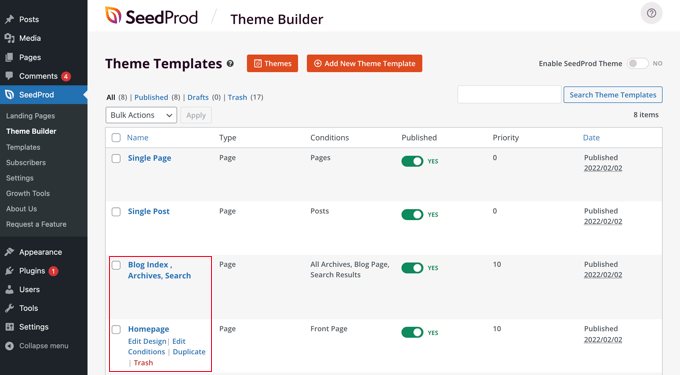
Pick a style that fits your blog’s purpose. Test different styles to see what looks best. Change the settings in the Theme Customizer or blog page options.
Optimize For Seo
Optimizing your blog page for SEO helps search engines find and rank your content. It improves your site’s visibility and brings more visitors. Simple steps can make a big difference in SEO performance.
Focus on tools and writing to make your blog page easy to find. Correct SEO practices guide search engines and make your content clear.
Install Seo Plugins
SEO plugins help manage your site’s SEO settings without coding. Popular plugins like Yoast SEO or Rank Math guide you to optimize titles, descriptions, and keywords. These plugins also create sitemaps and improve site structure.
Installing and activating a plugin is easy. Use the WordPress dashboard to find and add plugins. Configure the settings based on your blog’s needs. This saves time and improves SEO results.
Write Seo-friendly Content
Content is the heart of SEO. Use clear and simple language to reach more readers. Include keywords naturally in titles, headings, and paragraphs. Avoid keyword stuffing as it can hurt your rankings.
Make your blog easy to read. Use short sentences and paragraphs. Add relevant images with alt text to support your content. This helps search engines understand your blog better.
Credit: www.wpbeginner.com
Test And Publish Your Blog
Testing your blog page is a key step before publishing. It helps catch errors and improve user experience. Take time to preview your blog and check how it looks on different devices. This ensures your readers enjoy smooth navigation and clear content.
Preview The Blog Page
Previewing lets you see the blog as visitors will. Check all text for spelling and grammar mistakes. Make sure images load correctly and links work. Review the layout for neatness and ease of reading. Adjust anything that looks off before moving forward.
Check Mobile Responsiveness
Many visitors use phones or tablets. Test your blog on various screen sizes. Ensure text is readable without zooming. Buttons and links should be easy to tap. Confirm images resize properly and do not overlap. A mobile-friendly blog keeps readers engaged and reduces bounce rates.
Maintain And Update Regularly
Maintaining and updating your WordPress blog page keeps it fresh and engaging. Regular updates help build trust with your readers. It also improves your site’s ranking on search engines. Consistent content shows that your blog is active and relevant.
Schedule New Posts
Plan your blog posts ahead of time. Use the WordPress editor to set publish dates. Scheduling helps keep your blog active without extra daily effort. Try to post at regular intervals. This creates a habit for your readers to return.
Monitor Performance
Check your blog’s performance using tools like Google Analytics. Look at which posts get the most views and comments. Use this data to understand what your readers like. Make changes based on what works best. Tracking performance helps grow your blog effectively.
Credit: www.wpbeginner.com
Frequently Asked Questions
How Do I Create A Blog Page In WordPress?
To create a blog page, go to Pages > Add New, name it “Blog,” and publish. Then, set it as your posts page in Settings > Reading.
Can I Customize The Blog Page Layout In WordPress?
Yes, you can customize the blog layout using themes or page builders. Many themes offer built-in blog templates for easy customization without coding.
How To Set The Blog Page As Homepage In WordPress?
Go to Settings > Reading, select “A static page,” then choose your blog page as the homepage. Save changes to apply the new homepage.
Is It Possible To Add Categories To My WordPress Blog?
Yes, adding categories helps organize posts. Go to Posts > Categories to create and manage categories for better navigation.
Conclusion
Adding a blog page to WordPress is simple and quick. You just create a new page and set it as your blog. Then, assign your posts to show there. This helps your visitors find your latest content easily. A blog page keeps your site fresh and interesting.
Keep updating your posts often to engage readers. Now, your WordPress site can share stories, news, or tips with everyone. Start sharing your ideas today!


