
Are you wondering what domain hosting cPanel is and how it can make managing your website easier? If you’ve ever felt overwhelmed by technical terms or struggled with setting up your site, this guide is for you.
Understanding domain hosting cPanel can save you time, reduce frustration, and give you more control over your online presence. Keep reading, and you’ll discover exactly what it is, why it matters, and how it can help you take charge of your website like a pro.
Domain Hosting Basics
Understanding domain hosting basics helps you manage your website better. Hosting links your domain name to a server. This allows your website to be visible on the internet. Knowing the basics makes choosing services easier and saves money.
What Is Domain Hosting
Domain hosting stores your website files on a server. It connects your website to the internet. Without hosting, no one can visit your site. Hosting gives your website a home online. It makes your content accessible worldwide.
Types Of Hosting Services
There are several hosting types. Shared hosting is the most common and affordable. Many websites share one server here. VPS hosting offers more power and control. It splits a server into parts for each user. Dedicated hosting gives you a whole server. This suits big websites with high traffic. Cloud hosting uses many servers together. It adjusts resources based on your needs.
Choosing The Right Hosting Plan
Pick a plan that fits your website size. Start small if your site is new. Check bandwidth and storage limits carefully. Look for easy website management tools. Consider customer support and uptime guarantees. Upgrade plans as your website grows. The right plan keeps your site fast and secure.
Credit: www.cpanel.net
Cpanel Essentials
Understanding cPanel is key to managing your domain hosting effectively. It offers tools that make website control simple and clear. Let’s explore the essentials of cPanel and why it matters for hosting.
What Is Cpanel
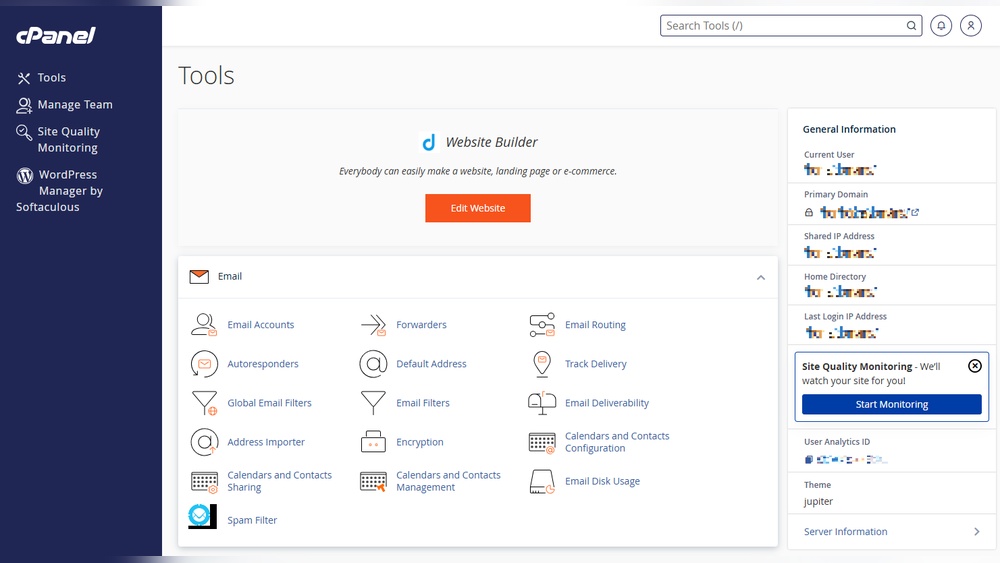
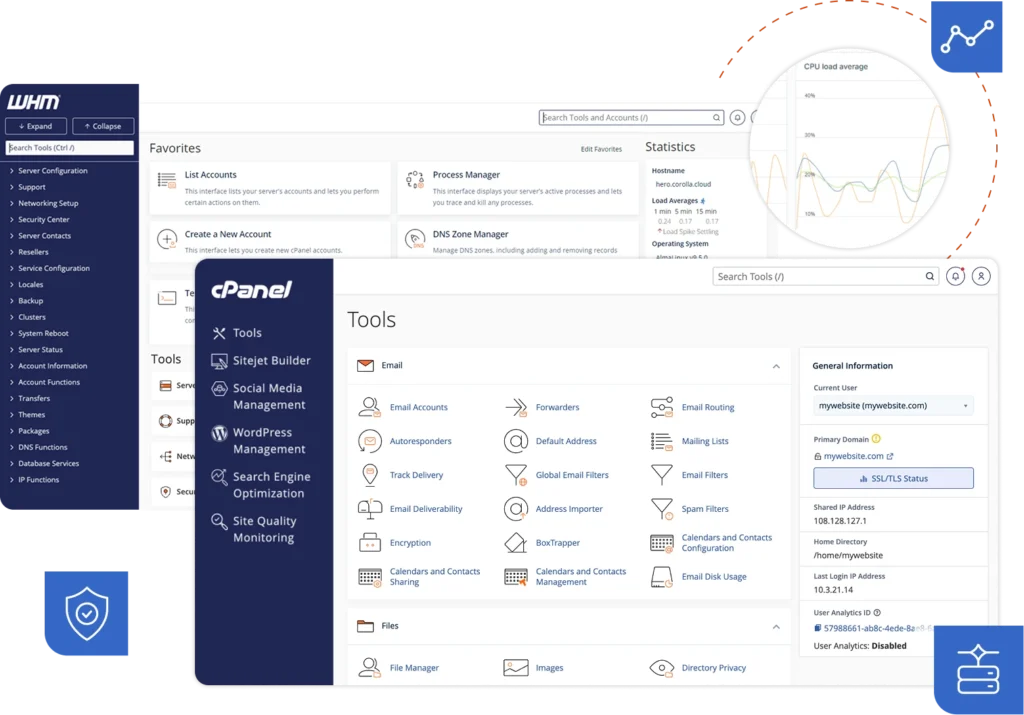
cPanel is a user-friendly control panel for web hosting. It allows you to manage your website, files, emails, and databases all in one place. You do not need special skills to use it. Many web hosts provide cPanel with their hosting plans.
Key Features Of Cpanel
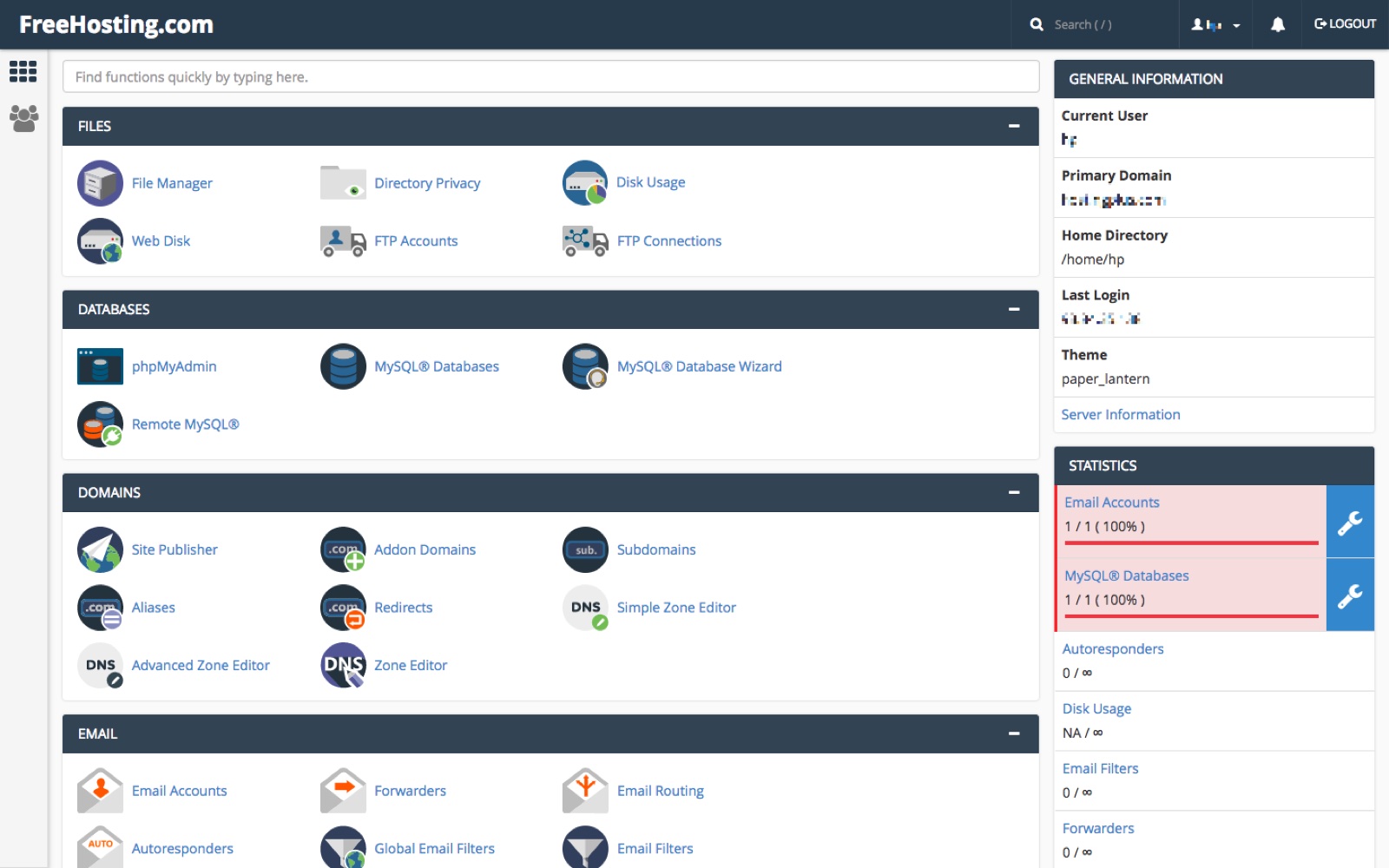
cPanel offers many features that help manage your website easily. You can create email accounts, install software, and back up your site. It also lets you monitor website traffic and manage security settings. All these features are accessible through a simple dashboard.
How Cpanel Simplifies Hosting
cPanel makes hosting tasks quicker and less confusing. You can upload files with drag-and-drop tools. Setting up email accounts takes just a few clicks. It also helps you install popular apps like WordPress without manual steps. cPanel puts control in your hands, saving time and effort.
Setting Up Domain Hosting With Cpanel
Setting up domain hosting with cPanel is simple and user-friendly. It helps you manage your website and domain in one place. cPanel offers tools to control files, emails, and databases easily.
This guide covers the basic steps to get started. Follow these steps to set up your domain hosting quickly and without confusion.
Registering Your Domain
First, choose a domain name that fits your site. Use a domain registrar to check availability. Register your domain by providing your details and payment. Keep your login info safe for future use.
Linking Domain To Hosting
Next, connect your domain to your hosting account. Find your hosting provider’s nameservers in the welcome email. Update your domain settings at the registrar to use these nameservers. Wait a few hours for changes to take effect.
Accessing Your Cpanel Account
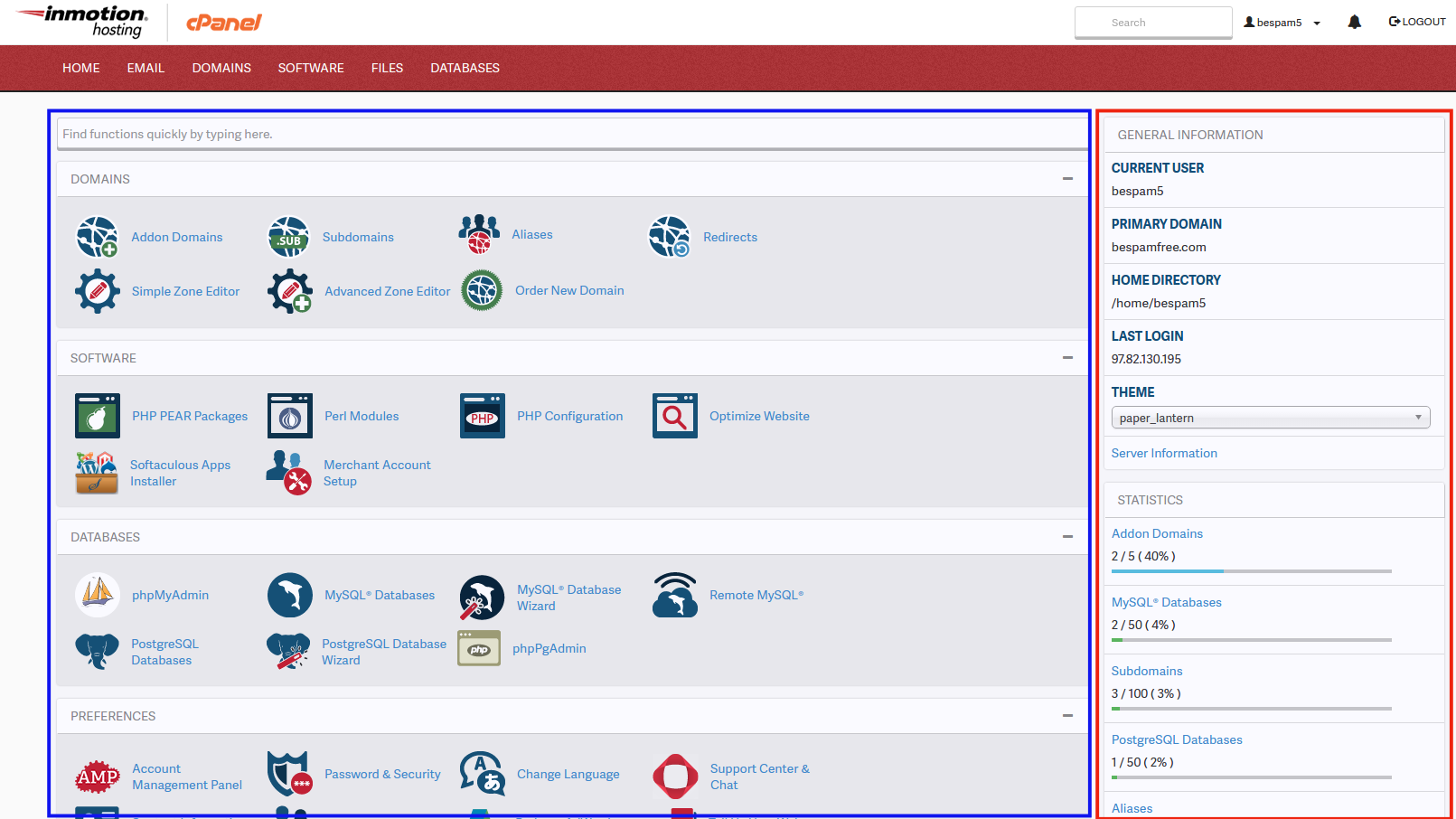
Log in to your cPanel using the URL from your hosting provider. Enter your username and password provided during hosting setup. Once inside, explore the dashboard for site management tools. This access helps you control your website easily.
Credit: www.inmotionhosting.com
Managing Your Website Via Cpanel
Managing your website via cPanel makes website control simple and efficient. It offers a clear interface to handle many tasks from one place. Even beginners can manage websites without technical skills. The tools in cPanel help save time and avoid confusion.
File Management Tools
cPanel includes file management tools to upload, delete, and organize website files. The File Manager lets you work with files directly on the server. You can create folders, move files, and edit code easily. No need for extra software to manage website content.
Creating And Managing Email Accounts
Setting up email accounts linked to your domain is simple in cPanel. You can create new email addresses for your business or personal use. Managing spam filters, passwords, and email forwarding is quick. This helps keep your communication professional and organized.
Installing Applications And Cms
cPanel offers easy installation of popular applications and content management systems (CMS). You can install WordPress, Joomla, or Drupal with just a few clicks. This saves time and avoids complex manual setups. Updating and managing these apps is also straightforward.
Database Management
Databases are vital for many websites. cPanel provides tools like phpMyAdmin to manage databases easily. You can create, edit, and back up databases without technical knowledge. This ensures your website data stays safe and well-organized.
Security And Backup Features
Security and backup are key parts of domain hosting with cPanel. They protect your website from threats and data loss. cPanel offers tools that help keep your site safe and data backed up. These features are easy to use and important for smooth website operation.
Ssl Certificates Setup
SSL certificates secure the data between your website and visitors. cPanel allows simple SSL installation and management. With SSL, your site shows a padlock icon in the browser. This builds trust and improves SEO rankings. You can install free or paid SSL certificates through cPanel. The process is quick and does not require technical skills.
Backup Solutions In Cpanel
Backups protect your website from accidental loss or hacking. cPanel offers automatic and manual backup options. You can save full or partial backups of your files and databases. These backups can be downloaded or stored on the server. Regular backups help you restore your site fast after a problem. Managing backups in cPanel is simple and reliable.
Managing Security Settings
cPanel gives control over many security settings. You can block IP addresses and set password protection for folders. There are tools to detect and prevent malware and suspicious activity. You can enable two-factor authentication for extra login security. These settings help keep your website safe from unauthorized access. cPanel makes managing security settings straightforward.
Troubleshooting Common Issues
Troubleshooting common issues in domain hosting cPanel can save time and reduce frustration. Many users face simple problems that have easy fixes. Understanding these issues helps maintain smooth website and email operation. The following sections cover common challenges and their solutions.
Resolving Domain Propagation Delays
Domain propagation means updating your domain on the internet. It can take up to 48 hours to complete. Sometimes delays happen due to DNS cache or server settings. Clear your browser cache and flush your DNS to speed up the process. Use online tools to check DNS status. Contact your hosting provider if delays persist beyond two days.
Fixing Email Setup Problems
Email setup issues often occur due to incorrect server settings. Double-check your incoming and outgoing server details. Ensure your email client uses the correct ports and encryption methods. Verify your email account is active in cPanel. Remove and recreate the email account if problems continue. Test sending and receiving emails after each change.
Handling File Upload Errors
File upload errors may happen because of size limits or permission settings. Check the maximum upload size in cPanel’s file manager or PHP settings. Adjust file permissions to allow uploads if needed. Use FTP for large files when web uploads fail. Clear your browser cache and try again. Contact support if the issue remains unresolved.
Advanced Tips For Power Users
Advanced users of domain hosting cPanel can greatly enhance their website management. This section shares simple tips that help you use cPanel more effectively. These tips focus on automation, DNS settings, and website speed. Each tip is easy to follow and designed to improve your control over your hosting environment.
Using Cron Jobs
Cron jobs allow you to run tasks automatically at set times. This saves time and reduces errors from manual work. You can schedule backups, clean temporary files, or send emails. Setting up a cron job in cPanel is straightforward. Choose the command to run and the schedule. Use simple commands to keep your site running smoothly.
Managing Dns Records
DNS records control how your domain name points to servers. Managing DNS in cPanel helps direct traffic correctly. You can add, edit, or delete records like A, CNAME, and MX. Correct DNS settings improve email delivery and website access. Always double-check changes to avoid downtime or errors.
Optimizing Website Performance
Speed matters for visitors and search engines. Use cPanel tools to monitor resource usage and performance. Enable caching options to reduce load times. Compress images and files to save bandwidth. Regularly check error logs to fix issues fast. Small changes in cPanel can boost your site’s speed and reliability.
Credit: www.freehosting.com
Frequently Asked Questions
What Is Domain Hosting Cpanel Used For?
Domain hosting cPanel is a control panel that simplifies website management. It allows easy handling of domains, emails, files, and databases in one place, making hosting tasks user-friendly and efficient for beginners and professionals alike.
How Does Cpanel Improve Domain Hosting?
CPanel improves domain hosting by providing a graphical interface for server management. It streamlines website setup, email creation, backups, and security, saving time and reducing technical errors for users managing their domains.
Can Beginners Use Domain Hosting Cpanel Easily?
Yes, beginners can use domain hosting cPanel easily. Its intuitive design and step-by-step tools help users manage websites without advanced technical skills, making web hosting accessible to everyone.
Is Domain Hosting Cpanel Secure For Websites?
Domain hosting cPanel includes security features like SSL management, password protection, and firewalls. These tools help protect websites from unauthorized access and cyber threats, enhancing overall site security.
Conclusion
Domain hosting cPanel makes website management simple and clear. It helps you control your site, emails, and files easily. This tool fits both beginners and experts well. Using cPanel saves time and effort every day. Understanding its features can improve your online presence.
Choose a hosting service that offers cPanel for smooth control. Your website will run better with the right tools. Keep learning to make the most of domain hosting cPanel.


