

Are you wondering if GoDaddy will host your website domain? Choosing the right place to host your website is a big decision.
You want a service that is reliable, easy to use, and fits your needs. If you already have a domain or are thinking about getting one, understanding how GoDaddy handles hosting can save you time and headaches. You’ll discover exactly what GoDaddy offers, how it works, and whether it’s the right choice for your website.
Keep reading to find out what you need to know before making your decision.
Godaddy Hosting Services
GoDaddy offers a variety of hosting services to support your website needs. They provide reliable options for beginners and professionals alike. Their hosting plans are designed to fit different website types and traffic levels. You can choose a plan that matches your budget and technical skills.
GoDaddy hosting is easy to set up and manage. Their control panel helps you organize your website files and settings. They also offer tools for security, backups, and email. This makes running a website smoother and safer.
Types Of Hosting Plans
GoDaddy offers several hosting types. Shared hosting is for small websites with low traffic. VPS hosting is for medium traffic sites needing more power. Dedicated hosting is for large websites requiring full server control. Each plan suits different needs and budgets.
Shared Hosting Features
Shared hosting is affordable and simple. Your website shares server space with others. It includes a user-friendly control panel. You get free SSL to protect your site. Automatic daily backups keep your data safe. Unlimited bandwidth helps handle visitors easily.
Vps And Dedicated Options
VPS hosting gives you more resources and control. It offers better speed and security than shared plans. Dedicated hosting means you have an entire server. This option is best for high-traffic sites. You get full access to server settings. Both options support custom software and apps.
Credit: www.godaddy.com
Domain Registration With Godaddy
Domain registration is the first step to creating your website. GoDaddy offers a simple way to register and manage your domain names. It provides tools that make the process easy for beginners and experts alike. You can register new domains or transfer existing ones to keep everything in one place. Managing your domains with GoDaddy is straightforward and user-friendly.
Registering A New Domain
GoDaddy allows you to search for available domain names quickly. You can choose from many domain extensions like .com, .net, or .org. The registration process is clear and fast. After finding your domain, you can buy it instantly. GoDaddy also offers suggestions if your preferred name is taken. This helps you find a good alternative without stress.
Transferring Existing Domains
Moving your domain to GoDaddy is simple and safe. You keep all your website data and settings during the transfer. GoDaddy guides you through each step with clear instructions. Transfers usually complete within a few days. This service helps you manage your domains in one account easily. It saves time and reduces confusion.
Domain Management Tools
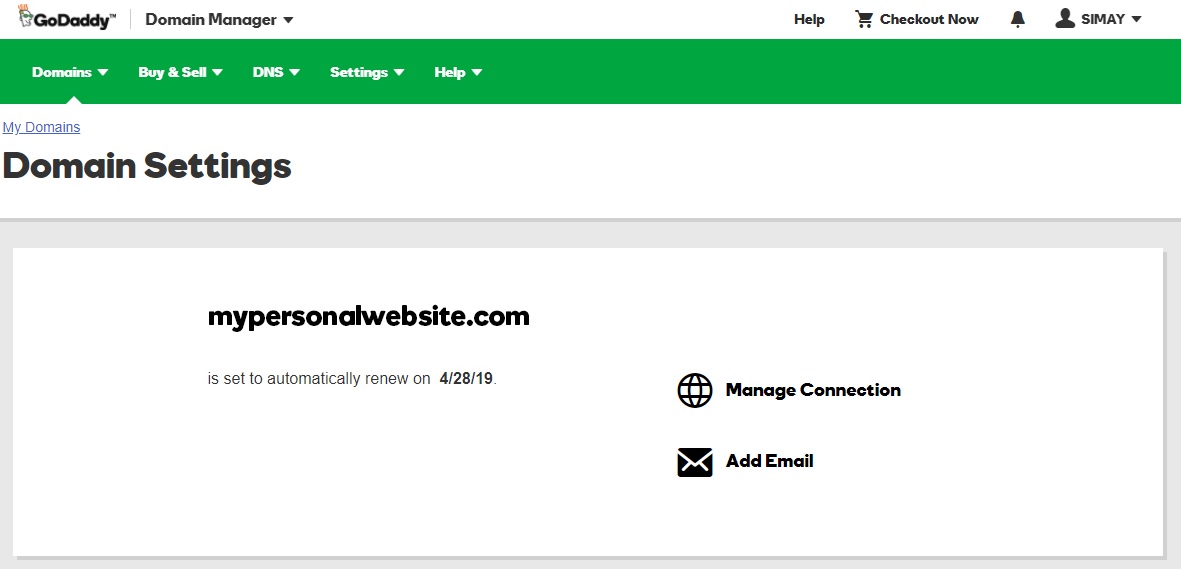
GoDaddy provides easy tools to control your domains. You can update contact details, DNS settings, and renewal options. The dashboard shows all your domains in one place. It alerts you when renewals are due. You can also add privacy protection to keep your info safe. These tools make domain management stress-free and efficient.
Linking Domains To Hosting
Linking your domain to your hosting is a key step to get your website online. Your domain is your site’s address. Hosting is where your website lives. Connecting the two makes your site visible to visitors. This process can seem tricky, but it is quite simple with clear steps.
Connecting Your Domain To Hosting
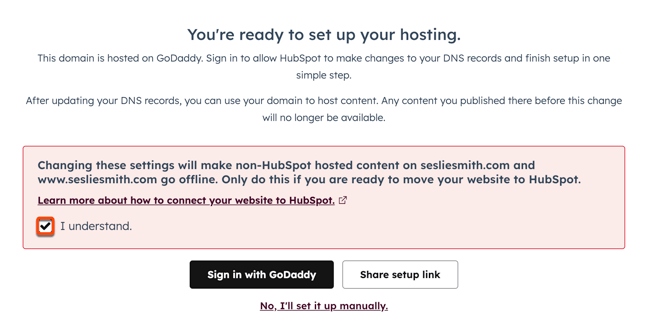
Start by logging into your GoDaddy account. Find your domain list and select the domain you want to use. Then, go to your hosting dashboard and copy the nameservers. Return to the domain settings and replace the current nameservers with the hosting ones. Save changes and wait a few hours. This change points your domain to your hosting server.
Dns Settings Explained
DNS stands for Domain Name System. It acts like a phone book for the internet. It connects your domain name to your website’s IP address. The important DNS records include A, CNAME, and MX. The A record links your domain to the hosting server’s IP. CNAME redirects your domain to other web services. MX controls email services. Adjusting these settings helps your website work correctly.
Using Godaddy’s Website Builder
GoDaddy offers a website builder for easy site creation. It includes hosting and domain connection in one place. After choosing a template, your domain links automatically. You can edit your site without technical skills. This tool simplifies the process for beginners. No need to manage DNS settings manually. Launch your website quickly using this builder.
Performance And Reliability
Performance and reliability are key factors for hosting your website domain. Your visitors expect fast loading times and constant availability. Slow websites or frequent downtime can drive users away. GoDaddy offers a hosting service designed to meet these needs. Understanding how GoDaddy performs helps you decide if it fits your website’s demands.
Server Uptime And Speed
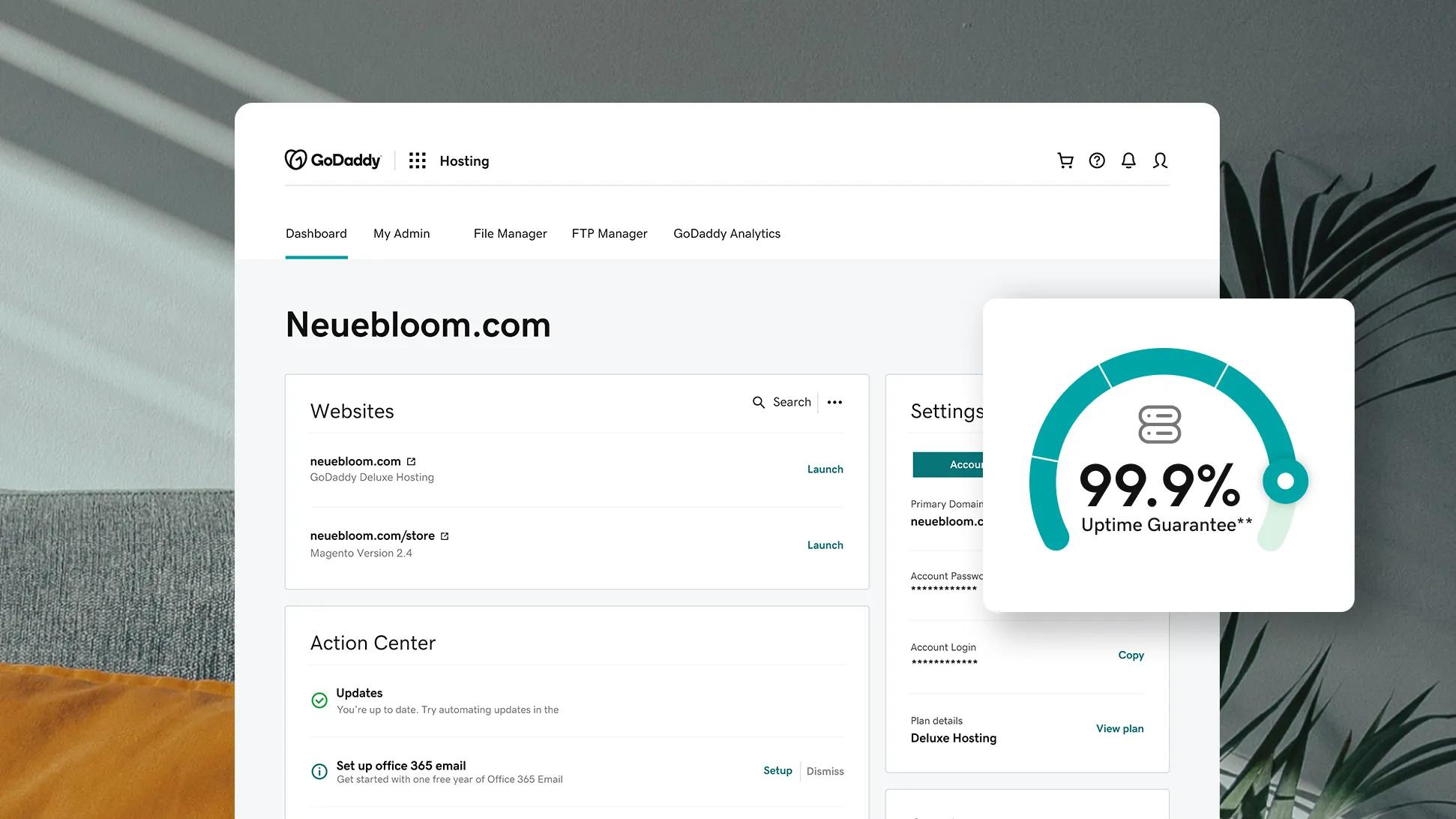
GoDaddy promises a high server uptime of 99.9%. This means your website stays online almost all the time. Fast server response times ensure quick page loads. Speed is crucial for user experience and search rankings. GoDaddy uses modern data centers to keep sites running smoothly.
Security Features
Security is essential to protect your website and visitors. GoDaddy includes SSL certificates to encrypt data. This keeps information safe during transfers. The hosting service also offers firewalls and malware scanning. These features help block harmful attacks and keep your site secure.
Backup And Restore Options
Regular backups prevent data loss. GoDaddy provides automatic backup options for your website. You can restore your site easily if problems arise. This safety net reduces stress and downtime. Backup tools give peace of mind for website owners.
Pricing And Plans Comparison
Understanding GoDaddy’s pricing and plans helps you choose the right option for your website. This section compares the costs of hosting and domain registration. It also covers renewal fees and available discounts. Plus, it looks at add-ons and extras that may affect your total cost.
Cost Of Hosting Vs Domain Registration
Hosting and domain registration are two separate services. Hosting stores your website files online. Domain registration reserves your website name. GoDaddy offers hosting plans starting at low monthly rates. Domain registration usually costs less but varies by extension. Budget for both to keep your site live and accessible.
Renewal Fees And Discounts
Initial prices often come with discounts for new customers. Renewal fees tend to be higher than first-time rates. Check GoDaddy’s renewal costs before buying. Look for any discounts or deals on renewals. Planning renewals helps avoid surprise price increases.
Add-ons And Extras
GoDaddy offers extras like SSL certificates, backups, and security tools. Some add-ons come free with certain plans. Others require extra payments. Add-ons improve site safety and performance. Consider which extras you need to keep your site secure and fast.
Credit: knowledge.hubspot.com
Customer Support And Resources
GoDaddy offers solid customer support and helpful resources for website owners. These services help users solve problems quickly and learn about managing their domains. Support is available through several easy-to-access channels.
Support Channels
GoDaddy provides multiple ways to get help. You can contact support by phone, chat, or email. Phone support is available 24/7, which suits urgent issues. Live chat offers quick responses during business hours. Email support helps with less urgent questions. These options give users flexibility to choose what works best.
Knowledge Base And Tutorials
The GoDaddy knowledge base contains many articles and guides. These cover common topics like domain setup, website building, and security. Tutorials include step-by-step instructions with clear language. Videos and screenshots make it easier to follow. This resource helps users solve problems on their own without waiting for support.
Community Forums
GoDaddy hosts community forums where users share advice and tips. These forums allow users to ask questions and get answers from other customers. It is a helpful place to learn from real experiences. The community often discusses domain management and hosting issues. This peer support adds extra value beyond official help.
Alternatives To Godaddy Hosting
GoDaddy is a popular choice for domain hosting. Still, many users want other options. Different hosts offer unique features and pricing. Exploring alternatives helps find the best fit for your website needs.
Some hosts focus on speed, others on customer support. Some offer easy website builders. Others provide advanced tools for developers. Knowing alternatives lets you compare and choose wisely.
Popular Competitors
Bluehost is known for easy WordPress hosting. HostGator offers affordable plans for beginners. SiteGround has strong security and fast servers. DreamHost provides flexible plans with good storage. A2 Hosting focuses on speed and reliability. Each competitor has different strengths to consider.
Pros And Cons
Bluehost has simple setup but can be pricier. HostGator is cheap but sometimes slow. SiteGround offers excellent support but limits storage. DreamHost gives good value but fewer data centers. A2 Hosting is fast but less beginner-friendly. Think about what matters most for your site.
Choosing The Best Host
Look at your website’s purpose and traffic. Check the host’s uptime and speed records. Consider customer support options and response times. Review the pricing and renewal fees carefully. Test the control panel ease and available features. The best host fits your needs and budget well.
Credit: www.godaddy.com
Frequently Asked Questions
Can Godaddy Host My Website Domain Directly?
Yes, GoDaddy offers domain hosting services. You can register your domain and host your website on their platform easily.
Does Godaddy Provide Web Hosting With Domain Registration?
GoDaddy combines domain registration and web hosting. You can manage both in one place, simplifying website setup and maintenance.
Is Godaddy Reliable For Website Domain Hosting?
GoDaddy is a reliable domain host with strong uptime and support. Many businesses trust it for their online presence.
Can I Transfer My Domain To Godaddy Hosting?
Yes, you can transfer your existing domain to GoDaddy. The process is straightforward, ensuring seamless hosting and domain management.
Conclusion
GoDaddy offers both domain registration and website hosting services. You can keep your domain and host your site with them easily. Their tools help you build and manage your website without hassle. Many users find their service reliable for small to medium websites.
Still, compare plans and prices before deciding. Choose the option that fits your needs and budget best. Your website’s success depends on the right hosting provider. GoDaddy can be a good choice, but always research first.


