
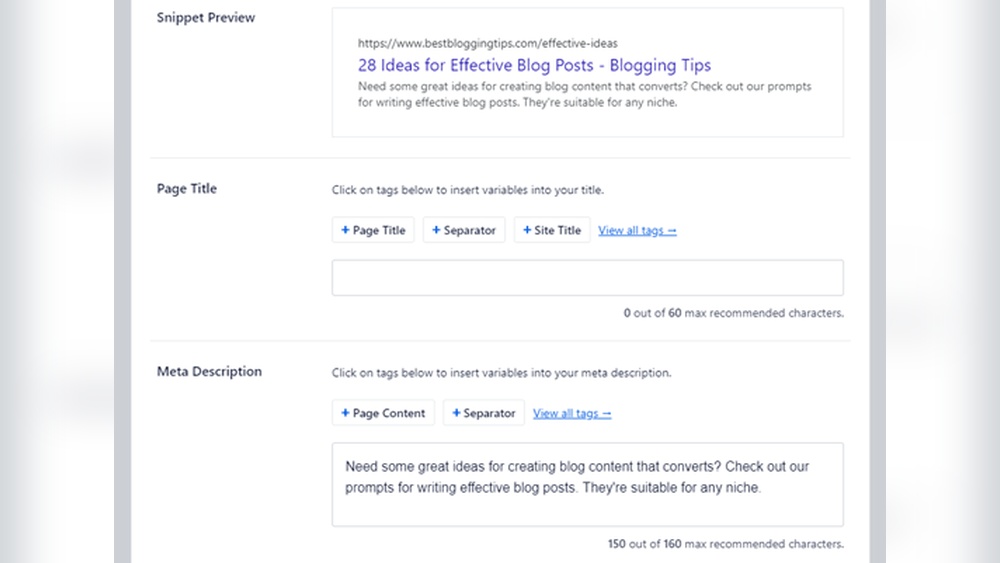
Are you struggling to get more visitors to your WordPress website? One simple trick you might be missing is adding a strong meta description.
This small piece of text can make a big difference in how your site appears on search engines and how many people click to visit. If you want to boost your site’s visibility and attract more readers, learning how to add a meta description is a must.
Keep reading, and you’ll discover easy steps to make your WordPress pages stand out instantly.
Credit: www.youtube.com
Importance Of Meta Descriptions
Meta descriptions are short summaries shown under your website title in search results. They help users understand what your page is about before clicking. Writing clear and relevant meta descriptions improves user experience and helps your site stand out.
Search engines use meta descriptions to match user queries with your content. A good meta description can guide more visitors to your site. It shapes first impressions and can influence whether people visit your page or not.
Role In Seo
Meta descriptions do not directly boost rankings. But they influence how search engines display your page. A well-written description can increase relevance signals. This helps search engines understand your content better.
Clear descriptions also reduce bounce rates. Visitors find what they expect, staying longer on your site. This user behavior can improve your SEO performance over time.
Impact On Click-through Rates
Meta descriptions act like ads for your page in search results. A strong description encourages users to click your link. It highlights key benefits or answers to their questions.
Without a meta description, search engines show random text. This might not attract clicks or may confuse users. Crafting compelling descriptions leads to higher click-through rates and more traffic.

Credit: www.youtube.com
Meta Descriptions And WordPress
Meta descriptions play a big role in how your WordPress website shows up on search engines. They are short texts that explain the content of your page. These descriptions help people decide if they want to visit your site. Using clear and relevant meta descriptions can improve your website’s visibility and click rate.
WordPress does not add meta descriptions by default. You need to create them yourself or use plugins. Understanding where meta descriptions appear and what WordPress offers by default helps you manage them better.
Where Meta Descriptions Appear
Meta descriptions usually show up under the page title on search engine results pages. This is the small text users read before clicking a link. They give a quick summary of the page content. Good meta descriptions attract visitors and increase clicks.
Besides search engines, some social media platforms use meta descriptions for link previews. This makes your shared content look more appealing. Proper meta descriptions improve both search engine results and social sharing.
Default WordPress Settings
WordPress does not create meta descriptions automatically. Without plugins, it may use the first few lines of your post as the description. This is not always clear or helpful for search engines.
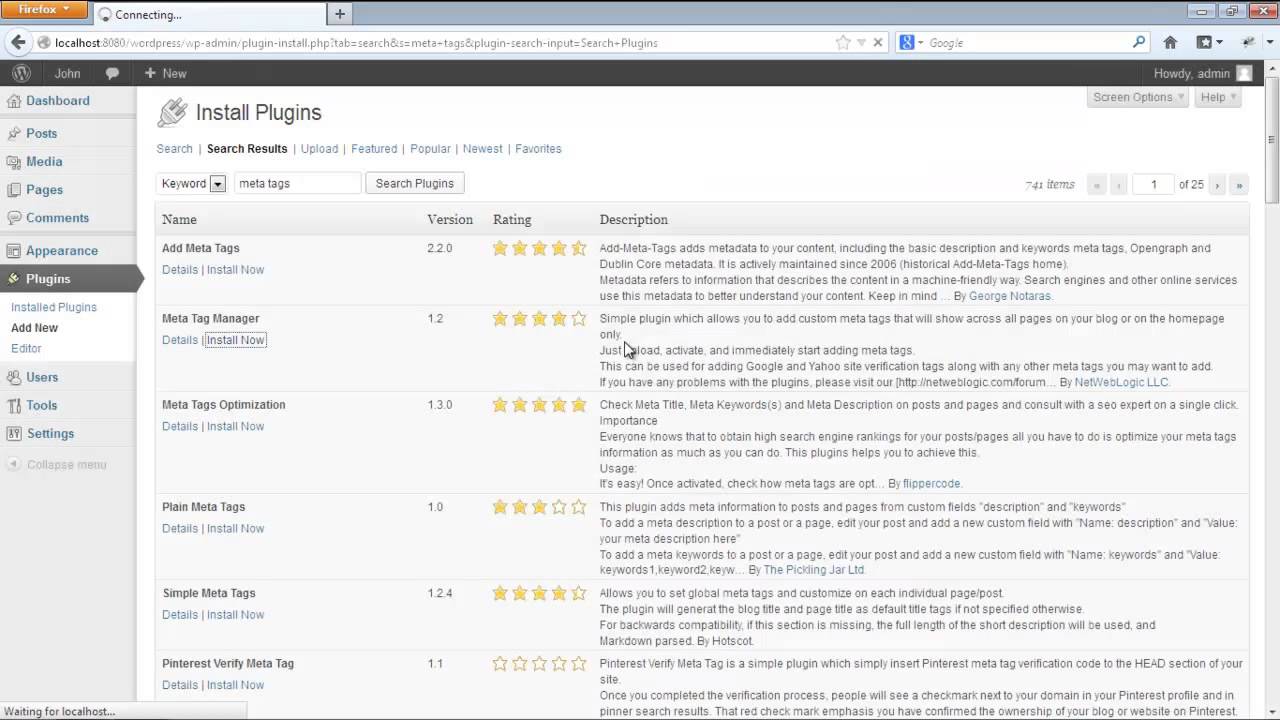
To control your meta descriptions, use SEO plugins like Yoast SEO or All in One SEO. These tools let you write custom descriptions for each page or post. They also show how your description will look in search results.
Using Seo Plugins
Adding meta descriptions to your WordPress site is easier with SEO plugins. These tools let you write and manage meta descriptions without coding. They also show previews of how your page looks in search results. SEO plugins help improve your site’s visibility and click rates.
Yoast Seo Setup
Yoast SEO is a popular plugin for WordPress. After installing it, go to the page or post editor. Scroll down to the Yoast SEO box. Enter your meta description in the “Meta description” field. Yoast gives tips to make your description clear and effective. It also shows a snippet preview to check how it looks in Google.
All In One Seo Pack
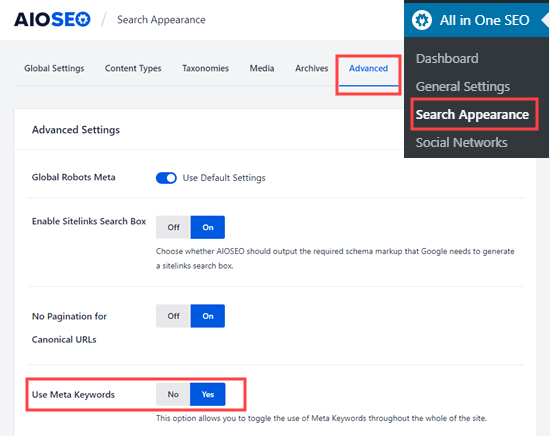
All in One SEO Pack is another easy plugin to use. After activation, open the post or page editor. Find the “AIOSEO Settings” section. Type your meta description in the “Meta Description” box. This plugin also offers a preview. It helps keep descriptions the right length for search engines.
Rank Math Features
Rank Math is a powerful SEO plugin for WordPress. It adds a meta description box in the editor. You can write your description quickly there. Rank Math gives suggestions to improve your text. It checks length and keyword use. The plugin also shows a live preview of your snippet.
Adding Meta Descriptions Manually
Adding meta descriptions manually gives you full control over your website’s search snippets. It helps improve how your pages appear on search engines. This can increase clicks and traffic.
You can add meta descriptions by editing your theme files or using custom fields. Both methods let you customize descriptions for each page or post.
Editing Theme Files
Editing theme files allows you to insert meta descriptions directly into your site’s code. This method requires basic knowledge of PHP and HTML.
Open your theme’s header.php file. Locate the section where meta tags reside.
Add a meta description tag like this:
You can use WordPress functions to make the description dynamic. For example, use get_the_excerpt() to pull page summaries.
Save changes and check your site’s source code to confirm the meta description appears correctly.
Using Custom Fields
Custom fields let you add meta descriptions without editing code. They work well for users who prefer using the WordPress dashboard.
Open the post or page editor. Scroll to the Custom Fields section. If you don’t see it, enable it under Screen Options.
Create a new custom field with a name like meta_description. Enter your desired description as the value.
Modify your theme files to display this custom field’s content inside the meta description tag.
This method offers flexibility. Each page or post can have its unique description without hard coding.
Best Practices For Writing Meta Descriptions
Writing effective meta descriptions can improve your website’s visibility and click rates. These short summaries appear under your page title in search results. They help users decide if your page matches their needs. Clear and concise meta descriptions attract more visitors and boost your SEO.
Optimal Length
Keep meta descriptions between 120 and 160 characters. This length fits well in search results without being cut off. Shorter descriptions may miss important details. Longer ones risk getting truncated, losing key information. Aim for a concise summary that fits this range.
Incorporating Keywords
Use main keywords naturally in the meta description. Keywords help search engines understand your page content. Avoid keyword stuffing; it looks spammy and can hurt rankings. Place keywords near the beginning for better visibility. Write for people first, then optimize for search engines.
Creating Compelling Content
Make your meta description interesting and clear. Use active voice and simple words. Highlight the page’s value or unique point. Ask a question or offer a solution to spark curiosity. Encourage users to click by showing how your page helps them.
Credit: www.wpbeginner.com
Testing And Optimizing Meta Descriptions
Testing and optimizing meta descriptions helps improve your website’s click-through rates. A good meta description attracts more visitors from search results. It should be clear, relevant, and include important keywords. Monitoring performance and making changes based on data leads to better results over time.
Using Google Search Console
Google Search Console shows how your pages appear in search results. It provides data on clicks, impressions, and average position. Use this tool to find pages with low click rates. Review their meta descriptions and update them to be more compelling. After changes, track improvements in clicks and impressions.
A/b Testing Techniques
A/B testing means comparing two versions of a meta description. Create two different descriptions for the same page. Show each version to different users and monitor which one gets more clicks. Use simple tools or plugins that support A/B testing. This method helps find the best meta description for your audience.
Common Mistakes To Avoid
Adding meta descriptions to your WordPress website helps improve search engine visibility. Many website owners make common mistakes that reduce the effectiveness of these descriptions. Avoiding these errors can boost your site’s performance in search results.
Pay attention to how you write and apply meta descriptions. Small changes can make a big difference in attracting visitors.
Duplicate Descriptions
Each page on your website needs a unique meta description. Copying the same description for many pages confuses search engines. It lowers your chances of ranking well. Write a clear, specific description for every page.
Keyword Stuffing
Using too many keywords in your meta description looks spammy. It can hurt your search rankings. Focus on natural language. Include only one or two important keywords. Make the description easy to read and useful for users.
Ignoring Mobile Users
Most visitors use mobile devices to browse websites today. Meta descriptions should be concise and clear on small screens. Keep them under 160 characters. Avoid long or complex sentences. This helps mobile users understand your page quickly.
Frequently Asked Questions
What Is A Meta Description In WordPress?
A meta description is a short summary of a webpage’s content. It appears in search engine results. It helps improve click-through rates and SEO by informing users about the page.
How Do I Add A Meta Description In WordPress?
You can add a meta description using SEO plugins like Yoast or All in One SEO. These plugins provide a simple field to enter your description for each page or post.
Why Is Meta Description Important For Seo?
Meta descriptions influence search engine rankings indirectly. They improve click-through rates by attracting users with clear, relevant summaries. Well-written descriptions can boost your website’s visibility and traffic.
Can I Customize Meta Descriptions For Each WordPress Page?
Yes, you can customize meta descriptions individually. SEO plugins let you write unique descriptions for every page and post. This helps target specific keywords and improves search relevance.
Conclusion
Adding a meta description helps your website stand out in search results. It tells visitors what your page is about in a few words. Use clear and simple language to attract clicks. Keep your description under 160 characters for best display.
Regularly update it to match your content. This small step improves your site’s visibility and user experience. Try it today and see the difference in your WordPress site’s traffic. Simple, quick, and effective.


