
Are you wondering if WordPress uses jQuery? If you manage a website or are planning to build one, this question is crucial.
Understanding how WordPress handles jQuery can help you improve your site’s performance and avoid common errors. You’ll discover the role jQuery plays within WordPress, why it matters for your site, and how you can make the most of it. Keep reading to unlock simple but powerful insights that can make your WordPress experience smoother and more effective.

Credit: jetpack.com
WordPress And Jquery Connection
WordPress and jQuery work closely together to make websites interactive and smooth. jQuery is a popular JavaScript library that helps with animations, form handling, and dynamic content. WordPress uses jQuery to enhance user experience without heavy coding.
This connection allows developers to add features easily. Users get faster and more responsive websites. Understanding this link can help you build better WordPress sites.
Role Of Jquery In WordPress
jQuery simplifies tasks like animations and event handling on WordPress sites. It helps create sliders, pop-ups, and other interactive elements. Many WordPress themes and plugins rely on jQuery for smooth functionality.
It works behind the scenes to make websites look modern and professional. Without jQuery, developers would write more complex code. This library saves time and effort.
Default Inclusion Of Jquery
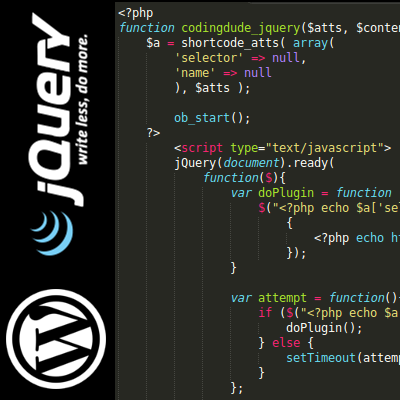
WordPress includes jQuery by default in its core files. This means it is ready to use on most websites without extra setup. Themes and plugins can call jQuery easily because it loads automatically.
However, some themes might remove or replace it. Developers can also load different versions if needed. Still, the default jQuery is reliable and compatible with WordPress features.
Credit: www.coding-dude.com
How WordPress Loads Jquery
WordPress includes jQuery by default to help developers add interactive features. It does not load jQuery as a separate file randomly. Instead, WordPress uses a smart system to load jQuery efficiently.
This system ensures jQuery loads only when needed. It avoids conflicts with other scripts. It also helps maintain good site speed and performance.
Using WordPress Core Scripts
WordPress comes with a built-in version of jQuery. This version is tested and compatible with the WordPress environment. Developers can use this core script without adding extra files.
WordPress loads jQuery from its core script library. It registers the script with a unique handle named “jquery.” This handle helps WordPress manage dependencies between scripts.
By using the core version, developers ensure their sites stay secure. They also avoid issues from loading multiple jQuery versions. It keeps the website stable and fast.
Best Practices For Enqueuing Jquery
To load jQuery properly, use WordPress functions like wp_enqueue_script(). This method tells WordPress to include jQuery only when needed.
Always enqueue jQuery in your theme or plugin files. Do this inside functions.php or a similar setup file. Avoid hardcoding script tags directly in templates.
Use the “jquery” handle in wp_enqueue_script(). This calls WordPress’s registered jQuery version. Avoid linking to external jQuery libraries unless absolutely necessary.
This approach prevents conflicts with other plugins. It also helps keep your site’s performance optimized. Enqueuing scripts correctly is key to a smooth user experience.
Jquery Version In WordPress
WordPress uses jQuery as a core JavaScript library. It helps create interactive features and improve user experience. Knowing the jQuery version WordPress uses is important for developers and site owners. It ensures compatibility with themes and plugins.
Default Jquery Version
WordPress includes a specific jQuery version by default. This version is tested for stability and security. It may not be the latest jQuery release but ensures smooth site performance. Developers can find the version number in the WordPress source files. Using the default version avoids conflicts with plugins and themes.
Updating Jquery Safely
Updating jQuery manually can cause site issues. Themes or plugins might break if they rely on the older version. Testing updates on a staging site helps catch problems early. Use child themes or custom plugins to load a newer jQuery version. Always backup your site before making changes. Proper testing keeps your site functional and safe.
Impact On Themes And Plugins
The use of jQuery in WordPress affects themes and plugins in many ways. Themes rely on jQuery for animations, sliders, and interactive features. Plugins use jQuery to add dynamic elements and improve user experience. Understanding how jQuery works with themes and plugins helps avoid common issues.
Jquery Dependency In Themes
Many WordPress themes depend on jQuery for core functions. This includes dropdown menus, image galleries, and form validations. Without jQuery, these features may break or not work smoothly. Some themes load their own version of jQuery, which can cause conflicts. Developers must ensure they use the WordPress built-in jQuery version. This keeps themes compatible and reduces errors.
Handling Jquery Conflicts In Plugins
Plugins often use jQuery for interactive tools and effects. Conflicts arise when multiple plugins load different jQuery versions. This can cause scripts to fail or slow down the site. To avoid conflicts, plugins should use WordPress’s registered jQuery. They also need to use jQuery in no-conflict mode to prevent clashes. Proper coding practices ensure plugins work well together without breaking.
Alternatives To Jquery In WordPress
WordPress often uses jQuery to simplify JavaScript tasks. Yet, many developers seek alternatives for better speed and modern coding styles. Choosing the right alternative depends on project needs and user experience goals.
Using other tools can reduce load times and improve site performance. These alternatives also help with cleaner, easier-to-maintain code. Below are two common approaches to replace jQuery in WordPress.
Using Vanilla Javascript
Vanilla JavaScript means using plain JavaScript without extra libraries. It can handle most tasks jQuery does. Simple scripts, animations, and event handling work well with it.
Modern browsers support many JavaScript features natively now. This reduces the need for jQuery’s shortcuts. Using vanilla JavaScript cuts down on extra code and speeds up your site.
Learning vanilla JavaScript helps understand core web programming better. It also avoids compatibility issues that sometimes appear with jQuery versions.
Modern Javascript Frameworks
Frameworks like React, Vue, and Angular offer powerful ways to build websites. They come with built-in tools for user interfaces and interactivity. These frameworks often replace jQuery entirely.
React is popular in WordPress theme and plugin development. It helps create dynamic and fast-loading pages. Vue and Angular offer similar benefits with their own styles.
Using these frameworks requires more setup but leads to modern, scalable code. They support component-based design, which keeps code organized and reusable.

Credit: wpmudev.com
Performance Considerations
Performance plays a key role in website success. WordPress sites often use jQuery, a popular JavaScript library. Understanding how jQuery affects performance helps create faster sites. This section explains important points about jQuery and site speed.
Jquery And Page Load Speed
jQuery adds extra code to your website. This can slow down page loading. Large files take more time to download on slow connections. The browser also needs time to process jQuery scripts. This delay impacts user experience and search rankings.
Using many jQuery plugins can increase the problem. Each plugin adds more code and processing time. Too much jQuery can make your site feel sluggish and unresponsive.
Optimizing Jquery Usage
Reduce jQuery file size by using a minified version. This version removes unnecessary spaces and comments. Load jQuery from a trusted content delivery network (CDN). CDNs deliver files faster and improve caching.
Load jQuery only on pages that need it. Avoid loading jQuery on every page by default. Remove unused jQuery plugins to cut down extra code. Consider replacing jQuery functions with vanilla JavaScript for better speed.
Use asynchronous loading to prevent jQuery from blocking other scripts. This helps the page load faster and improves user experience. Proper optimization keeps WordPress sites fast and smooth.
Frequently Asked Questions
Does WordPress Use Jquery By Default?
Yes, WordPress includes jQuery by default in its core. It loads the jQuery library on the front-end and admin dashboard, ensuring compatibility with themes and plugins that rely on jQuery for interactive features.
Why Does WordPress Rely On Jquery?
WordPress uses jQuery because it simplifies JavaScript coding. JQuery helps developers create animations, handle events, and manipulate HTML easily, making WordPress themes and plugins more interactive and user-friendly.
Can I Disable Jquery In WordPress?
Yes, you can disable jQuery in WordPress by deregistering it via code. However, disabling jQuery may break themes or plugins that depend on it, so use caution when doing this.
How To Update Jquery In WordPress Safely?
To update jQuery safely, use a plugin or enqueue a newer version manually. Always test updates on a staging site to prevent conflicts with themes or plugins.
Conclusion
WordPress uses jQuery to add interactive features easily. It helps make websites more dynamic and user-friendly. Many themes and plugins rely on jQuery for smooth performance. Knowing this can help you understand how WordPress works behind the scenes. JQuery remains important for many WordPress sites today.
It makes site management simpler, especially for beginners. Using jQuery, WordPress keeps web design accessible and flexible. This support boosts overall user experience and site functionality.