

Have you ever wondered where your domain is hosted currently? Knowing exactly where your website lives online is more important than you might think.
It affects your site’s speed, security, and even how easily you can make changes. If you’re feeling lost or unsure about your domain’s home, you’re not alone. You’ll discover simple, clear steps to find out where your domain is hosted right now.
By the end, you’ll have the confidence to manage your website like a pro. Keep reading—you’re just minutes away from gaining control over your online presence.

Credit: answers.netlify.com
Check Your Domain Registrar
Knowing where your domain is registered helps manage your website better. The domain registrar is the company where you bought your domain name. They keep records and control your domain settings. Checking your registrar gives you access to renew, transfer, or update your domain.
This step is important if you want to keep your website online. It also helps protect your domain from being lost or stolen.
Locate Your Registrar Information
Start by finding your domain’s registrar information. Use a WHOIS lookup tool online. Enter your domain name and see the details listed. The registrar’s name and contact information appear there. This tells you who controls your domain.
Look for fields like “Registrar” or “Sponsoring Registrar” in the WHOIS report. Note down the name and website of the registrar. This is your first clue to managing your domain.
Use Registrar Websites For Details
Visit the registrar’s official website next. Use your domain name to log into your account. If you forgot your login, use the email linked to your domain. On the registrar’s site, you can check domain status, expiration date, and DNS settings.
Most registrars offer tools to update your contact info or renew your domain. This keeps your site active and secure. Checking the registrar site regularly avoids surprises with your domain.
Use Whois Lookup Tools
Use WHOIS lookup tools to find out where your domain is hosted. These tools show details about your domain’s registration and hosting provider. They help you identify the company managing your domain. This is useful if you forgot your hosting service or want to change it.
Popular Whois Services
Several websites offer free WHOIS lookup services. Some popular ones include WHOIS.net, ICANN WHOIS, and DomainTools. These sites provide quick access to domain information. Just enter your domain name and get instant results. They work for most domain extensions like .com, .net, and .org.
Interpreting Whois Data
WHOIS results show many details. Focus on the registrar and name servers. The registrar is the company where your domain is registered. Name servers point to the hosting provider. Check the “Registrar” and “Name Server” fields for hosting clues. Contact details and registration dates also appear here. This data helps confirm your current hosting service.
Dns Records And Hosting Clues
DNS records hold important clues about where your domain is hosted. These records tell computers how to find your website and email servers. By checking DNS information, you can learn more about your hosting provider.
Many types of DNS records exist, but some reveal hosting details more clearly. Understanding these records helps you track down your current domain host quickly. This knowledge saves time and avoids confusion.
Identify Name Servers
Name servers control where your domain points. They act as the main address book for your domain. Checking your name servers shows which company manages your DNS settings.
Use online tools or your domain registrar’s dashboard to find name servers. The names often include the host’s brand or company name. This step is the easiest way to guess your hosting provider.
Analyze A And Cname Records
A records link your domain to an IP address. This address belongs to the server hosting your website. By tracing the IP, you can find the server location and hosting company.
CNAME records point your domain to another domain name. They often direct to content delivery networks or hosting platforms. Examining CNAME entries uncovers more about your site’s hosting setup.
Online Hosting Checker Tools
Online hosting checker tools help find where a domain is hosted. They show the web hosting provider linked to a website. These tools are useful for website owners and curious users. You can learn about your domain’s hosting quickly and without technical skills.
Reliable Hosting Lookup Websites
Some websites offer dependable hosting checks. Examples include WhoIsHostingThis, HostingChecker, and Site24x7. These sites provide accurate hosting information fast. They also show details like IP address and server location. Using trusted tools ensures correct data about your domain.
How To Use Hosting Checkers
Visit a hosting checker website. Enter your domain name in the search box. Click the check or search button. Wait a few seconds for results to load. The tool will display your domain’s hosting provider and server details. Use this information to manage your domain better.
Contact Your Domain Provider
Contacting your domain provider is a key step to find out where your domain is hosted. They hold important details about your domain registration and hosting. Clear communication helps resolve issues quickly and ensures your domain stays active.
Accessing Support Channels
Most domain providers offer several support options. Common channels include phone, email, and live chat. Some providers also have a help center with FAQs and guides. Choose the method that suits you best for fast responses.
Information To Request
Ask for your domain’s current hosting details. Request the nameservers and DNS settings associated with your domain. Confirm the expiration date and renewal process. Get help with any domain transfer or update questions too.

Credit: hostarmada.com
Tips To Avoid Domain Hosting Confusion
Keeping track of your domain hosting is important. It helps you manage your website smoothly. Confusion about where your domain is hosted can cause delays and problems. Clear and organized information makes handling domains easier. Follow simple steps to avoid any mix-ups.
Keep Domain Info Updated
Always update your contact details in the domain registrar account. Correct email and phone number help you receive important alerts. Change information quickly if you switch hosts or contacts. This keeps your domain secure and under your control.
Document Hosting Details
Write down all your domain hosting information in one place. Include the hosting provider’s name, login info, and renewal dates. Use a secure document or password manager for this. Easy access to these details saves time and avoids confusion.
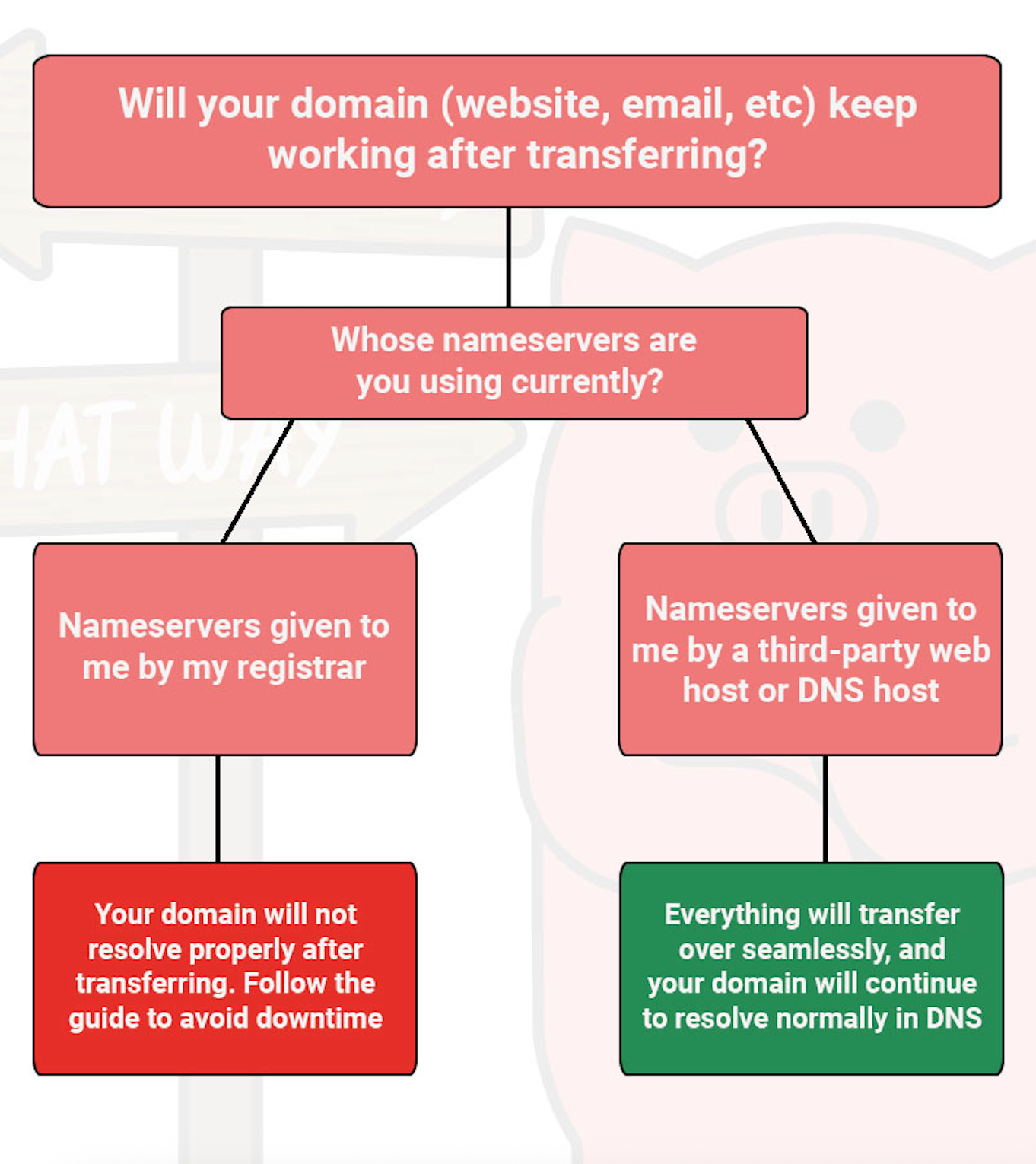
Credit: kb.porkbun.com
Frequently Asked Questions
How Can I Find Where My Domain Is Hosted?
You can check your domain hosting by using WHOIS lookup tools. These tools display your domain registrar and hosting details quickly and accurately.
What Information Does Whois Reveal About My Domain?
WHOIS shows registrar, registration dates, nameservers, and contact details. Nameservers often indicate the hosting provider managing your domain.
Can I Check My Domain Host Without Technical Skills?
Yes, online WHOIS lookup websites simplify this process. Just enter your domain name, and results will show your hosting provider information.
Why Is Knowing My Domain Host Important?
Knowing your host helps manage DNS settings, renewals, and troubleshooting. It ensures you maintain control over your website and email services.
Conclusion
Knowing where your domain is hosted helps you manage your website better. It lets you update settings and solve problems quickly. Use simple tools to check your domain host anytime. This knowledge saves time and keeps your site running smoothly.
Stay in control of your online presence with clear information. Don’t let confusion slow you down. Keep your domain details easy to find and understand. It’s a small step that makes a big difference.


