Are you struggling with slow website speeds, constant updates, or unexpected crashes? Managing a WordPress site can be overwhelming, especially if you’re not a tech expert.
That’s where managed WordPress hosting comes in. But do you really need it for your site? This article will help you understand what managed hosting offers and whether it’s the right choice for you. Keep reading to find out how you can save time, improve your site’s performance, and protect your online presence without the hassle.
What Is Managed WordPress Hosting
Managed WordPress hosting is a special type of web hosting. It is made just for WordPress sites. This hosting takes care of many technical tasks for you. It helps keep your site fast, safe, and always online.
Many website owners choose managed hosting to save time and avoid stress. It gives more support and better performance than regular hosting. This way, you can focus on creating content and growing your site.
What Does Managed WordPress Hosting Include?
Managed hosting includes automatic updates for WordPress core and plugins. It also offers daily backups to keep your data safe. Security features protect your site from hackers and malware. Fast servers improve your site’s loading speed.
Who Should Use Managed WordPress Hosting?
Managed hosting is good for beginners and busy website owners. It suits people who want less hassle with technical work. Businesses that need reliable uptime and security also benefit. Anyone wanting better site speed and support can choose it.
How Is Managed Hosting Different?
Unlike regular hosting, managed hosting focuses only on WordPress sites. It provides expert support from WordPress specialists. The servers are optimized for WordPress performance. Regular hosting leaves you to handle updates and backups alone.
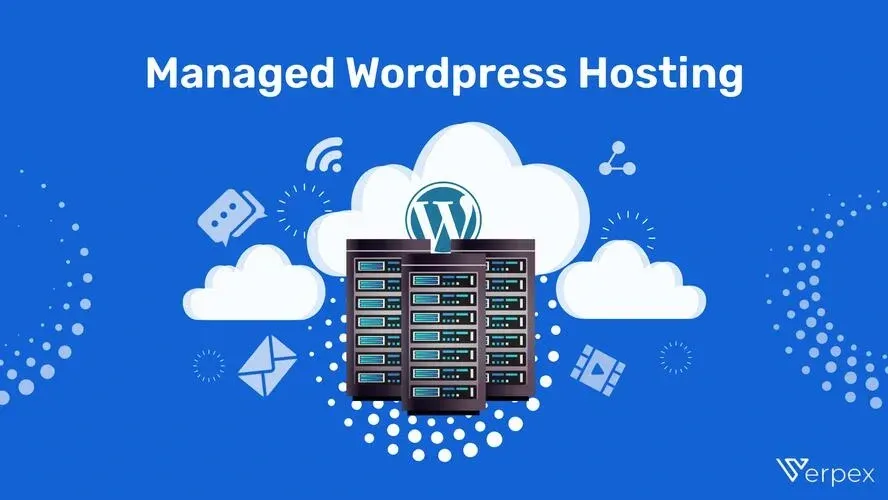
Credit: verpex.com
Key Features Of Managed Hosting
Managed WordPress hosting offers several key features that simplify website management. These features help keep your site secure, fast, and always up to date. They also give you access to expert help when needed. Below are some important features of managed hosting.
Automatic Updates
Managed hosting automatically updates WordPress core, themes, and plugins. This keeps your site running smoothly and reduces security risks. No need to worry about manual updates or missing important patches.
Enhanced Security
Security measures protect your site from hackers and malware. Managed hosting includes firewalls, malware scanning, and regular backups. These features help safeguard your data and prevent downtime.
Optimized Performance
Servers are specially tuned for WordPress sites. This means faster loading times and better handling of traffic spikes. Caching and content delivery networks (CDNs) are often part of the setup.
Expert Support
Support teams understand WordPress inside out. They provide quick help with technical issues and site management. This expert support saves time and reduces stress for site owners.
Benefits For Website Owners
Managed WordPress hosting offers many benefits for website owners. It simplifies website management and improves overall performance. This type of hosting supports your site with expert help and advanced tools. Here are some key benefits that make it a smart choice for website owners.
Time Savings
Managed hosting handles updates, backups, and security tasks. This frees up your time to focus on your content and business. No need to worry about technical details. Support teams are available to solve problems fast. Your website runs smoothly with less effort from you.
Improved Site Speed
These hosting services use servers optimized for WordPress sites. This means faster loading times for your visitors. Speed is important for user experience and search rankings. Faster sites keep visitors engaged and reduce bounce rates. Your site performs better under managed hosting.
Reduced Downtime
Managed hosting providers monitor your site 24/7. They fix issues before they cause downtime. Your website stays online and accessible most of the time. Reduced downtime helps maintain your site’s reputation. Visitors find your site reliable and trustworthy.
Better Scalability
As your website grows, managed hosting scales resources easily. It handles traffic spikes without slowing down your site. This flexibility supports your business growth smoothly. You avoid sudden crashes or slowdowns during busy times. Managed hosting adapts to your needs quickly.

Credit: screenwalker.com
Who Should Choose Managed Hosting
Choosing the right hosting is important for your WordPress site. Managed WordPress hosting offers extra support and features. It suits certain users better than others. Here is who should consider managed hosting.
Small Business Owners
Small business owners often need reliable websites. Managed hosting handles updates and security automatically. This saves time and reduces technical stress. Owners can focus on growing their business instead.
Bloggers And Content Creators
Bloggers want fast and easy website management. Managed hosting improves site speed and uptime. It also offers backups and security checks. Creators can publish content without technical worries.
E-commerce Sites
E-commerce sites need strong security and fast loading. Managed hosting provides SSL, backups, and malware scans. It helps protect customer data and payments. This keeps online stores running smoothly.
Agencies And Developers
Agencies manage multiple client sites. Managed hosting offers tools for easy site management. Developers get staging environments and quick support. This improves workflow and client satisfaction.
Comparing Managed Vs Shared Hosting
Choosing between managed and shared WordPress hosting affects your website’s speed, security, cost, and support. Both types serve different needs and budgets. Understanding their differences helps you pick the best option for your site.
Performance Differences
Managed WordPress hosting offers faster loading times. Servers are optimized specifically for WordPress sites. Shared hosting splits server resources between many users. This can slow down your website during high traffic.
Managed hosting often includes caching and performance tools. Shared hosting lacks these features or offers limited versions. For a smooth visitor experience, managed hosting performs better.
Security Levels
Managed hosting provides strong security tailored for WordPress. It includes automatic updates, daily backups, and malware scans. Shared hosting has basic security features. You must manage updates and backups yourself.
Security risks rise on shared servers due to multiple users. Managed hosting reduces risks by isolating your site. This protects your data and keeps your site safe.
Cost Considerations
Shared hosting costs less, making it attractive for beginners. Managed hosting costs more due to added services and support. The price reflects better performance and security.
For small or personal sites, shared hosting may be enough. Businesses or growing sites benefit from managed hosting’s reliability. Consider your budget and needs carefully.
Support Quality
Managed hosting includes expert WordPress support. Support teams help with technical issues and site management. Shared hosting offers general support, less specialized in WordPress.
Fast and knowledgeable support saves time and frustration. Managed hosting support can guide you through problems quickly. Shared hosting support may have longer response times.

Credit: www.liquidweb.com
Top Managed WordPress Hosting Providers
Choosing the right managed WordPress hosting provider can improve your website’s speed and security. Managed hosting offers expert support and automatic updates. It helps keep your site running smoothly without technical hassle.
Several top providers offer reliable services tailored for WordPress users. Each has unique features that suit different needs and budgets. Let’s explore some popular options to help you decide.
Provider A Highlights
Provider A offers fast server speeds and strong security features. It includes daily backups to protect your data. The support team is available 24/7 and knows WordPress well. Their dashboard is simple, making site management easy. They also provide free SSL certificates for safe browsing.
Provider B Highlights
Provider B focuses on performance with a content delivery network (CDN). This helps your site load quickly worldwide. They offer automatic WordPress updates to keep your site secure. Their customer support is friendly and helpful. Provider B includes staging environments to test changes before going live.
Provider C Highlights
Provider C provides scalable plans for growing websites. They use solid-state drives (SSD) to speed up loading times. Security includes malware scanning and removal. The user interface is clean and easy to navigate. They also offer free site migrations to switch hosting without stress.
How To Choose The Right Plan
Choosing the right managed WordPress hosting plan is important for your website’s success. The right plan ensures fast loading, security, and easy management. It also fits your budget and meets your specific needs. Start by understanding what your website requires. Then, check your budget and pick features that matter most.
Assessing Your Needs
Think about your website’s size and traffic. Small blogs need less space and bandwidth. Larger sites or online stores need more resources. Consider how often you update content or add new features. Check if you need special tools like backups or security scans. Knowing your needs helps avoid paying for extras you don’t use.
Budget Planning
Set a clear budget before choosing a plan. Managed hosting costs vary widely. Basic plans cost less but offer fewer features. Premium plans include more tools and support but cost more. Balance your budget with the features you need. Look for plans that offer good value, not just the cheapest option.
Feature Prioritization
List the features that matter most for your site. Speed optimization is key for user experience. Automatic updates keep your site secure. Daily backups protect your data. Customer support availability is important if you need help. Focus on features that improve your site’s performance and safety.
Frequently Asked Questions
What Is Managed WordPress Hosting?
Managed WordPress hosting is a service optimized for WordPress sites. It includes automatic updates, enhanced security, and expert support. This hosting type simplifies site management and improves performance for WordPress users. It is ideal for those who want hassle-free website maintenance.
How Does Managed Hosting Improve Website Speed?
Managed hosting uses servers optimized for WordPress, reducing load times. It employs caching, CDN integration, and fast hardware. These features ensure your website loads quickly, improving user experience and SEO rankings. Faster sites keep visitors engaged and reduce bounce rates.
Is Managed WordPress Hosting Worth The Cost?
Yes, if you want reliable performance, security, and support. Managed hosting saves time by handling technical tasks. It reduces risks of downtime and hacking. For growing websites, the extra cost often pays off in peace of mind and better site functionality.
Can Beginners Benefit From Managed WordPress Hosting?
Absolutely. Managed hosting offers easy setup and expert help. Beginners avoid technical hassles like updates and backups. It provides a secure, stable environment to build and grow their site confidently. Support teams assist with issues, making it ideal for new users.
Conclusion
Choosing managed WordPress hosting depends on your needs and skills. It offers easy updates, strong security, and fast loading times. Saving time on technical tasks lets you focus on your content. Managed hosting suits those wanting less hassle and more support.
Consider your budget and website goals carefully. The right hosting can improve your site’s performance and safety. Think about what fits your situation best before deciding.