
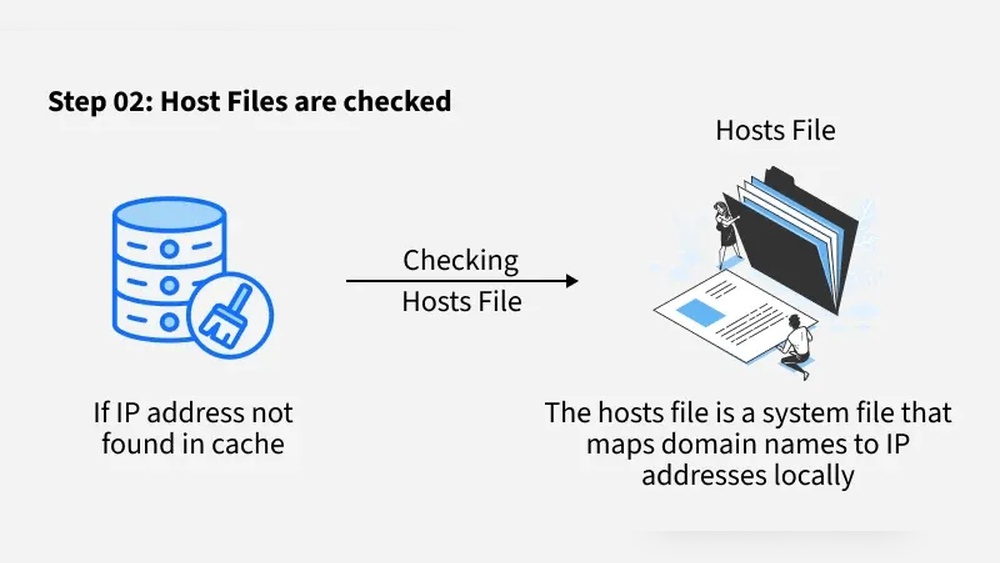
Have you ever tried to visit a website and suddenly saw the message: “Host or domain name not found”? It can be confusing and frustrating, especially when you’re trying to get something done quickly.
But what does this error really mean, and why does it happen to you? Understanding this message can save you time and stress. You’ll discover exactly what causes this problem and how you can fix it, so your online experience stays smooth and hassle-free.
Keep reading—you’re about to learn something that will make your internet use much easier.
Credit: www.mailerlite.com
Host Or Domain Name Error
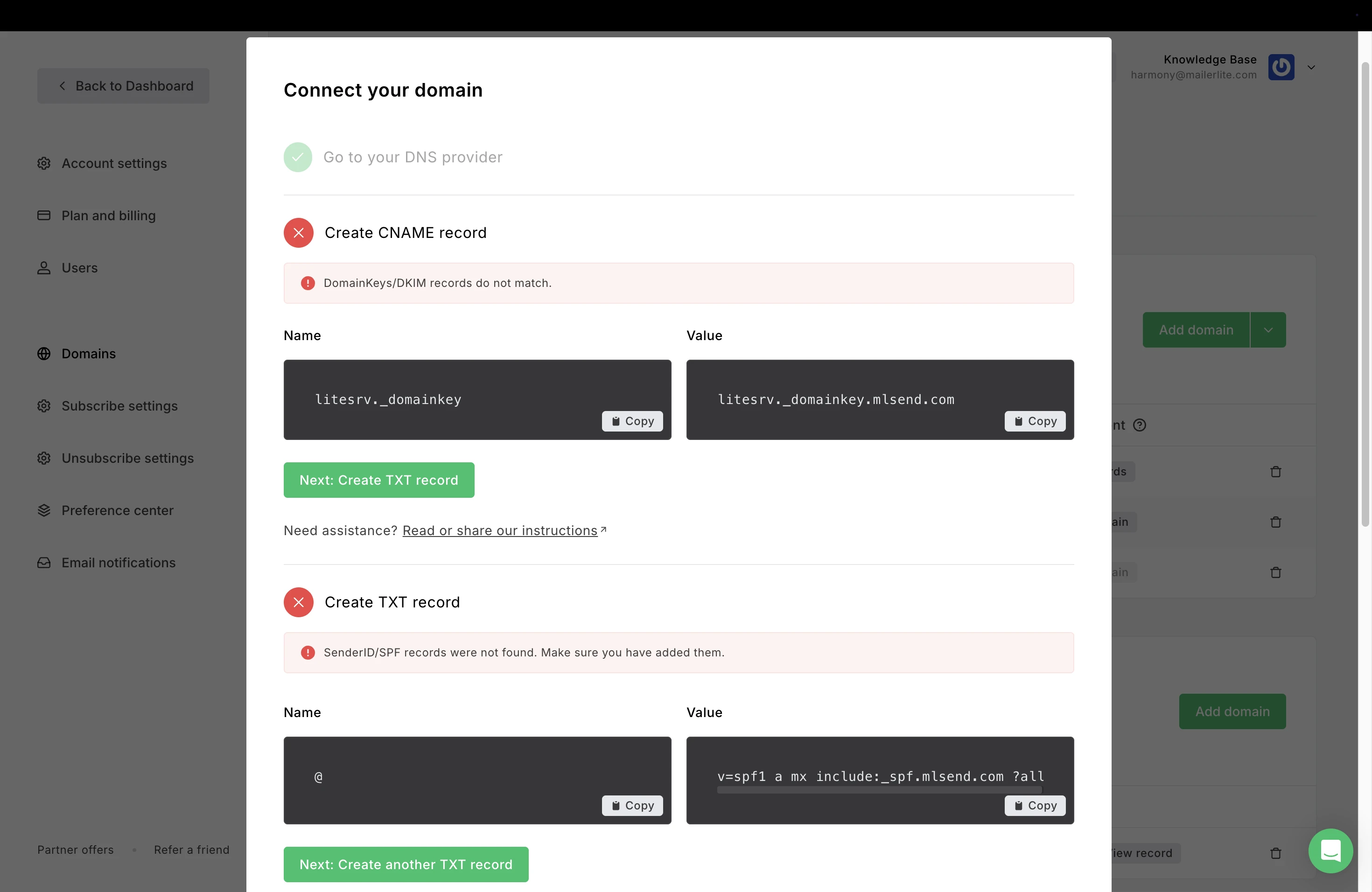
The host or domain name error occurs when a website address cannot be found. This stops your browser from opening the page. The error means the server cannot match the domain name to an IP address. Without this match, the website is unreachable.
Such errors often confuse users. They may think the website is down or broken. In reality, the problem usually lies in the domain name system (DNS) or typing mistakes. Understanding this error helps fix it faster.
Common Causes
One common cause is a wrong domain name typed in the browser. Even a small typo can block access to the website. Another cause is DNS issues. If the DNS server fails to translate the domain name, the error appears.
Expired or deleted domain names also cause this error. If the website owner does not renew the domain, it becomes unreachable. Network problems, like poor internet or firewall settings, can block domain name resolution. Lastly, browser cache or cookies may hold wrong information.
Error Messages To Expect
Different browsers show different messages for this error. Common messages include “Host not found,” “Domain name not found,” or “Server DNS address could not be found.” Sometimes, you may see “This site can’t be reached.” These messages all point to the same problem.
Seeing these messages means your device cannot find the website’s address. It does not mean the website is always offline. Checking the cause of the error helps restore access quickly.
Credit: www.cloudns.net
Dns And Its Role
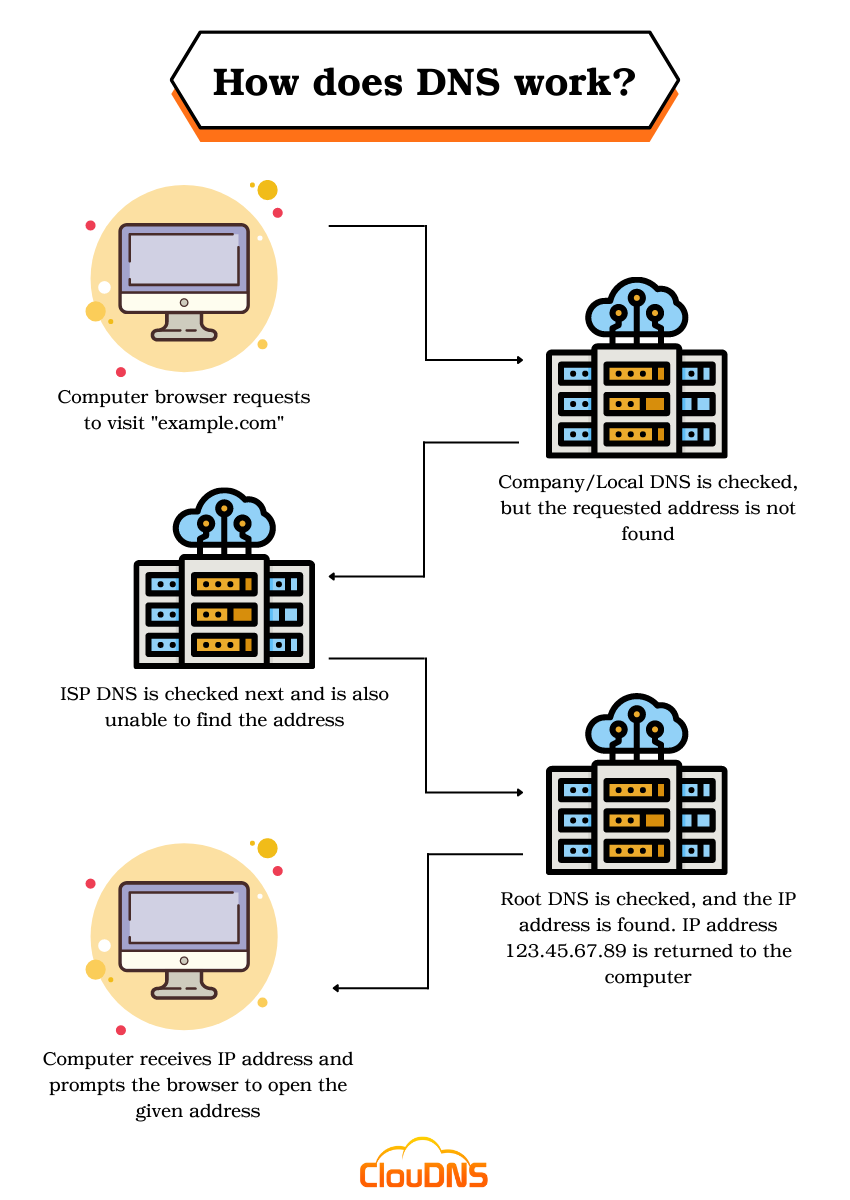
The Domain Name System, or DNS, plays a key role in how the internet works. It acts like a phone book for the web, turning names you type into numbers computers understand. Without DNS, you would need to remember long strings of numbers to visit websites. This system makes the internet user-friendly and fast.
When you enter a web address, DNS quickly finds the right server. It connects your device to the website you want. This process happens in seconds, often unnoticed by users. Understanding DNS helps explain common errors like “Host or Domain Name Not Found.”
How Dns Works
DNS starts with a simple question: What is the IP address for this domain? Your device sends a request to a DNS server. The server looks up its records. It finds the matching IP address for the domain name. Then, it sends this address back to your device. Your device uses this IP to connect to the website’s server. This process is fast and automatic.
Dns Lookup Failures
Sometimes, DNS cannot find the IP address. This causes a lookup failure. The error “Host or Domain Name Not Found” appears. It means the DNS server could not find the website’s address. Causes include typos in the web address or DNS server problems. Network issues or expired domain names can also cause failure. When this happens, your browser cannot load the website.
Network Issues
Network issues are a common cause of the “Host or Domain Name Not Found” error. This problem occurs when your device cannot reach the server hosting the website. Understanding network problems helps fix this error faster.
Connectivity Problems
Connectivity problems happen when your internet connection is weak or lost. Your device needs a stable connection to find the domain name. Check your Wi-Fi or Ethernet cable to ensure they work well. Restarting your router can also help restore connection. Without internet access, your browser cannot load websites or find domain names.
Firewall And Security Settings
Firewall and security settings can block access to certain websites. Sometimes, these settings stop your device from finding domain names. Check your firewall or antivirus software to see if they block the website. Adjusting settings or allowing the site can fix the error. Security tools aim to protect you but may cause connection issues too.
Browser And System Settings
Browser and system settings play a big role in fixing the “Host or Domain Name Not Found” error. These settings help your device find the website’s address on the internet. Sometimes, wrong or old settings cause this error. Adjusting these settings can clear the problem fast.
Clearing Cache And Cookies
Cache stores parts of websites to load them faster next time. Cookies save site data like preferences and login info. Old or corrupted cache and cookies can block website access. Clearing them removes outdated data. This forces the browser to get fresh information from the site. The error may disappear after clearing cache and cookies.
Adjusting Dns Settings
DNS translates website names into IP addresses. Wrong DNS settings can stop your browser from finding sites. Changing DNS to a reliable public server can help. Popular options include Google DNS and Cloudflare DNS. Adjusting these settings guides your system to the right website address. This step often fixes the “host not found” error quickly.
Troubleshooting Steps
Experiencing a “Host or Domain Name Not Found” error can be frustrating. This issue means your device cannot find the website address you entered. Troubleshooting helps identify the root cause and fix it quickly. Below are simple steps to start resolving this problem.
Using Command Line Tools
Command line tools can check if your computer finds the website address. Open the Command Prompt on Windows or Terminal on Mac. Type ping [website address] and press Enter. This test sends small data packets to the site.
If you get replies, the address works. No replies mean a connection problem. Another useful command is nslookup [website address]. It shows the IP address linked to the domain name. If this command fails, the domain name might be incorrect or not reachable.
Testing With Different Devices
Try accessing the website using another device. Use a phone, tablet, or another computer on the same network. If the error shows on all devices, the problem likely comes from your network or internet provider.
Testing on a different network, such as mobile data, helps. If the site loads there, your home network settings could be wrong. Restart your router or contact your internet provider for help.

Credit: www.hostinger.com
Preventive Measures
Preventive measures help avoid the “Host or Domain Name Not Found” error. They keep your website accessible and reduce downtime. Taking steps early saves time and frustration later. Understanding simple practices can protect your site’s visibility.
Regular Dns Updates
DNS settings link your domain to your website. Keeping these records accurate is essential. Check DNS entries regularly to ensure they match your hosting details. Update records promptly after any changes. Expired or incorrect DNS data causes this error. Use tools to monitor DNS health automatically. Prompt action keeps your domain name working smoothly.
Reliable Hosting Providers
Choose hosting providers with strong uptime and good support. Reliable hosts maintain stable DNS servers and quick issue resolution. Poor hosting often leads to DNS failures and name resolution errors. Research host reviews and uptime guarantees before selection. A dependable host reduces the chance of domain name errors. Consistent performance keeps your site online for visitors.
Frequently Asked Questions
What Does “host Or Domain Name Not Found” Mean?
This error means your browser cannot find the website’s server. It usually occurs when the domain name is incorrect or the server is down.
Why Am I Seeing This Error On My Browser?
You see this error if the domain name is mistyped or if DNS servers fail to translate the domain into an IP address.
How Can I Fix “host Or Domain Name Not Found” Error?
Check your internet connection, verify the domain spelling, clear your DNS cache, or try a different DNS server to fix this error.
Does This Error Indicate A Problem With My Website?
Yes, it can mean your website’s domain is expired, DNS settings are incorrect, or your hosting server is offline.
Conclusion
The “Host or Domain Name Not Found” error means your device cannot find the website. This usually happens due to a wrong address or network issues. Checking your internet and spelling helps fix it fast. Sometimes, restarting your router or clearing browser data works too.
Understanding this error makes browsing smoother and less frustrating. Keep these simple tips in mind next time you see this message. It’s a small problem with easy solutions. Stay patient and try these steps to get back online quickly.


