
Have you ever wondered what actually happens to your domain if you decide to cancel your web hosting? It’s a question that can cause a lot of confusion and even worry.
After all, your domain is your online identity, and you don’t want to lose it or have it fall into the wrong hands. You’ll discover exactly what stays the same, what changes, and what you need to do to keep control of your domain.
Keep reading to clear up the mystery and protect your online presence with confidence.
Domain And Hosting Basics
Understanding domain and hosting basics is key for website owners. These two parts work together but serve different purposes. Knowing what each does helps you manage your online presence well. This knowledge is useful if you plan to cancel web hosting but keep your domain.
Difference Between Domain And Hosting
A domain is your website’s address on the internet. It is what visitors type to find your site, like www.example.com. Hosting is where your website files live. It stores all your web pages, images, and data on a server.
Domains do not store any content. They only point to the location of your website. Hosting provides space and resources to show your website online. Both are needed for a website to work.
How Domains And Hosting Work Together
Domains and hosting must connect for your website to appear online. The domain tells browsers where to find the hosting server. It acts like a map directing traffic to your site.
When a user types your domain, the hosting server sends the website files. This process happens in seconds. Without hosting, the domain points to nothing and shows an error.
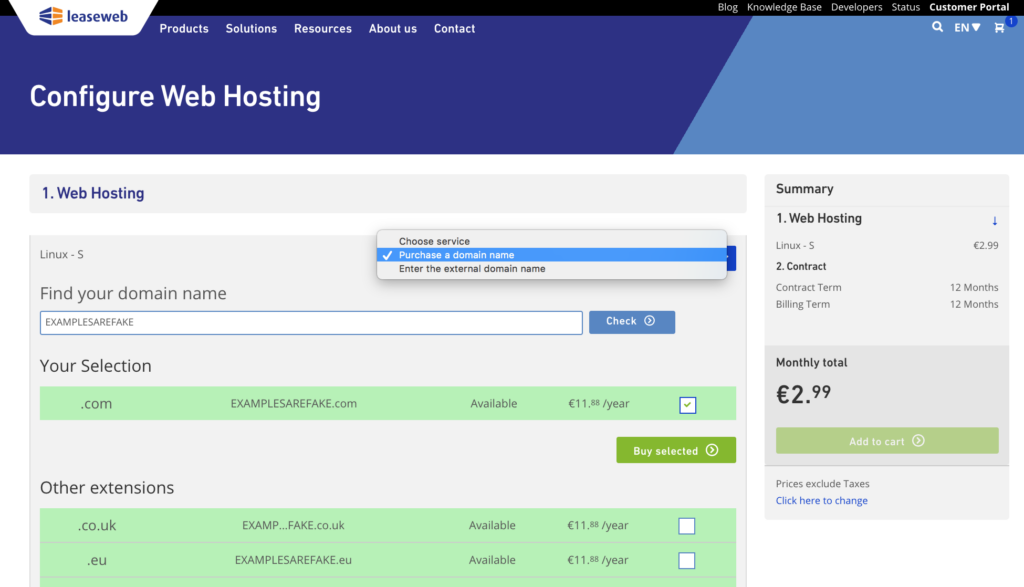
You can own a domain without hosting. But your website will not work without hosting. Canceling hosting stops your site from loading but does not remove your domain. Domains and hosting stay separate services.
Credit: kb.leaseweb.com
Impact Of Canceling Web Hosting
Cancelling your web hosting affects many parts of your online presence. Your website and email services rely on hosting to work. It’s important to understand what happens after you cancel hosting. This helps you prepare and avoid surprises.
What Happens To Your Website
After you cancel hosting, your website goes offline. The hosting server stores your site files. Without hosting, these files become unreachable. Visitors will see an error or a blank page. Your domain name still exists but points to no content. To keep your website live, you must move it before canceling.
Effect On Email Services Linked To Hosting
Email accounts linked to your hosting will stop working. Hosting servers handle sending and receiving emails. Canceling hosting cuts off this service. Emails sent to your domain address will bounce back. You lose access to your inbox and past emails. Use a separate email provider to avoid this issue.
Domain Status After Hosting Cancellation
Canceling your web hosting plan does not mean your domain disappears. The domain and hosting are two separate services. Understanding what happens to your domain after hosting ends is key. This section explains the domain status after hosting cancellation. It clarifies common doubts about domain expiration and control after hosting stops.
Does Your Domain Expire Or Get Deleted
Your domain does not expire just because you cancel hosting. Domains have their own registration periods. You pay for the domain separately from hosting. If you keep paying your domain registrar, your domain stays active. You can still use the domain for emails or new hosting. The domain will only expire if you do not renew it with your registrar.
Who Controls The Domain Post-cancellation
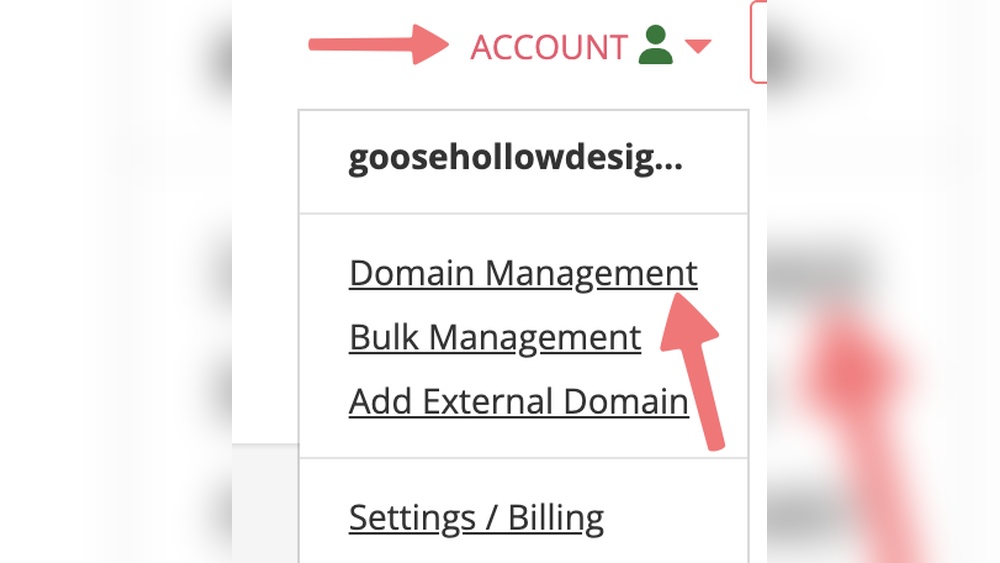
After canceling hosting, you keep full control of your domain. The domain is managed through your domain registrar’s account. You can update domain settings, DNS records, and renew the domain anytime. Hosting cancellation does not transfer domain ownership to the hosting company. Only you or someone with access to your registrar account controls the domain.
Managing Your Domain Separately
Managing your domain separately from your web hosting gives you more control. You keep your website live even if you stop hosting. Your domain name stays registered and can point to any hosting provider. This separation helps avoid losing your domain by accident.
Transferring Domains To Another Registrar
You can move your domain to a new registrar anytime. This process lets you choose a company that suits your needs better. Before transferring, unlock the domain and get an authorization code. Submit this code to the new registrar to start the transfer. The move usually takes a few days to complete.
Renewing Domains Independently
Domains need to be renewed regularly to stay active. Renewing separately means you pay only for the domain, not hosting. Set up reminders or automatic renewals to avoid losing your domain. Keep your contact details updated with the registrar for renewal notices. This keeps your domain safe and under your control.
Risks And Considerations
Cancelling web hosting can affect your domain in several ways. You might face unexpected problems if you do not plan carefully. Knowing the risks helps you avoid issues with your website and online presence.
Some risks involve losing access to your website or email. Others include the danger of someone else taking control of your domain. Being aware of these points keeps your domain safe and working well.
Potential Downtime And Loss Of Access
Stopping your web hosting can cause your website to go offline. Visitors will see an error or a blank page instead of your site. Email services linked to your hosting may also stop working.
This downtime can hurt your business or personal brand. Customers might lose trust if they cannot reach your site. It is important to move your website and email to a new host before cancelling.
Preventing Domain Hijacking
Domain hijacking happens when someone steals your domain name. They can use it for scams or to block your access. Cancelling hosting does not affect domain ownership, but risks increase without proper care.
Keep your domain registration active and update contact details. Use strong passwords and enable two-factor authentication. Monitor your domain status regularly to catch any unauthorized changes early.
Steps To Take Before Canceling Hosting
Canceling web hosting can affect your website and domain. Prepare carefully before making the change. Taking the right steps helps protect your data and keeps your domain safe. Follow these key steps to avoid problems later.
Backing Up Website Data
Save all your website files before canceling hosting. Download your images, text, and databases. Use your hosting control panel or an FTP client. A backup protects your content from loss. Keep the backup in a secure location. This allows you to restore the site elsewhere easily.
Confirming Domain Ownership
Check who controls your domain name. Log in to your domain registrar account. Verify your contact details are correct and up to date. Confirm the domain is unlocked for transfer if needed. Ownership confirmation prevents losing your domain. It also helps you move the domain smoothly to another provider.
Alternatives To Canceling Hosting
Cancelling your web hosting does not mean you must lose your domain. Many alternatives keep your domain safe and active. These options help you save money or adjust services without losing your online identity.
Consider these choices before cancelling hosting. They offer flexibility and control over your domain’s future.
Downgrading Hosting Plans
Downgrading your hosting plan can reduce costs. It allows you to keep your website online with fewer features. This option keeps your domain active and avoids disruption. You can choose a simpler plan that fits your needs.
Many hosting providers offer flexible plans. Switching to a basic plan means less expense but still maintains your domain and essential services. Your website remains accessible, and your domain stays registered.
Using Domain Parking Services
Domain parking keeps your domain registered without hosting a website. It shows a simple page or advertisement instead of your site. This service is often cheaper than full hosting.
Parking your domain protects your online address. It prevents others from registering it while you decide on future use. This method is easy to set up and requires little maintenance.

Credit: www.bluehost.com

Credit: kb.porkbun.com
Frequently Asked Questions
What Happens To My Domain If Hosting Is Canceled?
Canceling hosting does not affect your domain ownership. Your domain remains registered and active unless you cancel it separately.
Can I Keep My Domain Without Web Hosting?
Yes, you can keep your domain by renewing it with your registrar, even without hosting services.
Will My Website Be Visible After Canceling Hosting?
No, your website will go offline since hosting stores your website files and data.
How To Transfer Domain After Canceling Hosting?
You can transfer your domain by unlocking it and obtaining an authorization code from your registrar.
Conclusion
Canceling web hosting does not delete your domain name. The domain remains registered as long as you pay for it. You can still use your domain with another hosting service. Make sure to renew your domain to avoid losing it.
Keep control by managing your domain settings directly. This helps protect your online identity and website address. Domains and hosting are separate but connected parts. Understanding this keeps your website safe and accessible. Choose wisely before canceling hosting to avoid surprises.


