
Are you struggling to connect your Tumblr blog to your own custom domain? Changing the host name to a domain record might sound tricky, but it’s easier than you think.
Getting this right means your site looks professional and is easier for visitors to find. In this guide, you’ll learn exactly what steps to take to update your domain records for Tumblr. Stick with me, and by the end, you’ll have your blog running smoothly under your own unique web address.
Ready to make your Tumblr truly yours? Let’s dive in.
Credit: kb.porkbun.com
Tumblr Custom Domain Basics
Tumblr allows you to use a custom domain for your blog. This means you can have your own web address instead of the standard Tumblr URL. Using a custom domain helps your blog look more professional and easier to remember. It also makes your site stand out from the crowd.
Setting up a custom domain requires some basic knowledge about domain records. These records tell the internet where to find your Tumblr blog. Understanding these records helps you connect your domain to your Tumblr blog smoothly.
Why Use A Custom Domain
A custom domain gives your blog a unique web address. It helps visitors find your site quickly. A personal domain also builds trust with your audience. People see your blog as more credible. It also improves your brand image. Custom domains can help with search engine rankings too. They make your blog easier to share and promote.
Types Of Domain Records
Domain records are settings that link your domain to Tumblr. The main types are A records and CNAME records. An A record connects your domain to an IP address. This tells browsers where to find your Tumblr blog. A CNAME record points your domain to another domain name. For Tumblr, you often use a CNAME record to link your domain to domains.tumblr.com.
Choosing the right record type is important for your blog to work correctly. Most Tumblr users use a CNAME record for subdomains like blog.yourdomain.com. If you want to use a root domain like yourdomain.com, you need to set A records. Knowing these basics helps you set your domain records with confidence.
Preparing Your Domain
Preparing your domain is the first step to connect your Tumblr blog to a custom web address. You need to update the domain records for this. Before changing any settings, gather all the necessary information about your domain. This ensures a smooth process without confusion.
Access to your domain registrar is essential. This is where you bought your domain name. You will make all changes through their website. Make sure you have your login details ready.
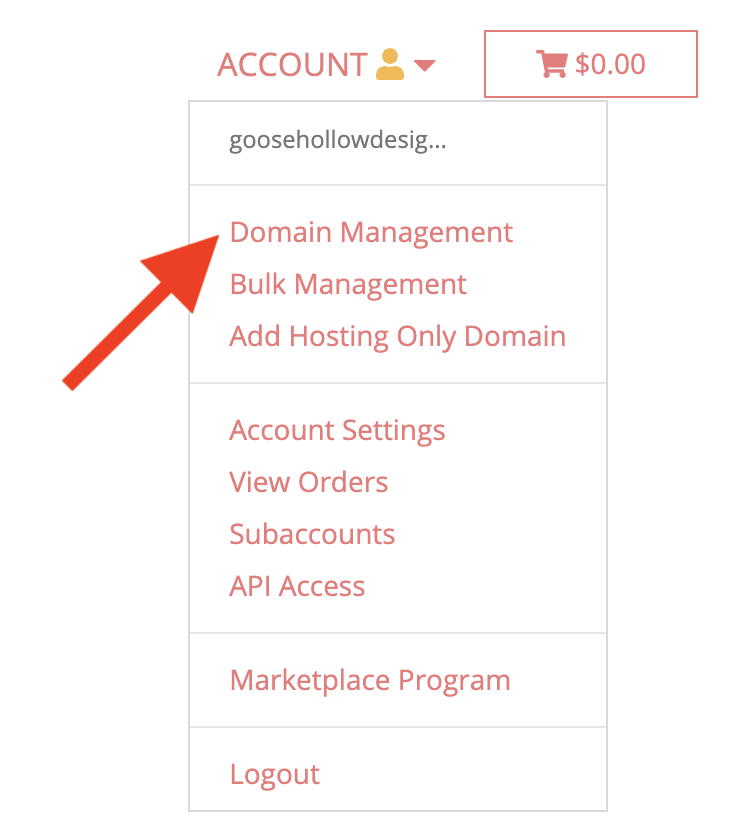
Accessing Your Domain Registrar
Go to the website of your domain registrar. Use your username and password to log in. If you forgot your password, use the recovery option. Once logged in, find the section for managing domains. This is usually called “My Domains” or “Domain Management.”
Click on the domain you want to connect to Tumblr. This opens the control panel where you can change settings. Keep this page open for the next steps.
Locating Dns Settings
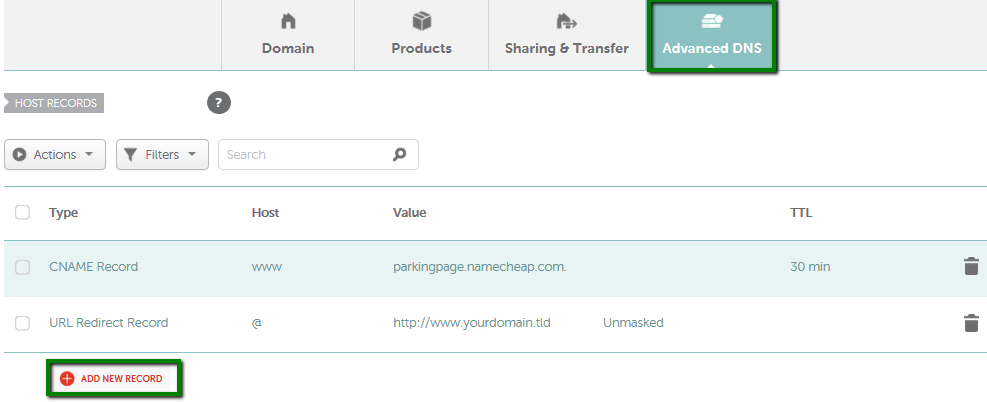
Look for the DNS or Name Server settings in your domain panel. DNS stands for Domain Name System. It controls how your domain points to websites. The DNS settings page lets you add or edit records.
Find the option to add a new record or edit existing ones. You will need to add a CNAME record for Tumblr. Make sure not to delete other important records. Save your changes carefully.
Changing Host Name To Domain Record On Tumblr
Changing the host name to a domain record on Tumblr is a key step for using a custom domain. It lets your blog have a unique web address. This process makes your Tumblr site look more professional and easier to find.
The change happens in your domain’s DNS settings. You need to update the A record to point to Tumblr’s servers. This ensures visitors reach your Tumblr blog when typing your domain name.
Identifying The Correct Host Name
Start by checking your domain provider’s DNS settings. The host name is often called “@” or “root”. It means the main domain without any prefixes.
For Tumblr, the host name usually stays as “@”. This points the domain directly to your Tumblr blog. Using the wrong host name can cause your site to not work properly.
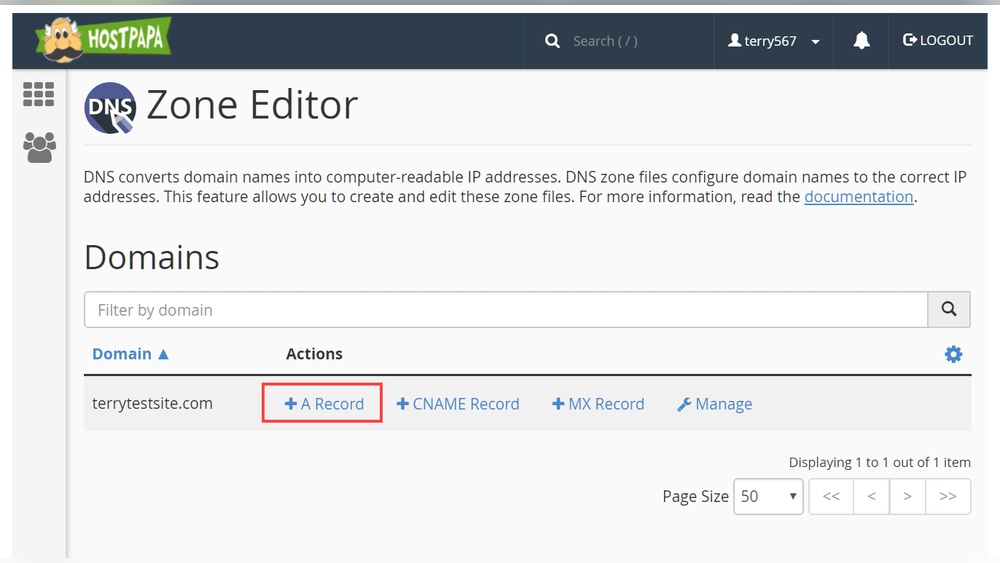
Creating Or Editing The A Record
Locate the A record section in your DNS management. If you see an existing A record with the host “@”, edit it. Change the IP address to Tumblr’s IP address.
If no A record exists, create a new one. Set the host to “@” and enter the correct IP. Save the changes and wait for them to update worldwide.
This step connects your domain to Tumblr’s servers. It may take up to 48 hours to fully work. After that, your blog will appear under your custom domain.

Credit: kb.porkbun.com
Configuring Tumblr Settings
Configuring Tumblr settings to use your custom domain is a simple process. It helps your blog look more professional and easier to find. This section guides you through adding your domain and checking its connection.
Adding Your Custom Domain In Tumblr
First, log into your Tumblr account. Go to the settings menu by clicking the profile icon. Scroll to the “Edit Theme” option and select it. Find the section for “Custom Domain” or “Website Address.” Enter your full domain name here. Make sure to include “www” if your domain uses it. Save the changes to update your blog’s address.
Verifying Domain Connection
After adding your domain, you must verify the connection. This step confirms your domain points to Tumblr correctly. Use your domain registrar’s control panel to check DNS settings. Ensure the CNAME record points to “domains.tumblr.com.” Wait for DNS changes to propagate, which can take up to 48 hours. Use online tools to check if your domain resolves to Tumblr. Once confirmed, your blog is live on the custom domain.
Common Issues And Fixes
Changing the host name to a domain record for Tumblr can sometimes cause problems. These issues can stop your site from working correctly. Knowing common problems helps fix them quickly. This section covers the main issues and how to solve them.
Dns Propagation Delays
DNS changes do not update instantly. It can take hours or even days. During this time, your site might not show the new domain. This delay happens because servers worldwide need time to update.
Be patient and wait at least 24 to 48 hours. Avoid making extra changes during this time. Check your domain status using online tools to see if updates finished.
Misconfigured Records
Incorrect DNS settings cause many problems. A common mistake is typing the wrong record type. Tumblr requires specific records like CNAME or A records. Using the wrong values stops your domain from linking.
Double-check your domain records. Ensure you use the exact host name and point it to Tumblr’s correct address. Fix any typos or missing details to avoid errors.
Ssl Certificate Setup
SSL certificates secure your website connection. Without SSL, your site may show as unsafe. Tumblr supports free SSL, but it needs time to activate after domain setup.
Make sure SSL is enabled in your Tumblr settings. Wait for the certificate to issue fully. If problems persist, contact your domain provider for help with SSL configuration.
Tips For Smooth Domain Transition
Changing your host name to a domain record on Tumblr needs careful steps. A smooth domain transition keeps your site live and avoids errors. Preparing well helps you save time and avoid frustration. Follow these simple tips for a smooth switch.
Backup Existing Settings
Before making changes, save your current domain settings. This backup helps you restore previous settings if something goes wrong. Take screenshots or write down DNS records and other details. Keep this backup safe until your new domain works perfectly.
Testing Your Domain Setup
After updating your domain records, test your setup. Use online tools to check if your domain points correctly to Tumblr. Open your site in different browsers and devices. Testing ensures visitors can reach your Tumblr without issues.
Credit: www.namecheap.com
Frequently Asked Questions
What Is A Host Name In Tumblr Domain Records?
A host name in Tumblr domain records is the subdomain part of your URL. It points to your Tumblr blog when setting up custom domains.
How To Change Host Name To Domain Record On Tumblr?
To change the host name, log into your domain provider. Edit the DNS settings and update the CNAME record to point to domains. tumblr. com.
Why Update Host Name To Domain Record For Tumblr?
Updating the host name ensures your custom domain links correctly to your Tumblr blog. It improves branding and makes your URL user-friendly.
Can I Use A Root Domain Instead Of Host Name In Tumblr?
Tumblr recommends using a subdomain as the host name, not the root domain. This avoids DNS conflicts and ensures proper blog connection.
Conclusion
Changing your host name to a domain record on Tumblr is simple. Just follow the steps carefully. This helps your blog look more professional and easy to find. Make sure to update the DNS settings correctly to avoid errors. Check your changes after a few hours.
This small change can improve your site’s appearance and trust. Keep your domain settings clear and organized. Now, your Tumblr blog uses your own domain name. Easy, right?


