
Have you ever wondered where a website’s domain name is actually hosted? Knowing this can help you understand how reliable a site is, troubleshoot issues, or even plan your own website better.
But finding out where a domain lives isn’t always obvious. You’ll discover simple, clear steps to quickly identify a domain’s hosting provider. By the end, you’ll have the tools to uncover hosting details like a pro, giving you more control and insight into any website you visit.
Keep reading to learn how easy it can be!

Credit: support.intermedia.com
Domain Name Basics
Understanding domain names is key to knowing where a website is hosted. Domains are the addresses people type to visit websites. Each domain points to a specific location on the internet.
Let’s explore the basics of domain names and hosting. This will help you find out where a domain is hosted.
What Is A Domain Name?
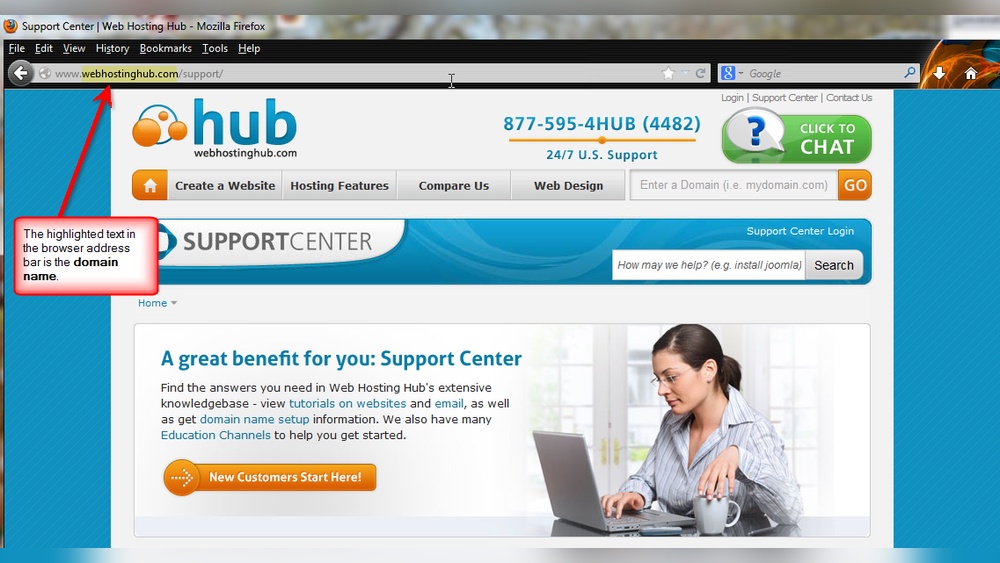
A domain name is a website’s address on the internet. It looks like www.example.com. This address helps users find websites easily without using long IP numbers.
Domains consist of two main parts: the name and the extension. For example, in “example.com,” “example” is the name, and “.com” is the extension. The extension shows the domain type or country.
Role Of Domain Hosting
Domain hosting means storing website files on servers. These servers make the website visible online. Without hosting, a domain name cannot show a website.
Hosting providers keep websites running 24/7. They manage the server hardware and internet connections. Hosting ensures visitors can access the site at any time.
Knowing where a domain is hosted tells you who stores and manages the website data. This helps with site management and troubleshooting.
Key Tools To Identify Hosting
Finding where a domain name is hosted helps understand the website better. This info can show who manages the site and its location. Several tools make this task simple and clear. These tools check different parts of the domain’s data.
Each tool offers unique details. Using them together gives a full picture. Here are key tools to identify hosting quickly and easily.
Using Whois Lookup
WHOIS Lookup reveals registration details of a domain name. It shows the owner’s contact and hosting provider info. This data helps trace the hosting company. Many free WHOIS services exist online. Enter the domain name, and the tool returns registration info.
Look for the “Name Server” or “Registrar” fields. They often hint at the hosting provider. Some owners hide their info using privacy services. In that case, WHOIS offers limited hosting clues.
Dns Records Analysis
DNS records store technical info about a domain. They include IP addresses linked to the domain name. Checking DNS records helps find the server location. Tools like nslookup or dig reveal DNS details.
Look at A records and CNAME records. These point to the server’s IP address or hostname. Next, use the IP address to find the hosting company. This method works well for most websites.
Online Hosting Checker Tools
Online hosting checker tools simplify the process. Enter the domain, and these tools scan its data. They show hosting company names and server locations.
Popular tools include Hosting Checker, HostAdvice, and Site24x7. They combine WHOIS and DNS data for accuracy. These tools save time and provide clear results.
Step-by-step Guide To Find Hosting
Finding where a domain name is hosted helps you understand more about the website. This guide shows easy steps anyone can follow. No special skills needed. Just simple tools and clear instructions.
The process includes checking WHOIS information, looking at DNS servers, and reading hosting data. Each step gives clues about the hosting provider. You can learn a lot by following these steps carefully.
Accessing Whois Information
Start by visiting a WHOIS lookup website. Enter the domain name you want to check. WHOIS shows registration details like owner and hosting info. Sometimes, hosting providers are listed in this data. Look for fields called “Name Server” or “Registrar.” These often reveal hosting companies.
Checking Dns Servers
Next, check the domain’s DNS servers. Use online DNS lookup tools for this. DNS servers direct internet traffic to the hosting provider. The names of these servers often include the host’s name. For example, “ns1.bluehost.com” points to Bluehost hosting. This step confirms hosting details from WHOIS data.
Interpreting Hosting Data
After gathering data, understand what it means. Match DNS and WHOIS info to known hosting providers. Some tools also show IP addresses. Use IP lookup services to find the hosting company behind the IP. This helps confirm where the domain is hosted. Clear interpretation gives you accurate hosting details.

Credit: support.intermedia.com
Common Challenges And Solutions
Finding where a domain name is hosted can be tricky. Some common challenges can slow you down. Understanding these issues helps you get accurate results. Here are common problems and easy ways to solve them.
Private Domain Registrations
Some domains use privacy services to hide owner details. This makes it hard to see who hosts the site. The registrar shows private information instead. To solve this, check the domain’s DNS records. These often reveal hosting details even if registration is private.
Multiple Hosting Providers
Websites may use different hosts for files, emails, or other services. This splits hosting across providers. It confuses tools that check hosting. Look at DNS records carefully. Focus on the main web server’s IP address to find the primary host.
Using Ip Address Tracing
Tracing the domain’s IP address can reveal the hosting provider. Use tools like ping or traceroute. These show the path to the server. Be aware some hosts use shared IPs. Checking IP location helps confirm the exact host.
Advanced Techniques
Advanced techniques reveal detailed information about a domain’s hosting. These methods go beyond basic tools and provide deeper insights. They help identify the server location and hosting provider with more accuracy. Using these techniques requires some technical knowledge, but they are very effective.
Traceroute Command Usage
The traceroute command tracks the path data takes from your computer to the domain’s server. It shows each step or hop between network devices. Each hop reveals an IP address and location. This helps identify the hosting server’s general area. You can run traceroute on Windows, Mac, or Linux using the command prompt or terminal. Just type tracert domainname.com on Windows or traceroute domainname.com on Mac/Linux.
Reverse Ip Lookup
Reverse IP lookup finds all domains hosted on the same IP address. This method helps spot shared hosting environments. It shows if multiple websites are on one server. You enter the IP address linked to the domain. The lookup tool returns a list of domains sharing that IP. This can reveal the hosting provider or data center used.
Third-party Hosting Databases
Third-party databases store information about hosting providers and IP ranges. These services collect data from multiple sources. They map IP addresses to specific hosting companies. You enter the domain or IP address into their search box. The database returns details about the host and server location. Popular databases include ARIN, RIPE, and APNIC. These tools provide reliable hosting information quickly.

Credit: designpowers.com
Best Practices For Domain Management
Managing a domain name well is key to keeping your website online and safe. Good domain management protects your site from downtime and security risks. It also helps you avoid losing control of your domain. Following simple best practices keeps your hosting details clear and your ownership secure.
Keeping Hosting Details Updated
Always keep your hosting details current. Check your domain registrar account regularly. Update your contact email and phone number. These details help you receive important alerts. Incorrect info can cause you to miss renewal notices. This may lead to domain suspension or loss.
Securing Domain Ownership
Protect your domain from theft or unauthorized transfers. Use strong, unique passwords for your registrar account. Enable two-factor authentication for extra security. Lock your domain to prevent changes without your approval. Review your domain’s WHOIS information to ensure accuracy. This confirms you remain the rightful owner.
Choosing Reliable Hosts
Pick a trustworthy hosting provider for your domain. Look for providers with good uptime records. Check if they offer strong security features. Reliable hosts reduce risks of downtime and hacking. Read reviews from other users before deciding. A stable host keeps your website running smoothly.
Frequently Asked Questions
How Can I Find Where A Domain Is Hosted?
Use online tools like WHOIS lookup or hosting checker websites. They provide the hosting provider’s name and server location quickly.
What Information Does A Whois Lookup Reveal?
WHOIS shows domain registrant details, registration dates, and often hosting server info. It helps identify where a domain is hosted.
Can I Tell Hosting From The Domain Registrar?
Not always. Domain registrar manages registration, but hosting may be with a different company entirely.
Are Free Tools Reliable For Hosting Detection?
Most free tools give accurate hosting details. However, some advanced data may require paid services.
Conclusion
Finding where a domain name is hosted helps you understand your website better. Tools like WHOIS and DNS checkers make this task simple. Knowing the host can solve many website issues fast. This knowledge saves time and avoids confusion. Keep practicing these steps to get confident.
You will find hosting details quickly and easily. Stay curious and keep exploring the web.


