
Have you ever wondered what hosting and domain really mean for your website? If you’re planning to create a website or take your online presence to the next level, understanding these terms is crucial.
Knowing how hosting and domain work together can save you time, money, and frustration. You’ll discover exactly what hosting and domain are, why they matter, and how to choose the right options for your needs. Keep reading to unlock the secrets that will make your website stand out and run smoothly.
Credit: www.youtube.com
Types Of Hosting Services
Choosing the right hosting service is key for your website’s success. Different hosting types offer various features and pricing. Understanding these options helps you pick the best service for your needs.
Shared Hosting
Shared hosting means many websites share the same server. It is the cheapest option and easy to use. Ideal for small websites and beginners. Resources like memory and bandwidth are shared. This can slow down your site if traffic grows.
Vps Hosting
VPS stands for Virtual Private Server. It splits a server into virtual parts for each user. Offers more power and control than shared hosting. Suitable for medium-sized websites with growing traffic. You get dedicated resources and better performance.
Dedicated Hosting
Dedicated hosting means you rent a whole server. All resources are for your website only. This gives maximum speed and security. Best for large websites and online stores. It costs more but provides full control over the server.
Cloud Hosting
Cloud hosting uses many servers connected in a network. Your website uses resources from this network. It is flexible and can handle traffic spikes easily. You pay for the resources you use. Good for websites needing high uptime and scalability.
Domain Name Basics
Understanding domain name basics is the first step to creating a website. A domain name is the address that people type in their browser to visit your site. It is important to pick the right domain name for your online presence. Your domain name impacts your brand and how easy it is for visitors to find you.
Choosing A Domain Name
Choose a domain name that is short, simple, and easy to remember. Avoid using numbers or special characters. Use words related to your business or topic. This helps visitors know what your site is about. Make sure the name is easy to spell and pronounce. Check if the name is unique to avoid confusion with other sites.
Domain Extensions
Domain extensions are the endings of a domain name, like .com or .net. The .com extension is the most popular and trusted. Other options include .org, .info, and country codes like .us or .uk. Choose an extension that fits your website’s purpose. For example, use .org for non-profits or .store for online shops. Extensions affect how people see your site.
Domain Registration Process
Registering a domain name is simple and fast. First, search if your chosen name is available. Use a domain registrar website to check availability. Once you find a free name, fill out the registration form. Provide your contact details and choose the registration period. After payment, the domain is yours to use. Renew your domain regularly to keep ownership.
Key Features To Look For
Choosing the right hosting domain is important for your website’s success. The right features ensure your site runs smoothly. These features affect your site’s speed, security, and availability. Understanding what to look for helps you make a smart choice.
Uptime And Reliability
Uptime means how often your website stays online. High uptime means fewer breaks or downtime. Look for hosts with at least 99.9% uptime. Reliable hosting keeps your site accessible to visitors all the time. Downtime can cause lost visitors and hurt your reputation.
Speed And Performance
Fast websites keep visitors happy and reduce bounce rates. Hosting affects how quickly your pages load. Choose hosts with good server speed and resources. Solid performance means your site loads quickly even with many visitors. Check for features like SSD storage and fast servers.
Security Measures
Security protects your site from hackers and threats. Good hosts offer features like SSL certificates and firewalls. Regular backups and malware scans add extra protection. Strong security keeps your data safe and builds visitor trust. Avoid hosts without clear security policies.
Customer Support
Support helps solve problems quickly. Look for hosts with 24/7 customer service. Multiple support channels like chat, email, or phone are best. Helpful support reduces downtime and fixes issues fast. Good support makes managing your hosting easier and stress-free.

Credit: www.temok.com
Pricing And Plans
Setting up your hosting and domain is the first step to building your website. It connects your website name with the place where your files live. This process makes your website visible to everyone on the internet.
Knowing how to link your domain to hosting, use the control panel, and install software will help you launch smoothly. These tasks might seem hard at first, but they are simple with clear steps.
Linking Domain To Hosting
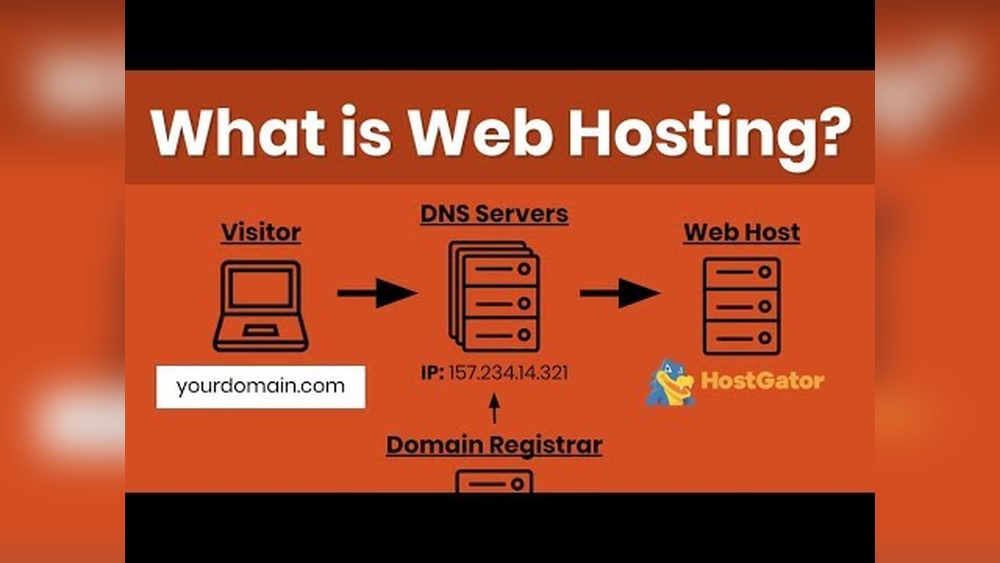
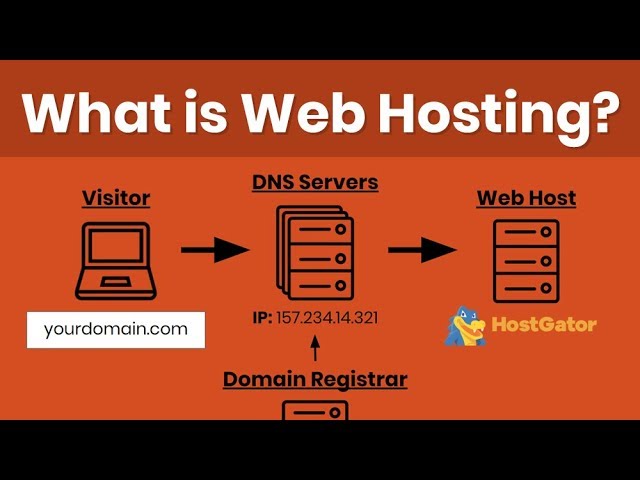
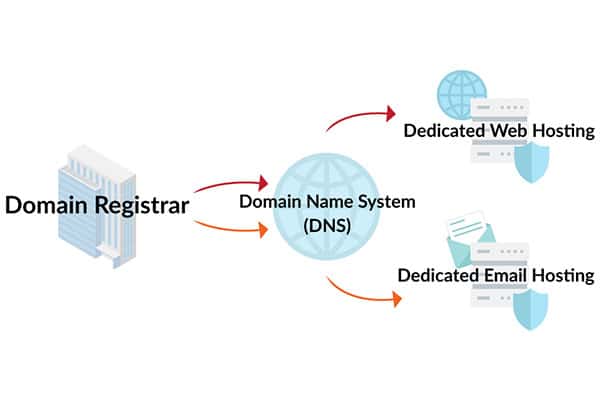
Linking your domain to your hosting means telling the internet where your site lives. You do this by changing the domain’s nameservers. Nameservers are like the address that points visitors to your hosting server.
Start by logging into your domain registrar. Find the nameserver settings. Replace the current nameservers with those from your hosting provider. Save the changes. It may take a few hours to update worldwide.
Control Panel Essentials
The control panel is your website’s dashboard. It lets you manage files, emails, and databases easily. Most hosts offer popular control panels like cPanel or Plesk.
Learn to navigate the control panel. Upload files using the file manager. Create email accounts for your domain. Set up databases if your site needs them. These tools keep your site running smoothly.
Installing Cms And Applications
Most websites use a CMS (Content Management System) like WordPress to create and manage content. Hosting providers often offer one-click installers for popular CMSs and apps.
Access your control panel and find the installer. Choose your CMS or application. Fill in basic details like site name and admin password. Click install. Your website is ready to customize.
Popular Hosting Providers
Hosting a website comes with several common challenges. These issues can affect your site’s performance and security. Understanding these problems helps you manage your hosting better. Here are some frequent hosting challenges and how to handle them.
Downtime Troubleshooting
Downtime means your website is not accessible to visitors. It can happen due to server problems or network issues. Check your hosting provider’s status page for updates. Restart your server if you have access. Clear your browser cache and try again. Use monitoring tools to alert you about downtime quickly. Regular backups can help restore your site fast after a crash.
Security Risks And Prevention
Hosting exposes your website to hacking and malware risks. Weak passwords and outdated software increase these dangers. Use strong, unique passwords for your hosting account. Keep all software and plugins updated to the latest versions. Install security plugins or firewalls to protect your site. Regularly scan your site for malware and vulnerabilities. Back up your data often in case of attacks.
Migration Tips
Moving your website to a new host can be tricky. Plan the migration during low traffic hours to reduce impact. Back up all your files and databases before starting. Use migration tools provided by your new host. Test your site thoroughly on the new server before switching. Update your domain’s DNS settings carefully to avoid downtime. Keep both old and new hosting active for a few days during transition.
Setting Up Your Hosting And Domain
Hosting is changing fast. New trends shape how websites and apps work online. These trends focus on speed, safety, and the environment. Understanding these changes helps businesses and users get better online services.
Green Hosting
Green hosting uses clean energy to power servers. It reduces carbon emissions and saves resources. Many companies now choose green hosting to protect the planet. This trend helps fight climate change while keeping websites online.
Ai And Automation
AI improves hosting by automating tasks like backups and security checks. It finds problems fast and fixes them without human help. This makes hosting more reliable and saves time for users. AI tools also help manage traffic and optimize performance.
Edge Computing
Edge computing moves data closer to users. It stores information on local servers instead of faraway centers. This reduces delay and speeds up website loading times. Edge hosting supports real-time apps and better user experiences worldwide.
Credit: momentum3growth.com
Frequently Asked Questions
What Is The Difference Between Hosting And Domain?
Hosting stores your website files on a server. A domain is your website’s address on the internet. Both are essential for a website to be accessible online.
How Do Hosting And Domain Work Together?
The domain directs visitors to the hosting server where your website files are stored. They connect so users can access your website using the domain name.
Can I Buy Hosting Without A Domain?
Yes, you can buy hosting without a domain. However, without a domain, visitors must use your server’s IP address to access your site.
Which Is More Important, Hosting Or Domain?
Both are equally important. A domain gives your website identity, while hosting provides the space to store your site’s content.
Conclusion
Choosing the right hosting domain helps your website grow well. It gives your site a place to live on the internet. A good domain name makes your site easy to find. It also builds trust with visitors. Remember to pick a name that fits your brand and is simple to remember.
Hosting and domain work together to make your site run smoothly. Take time to learn about both before making a choice. This way, your website will have a strong start online.


