Have you ever wondered how WordPress keeps your password safe? When you log in, you trust that your details are secure, but do you know what happens behind the scenes?
Understanding how WordPress stores passwords can help you feel more confident about your website’s security. You’ll discover the simple yet powerful methods WordPress uses to protect your data and why it matters for you. Keep reading to unlock the secrets that keep your password safe from hackers.

Credit: woocommerce.com
WordPress Password Storage Basics
WordPress uses careful methods to keep passwords safe. It does not save passwords as plain text. Instead, it changes them into unreadable codes. This system protects user accounts from hackers and unwanted access. Understanding these basics helps users see how WordPress guards their information.
Role Of Passwords In User Security
Passwords act as the first line of defense for user accounts. They stop unauthorized people from logging in. Strong passwords make it harder for hackers to guess or break them. WordPress depends on secure passwords to protect websites and user data.
Where Passwords Are Stored
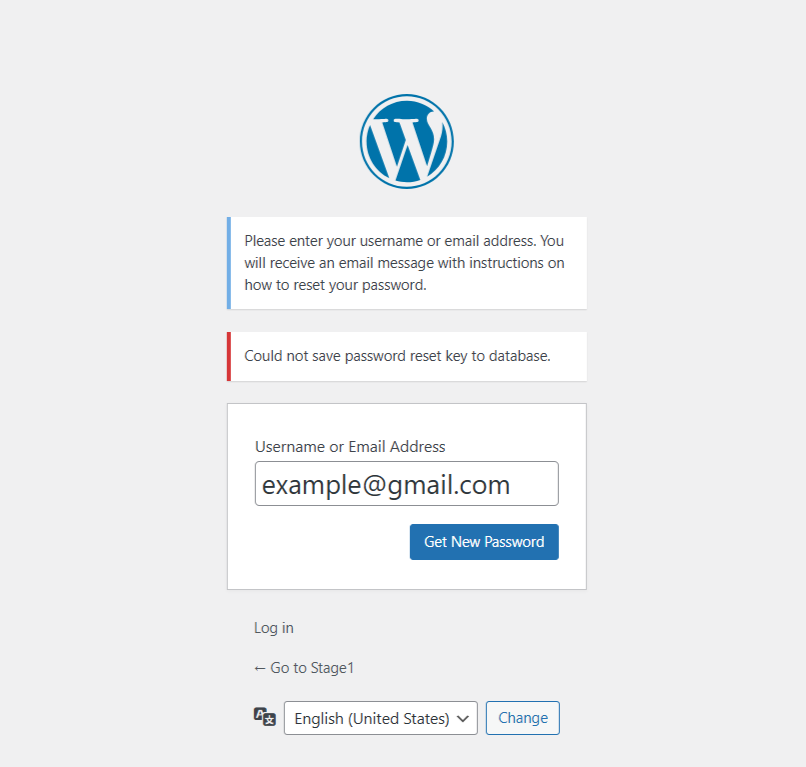
WordPress stores passwords in its database. But it never stores the actual password. Instead, it saves a hashed version. Hashing is a one-way process that turns the password into a unique code. Even if someone sees the database, they cannot learn the real password.
Credit: wp-staging.com
Hashing Techniques In WordPress
WordPress uses strong methods to protect user passwords. Hashing plays a key role in this process. It changes passwords into secure codes that are hard to read or reverse. This keeps passwords safe even if someone accesses the database.
What Is Password Hashing
Password hashing is a way to secure passwords. It changes a password into a unique string of characters. This string looks random and cannot be changed back to the original password. Hashing ensures that passwords are not stored as plain text. It helps protect user accounts from hackers.
Use Of Phppass Library
WordPress used the PHPPass library for hashing. This library creates strong password hashes. It adds a salt, which is extra random data, to each password. Salt makes it harder for attackers to use common password lists. PHPPass also uses multiple rounds of hashing to increase security.
Transition To More Secure Hashes
WordPress improved its hashing methods over time. It moved to more secure algorithms like bcrypt. Bcrypt is stronger because it slows down attackers trying many passwords. WordPress updates its code to use these better hashes automatically. This keeps user passwords safer as technology advances.
Salting For Enhanced Security
Salting adds an extra layer of security to password storage. It makes passwords harder to guess or crack. WordPress uses salting to protect user data. This helps keep accounts safe from hackers.
Purpose Of Salts
Salts are random values added to passwords before hashing. They stop attackers from using pre-made tables to crack hashes. Each password gets a unique salt. This means even identical passwords have different hashes. Salting also protects against repeated password attacks.
Implementation In WordPress
WordPress creates salts automatically for each site. These salts are stored in the wp-config.php file. WordPress uses multiple salts and keys to increase security. When a user logs in, WordPress mixes the password with these salts. Then it creates a secure hash for storage. This process helps defend against many common cyber attacks.

Credit: make.wordpress.org
Password Hashing Algorithms Used
WordPress uses special methods to keep passwords safe. These methods turn passwords into long codes. This process is called hashing. It helps protect user accounts from hackers. Over time, WordPress has improved its hashing methods to stay secure.
Md5 And Its Limitations
MD5 was one of the first hashing methods used by WordPress. It creates a fixed-length code from a password. But MD5 is not very safe now. Hackers can break MD5 hashes quickly with modern tools. It also does not add extra protection like “salting.” This made MD5 less reliable for password security.
Introduction Of Bcrypt
Bcrypt is a stronger hashing method used in newer WordPress versions. It adds a random string, called a salt, to each password. This makes each hashed password unique. Bcrypt also slows down the hashing process. This delay helps stop fast attacks by hackers. It is much safer than MD5 for protecting passwords.
Current Standards In WordPress
WordPress now uses the Portable PHP Password Hashing Framework. It supports bcrypt and other strong algorithms. This system automatically chooses the best method available. It also manages salts and hashing complexity. This ensures passwords stay secure as technology improves. WordPress updates its security to protect users better.
How WordPress Handles Password Verification
WordPress protects user accounts by handling passwords securely. The system never stores plain text passwords. Instead, it uses a process called hashing. This makes sure passwords are safe, even if the database is exposed.
During login, WordPress checks the password by comparing hashes. It also updates weak passwords automatically. This keeps the site more secure without bothering users.
Comparing Hashes During Login
When a user logs in, WordPress takes the entered password and hashes it. This new hash is compared to the stored hash in the database. If both match, the login is successful. This method prevents the actual password from being exposed.
The hashing function used is slow and complex. This slows down hackers trying to guess passwords. Each hash is unique, even for the same password, due to a random salt added during hashing.
Rehashing Weak Passwords
WordPress checks if the stored hash uses the latest security standard. If the hash is weak or outdated, WordPress rehashes the password during login. The system updates the stored hash silently in the background.
This process improves security over time. Users do not need to change their passwords manually. WordPress keeps the password protection strong and current without extra steps.
Security Measures Beyond Password Storage
WordPress does more than just store passwords safely. It adds extra layers of security to protect user accounts. These measures reduce the risk of unauthorized access and keep websites safe. Understanding these features helps users appreciate WordPress’s strong security system.
Two-factor Authentication
Two-factor authentication (2FA) adds a second step to login. Users enter their password first. Then, they provide a code from a phone app or text message. This extra step blocks hackers, even if they know the password.
Password Strength Enforcement
WordPress encourages strong passwords. It may require a mix of letters, numbers, and symbols. Weak passwords are not accepted. Strong passwords make it hard for attackers to guess or crack them.
Regular Updates And Patches
WordPress releases updates often. These updates fix security problems quickly. They also improve features and performance. Keeping WordPress updated closes security gaps before hackers exploit them.
Best Practices For WordPress Users
Protecting your WordPress site starts with strong security habits. Following best practices helps keep your passwords safe and your site secure. This section covers key steps every WordPress user should take to protect their accounts effectively.
Choosing Strong Passwords
Create passwords that are long and hard to guess. Use a mix of letters, numbers, and symbols. Avoid common words or easy patterns like “12345” or “password.” Change passwords regularly to reduce risks. Strong passwords make it much harder for hackers to break in.
Using Password Managers
Password managers store your passwords safely in one place. They generate strong, unique passwords for each site. This means you do not need to remember every password. Using a password manager reduces the risk of weak or reused passwords. It also saves time logging into your accounts.
Keeping WordPress Updated
Always update WordPress to the latest version. Updates fix security holes and improve protection. Themes and plugins need updates too. Outdated software makes your site vulnerable to attacks. Regular updates keep your site and passwords safer.
Frequently Asked Questions
How Does WordPress Securely Store Passwords?
WordPress stores passwords using a strong hashing algorithm called bcrypt. It converts passwords into irreversible hashes. This prevents hackers from accessing actual passwords. WordPress also adds a unique salt to enhance security. This method ensures passwords remain safe even if the database is compromised.
What Hashing Algorithm Does WordPress Use For Passwords?
WordPress uses the bcrypt algorithm via the PHP password_hash() function. Bcrypt is designed for secure password storage. It slows down brute-force attacks by requiring significant computation. This makes password cracking extremely difficult and protects user credentials effectively in WordPress.
Can WordPress Passwords Be Decrypted Or Reversed?
No, WordPress passwords cannot be decrypted or reversed. Passwords are hashed, not encrypted. Hashing is a one-way process. This means the original password cannot be retrieved from the stored hash. WordPress verifies passwords by comparing hashes, ensuring strong user data protection.
Why Does WordPress Add Salt To Password Hashes?
WordPress adds unique salt to password hashes to increase security. Salt prevents attackers from using precomputed hash tables. This makes identical passwords produce different hashes. Salting ensures password hashes remain unique and harder to crack, improving WordPress login security.
Conclusion
WordPress keeps passwords safe using strong hashing methods. It never stores passwords as plain text. Instead, it uses a special process called hashing with added salts. This makes it hard for attackers to read passwords. Knowing this helps users trust WordPress security.
Regular updates also keep protection strong. Always use strong, unique passwords for better safety. This simple system keeps your data secure and private. Understanding this builds confidence in managing your WordPress site. Protect your site by staying informed and careful.