
Are you wondering how to become a WordPress developer and turn your passion for websites into a rewarding career? You’re in the right place.
Whether you want to build stunning websites, customize themes, or create powerful plugins, learning WordPress development can open many doors. This guide will show you clear steps to get started, avoid common mistakes, and grow your skills fast. By the end, you’ll know exactly what to do to make your mark in the WordPress world.
Ready to unlock your potential? Let’s dive in!
Credit: www.karmickinstitute.com
Skills Needed
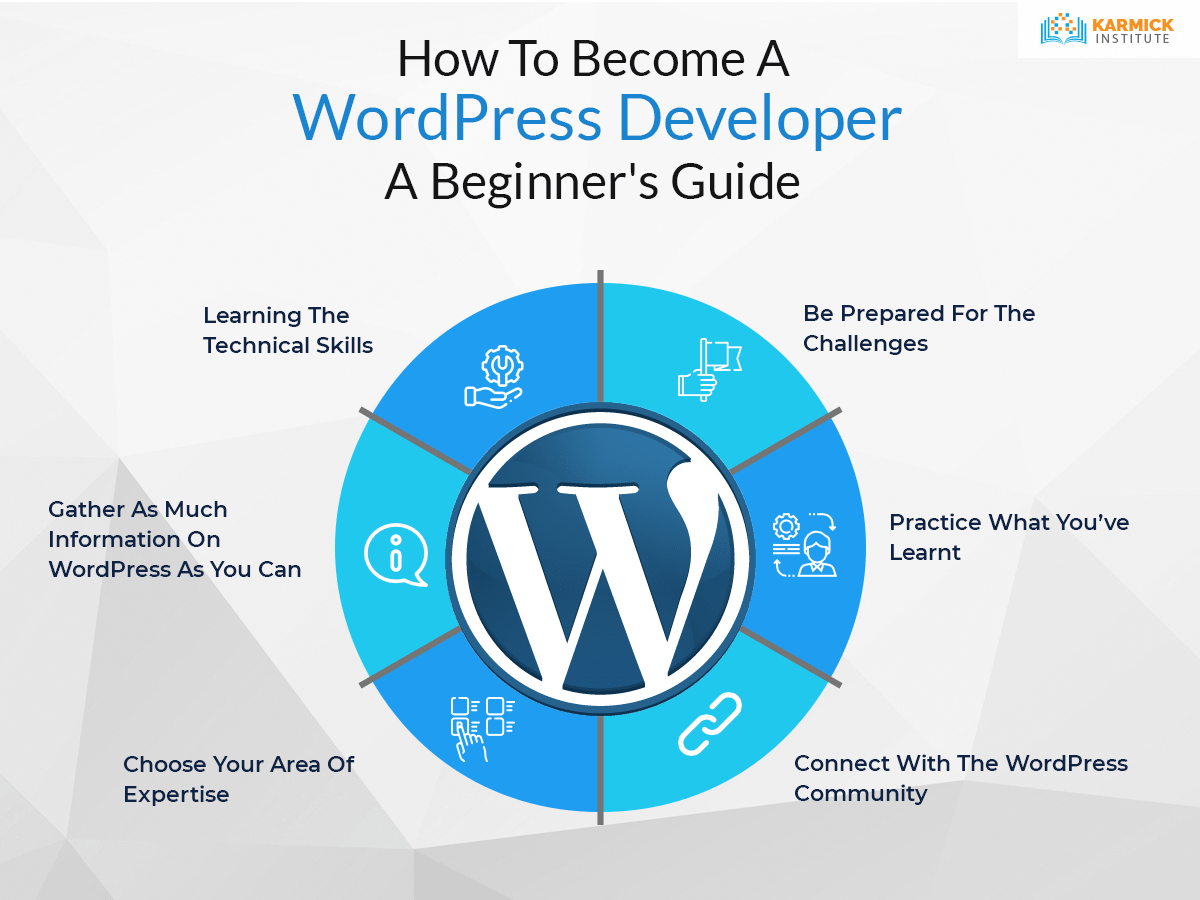
Becoming a WordPress developer requires a mix of technical skills. These skills help you build and customize websites efficiently. Learning the right skills makes your work easier and more professional.
Core Web Technologies
Understanding HTML, CSS, and JavaScript is essential. HTML structures the content on a webpage. CSS styles the layout and appearance. JavaScript adds interactivity and dynamic features. These technologies form the base of all websites.
WordPress Fundamentals
Know how WordPress works inside and out. Learn about the dashboard, themes, and plugins. Understand how to manage content and users. Familiarity with WordPress settings helps in site customization. This knowledge is key to building functional sites.
Php And Mysql
PHP is the programming language behind WordPress. Learn to write and modify PHP code. MySQL manages the database where all content is stored. Knowing how to interact with the database is important. These skills let you create custom features and fix issues.
Theme And Plugin Development
Themes control the look of a WordPress site. Learn to build and customize themes from scratch. Plugins add extra functions to a site. Understand how to develop and modify plugins safely. This skill set allows you to tailor sites to specific needs.

Credit: wordpress.com
Setting Up Your Environment
Setting up your environment is the first step to becoming a WordPress developer. It allows you to work safely on your projects without affecting live websites. A well-prepared environment helps you learn faster and test your code easily. Let’s explore the key parts of setting up your workspace.
Local Development Tools
Local development tools let you run WordPress on your computer. They create a server environment like the internet but only on your device. Popular tools include XAMPP, MAMP, and Local by Flywheel. These tools install PHP, MySQL, and Apache automatically. This setup is essential to run WordPress smoothly offline.
Installing WordPress Locally
After setting up local tools, download WordPress from its official site. Extract the files into the local server’s folder. Create a database through the local tool’s interface. Then, open your browser and run the WordPress installer. Follow the steps to connect WordPress to your database. Now you have a full WordPress site on your computer.
Using Version Control
Version control helps track changes in your code. Git is the most common tool for this purpose. It saves different versions of your work and makes collaboration easier. Start by installing Git on your computer. Use Git commands to save and share your code. This practice keeps your projects organized and safe.
Learning WordPress Architecture
Learning WordPress architecture is key to becoming a skilled developer. It helps you understand how WordPress works behind the scenes. This knowledge lets you build custom solutions and fix problems quickly.
WordPress has a unique structure. It includes themes, plugins, and a specific way to load files. Knowing these parts helps you create websites that are fast and easy to manage.
Understanding Themes
Themes control the look and feel of a WordPress site. They include templates, stylesheets, and images. Themes decide how content appears to visitors.
You can create your own theme or modify an existing one. Themes use PHP, HTML, CSS, and JavaScript. Learning how themes work lets you design custom layouts and features.
Exploring Plugins
Plugins add new functions to WordPress sites. They can improve security, add contact forms, or optimize SEO. Plugins work by hooking into WordPress core features.
Understanding plugins helps you choose the right ones. You can also build your own plugins to meet specific needs. This makes your site more powerful and flexible.
Template Hierarchy
Template hierarchy is the system WordPress uses to select which template file to load. It follows a specific order, from the most specific to the most general.
This system helps WordPress display the right content in the right way. Knowing the template hierarchy allows you to customize how pages, posts, and archives appear.
Building Your First Theme
Building your first WordPress theme is an exciting step. It helps you learn how WordPress works. You create the look and feel of a website. This process shows you how to control content and design. Your theme will be the base for many websites.
Start simple. Focus on the main parts of a theme. Learn how to organize files and write code. This will give you a strong foundation.
Theme Structure
A WordPress theme has a clear folder and file structure. The main folder holds all theme files. Inside, you find template files like index.php, style.css, and functions.php. The style.css file tells WordPress about your theme. Templates control how pages display content. Knowing this structure helps you build themes that work well.
Creating Templates
Templates are PHP files that define page layouts. The index.php is the main template. You can add others like header.php and footer.php. Use WordPress functions to show posts and pages. Templates let you arrange content blocks in many ways. Each template serves a specific purpose in the theme.
Adding Styles And Scripts
Styles control how your site looks. Use CSS in the style.css file. Scripts add interactivity using JavaScript. Add these files properly with WordPress functions. This keeps your theme fast and secure. Clean styles and scripts improve user experience.
Creating Custom Plugins
Creating custom plugins is an important skill for any WordPress developer. Plugins add new features and functions to a WordPress site. They allow you to tailor websites to specific needs. Writing your own plugins means you can build unique tools that others cannot find in ready-made plugins. It also improves your coding skills and understanding of WordPress.
Plugin Basics
A plugin is a set of files that add features to WordPress. It usually contains PHP code, and sometimes JavaScript and CSS. Every plugin needs a main PHP file with a special header. This header tells WordPress the plugin name and details. Plugins live in the wp-content/plugins folder. Activate plugins in the WordPress dashboard to start using them.
Hooks And Filters
Hooks let you change WordPress behavior without editing core files. There are two main types: actions and filters. Actions run custom code at specific points. Filters modify data before it shows on the site. Use hooks to add or change features in your plugin. They keep your code clean and easy to maintain.
Plugin Security
Security is very important in plugin development. Poor security can lead to hacking and data loss. Always sanitize and validate user input. Use WordPress functions to escape output. Avoid direct database queries; use WordPress functions instead. Keep your code safe from common attacks like SQL injection and cross-site scripting. Test your plugin thoroughly before release.
Mastering Advanced Concepts
Mastering advanced concepts is key to becoming a skilled WordPress developer. These concepts help create unique and powerful websites. They go beyond basic theme and plugin use. Understanding these ideas allows customization at a deeper level. This section covers three important topics: Custom Post Types, Taxonomies, and REST API Integration.
Custom Post Types
Custom Post Types let you add new content types beyond posts and pages. For example, you can create portfolios, testimonials, or products. This helps organize content better. Custom Post Types improve user experience and site structure. WordPress provides functions to register these post types easily.
Learning to create and manage Custom Post Types adds flexibility. It allows developers to build websites tailored to specific needs. This skill is essential for complex projects and client work.
Taxonomies
Taxonomies group content for easier navigation and filtering. Categories and tags are default taxonomies in WordPress. You can create custom taxonomies for more specific grouping. For example, genres for books or locations for events.
Custom taxonomies improve content organization and searchability. They help visitors find related content quickly. Understanding how to build and use taxonomies is important for advanced WordPress development.
Rest Api Integration
The REST API allows WordPress to communicate with other apps and services. It provides access to WordPress data using simple HTTP requests. Developers use it to create headless websites or mobile apps.
Knowing REST API integration opens new possibilities. It enables dynamic websites and external data connections. This knowledge is valuable for building modern, interactive WordPress solutions.
Testing And Debugging
Testing and debugging are important steps in WordPress development. They help find and fix errors in your code. Good testing makes your site work well for visitors. Debugging improves the site’s quality and user experience. Every WordPress developer needs to know how to test and debug effectively.
Debugging Tools
Debugging tools help find problems in WordPress code quickly. Tools like WP Debug, Query Monitor, and Debug Bar show errors and warnings. They point out where code breaks or slows down. Using these tools saves time and effort. They make fixing bugs easier and faster.
Performance Optimization
Performance affects user experience and search rankings. Testing speed and load times helps find slow parts. Use caching plugins and image compression to improve speed. Remove unnecessary code and scripts that slow the site. Test regularly to keep your site fast and smooth.
Security Best Practices
Security testing protects your site from hackers and malware. Check for weak passwords and outdated plugins. Use security plugins to scan for vulnerabilities. Fix issues immediately to keep data safe. Regular security checks build trust with your visitors.
Launching Your Projects
Launching your WordPress projects is an exciting step. It marks the shift from development to real-world use. This phase requires careful planning to ensure your site runs smoothly. Proper handling avoids common issues and keeps your website secure.
Focus on moving your site to a live server, setting up backup methods, and maintaining updates. These tasks keep your project safe and efficient. Let’s explore these key areas in detail.
Migrating To Live Server
Moving your WordPress site from a local environment to a live server needs careful steps. Export the database and upload all files to the hosting server. Use tools or plugins designed for migration to reduce errors. Check links and images after migration. Test your site fully to confirm everything works well.
Backup Strategies
Backing up your site protects against data loss. Schedule regular backups to capture all changes. Store backups in different locations for safety. Use plugins that automate the backup process. Test backups by restoring them occasionally. This practice ensures you can recover quickly if needed.
Maintenance And Updates
Keep your site secure by updating WordPress core, themes, and plugins regularly. Updates fix bugs and close security gaps. Monitor your site’s performance and fix broken links. Clean up unused themes and plugins to improve speed. Regular maintenance helps your site stay healthy and reliable.
Building A Portfolio
Building a portfolio is a key step in becoming a WordPress developer. It shows your skills and helps attract clients or employers. A strong portfolio proves you can create real websites and solve problems. It also helps you gain confidence and improve your craft. Focus on quality projects that highlight your abilities.
Showcasing Projects
Include different types of projects in your portfolio. Show websites you built from scratch and those you customized. Explain the challenges you faced and how you solved them. Use screenshots and links to live sites. Clear descriptions help people understand your work better. Keep your portfolio updated with your latest projects.
Contributing To Open Source
Contributing to open source WordPress projects adds value to your portfolio. It shows you can work with other developers. Fix bugs, improve themes, or write new plugins. Open source contributions highlight your teamwork and coding skills. They also help you learn from experienced developers. Mention these contributions in your portfolio to stand out.
Networking With Clients
Networking helps you find clients and grow your portfolio. Attend WordPress meetups or online forums. Talk to business owners who need websites. Offer to build small projects or help with fixes. Good client relationships lead to more work and referrals. Add client testimonials to your portfolio for credibility.
Continuous Learning
Becoming a WordPress developer requires more than just learning the basics. Technology changes fast. Continuous learning helps you stay useful and skilled. It keeps your work fresh and in demand.
Constant learning builds confidence. You find new ways to solve problems. It also opens doors to better jobs and projects. Here are key ways to keep growing as a WordPress developer.
Following Industry Trends
WordPress updates often. New features and tools appear regularly. Follow blogs, podcasts, and news sites focused on WordPress. This keeps you aware of changes and innovations.
Knowing trends helps you use the latest methods. Your projects stay modern and efficient. Clients trust developers who know current technology.
Joining WordPress Communities
Communities offer support and learning. Join forums, social media groups, and local meetups. Share ideas, ask questions, and get feedback.
Communities connect you with experienced developers. You learn from their experiences and tips. It also builds your network for future work.
Advanced Courses And Certifications
Basic skills are just the start. Advanced courses deepen your knowledge. Look for classes on theme development, plugins, and security.
Certifications prove your skills to employers. They show you take your career seriously. Choose reputable programs with practical lessons.
Credit: www.greengeeks.com
Frequently Asked Questions
What Skills Are Needed To Become A WordPress Developer?
You need knowledge of PHP, HTML, CSS, and JavaScript. Understanding WordPress themes, plugins, and APIs is essential. Basic design skills and problem-solving abilities also help in customizing websites effectively.
How Long Does It Take To Learn WordPress Development?
It typically takes 3 to 6 months to learn the basics. Mastering advanced concepts and building custom solutions may take longer. Consistent practice and real project experience speed up the learning process.
Can I Become A WordPress Developer Without Coding Experience?
Yes, but learning coding is highly recommended. Basic HTML and CSS skills help you customize themes. To develop plugins or advanced features, PHP and JavaScript knowledge is necessary.
What Tools Are Essential For WordPress Development?
Key tools include a code editor (like VS Code), local server (XAMPP or MAMP), and debugging plugins. Version control systems like Git are also important for managing code changes.
Conclusion
Becoming a WordPress developer takes time and practice. Start by learning the basics of WordPress and coding. Build simple websites to gain experience. Join online communities to ask questions and share ideas. Keep improving your skills step by step. Stay patient and curious along the way.
Soon, you can create websites that help others. The journey might be challenging but also rewarding. Keep going and enjoy each small success. Your effort will lead to real growth.


