
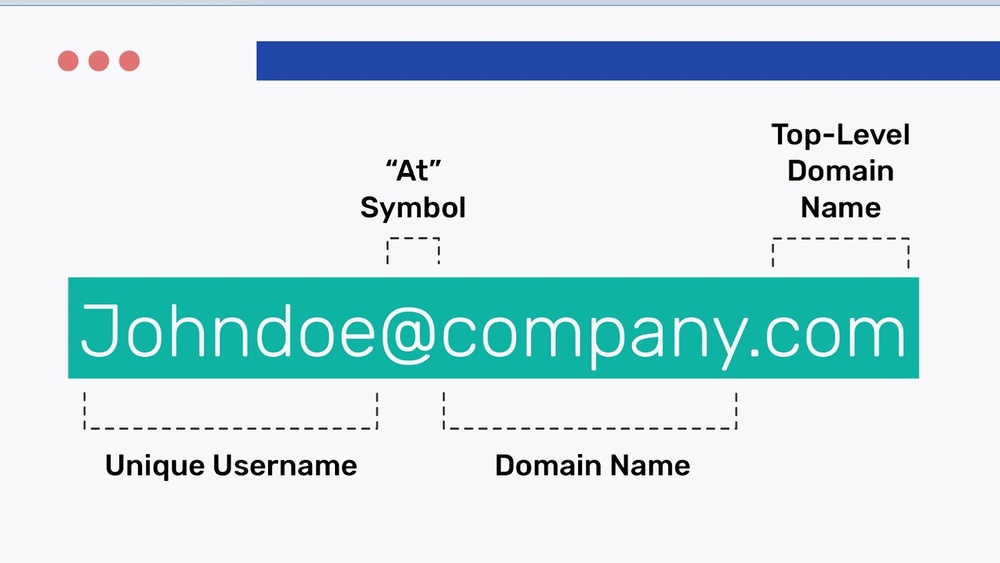
Have you ever received an email and wondered, “Who hosts this email domain?” Knowing where an email comes from can protect you from scams, help verify contacts, and improve your online security.
But finding out who hosts a specific email domain isn’t always easy. You’ll discover simple ways to uncover the host behind any email domain. By the end, you’ll feel confident identifying email sources and staying one step ahead of potential risks.
Keep reading to learn how to take control of your inbox and protect your digital world.

Credit: www.hostingadvice.com
Why Identify Email Hosts
Identifying the host of an email domain helps understand where emails come from. It reveals the service or server managing the email. This knowledge plays a key role in many areas of email use. It helps secure communication and ensures emails reach the right inbox. Also, it helps spot dangerous emails fast. Here is why knowing the email host matters.
Benefits For Security
Knowing the email host helps protect your data and accounts. It shows if the email comes from a trusted source. Suspicious hosts often link to scams or hackers. Checking the host can stop fraud before it starts. It adds a layer of safety to your emails.
Improving Email Deliverability
Email hosts affect how well emails arrive in inboxes. Some hosts have better reputations and fewer blocks. Identifying the host helps fix delivery problems fast. You can adjust settings or choose better hosts. This keeps your emails from getting lost or marked as spam.
Spotting Phishing Attempts
Phishing emails try to steal your information. They often use fake or strange email hosts. Spotting the host can raise red flags. You can avoid clicking on harmful links. Recognizing a false host keeps your data safe and secure.
Common Email Hosting Types
Email hosting plays a key role in managing how emails are sent and received. Many types of email hosting exist to meet different needs. Each type offers unique features and levels of control.
Understanding common email hosting types helps in identifying who hosts an email domain. It also explains the technology behind email communication.
Corporate Email Servers
Corporate email servers are used by large companies. These servers are managed inside the company or by a dedicated team. They offer full control over data and security. Companies can customize settings to fit their needs. This type often uses Microsoft Exchange or similar software. It supports internal communication and large email volumes.
Popular Third-party Providers
Many businesses and individuals use third-party email providers. These services host email on their own servers. Providers like Gmail, Outlook, and Yahoo are well-known examples. They offer ease of use and maintenance. Security and spam filtering are handled by the provider. These services often include extra features like calendars and contacts.
Self-hosted Solutions
Self-hosted email means running your own email server. This option gives full control over email data. It requires technical skills to set up and maintain. Small businesses or tech-savvy users prefer this type. Popular software includes Postfix, Zimbra, and Dovecot. Self-hosting can reduce costs but needs strong security measures.
Techniques To Find Email Hosts
Finding the host of an email domain helps understand where emails are managed. This knowledge aids in troubleshooting, security checks, and verifying sender authenticity. Several simple methods reveal the hosting service behind an email domain.
Using Dns Records
DNS records store important information about a domain. They reveal details about servers linked to the domain. Checking DNS records shows which servers handle email traffic. Tools like online DNS lookups make this easy. Enter the domain name to see its DNS data. This data often points to the email hosting provider.
Leveraging Mx Records
MX records specify mail servers for a domain. They guide email delivery to the right server. By querying MX records, you discover the email host. Use command-line tools or online services to fetch MX records. These records list hostnames of servers managing email. Knowing MX records helps identify the email service provider quickly.
Analyzing Email Headers
Email headers contain routing details of a message. They track the path an email took to reach the inbox. Headers often show the email servers involved. Inspecting headers reveals the email host and intermediate servers. Most email clients allow viewing full headers easily. This method helps verify sender authenticity and find hosting details.
Tools To Uncover Email Providers
Finding out who hosts an email domain helps you understand email origin. It can reveal the provider behind any email address. Various tools exist to uncover this information fast and easily.
These tools range from websites to software utilities and browser add-ons. Each type offers different features for checking domain hosts. Using these tools helps verify email sources and improve communication trust.
Online Lookup Services
Online lookup services provide quick domain information. You enter the email domain, and the site returns hosting details. Many free services show DNS records, MX records, and IP addresses. These records point to the email provider behind the domain. Examples include MXToolbox and Whois lookup sites. They work directly in the browser and need no installation.
Command Line Utilities
Command line tools offer a direct way to find email hosts. Commands like nslookup, dig, and host reveal MX records. These records specify mail servers for a domain. You run these commands in a terminal or command prompt window. They are useful for quick, on-the-spot checks without internet browsers. Many IT professionals prefer this method for accuracy and speed.
Browser Extensions
Browser extensions make domain checks simple and fast. Once added, they show hosting info while browsing emails or websites. Extensions can highlight email provider details with one click. They save time by avoiding manual lookups. Popular extensions include Email Tracker and Domain Info tools. These tools integrate smoothly into your daily browsing experience.
Interpreting Lookup Results
Interpreting lookup results helps you understand who hosts an email domain. It reveals technical details about the domain’s email setup. This information shows where emails are sent and received. Understanding these results can help in troubleshooting and security checks.
Each part of the lookup result gives clues about the email host. Learn to read these details carefully. This section explains how to interpret the most important data.
Reading Mx Record Data
MX records tell which servers handle email for a domain. They list mail servers and their priority. The server with the lowest number has the highest priority.
Check the domain names in the MX records. These names often indicate the hosting provider. Note the priority values to know the email flow.
Identifying Hosting Providers
Hosting providers usually use their domain names in MX records. Look for familiar names like Google, Microsoft, or Yahoo.
Use the MX record domain to find the hosting company. Sometimes, a quick web search reveals who owns the domain.
Recognizing hosting providers helps in understanding email reliability and security.
Dealing With Obfuscated Hosts
Some domains hide their hosting details. They use generic or private domain names in MX records.
This makes identifying the provider harder. Use additional tools like WHOIS or IP lookup.
Obfuscated hosts may indicate extra privacy or security measures. Be patient and verify with multiple sources.
Challenges And Limitations
Identifying who hosts an email domain can be tricky. Several challenges and limitations make this task complex. Understanding these issues helps in better email domain analysis. These barriers affect accuracy and ease of finding hosting information.
Shared Hosting Complexities
Many websites and emails share the same hosting server. This sharing hides the specific host behind multiple domains. It is hard to pinpoint the exact hosting provider. Shared hosting mixes data, causing confusion in domain ownership.
Privacy And Security Barriers
Privacy laws protect domain owner information. Services like WHOIS privacy hide details from public view. Security measures block access to hosting data. These barriers stop easy discovery of who hosts an email domain.
Dynamic And Temporary Domains
Some email domains change hosts often or use temporary servers. Dynamic IP addresses make tracking difficult. Temporary domains exist for a short time only. These factors limit the ability to find long-term hosting information.
Best Practices For Email Host Checks
Checking who hosts an email domain is essential for security and trust. It helps identify spam sources and phishing attempts. Following best practices ensures accurate and reliable results. These methods keep your email communication safe and efficient.
Regular Monitoring
Check email hosts often to catch changes quickly. Domains can switch hosts without notice. Regular scans help spot suspicious activity early. Set a schedule to review your important contacts. This habit improves your email security over time.
Cross-verification Methods
Use more than one tool to verify email hosts. Different services provide varying details and accuracy. Compare results to confirm the host’s identity. Cross-checking reduces errors and false information. It builds confidence in your email data.
Staying Updated With Industry Changes
Email hosting technology evolves fast. New security measures and protocols appear regularly. Keep learning about these updates to stay informed. Follow trusted sources and industry news. Staying current helps you adapt your checks effectively.
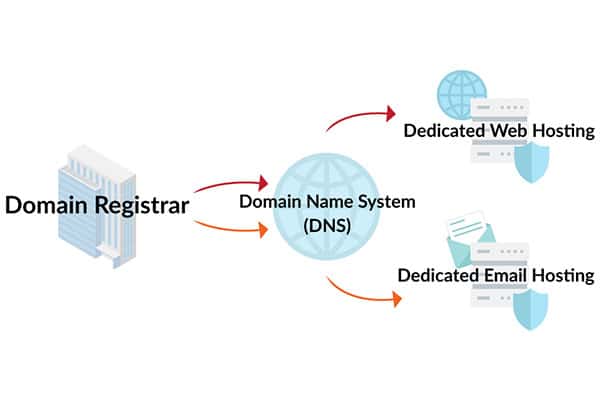
Credit: momentum3growth.com
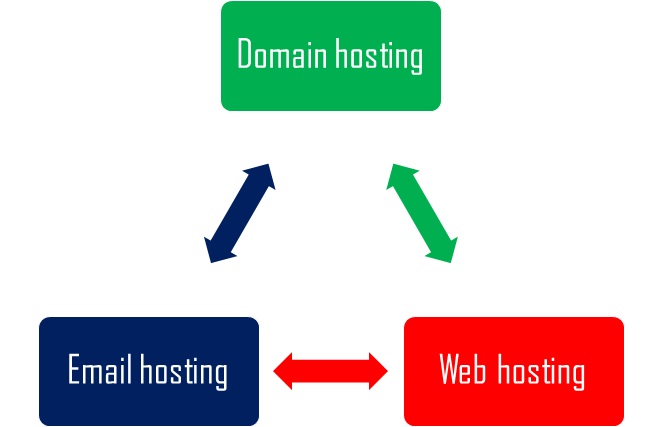
Credit: mailsafi.com
Frequently Asked Questions
What Is An Email Domain Host?
An email domain host manages email services for a specific domain. They handle sending, receiving, and storing emails. Knowing the host helps troubleshoot issues and improve email security.
How To Identify Who Hosts An Email Domain?
Use online tools like MX lookup or WHOIS to find the hosting provider. These tools show mail servers and domain registration details. This helps reveal the company managing email services.
Why Check Who Hosts An Email Domain?
Knowing the host helps verify email authenticity and avoid phishing. It aids in troubleshooting delivery problems and configuring email clients correctly. This ensures secure and reliable communication.
Can I Change The Host For My Email Domain?
Yes, you can switch email hosts by updating MX records in DNS settings. Proper migration ensures uninterrupted email service. Choose a host that fits your business needs.
Conclusion
Finding who hosts an email domain helps protect you from scams. It shows you where the email comes from and who manages it. This knowledge can keep your inbox safer and your data private. Use simple tools to check domains quickly and easily.
Stay alert and verify emails before trusting them. Knowing the host gives you one more way to stay secure online. Keep this tip in mind for future emails. Your safety starts with understanding email sources.


