

Are you tired of juggling endless tasks that slow down your business? Imagine a tool that handles routine processes for you, freeing up your time to focus on what really matters.
But which software program can actually automate the execution of your business processes and boost your efficiency? You’ll discover the key solutions designed to simplify your workflow and transform the way your business operates. Keep reading to find out how to take control and work smarter, not harder.
Business Process Automation Basics
Business Process Automation (BPA) helps companies run tasks without manual work. It uses software to handle routine jobs. This saves time and reduces mistakes. BPA lets businesses focus on important work. It improves how tasks flow in a company. Many tools automate different processes, from simple to complex.
Key Features To Look For
Choose software that is easy to use. It should fit your business needs. Look for tools that connect with other programs. Automation software must handle tasks quickly and accurately. Customization options help match the software to your workflow. Good software offers tracking and reporting features. This helps you see how tasks are done. Security features protect your data from risks.
Benefits For Companies
Automation saves time by reducing manual work. It lowers errors and improves quality. Companies can complete tasks faster and better. Employees can focus on creative and strategic jobs. Automation helps keep costs down by saving labor. It increases consistency in how work is done. Better data from automation supports smarter decisions. Overall, businesses become more productive and efficient.
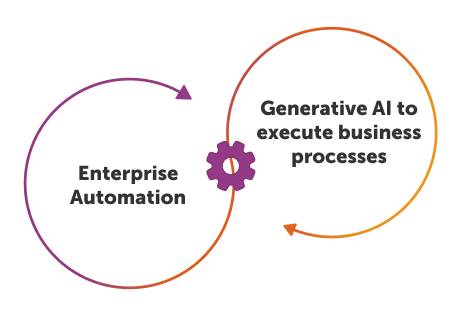
Credit: www.automationanywhere.com
Leading Automation Software
Leading automation software helps businesses save time and reduce errors. These tools handle repetitive tasks automatically. They improve efficiency and allow employees to focus on important work. Several top programs stand out for their features and ease of use.
Uipath
UiPath is popular for its user-friendly interface. It offers strong tools for process automation. It supports many industries and integrates well with other software. Users can build automation workflows without deep coding skills.
Automation Anywhere
Automation Anywhere combines advanced features with simple design. It uses bots to perform routine tasks quickly. This software suits both small businesses and large companies. It provides cloud and on-premise options for flexibility.
Blue Prism
Blue Prism focuses on secure and scalable automation. It works well with complex business processes. The platform offers robust control and governance features. Many enterprises choose Blue Prism for its reliability and support.
Top Bpm Tools
Business Process Management (BPM) tools help companies automate and improve workflows. These tools make tasks faster and reduce errors. Choosing the right BPM software helps teams work better together and save time.
Below are some of the top BPM tools used by many businesses worldwide. They offer different features to match various needs and budgets.
Appian
Appian is easy to use and offers strong automation features. It allows users to design workflows with little coding. Teams can track tasks and monitor progress in real time. Appian also supports integration with many other software systems. This makes it a popular choice for companies of all sizes.
Pega Systems
Pega Systems focuses on smart automation and customer engagement. It uses artificial intelligence to improve decision making. Pega offers tools to build apps quickly without deep technical skills. The platform adapts to changes in business rules easily. Many large organizations use Pega for complex process management.
Bizagi
Bizagi provides a simple way to model and automate processes. It has a drag-and-drop interface for creating workflows. Users can simulate and optimize processes before launching them. Bizagi supports cloud and on-premise deployments. It is suitable for businesses needing flexible and scalable BPM solutions.

Credit: www.predictiveanalyticstoday.com
Affordable Options For Small Business
Small businesses need tools that save time without high costs. Affordable software programs help automate tasks easily. Automation reduces manual work and errors. It helps teams focus on growth and customer service.
Choosing the right software depends on budget and features. Many options offer simple setups and useful integrations. These tools fit small business needs well. Here are two popular affordable options.
Zapier
Zapier connects different apps to automate workflows. It supports over 3,000 apps including Gmail, Slack, and Dropbox. Users create “Zaps” to trigger actions automatically. For example, saving email attachments to cloud storage.
Zapier’s free plan offers basic automation with limited tasks. Paid plans start at a low monthly cost. The interface is easy to use for beginners. No coding skills required to automate processes.
Microsoft Power Automate
Microsoft Power Automate helps automate workflows within Microsoft apps and beyond. It works well with Office 365, SharePoint, and other tools. Users can create flows that handle repetitive tasks quickly.
The pricing is affordable for small businesses. It offers templates to simplify automation setup. Power Automate suits businesses using Microsoft products extensively. Its drag-and-drop design makes automation accessible.
Choosing The Right Software
Choosing the right software to automate business processes is crucial. The right tool helps save time and reduce errors. It must fit your current needs and grow with your business. Consider several key factors before making a choice. These will guide you to select the best software for your company.
Scalability Needs
Businesses change and grow over time. Software should handle more tasks as your business expands. It must support more users and data without slowing down. Check if the software can scale up easily. Avoid tools that limit your future growth.
Integration Capabilities
Your software should work well with existing systems. It must connect smoothly with tools you already use. Integration saves time and avoids manual data entry. Look for software with strong API support. This helps link different applications effortlessly.
User-friendliness
Choose software that is easy to use. Simple interfaces reduce training time and errors. Employees will adopt the tool faster. Clear design and helpful guides improve productivity. Avoid complex software that frustrates users.

Credit: en.wikipedia.org
Future Trends In Automation
Automation is changing fast. New technologies make business processes faster and smarter. Companies use automation to save time and cut costs. The future holds exciting tools that will help businesses do even more.
Ai And Machine Learning
Artificial intelligence (AI) helps software learn from data. It can predict problems and suggest solutions. Machine learning improves tasks without human help. This means software can handle complex jobs better. AI also personalizes processes to fit business needs.
Low-code Platforms
Low-code platforms let users build apps with little coding. They speed up automation by simplifying software creation. Non-technical workers can create workflows easily. This lowers costs and increases flexibility. Businesses can adapt quickly to changes.
Frequently Asked Questions
What Software Automates Business Process Execution?
Business Process Management (BPM) software automates business process execution. It streamlines workflows, reduces manual tasks, and improves efficiency. Popular BPM tools include IBM BPM, Appian, and Pega. They help organizations automate repetitive tasks and ensure consistent process outcomes.
How Does Bpm Software Improve Business Processes?
BPM software improves processes by automating tasks and monitoring performance. It reduces errors, speeds up workflows, and enhances collaboration. This leads to higher productivity, better compliance, and increased customer satisfaction. Businesses gain real-time insights to optimize operations continuously.
Which Industries Benefit Most From Automation Software?
Industries like finance, healthcare, manufacturing, and retail benefit most. Automation software handles complex workflows, regulatory compliance, and customer service efficiently. It reduces operational costs and improves accuracy, making it essential for sectors with repetitive and rule-based processes.
Can Small Businesses Use Business Process Automation?
Yes, small businesses can use automation software to save time and reduce costs. Many BPM tools offer scalable solutions tailored for small enterprises. Automation helps streamline operations, improve customer service, and support growth without large IT investments.
Conclusion
Choosing the right software can save time and reduce errors. Automation helps teams work faster and focus on important tasks. Many programs fit different business needs and budgets. Test options carefully to find the best match for your processes. Start small, then expand as you see results.
This way, your business stays efficient and competitive. Automation is a smart step for growth and success.


