
You’ve probably had a great run with Namecheap, but now, you’re considering closing your account for one reason or another. Whether you’re moving to a different service, simplifying your online presence, or just making a fresh start, taking the right steps is crucial.
You might be wondering where to begin, or perhaps you’re concerned about making sure everything is handled smoothly. This guide is designed just for you, simplifying the process and ensuring you have all the information you need at your fingertips.
So, before you make any decisions, let’s walk through each step together, ensuring you know exactly how to close your Namecheap account without any hassle. Dive in and empower yourself with the knowledge to make the transition seamless and stress-free.

Credit: www.youtube.com
Reasons To Close Your Namecheap Account
Considering closing your Namecheap account? You might find better pricing or services elsewhere. Privacy concerns could also influence your decision.
Closing your Namecheap account might seem like a big decision, but sometimes it’s necessary. Whether it’s due to changing needs or simply wanting a fresh start, knowing the reasons why you might want to close your account can help guide your choice. Let’s dive into some common reasons people choose to close their Namecheap accounts.1. Dissatisfaction With Customer Service
Have you ever reached out to customer service only to feel unheard? Poor customer service can be frustrating, especially when you rely on Namecheap for crucial services. If you’ve experienced delays or unhelpful responses, you might start questioning whether it’s time to move on.2. Better Pricing And Features Elsewhere
The digital landscape is full of competitors offering similar services. You might find better pricing or more features from other providers. When you notice that Namecheap is not giving you the best bang for your buck, it’s reasonable to consider other options.3. Limited Product Options
Namecheap is known for domains and hosting, but maybe your needs have outgrown their offerings. If you’re looking for specific products that Namecheap doesn’t provide, it’s logical to explore other platforms that cater to your growing requirements.4. Security Concerns
Security is paramount in managing your online presence. If you’ve encountered security issues with Namecheap, you might be worried about your data’s safety. Ensuring your information is secure is essential, and if Namecheap doesn’t meet your security standards, closing your account could be wise.5. Change In Business Needs
Your business might evolve, requiring different tools or services. Perhaps you’re shifting to a new model or strategy that Namecheap doesn’t support. In such cases, it’s practical to close your account and seek services that align better with your current needs.6. Simplifying Your Digital Footprint
Managing multiple accounts across various platforms can be overwhelming. If you’re aiming to streamline your digital presence, closing accounts you no longer need might be the first step. Namecheap could be one of those accounts you decide to bid farewell to in your quest for simplicity. Have you ever felt the need to simplify your digital life or find better services? Each reason above is a valid consideration in deciding whether to close your Namecheap account. Reflect on your personal experiences and decide what’s best for you.Preparing For Account Closure
Closing a Namecheap account requires following simple steps. Begin by logging in, then navigate to the account settings. Request account closure and confirm your decision through provided instructions.
Closing your Namecheap account is a significant decision. It’s essential to prepare adequately to ensure a smooth transition and avoid losing valuable data or domain registrations. Whether you’re switching to a new provider or simply cleaning up unused accounts, taking the right steps beforehand can make all the difference. You might want to know if there’s anything you need to save or move before hitting that closure button.Backup Important Data
Before proceeding with account closure, safeguarding your data is crucial. Imagine losing access to important information like domain settings or transaction history. Here’s a practical tip: download all invoices and transaction records from your account. They can be useful for future reference or tax purposes. Think about your website files and databases. Use FTP or any backup service to download copies to your local system. It’s a good practice to store them in a secure location, perhaps even in cloud storage for easy access. Have you ever tried downloading from Namecheap’s dashboard? It’s straightforward and ensures you keep everything you need.Transfer Domain Registrations
If you have domains registered with Namecheap, transferring them is a crucial step. You don’t want your domains to become inactive or lose their SEO value. Start by unlocking your domains and obtaining the transfer authorization codes. These codes are like keys to your domain’s future home. You might wonder if transferring is complicated. It’s actually simpler than you think. Choose a new registrar and follow their transfer process. Many registrars offer guidance and support to make this transition hassle-free. Have you already decided where your domains will go? If not, research options that align with your needs and budget. Taking these preparatory steps ensures a smooth account closure, minimizing disruptions and maintaining control over your online assets. What strategies have worked for you in similar situations? Share your insights and let’s keep the conversation going.Navigating The Namecheap Dashboard
Discover the steps to close your Namecheap account easily. First, log in to your Namecheap dashboard. Then, navigate to the account settings. Finally, follow the instructions to deactivate your account permanently.
Navigating the Namecheap dashboard might seem daunting at first, but it’s simpler than you think. Whether you’re a tech guru or someone who’s just dipping their toes into the world of domain management, Namecheap’s dashboard is designed to be user-friendly. By mastering a few key sections, you can efficiently close your account without a hitch. ###Accessing Account Settings
To start, log into your Namecheap account. Have you ever noticed how the first thing you see is your dashboard? This is where all the magic happens. Look for the profile icon at the top-right corner. Click on it to access a drop-down menu. This menu is your gateway to the account settings. Wondering what to click next? Select “Account Settings” from the list. You’re now in the heart of your account management area. ###Locating The Closure Option
With your account settings open, scroll down to find the ‘Account’ section. Have you ever wondered why the most critical options are sometimes a bit hidden? Look carefully for a section labeled “Account Closure.” It’s usually at the bottom, ensuring you don’t accidentally click it. Before proceeding, ask yourself: Are you sure you want to close your account? Double-check any remaining domains or services that might be affected. Once you’re certain, follow the prompts to complete the closure process. It’s that simple. Navigating the Namecheap dashboard isn’t just about finding options; it’s about understanding what you need and where to find it. Have you discovered any shortcuts or tips along the way? Share them with others who might be on the same journey.Initiating The Account Closure Process
Closing your Namecheap account might seem daunting at first, but breaking it down into simple steps can make the process straightforward and stress-free. Whether you’re consolidating multiple accounts or just moving to a different service, understanding how to properly initiate the closure process ensures all your details are secure and your account is closed without any hassle. Let’s dive into the step-by-step actions you need to take, beginning with submitting a closure request and verifying your account details.
Submitting Closure Request
First, you need to log in to your Namecheap account dashboard. Look for the “Account” section—this is usually found in the top right corner of your screen. Once there, navigate to the “Profile” settings.
Within the profile settings, you should find an option labeled “Close Account” or something similar. Clicking on this will direct you to a form or a series of prompts to submit your closure request.
Keep an eye on any specific instructions provided during this process. They may ask for feedback on why you’re leaving, which can be a chance for you to reflect on what you need from a service provider.
Verifying Account Details
Once your closure request is submitted, it’s crucial to verify your account details to ensure there are no discrepancies. Double-check your personal information like your email address and phone number.
Review any active subscriptions or services linked to your account. Are there domains you still need? Make sure to transfer them to another account or service before proceeding with the closure.
Verification is not just a formality; it’s a safeguard. It ensures that all your data is correctly handled, and nothing is left behind that could cause issues later.
Have you ever faced a surprise charge after closing an account? Verifying details can prevent that from happening to you. Ensure that all billing information is up to date and that there are no pending payments.
By taking these steps, you can confidently close your Namecheap account, knowing you’ve covered all bases. What other steps have you found helpful when closing online accounts? Share your thoughts in the comments below!
Confirming Account Closure
Closing your Namecheap account requires careful steps. Confirming the closure is vital. It ensures your account is properly deactivated. This section guides you through this process. Follow these steps to finalize your account closure.
Checking Email Confirmation
After submitting your closure request, expect an email. This email confirms your request. Check your inbox for this confirmation. Look for emails from Namecheap. Ensure your spam folder is checked. Sometimes emails land there. Open the email and read it carefully. It contains important information. Follow any instructions mentioned. This step is crucial for a smooth closure.
Finalizing The Closure
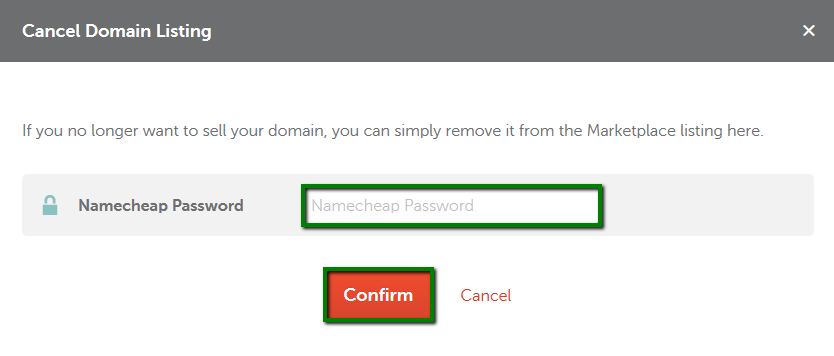
Once you confirm the email, proceed to finalize the closure. Log into your Namecheap account. Navigate to your account settings. Locate the closure section. Follow the prompts provided. Double-check your details. Make sure all information is correct. Confirm your decision to close the account. This is the final step. Your account will be permanently closed. You will no longer access services. Ensure all necessary actions are completed. The closure process is now complete.
Credit: www.namecheap.com
Post-closure Considerations
Closing a Namecheap account involves careful steps to ensure all personal data is managed properly. It’s important to back up essential information and review any remaining subscriptions before proceeding. Understanding these post-closure considerations helps in making a smooth transition without losing valuable data.
Before closing your Namecheap account, it’s crucial to consider the impact on your existing services and the steps you may need to take afterward. These post-closure considerations ensure you are not caught off guard by unexpected disruptions or challenges. Whether you’re moving to a different provider or simply cleaning up your digital footprint, these factors can make the transition smoother.Impact On Services
Closing your Namecheap account will directly affect all the services tied to it. This means any domains registered under your account will no longer be accessible. If you have ongoing hosting services, SSL certificates, or email accounts, these too will be deactivated. To avoid service interruption, ensure you have a backup plan in place, such as transferring domains or migrating hosting services to a new provider.Contacting Support For Assistance
If you encounter any issues during the closure process, reaching out to Namecheap’s support can be invaluable. Their team can guide you through any technical difficulties or questions you might have. Before closing your account, it’s wise to contact them for any clarifications on how the closure will impact your services. I once thought I had transferred all my domains, only to realize one was left behind—thanks to the support team’s quick intervention, I avoided losing it. Consider how these changes will affect your digital activities. Do you have a plan to transfer your services, or will you start anew? By addressing these considerations, you can close your Namecheap account with confidence and minimal disruption.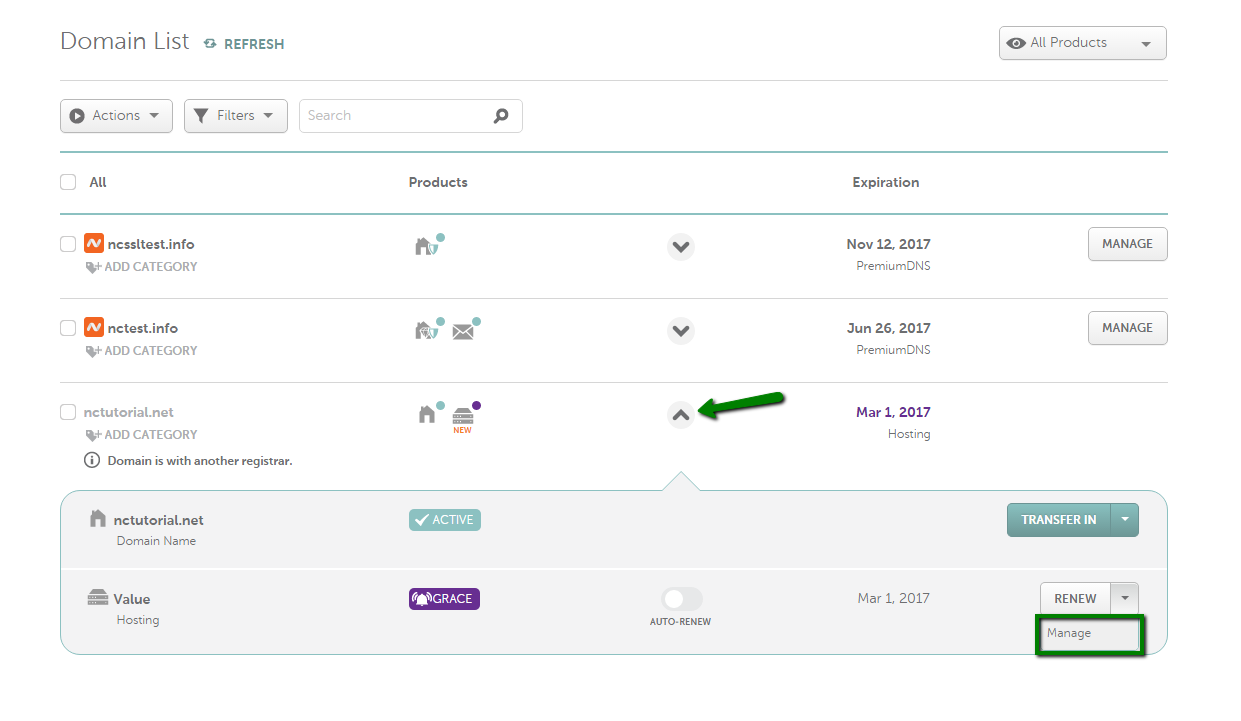
Credit: www.namecheap.com
Frequently Asked Questions
Can You Delete Your Namecheap Account?
You can’t directly delete a Namecheap account. Contact customer support for assistance. They will guide you through the process and provide necessary instructions. Ensure all services are canceled before requesting account deletion.
How Do I Cancel My Namecheap Membership?
Log in to your Namecheap account, go to the dashboard, and select “Account Settings. ” Click “Cancel Membership” and follow the prompts. Confirm cancellation through email. For assistance, contact Namecheap support.
How To Get Rid Of Namecheap?
To delete your Namecheap account, log in, go to “Account” settings, select “Delete Account,” and follow the instructions. Ensure all services are canceled, and contact support if needed.
How Do I Stop The Namecheap Domain?
Log in to your Namecheap account. Go to the “Domain List” and select the domain. Click “Manage” and then “Auto Renew”. Turn off auto-renewal to stop your domain. Ensure you have no pending renewals.
Conclusion
Closing your Namecheap account is a straightforward process. Follow the steps carefully. Make sure you back up important data before closing. Double-check your decision to avoid any inconvenience later. Need help? Contact Namecheap support for guidance. They can provide assistance if needed.
Once closed, you lose access to your account. Ensure all necessary actions are completed beforehand. Consider this decision carefully to avoid future regrets. Closing an account isn’t reversible. Evaluate your needs and make an informed choice. This ensures a smooth transition without any issues.


