
Imagine you’re about to launch your website, but there’s one crucial question lingering: what kind of connection do you need to host your web server? You might feel a bit overwhelmed, but don’t worry—you’re not alone.
This is a common conundrum for many. Choosing the right connection is vital for your website’s performance and reliability. You want it to load quickly and smoothly, ensuring visitors stick around and explore. We’ll break down the essentials, making it easy for you to understand and choose the best option.
Get ready to unlock the secrets that can propel your website to success. Dive in, and discover how to make the right choice for your web server connection.

Credit: www.dummies.com
Web Server Basics
A web server is a computer that stores websites. It sends web pages to your browser when you search online. Think of it as a big library. This library has all the books you want to read. But these books are websites. Servers use special software to work. This software helps them talk to your computer.
- Apache is popular and open-source.
- Nginx is fast and great for big sites.
- IIS is made by Microsoft.
- LiteSpeed is known for speed.
Web servers have important jobs. They store files like text and images. They send these files to your computer when asked. They also keep data safe from hackers. Servers control who sees which files. They make sure users find sites quickly. They keep the internet running smoothly.
Choosing The Right Web Server
Picking a web server is important. Think about cost and ease of use. Check the security features. A good server keeps data safe. Compatibility with your software is key. Make sure it works with your tools. Look at the support options. Help is important when problems happen. The server should be reliable. No one likes downtime.
Many web servers are popular. Apache is free and used a lot. Nginx is good for speed. It handles traffic well. LiteSpeed is a fast option too. Microsoft IIS works with Windows. Each has its own benefits. Choose what fits your needs best.
A web server must be fast. Slow servers lose visitors. Scalability means it grows with your site. As traffic increases, it should handle more users. Check the server’s capacity. It should meet future demands. A good server adapts to changes.
Setting Up A Web Server Connection
A web server needs a good computer. It should have a fast CPU. Memory is important too. 8GB RAM is a good start. A large hard drive is necessary. It stores lots of data. Make sure the computer has network ports. It should connect to the internet easily. Also, a reliable power supply is crucial. It keeps the server running all the time.
Web server software must be installed. Apache and Nginx are popular choices. They help host websites. Operating systems like Linux are preferred. They offer stability and security. Configuration files are important. They set up server rules. Make sure to install security patches. They protect against bad attacks.
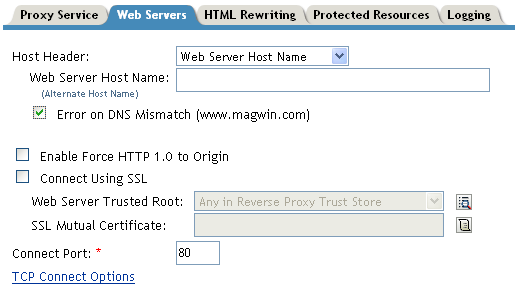
A stable internet connection is vital. It should have high speed and low latency. IP addresses must be configured correctly. They help identify the server. Firewalls protect the server. They stop bad traffic. DNS settings are needed. They link domain names to IP addresses. Good network settings ensure smooth web access.
Credit: www.hostinger.com
Security Measures
Cyber threats can harm a web server. Hackers try to steal data. Viruses can damage files. Phishing tricks users to share passwords. DDoS attacks flood the server with fake traffic. These are some common threats.
Use strong passwords. Encrypt data for safety. Firewalls block bad traffic. SSL certificates secure connections. Always verify the user’s identity. These protocols help keep data safe.
Always update the software. This fixes security holes. Monitor server activity daily. Check for unusual actions. Regular updates and checks keep the server secure. This protects from new threats.
Troubleshooting Connection Issues
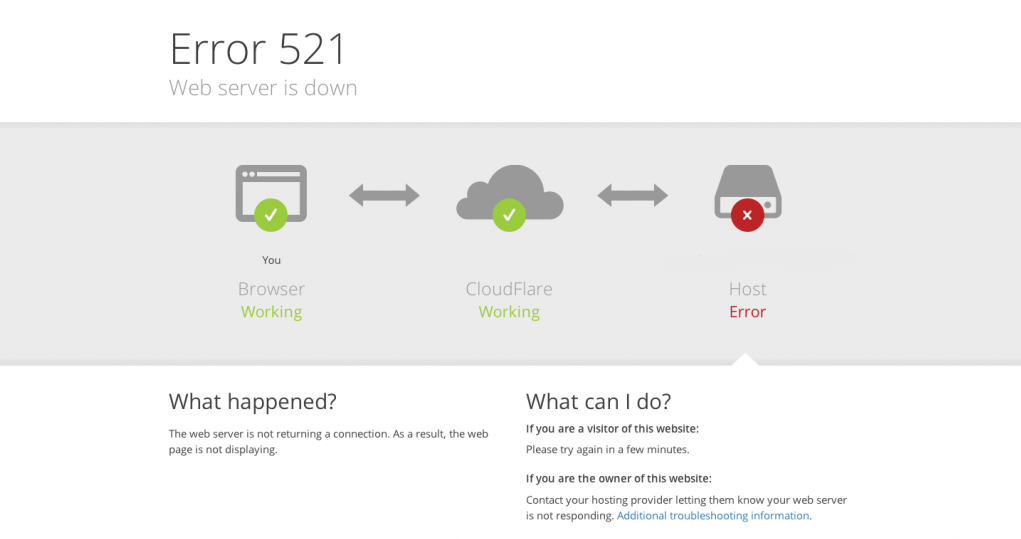
Many things can cause connection issues to a web server. Network problems are often the main reason. Another common issue is a misconfigured firewall. It might block the server connection. DNS errors can also lead to trouble. These errors make it hard to find the server.
First, check your network settings. Are they correct? Next, look at the firewall rules. Ensure they allow server access. Verify DNS settings are accurate. Update them if needed. Restart your router. This can solve many problems. Finally, contact your service provider. They might help find the problem.
Use ping to check server response time. Traceroute helps find where connection fails. Network analyzers give detailed reports. They show what’s happening in your network. Log files from the server can be useful. They might show errors or problems. Keep these tools handy for regular checks.
Optimizing Web Server Performance
Distributing traffic can boost server speed. Load balancing spreads user requests across servers. This stops any server from getting too busy. It helps keep the website fast and smooth. If one server fails, others can take over. This keeps the site running. Load balancing is like having many helpers. Each helper does a part of the work.
Caching saves copies of web pages. This means less work for the server. Caching makes websites load faster. Users get data quickly. It helps reduce server load. Caches store data in places like memory. This speeds up loading times. Using a good caching plan helps servers work better.
Managing resources keeps servers fast. Resource management involves memory and CPU use. Avoiding overload is key. This stops servers from slowing down. Monitoring tools help track resource use. If resources are low, add more. This ensures the server runs smoothly. Proper management means better performance.
Credit: www.novell.com
Frequently Asked Questions
What Do You Need To Connect To A Web Server?
To connect to a web server, you need a device with internet access, a web browser, and the server’s IP address or domain name. Reliable internet connection ensures a stable and fast interaction with the server. Ensure firewalls or network settings allow web traffic to pass through.
How Do I Connect To A Hosted Server?
Use SSH or Remote Desktop Protocol to connect to a hosted server. Enter the server’s IP address, username, and password. Ensure you have the correct permissions and software installed. Always secure your connection with strong passwords or keys to protect server access.
How To Connect To A Web Server Using Ip Address?
Open a terminal or command prompt. Type “ping” followed by the IP address to check connectivity. Use “telnet” or “SSH” with the IP address to connect securely. Ensure you have appropriate permissions and credentials. Check firewall settings if access is denied.
How Do I Link A Website To A Server?
To link a website to a server, configure DNS settings and update nameservers. Upload website files via FTP. Ensure server supports your website’s technologies. Use a hosting control panel for easy management. Verify connection by accessing your domain in a browser.
Conclusion
Choosing the right connection for your web server is crucial. It affects speed, reliability, and user experience. A stable connection ensures your website runs smoothly. This keeps visitors happy and engaged. Consider your server needs carefully. Check bandwidth and uptime.
Make sure the connection fits your budget too. Good research helps make informed decisions. A well-connected server leads to better website performance. Ultimately, it boosts user satisfaction and business success. Stay aware of your options, and choose wisely. Your server’s connection can make a real difference.


