
Imagine you’re setting up your website. You want everything to run smoothly, but you face a challenge: managing all those technical details.
This is where a control panel on web hosting steps in, like the cockpit of a plane, giving you control and ease. Have you ever wondered how you can manage files, monitor performance, or even set up email accounts with just a few clicks?
The control panel is your answer. It simplifies tasks, turning complex processes into manageable actions. As you dive deeper into this article, you’ll discover how this tool can transform your web hosting experience, making it efficient and stress-free. Are you ready to unlock the secrets of your web hosting control panel and take your website to new heights? Let’s explore together!
Credit: www.cloudpanel.io
Definition Of Control Panel
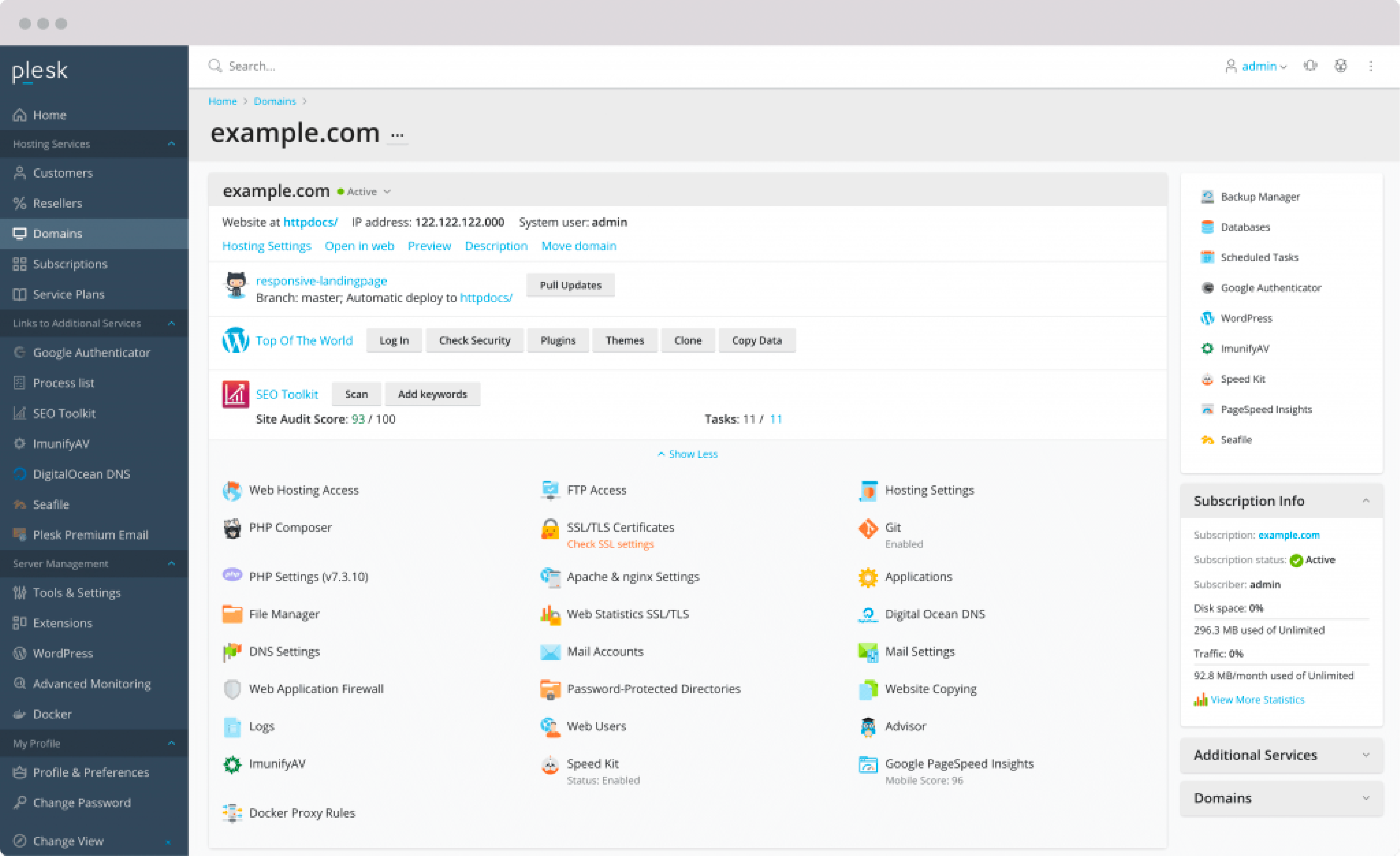
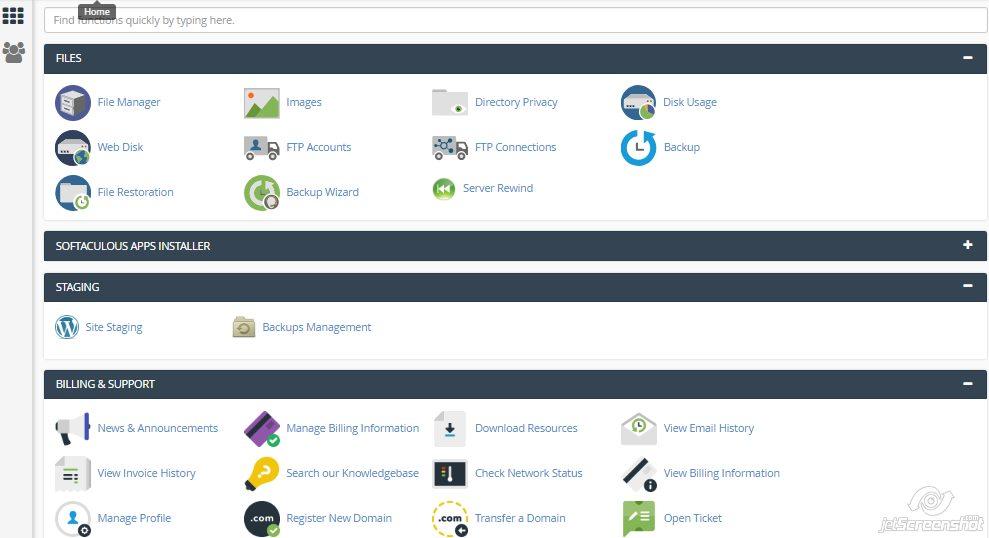
A control panel is a tool for managing web hosting. It helps users handle tasks like setting up emails. Users can create databases and install software. It is like a dashboard for your website. The interface is usually easy to use. Icons and menus make navigation simple. You don’t need to be a tech expert to use it. Many hosts offer control panels with their services. This helps users manage everything in one place. A popular example is cPanel. It is widely used because of its simplicity. Another option is Plesk. Both are good for beginners and experts alike. Choose one based on your needs and comfort.
Key Features
The control panel’s user interface is simple and friendly. It helps users manage their websites easily. Buttons and menus are clear and easy to find. Even beginners can use it without trouble. It makes web hosting tasks quick.
Domain management allows users to handle their domains. They can add, remove, or transfer domains. This feature is helpful for keeping track of all your domains. It ensures everything is organized. Users can set domain settings with ease.
With email services, users can create and manage email accounts. They can set up email forwarding and filters. This feature is vital for communication. It helps keep emails secure and organized.
File management is crucial for website control. Users can upload, download, and delete files. The control panel makes these tasks simple. It ensures files are safe and easy to access. This feature aids in smooth website operation.
Popular Control Panels
cPanel is very popular among web hosts. It is easy to use. Users can manage their websites with simple clicks. cPanel helps in managing files, emails, and databases. It offers a user-friendly interface. Many web hosting companies offer cPanel. Users can handle their hosting without much help. It is favored by beginners and experts alike.
Plesk is another well-known control panel. It works on both Windows and Linux servers. Plesk makes web management easy. Users can install apps with one click. It supports multiple programming languages. Plesk is great for those who manage multiple sites. Its security features are strong. Many businesses trust Plesk for their hosting needs.
DirectAdmin is a simple control panel. It is known for its speed and efficiency. Users can manage their websites easily. It offers basic features like file management and email setup. DirectAdmin is often cheaper than others. It is a good choice for small websites. Many users like its lightweight design. It is easy on server resources.
Benefits Of Using A Control Panel
Control panels make web hosting simple. Click a button to start. No need for coding skills. User-friendly interfaces help beginners. Manage files, databases, and emails easily. It’s like a dashboard for your website. Everything you need is in one place.
Save time with a control panel. Perform tasks quickly. Set up websites in minutes. Automated tools handle tasks like backups. Updates are easy to manage. Focus more on your content.
Control panels offer better security. Built-in security features protect your site. Keep data safe from hackers. Regular updates help block threats. Control who accesses your site. Peace of mind for you and your users.
Choosing The Right Control Panel
Think about what you need. Do you want easy tools? Control panels help you manage your website. Pick the one that fits your needs best. Some people need many features. Others need just a few. Understand what each panel offers.
How much money can you spend? Some control panels are free. Others cost money. Check your budget. You don’t want to overspend. Free panels might have limits. Paid panels might offer more features. Think about what is best for your budget.
Good help is important. Technical support can solve your problems. Some panels offer 24/7 support. Others might not. Choose a panel with help when you need it. It makes managing your site easier. Support can save time and stress.
Credit: www.hostinger.com
Future Trends
Web hosting control panels help users manage websites easily. They offer tools for tasks like setting up emails, managing files, and monitoring website performance. As technology evolves, these panels will become more intuitive and user-friendly.
Automation
Automation is making web hosting easy. It helps manage servers and tasks. People can save time and effort. Hosting tasks can be done with a click. This makes hosting simple for everyone. No need to worry about complex tasks. Even kids can understand how it works. Automation is like a smart helper in web hosting.
Integration With Cloud Services
Cloud services are becoming popular. They help store data safely. Control panels now work with cloud services. This means better data access and safety. Users can get their files from anywhere. Cloud integration makes web hosting more flexible. It offers a new way to handle data. People can enjoy more features with cloud services. This is a big change for web hosting.

Credit: en.wikipedia.org
Frequently Asked Questions
What Is An Hosting Control Panel?
A hosting control panel is a web-based interface that simplifies website management. It allows users to manage domains, emails, databases, and files efficiently. Popular options include cPanel and Plesk. These panels provide user-friendly tools for monitoring server resources and automating tasks, making website administration more accessible for beginners and experts alike.
What Is The Control Panel In A Website?
A website’s control panel is a user-friendly interface. It allows easy management of web hosting features and settings. Users can manage files, databases, emails, and security. The control panel simplifies website administration tasks. Popular control panels include cPanel, Plesk, and DirectAdmin.
They help users maintain their websites efficiently.
What Is The Purpose Of Control Panel?
A control panel manages software and hardware settings on computers or servers. It simplifies administration tasks, enabling users to configure system preferences, install applications, and manage files efficiently. It’s essential for system maintenance and customization, ensuring optimal performance and ease of use.
How Do I Open Hosting Control Panel?
To open your hosting control panel, enter the URL provided by your hosting provider in a browser. Log in with your username and password. Access features like file management, database setup, and email configuration. Ensure you have the correct login details to successfully access the control panel.
Conclusion
Control panels are vital for web hosting management. They simplify complex tasks. You don’t need deep technical skills. Just a few clicks manage your website efficiently. Choose wisely based on your needs. Different panels offer unique features. Ease of use should be a priority.
Security and support are essential too. A good control panel saves time. It improves website performance. Understand your options fully before deciding. The right choice enhances your web hosting experience. Make sure it aligns with your goals. Consider future growth as well.
A wise choice leads to smoother operations.


