
Have you ever wondered what exactly web hosting is and why it matters for your online presence? If you’re setting up a website, understanding web hosting is crucial.
It’s the invisible foundation that supports your website, ensuring it runs smoothly and is accessible to visitors all around the globe. Imagine your website as a house; web hosting is the land it sits on. Without it, your site simply wouldn’t exist online.
In this blog post, we’ll demystify web hosting, breaking down complex jargon into simple terms that make sense. You’ll learn how web hosting affects your site’s speed, security, and reliability, and how choosing the right hosting service can significantly impact your website’s success. Stick with us as we dive into the world of web hosting, and by the end, you’ll be equipped with the knowledge you need to make informed decisions for your online ventures.

Credit: www.hostinger.com
Types Of Web Hosting
Shared hosting is where many websites share one server. It’s like sharing a big house. Each website gets a small part of the server. It’s cheap and easy to use. But, if one site gets busy, others might slow down. Good for small sites. Not good for big ones.
Dedicated hosting means one server for one website. No sharing with others. It’s like having your own house. You get more control and speed. Great for big websites. More costly than shared hosting. But, worth it for large businesses.
VPS stands for Virtual Private Server. It’s like living in an apartment. You share a building, but your space is private. Offers more flexibility than shared hosting. Less expensive than dedicated hosting. Good for growing sites.
Cloud hosting uses many servers at once. It’s like living in many houses. If one server fails, others help. Offers great reliability and scalability. Pay for what you use. Ideal for websites with changing traffic.
Features To Consider
Bandwidth is how much data goes to and from your site. More bandwidth means more visitors can see your site at once. Storage is how much space you get for your files. Pictures, videos, and text need storage space. Choose hosting with lots of bandwidth and storage.
Uptime is the time your site is live. Hosts promise uptime in percentages. Good uptime is 99% or more. This means your site is almost always on. High uptime is important for your visitors.
Security keeps your site safe. Hackers can hurt your site. Look for hosting with strong security. SSL certificates make sure data is safe. Firewalls protect your site from attacks.
Customer support helps when problems happen. Good support is there 24/7. Look for live chat, phone, and email help. Friendly support is nice when you need it.
Choosing The Right Hosting Provider
Think about your website’s needs first. Is it a blog or a store? Traffic size matters too. Small sites need less power. Big sites need more. Decide on your storage needs. Photos and videos take more space. Make a list of these needs. It helps in choosing better.
Different plans have different costs. Check what each plan offers. Some plans have hidden fees. Read details carefully. Check for discounts for yearly payments. It can save money. Compare features, not just prices. Cheap plans might lack features.
Reviews tell you about a provider’s service. Look for real reviews. Check both good and bad reviews. They show a full picture. Testimonials help, but they might be too positive. Ask friends or family for their experiences. They can guide you well.
Setting Up Your Website
Choose a unique name for your website. This name is called a domain. It helps people find your site. Visit a domain registrar online to check if your name is available. If it is, you can buy it. It’s like buying a key to your online home. Remember, keep the name short and easy to spell.
CMS stands for Content Management System. It helps you create and manage your website. Popular options include WordPress and Joomla. These tools are simple and user-friendly. Most hosting services offer one-click installation for CMS. This makes setup quick and easy. Now, you can start adding content to your site.
Create an email with your domain name. It looks professional. For example, info@yourdomain.com. This way, people can contact you easily. Most hosts offer free email accounts. You can set them up in your hosting dashboard. Remember to check emails regularly.
Common Web Hosting Challenges
Websites can go down often. This is called downtime. Downtime can make users upset. They might leave your site. This can hurt your business. Always check for downtime. Use tools to alert you. Fix issues fast to keep your site up.
A slow site makes visitors leave. They don’t like waiting. A fast site is important. It keeps users happy. Use speed tests often. This helps you know if your site is slow. Remove large files to speed up. Choose a good host for fast loading.
Your site might grow big. More visitors will come. A good host should handle this. If it can’t, your site will slow down. This is a scalability issue. Pick a plan that grows with you. Talk to your host about your needs. Make sure they can help you grow.
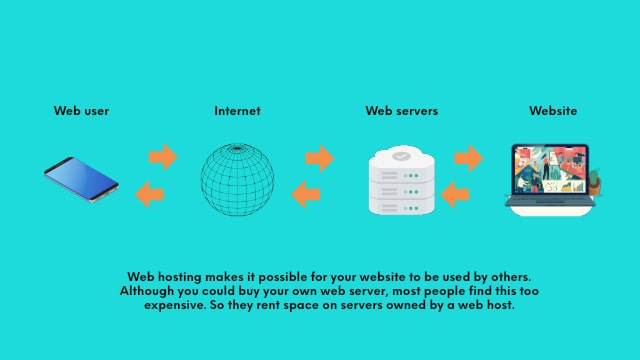
Credit: www.godaddy.com
Future Trends In Web Hosting
Green hosting is good for Earth. It uses renewable energy to power servers. This helps cut down on carbon. Many people want to help the Earth. So, green hosting is becoming more popular. Companies use wind and solar power. They aim to be more eco-friendly. This saves energy and protects nature. Servers use less electricity. This means less pollution. Everyone can help by choosing green hosting.
Keeping data safe is very important. Enhanced security features help protect websites. They stop hackers from getting in. Secure servers use firewalls and encryption. These tools guard against attacks. Users can feel safe online. Security updates happen often. Companies work hard to keep data safe. This builds trust with users. No one wants their info stolen. Strong security keeps websites safe.
AI helps make hosting easier. It automates many tasks. This saves time and effort. AI can fix problems fast. It helps servers run smoothly. Hosting companies use AI to learn. They see what users need. Then, they make better services. Automation means less human work. Computers do tasks quickly. This makes hosting more efficient. Many people like fast, easy hosting. AI is the key.
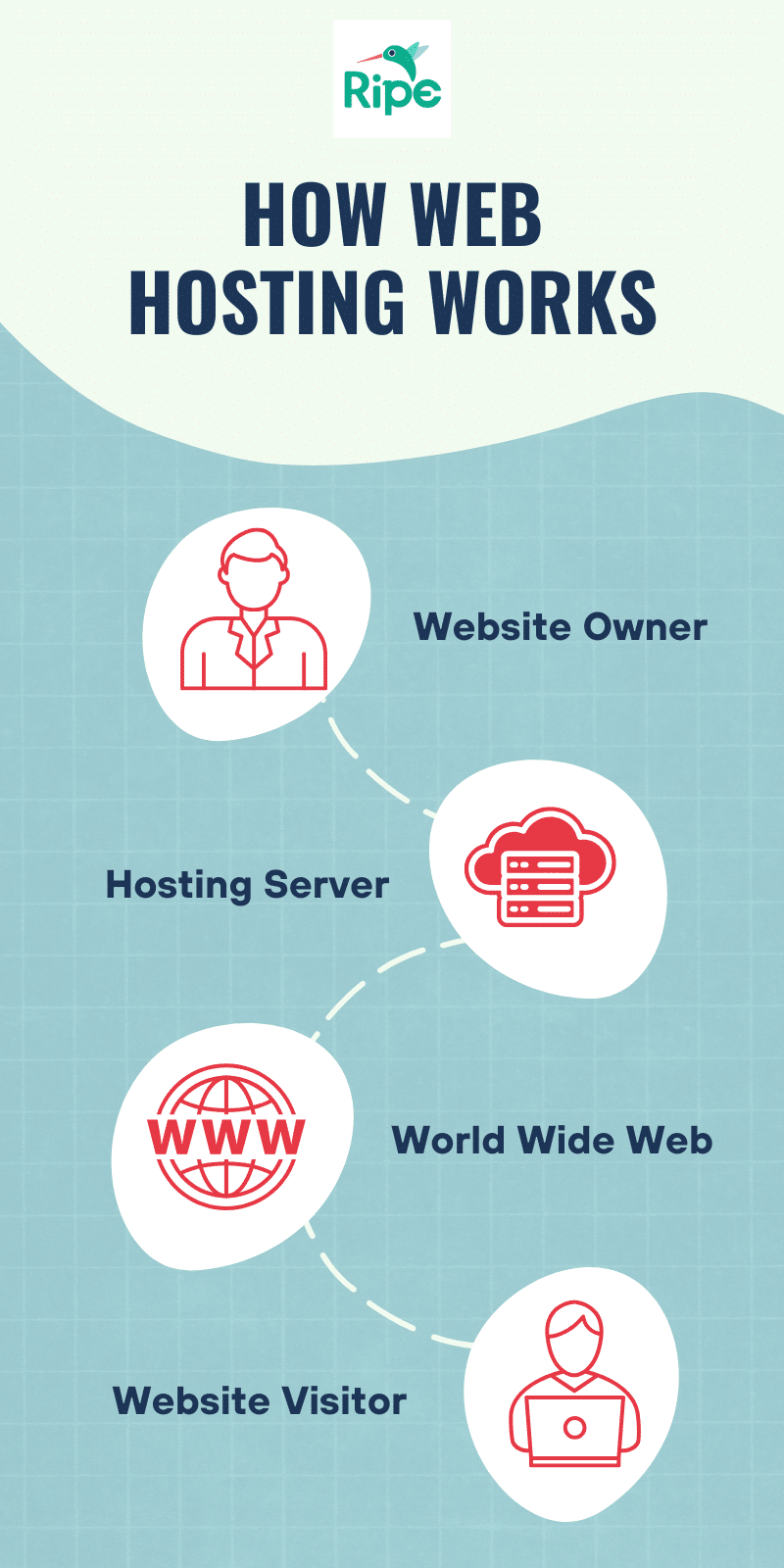
Credit: www.ripemedia.com
Frequently Asked Questions
What Are The 3 Types Of Web Hosting?
The three types of web hosting are shared hosting, VPS hosting, and dedicated hosting. Shared hosting is budget-friendly, ideal for beginners. VPS hosting offers more control and resources. Dedicated hosting provides maximum performance and customization, suitable for high-traffic websites. Choose based on your website’s needs and budget.
Can I Run My Website Without Hosting?
No, a website cannot run without hosting. Hosting provides the necessary server resources and infrastructure. Consider using free or low-cost hosting options if budget is a concern. Reliable hosting ensures your website is accessible and performs well for users.
What Is An Example Of A Web Host?
An example of a web host is Bluehost. It provides reliable hosting services for websites of all sizes. Offering features like 24/7 support and free domain registration, Bluehost is popular among bloggers and small businesses. It ensures fast loading times and secure environments for your online presence.
How Much Do I Pay To Host A Website?
Website hosting costs vary from $3 to $300 monthly, based on the plan and provider you choose. Shared hosting is cheaper, while dedicated hosting costs more. Consider your website needs and budget when selecting a hosting plan. Compare options for the best deal.
Conclusion
Choosing the right web hosting is crucial for your site’s success. It affects speed, security, and uptime. Compare plans based on your needs. Always check customer support availability. Read reviews for real user experiences. Consider costs, but prioritize quality. A reliable host ensures a smooth online presence.
Remember, your website’s performance impacts visitor satisfaction. Make an informed decision today. Stay updated with new hosting trends and technologies. A little research goes a long way in finding the best fit. Your website deserves the best foundation possible. Happy hosting!


