
Are you puzzled about why your web hosting might need a Windows Server? You’re not alone.
Many website owners find themselves asking this very question. Understanding the importance of the right server can seem overwhelming, but it doesn’t have to be. Choosing the right type of server is crucial for the performance, security, and functionality of your website.
Windows Server offers unique benefits that could be the perfect match for your specific hosting needs. Imagine having a seamless experience with robust support for your favorite applications and tools. Intrigued? Keep reading to discover how Windows Server could be the key to unlocking your website’s full potential.
Windows Server Benefits
Windows Server works smoothly with Microsoft products. Many businesses use Office 365 and other tools daily. This server makes connecting these tools easy. You can share files quickly. Team meetings become simpler. Everyone gets more work done.
Your data needs to stay safe. Windows Server offers strong security features for protection. Firewalls keep out bad actors. Updates happen automatically. They fix any problems fast. Encryption keeps your secrets safe. Your business stays protected.
Windows Server can grow with your business. It handles more data as needed. Performance stays strong. You can add more users easily. Websites run fast. Your online services stay reliable. Customers get a good experience.
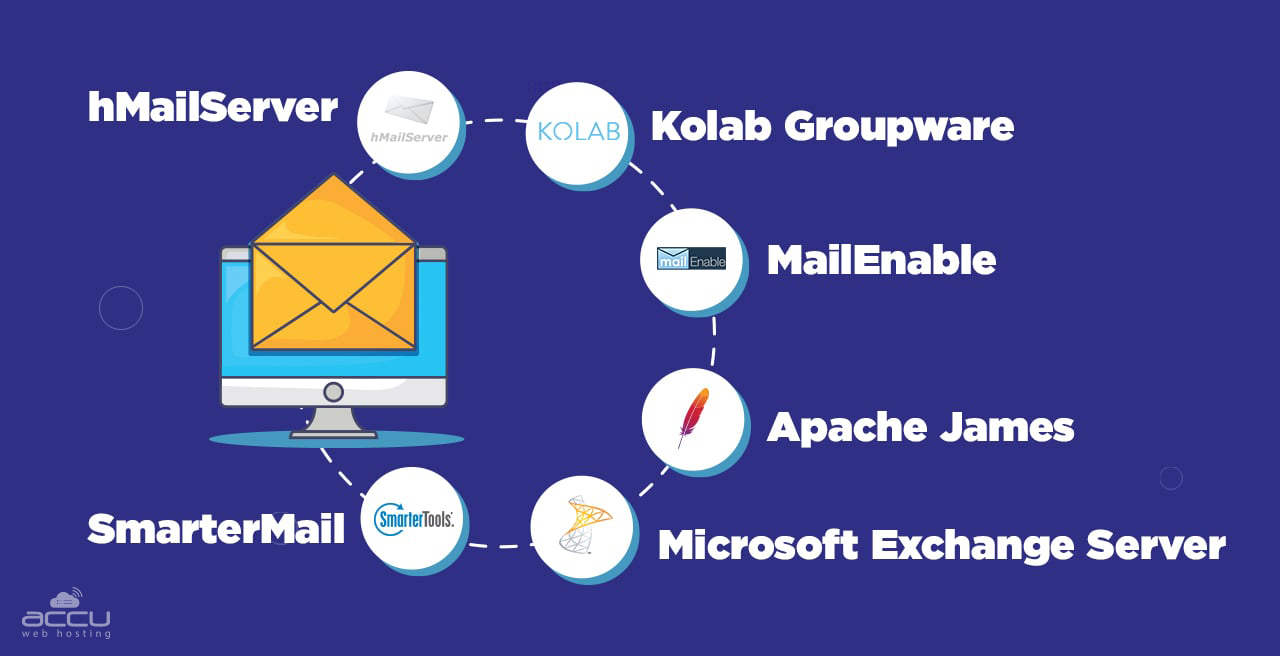
Credit: www.accuwebhosting.com
Compatibility With Applications
Windows Server is perfect for ASP.NET applications. These applications run best on Windows platforms. Many developers choose ASP.NET for building websites. It works seamlessly on Windows Server. Integration is easy with Windows. This makes development faster and smoother.
SQL Server works well with Windows Server. They are designed to work together. Data management becomes easy. Windows Server supports advanced features of SQL Server. This ensures better performance and reliability. Your database runs efficiently with Windows.
Windows Server supports legacy applications. Many old apps require Windows environments. They need specific settings to function. Windows Server provides these settings. It helps in running older applications smoothly. No need to worry about compatibility issues.
User-friendly Management Tools
Windows Server offers easy management. Admin tasks are simple. It provides clear tools. Settings are easy to adjust. Users can change them quickly. No confusion. Just clarity. Simple clicks make changes. Admins love it. They save time. Effortless control. No fuss.
Access your server from anywhere. Remote Desktop makes it easy. Open your computer. Connect to your server. Simple steps. No hard work. Get work done from home. No need to travel. Save time. Save energy. Feel free. Work remotely. Easy as pie.
Manage users with Active Directory. Control their access. Secure login. Easy user setup. Admins find it simple. Quick management. Add or remove users fast. No long waits. Organize user groups. Keep data safe. Protect your server. Peace of mind.

Credit: www.pcmag.com
Cost Considerations
Licensing Fees can be high. Windows needs a special license. This is different from free options like Linux. You pay for each server. This adds up over time.
Hardware Requirements can be demanding. Windows servers need more power. You might need better computers. This costs more money. Older computers may not work well.
Long-Term Value is important. Windows offers support and updates. This keeps your server safe. Paying more now can save money later. Think about the future costs too.
Choosing The Right Hosting Provider
Check if the provider knows Windows Server well. They should have a strong team. Experience with Windows hosting is vital. Ask about their certifications. See if they have many happy customers. Reviews can show their skills. A good provider has a history of success.
Good support is important. Make sure support is available 24/7. Ask about their response time. Fast help makes things easier. Support should be friendly. They must solve problems quickly. Chat, email, and phone support are ideal. Multiple options mean better help.
Look at what the packages offer. Are they affordable? Do they fit your needs? Check for features like storage and bandwidth. More is better. Windows Server requires certain specs. Make sure the package includes them. Compare different packages. Find the one that suits you best.

Credit: www.godaddy.com
Alternatives To Windows Server
Linux hosting is popular for being cost-effective and open-source. Many people like it because it’s flexible. It supports many different applications. Linux hosting is also secure and has a large community for support. It offers various distributions like Ubuntu and CentOS.
Open source solutions are free and have no licenses. They allow customization by the users. This gives you more control over your hosting. You can choose from many software options. Each has unique features and benefits. Popular choices include Apache and Nginx.
Hybrid hosting mixes different technologies. This setup can use both Linux and Windows servers. It offers the best of both worlds. You can enjoy the strengths of each. This makes it versatile and efficient. Businesses often choose hybrid hosting for complex needs.
Frequently Asked Questions
Why Do I Need A Windows Server?
A Windows Server provides robust security, reliable data management, and efficient network resource sharing. It supports business applications and offers centralized control over IT infrastructure, improving productivity and scalability. Ideal for businesses requiring high performance and advanced capabilities.
Do You Need A Server For Web Hosting?
Yes, a server is essential for web hosting. It stores your website files and delivers them to users. You can choose between shared, VPS, or dedicated servers based on your needs. Hosting providers often manage the server, offering technical support and ensuring uptime.
Which Role Is Necessary For Hosting Websites On A Windows Server?
To host websites on a Windows Server, install the Internet Information Services (IIS) role. IIS supports hosting applications, websites, and services. It’s essential for managing web applications and ensuring server functionality. Ensure IIS is properly configured to optimize website performance and security.
What Is Windows Server Hosting?
Windows Server hosting uses Microsoft’s server operating system to manage websites and applications. It supports ASP. NET, SQL Server, and other Microsoft technologies. Ideal for businesses needing Windows-specific applications, it offers scalability, security, and integration with Microsoft products. Suitable for developers familiar with Microsoft tools and environments.
Conclusion
Choosing Windows Server for web hosting offers clear advantages. It supports ASP. NET and Microsoft SQL. These are essential for many businesses. Windows Server provides robust security features. It ensures data safety. Compatibility with Microsoft tools is seamless. This enhances productivity.
Many users find its interface intuitive. Easy to navigate. Licensing offers reliable support. This is crucial for troubleshooting issues. For those using Windows applications, it’s a natural choice. It aligns well with existing systems. Evaluate your needs carefully. Windows Server might be the perfect fit for your web hosting.


