
Have you ever wondered which web host is powering your website? Knowing your web host is crucial for understanding your site’s performance, security, and scalability.
It’s like knowing the engine behind your favorite car. A good web host can make or break your online presence. Are you ready to uncover this mystery and take control of your website’s future? This article will guide you step-by-step, equipping you with the knowledge to identify your web host and why it matters.
So, let’s dive in and discover the secrets behind your website’s success.
Identifying Your Web Host
Many websites can help find your web host. Enter your website’s URL. These tools show details like hosting provider. Domain Tools is one such platform. It offers quick results. It’s easy and fast.
WHOIS data can reveal your web host. Visit a WHOIS lookup site. Type your domain name. You will see details about your host. This is a simple way to find hosting information. Always check for accuracy.
Visit popular hosting sites. Search for your domain in their search box. Some sites may show your domain. This helps in identifying your host. Not all providers offer this service. But many do.

Credit: www.youtube.com
Common Tools For Web Host Detection
Many websites offer free online tools to find your web host. These tools are easy to use. Just enter your website URL. Results show your web host name. Simple and fast. Popular options include Whois Lookup and HostAdvice. They are reliable and accurate. No need to download anything. Quick and convenient.
Browser extensions can reveal your web host. Install them on your browser. They work with a click. Wappalyzer is a popular choice. It identifies hosts and technologies. Another option is BuiltWith. These extensions are handy. They save time. Easy for beginners too.
Advanced users use command line utilities. These tools need technical skills. Traceroute can show the path to your host. It is available in most systems. Ping is another tool. It checks server response. These tools need some learning. But they give detailed info.
Understanding Web Hosting Types
Many websites use shared hosting. It is cheap and simple. Multiple sites share the same server. Resources are limited. If one site is busy, others slow down. Great for small websites. Beginners find it easy to use.
Dedicated hosting means one server for one site. No sharing with others. It is expensive but powerful. Large sites use it for high performance. Complete control over server settings. Perfect for sites with high traffic.
VPS stands for Virtual Private Server. It is a mix of shared and dedicated hosting. Each site has its own part of the server. Better control and security than shared hosting. Affordable and flexible. Ideal for growing sites.
Cloud hosting uses many servers together. If one server fails, others help. It is reliable and scalable. Perfect for sites with changing traffic. Only pay for what you use. Many big businesses use cloud hosting.
Reasons To Know Your Web Host
A good web host ensures fast loading times. Slow websites lose visitors. Checking your host can help improve this. It also affects SEO rankings. Better hosts provide faster speeds. They also offer uptime guarantees. This ensures your site is always online. Regular checks help maintain performance.
Knowing your web host helps in assessing security. Some hosts offer strong security features. These include firewalls and SSL certificates. Regular updates are also important. This helps in protecting against cyber threats. Always ensure your host provides these features. Security is crucial for user trust.
Good hosts offer reliable technical support. They assist with any site issues. Support is often available 24/7. This ensures quick problem-solving. Knowing your host helps access this support. It is vital for smooth website operations. Choose hosts with strong support teams. It makes managing your site easier.
Steps To Change Your Web Host
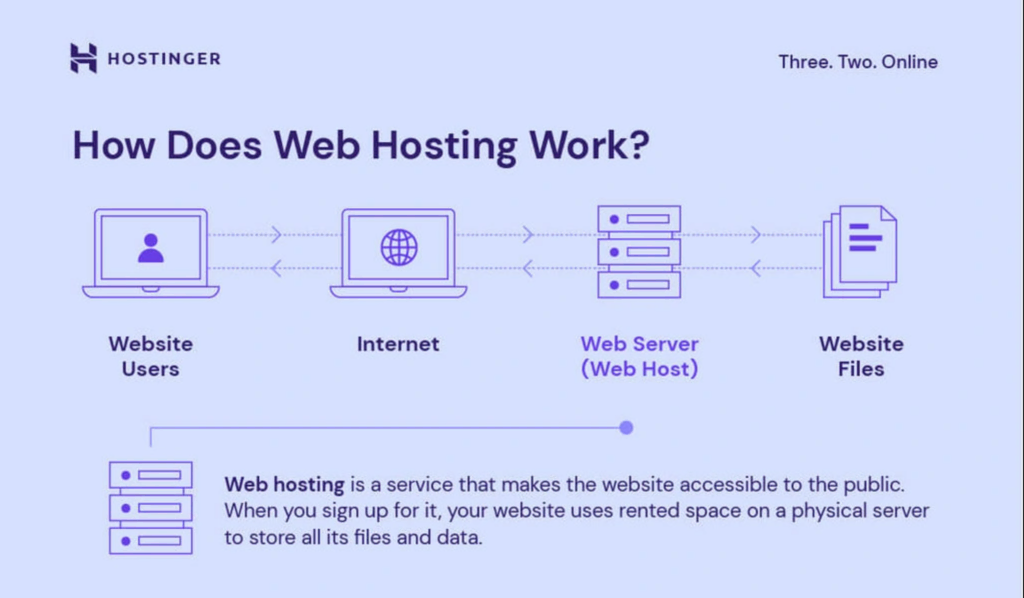
Choosing the right web host is crucial. Check the speed and reliability. Look for good customer support. Compare different pricing plans. Read user reviews. Decide based on your needs. Ensure they offer the necessary features. Consider future growth. Choose wisely.
Backup your website data first. Use tools to help with migration. Transfer files and databases carefully. Verify that all data is intact. Check for errors during migration. Make sure everything is functioning. Take your time. Verify links and images. Ensure smooth transfer.
Plan your move carefully. Notify users about changes. Schedule migration during low traffic. Use a temporary domain if needed. Test the new host before switching. Monitor the site post-migration. Fix any issues quickly. Keep communication open. Minimize disruptions.
Credit: www.hostinger.com
Troubleshooting Web Host Issues
Websites can face issues like slow loading or downtime. These problems might come from the web host. Checking the server status can help find the problem. Using tools like Pingdom can show if the server is slow.
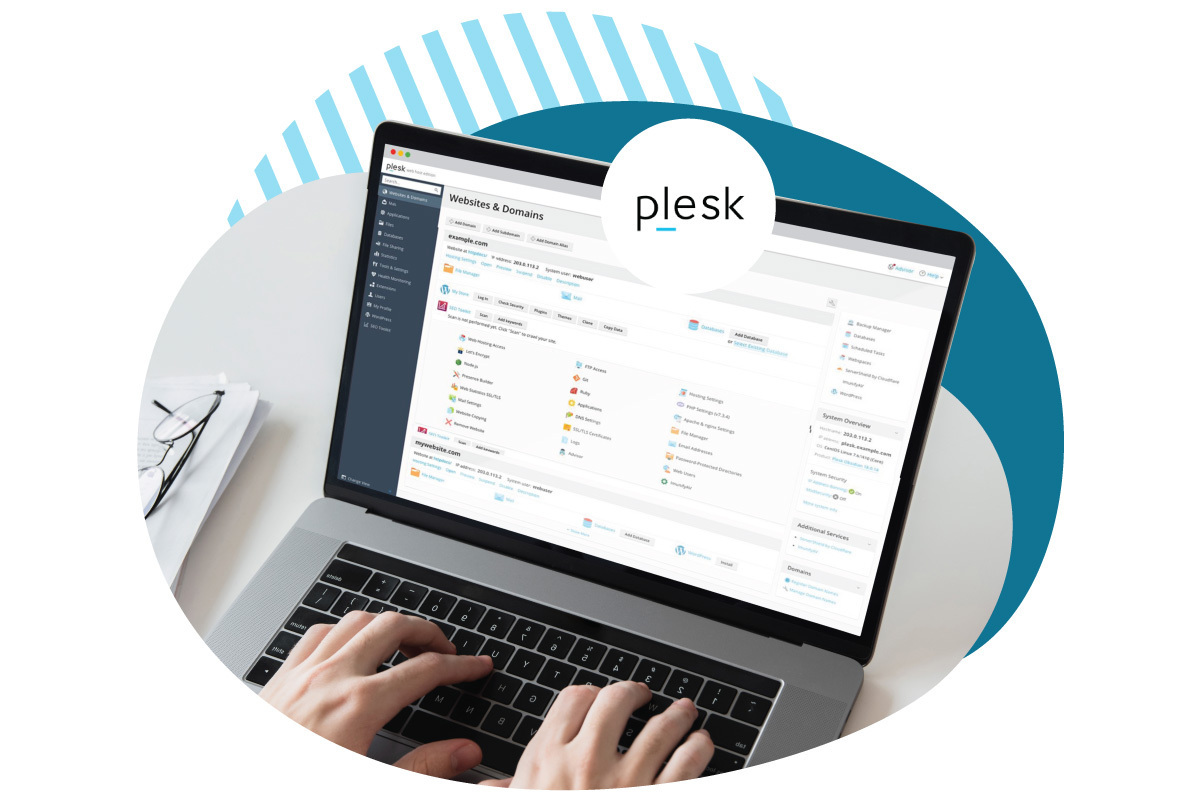
Support teams can help solve web host issues. Contact them for help. They often provide a live chat or email support. Always have your account details ready. This helps them find your information fast.
Backups can save your website’s data. Always keep regular backups of your site. Use backup tools like UpdraftPlus. If something breaks, backups can restore your site quickly. Recovery tools help bring back lost data.
Credit: www.eurodns.com
Frequently Asked Questions
How To Find Out What Web Hosting A Site Is Using?
Use online tools like “WhoIsHostingThis” to identify a website’s hosting provider. Check the site’s domain registration information. Examine DNS records using services like “MXToolbox”. Look for hosting-related tags in the site’s HTML source code. These methods help uncover a site’s web host.
What Is The Host Of My Website?
The host of your website is the company providing server space for your website files. Common hosts include Bluehost, HostGator, and SiteGround. To identify your host, check your domain’s WHOIS information or your billing records. Your website’s control panel or CMS dashboard might also display this information.
How To Find Out What Platform A Website Is Hosted On?
Use online tools like BuiltWith or Netcraft to identify a website’s hosting platform. Inspect the page’s source code for clues about the hosting provider. Check the domain’s WHOIS information for hosting details. This method helps you understand which platform hosts a specific website.
How Do I Know What Server A Website Is Using?
Use online tools like Netcraft or BuiltWith to identify a website’s server details. Check HTTP headers for server information using browser developer tools or command-line tools like cURL. Explore the site’s “About” or “Contact” pages for potential server details.
Conclusion
Discovering your web host boosts site management. It’s vital for troubleshooting issues. Knowing your host aids in technical support. It also helps with migration plans. Web hosting insights improve your online presence. So, explore your options. Choose a host that meets your needs.
This ensures a smoother online experience. Understanding your web host’s role is key. It contributes to your site’s success. Now, you’re ready to optimize your website. Make informed decisions with this knowledge. Enjoy seamless web hosting!


