
Ever wondered how your favorite websites are always just a click away, no matter the time or place? That convenience comes down to something called a web hosting server.
But what exactly does that mean? If you’ve ever scratched your head over this term, you’re not alone. Understanding web hosting servers is crucial for anyone looking to launch a website or simply curious about the mechanics behind the internet.
Imagine having a powerful tool that keeps your online presence alive 24/7. Intrigued? You should be. This article breaks down the concept in simple terms, cutting through the tech jargon to deliver clear and concise information. Ready to unlock the secrets of web hosting servers and see how they can empower your digital journey? Let’s dive in!
Credit: www.educba.com
Web Hosting Basics
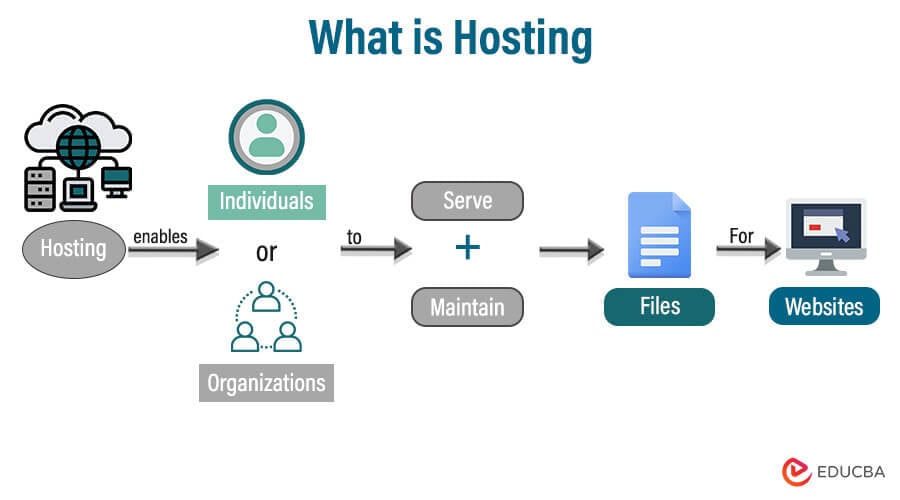
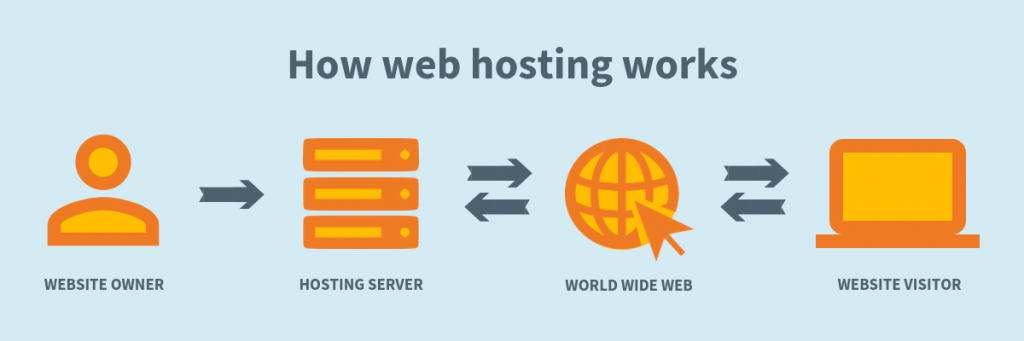
Web hosting means storing your website on a special computer. This computer is called a server. Servers are powerful. They keep websites running smoothly. People visit websites by connecting to these servers. Without a server, your website can’t be seen online.
Servers come in different types. Some are shared, others are dedicated. Shared servers host many sites. Dedicated servers host one site only. Dedicated servers are fast. Shared servers are cheaper. Choosing the right server is important. It affects your site’s speed and safety.
Servers must be secure. They protect your data. Good web hosts offer strong security. They prevent hacking. They keep your site safe. Security is vital for trust. People trust secure websites more.

Credit: www.wix.com
Types Of Web Hosting
Shared hosting is like a big apartment. Many websites live together. They share the same server. It’s cheap and good for beginners. The speed may be slow. Many websites use the same resources. If one site is busy, others may slow down. It’s easy to manage. You don’t need tech skills.
VPS hosting is like a small house. You have your own space. You share the building with others. It’s more secure than shared hosting. You have more control. It costs more than shared hosting. The speed is better. Good for growing websites.
Dedicated hosting is like owning a big house. The server is all yours. No sharing with others. It’s expensive but very fast. You need tech skills. Best for big businesses. You have full control. Most secure hosting type.
Cloud hosting uses many servers. Your site moves between them. It is very flexible. Good for busy websites. You pay for what you use. Scalable and reliable. If one server fails, others keep your site running. Great for websites that grow fast.
Key Components Of A Hosting Server
Operating systems run hosting servers. Popular ones include Linux and Windows. Linux is often chosen for web hosting. It is free and open-source. Windows is user-friendly and has a graphical interface. Each has its own benefits. Selection depends on the user’s needs.
Control panels help manage hosting settings. cPanel and Plesk are common choices. They make tasks easy. You can add domains. You can manage files. You can set up email accounts. They offer a simple interface. This helps users control their server easily.
Storage keeps data safe. Hard drives and SSDs are common. SSDs are faster. Hard drives store more data. Choose based on needs. Large websites might need more storage. Small sites might prefer speed. Both have their use cases.
Bandwidth affects data transfer speed. High bandwidth means faster site loading. Connectivity links servers to the internet. Reliable connectivity ensures the site is always online. Both are crucial for a good user experience. Good bandwidth and connectivity lead to happy visitors.
Credit: www.layerhost.com
How Web Hosting Works
The Domain Name System (DNS) acts like a phonebook. It matches domain names to IP addresses. Each website has a unique IP address. When someone types a domain name, the DNS finds the right server. This allows users to see the website easily.
Websites store data on servers. This includes files, images, and videos. The server keeps this data safe and ready to share. When someone visits a site, the server sends data to their computer. This makes the website appear on their screen.
Servers need regular care. This is called server maintenance. It keeps servers running smoothly. Technicians check for problems. They fix errors and update software. This ensures websites stay online and work well.
Choosing The Right Hosting Provider
Understanding web hosting server is key to choosing the right provider. It stores your website files, making them accessible online. Ensure the server meets your website needs for performance and security.
Assessing Your Needs
Think about what your website needs. Do you have many visitors each day? Are you selling products online? Business sites need strong support. Small blogs can choose cheaper plans. Understand your storage space and bandwidth needs. This helps in making smart choices.
Comparing Features And Plans
Features matter when picking a hosting provider. Check if you get SSL certificates. Look for backup options and security tools. Compare pricing plans and see what you get for the money. Some plans offer more space. Others provide more speed. Choose what fits best.
Evaluating Customer Support
Good customer support is important. Sometimes things go wrong. You need help fast. Check if support is available 24/7. Can you chat with them? Or call them? Look at reviews. People talk about their support experiences. Happy customers mean good support.
Benefits Of A Reliable Hosting Server
A reliable server makes your website work faster. This means pages load in seconds. Visitors enjoy browsing without waiting. Fast websites keep users happy. Happy users stay longer.
Security is crucial. A good server protects your data. It stops bad hackers. Your website stays safe. User information remains private. No need to worry about theft.
Websites grow. A flexible server helps with growth. You can add more features. More space is available. Handle more visitors easily. Business expansion becomes simple.
Common Challenges And Solutions
Downtime means your website is not working. This can upset visitors. It can also affect your business. Servers need to be monitored. This helps find problems early. Backups are very important. They keep your data safe. Maintenance can prevent long outages. Sometimes, using a backup server helps too.
Websites can be attacked. Hackers can steal information. Strong passwords are needed. Firewalls protect your server. Regular updates fix security holes. SSL certificates encrypt data. This makes it safe. Monitoring alerts you to threats. Secure software is essential for protection.
Slow websites annoy users. Server speed affects performance. Bandwidth must be enough for traffic. Caching helps load pages faster. Optimize images for speed. Reduce plugins to improve load times. Content Delivery Networks (CDNs) spread data across servers. This reduces load.
Future Trends In Web Hosting
Web hosting is becoming more environmentally friendly. Green hosting uses less energy. It helps reduce the carbon footprint. Hosting companies use solar and wind power. This helps save the planet. Customers like green hosting. It is a good choice for nature lovers.
AI and machine learning make hosting smarter. They predict server issues. This helps avoid downtime. AI can manage resources better. It makes hosting fast and efficient. Customers get a smooth online experience. AI helps in customer support too. It answers common questions quickly.
Serverless architectures change how hosting works. No need to manage servers. It is flexible and cost-effective. Developers focus on the code, not the server. Users only pay for what they use. It is simple and efficient. Serverless is great for small apps.
Frequently Asked Questions
What Is A Web Hosting Server?
A web hosting server stores and manages website files, making them accessible online. It provides resources like bandwidth and storage. Hosting services ensure site reliability and performance. Various types, such as shared or dedicated, cater to different needs. Choose based on your site’s traffic and resource requirements.
What Are The 3 Types Of Web Hosting?
The three types of web hosting are shared hosting, VPS hosting, and dedicated hosting. Shared hosting shares resources among multiple websites. VPS hosting offers more control and resources with a virtual server. Dedicated hosting provides an entire server for one website, ensuring maximum performance and customization.
Can I Run My Website Without Hosting?
No, you can’t run a website without hosting. Hosting is essential for storing website files and making them accessible online. Consider using free or low-cost hosting services if budget is a concern. Hosting ensures your website functions smoothly and is available to users 24/7.
What Is An Example Of A Hosting Server?
An example of a hosting server is Bluehost. It’s popular for its reliability, affordability, and excellent customer support, ideal for beginners and businesses.
Conclusion
Web hosting servers are crucial for website accessibility. They store and manage your site’s data. Choosing the right server boosts performance. A reliable server ensures your site loads fast. It provides security and keeps data safe. Understanding web hosting helps you make informed decisions.
It empowers you to pick the best options for your needs. Consider factors like speed, security, and support. These elements enhance your site’s functionality. With this knowledge, you can confidently navigate the world of web hosting. Your site will thrive with the right server choice.


