
Imagine having a digital space where all your emails are organized, secure, and easily accessible. That’s what a web hosting email service offers you.
If you’ve ever wondered how businesses maintain professional email addresses or ensure their communication runs smoothly, you’re in the right place. This article will unravel the mysteries of web hosting email services and show you why they might be the missing puzzle piece for your online presence.
Whether you’re managing a personal blog or running a business, understanding this service is crucial. Dive in, and discover how you can elevate your email game to the next level.
Web Hosting Email Basics
Web hosting email lets you send and receive emails. It works with your domain name. This means your email can have your website’s name in it. Like info@yourwebsite.com. This looks professional. It is also good for business.
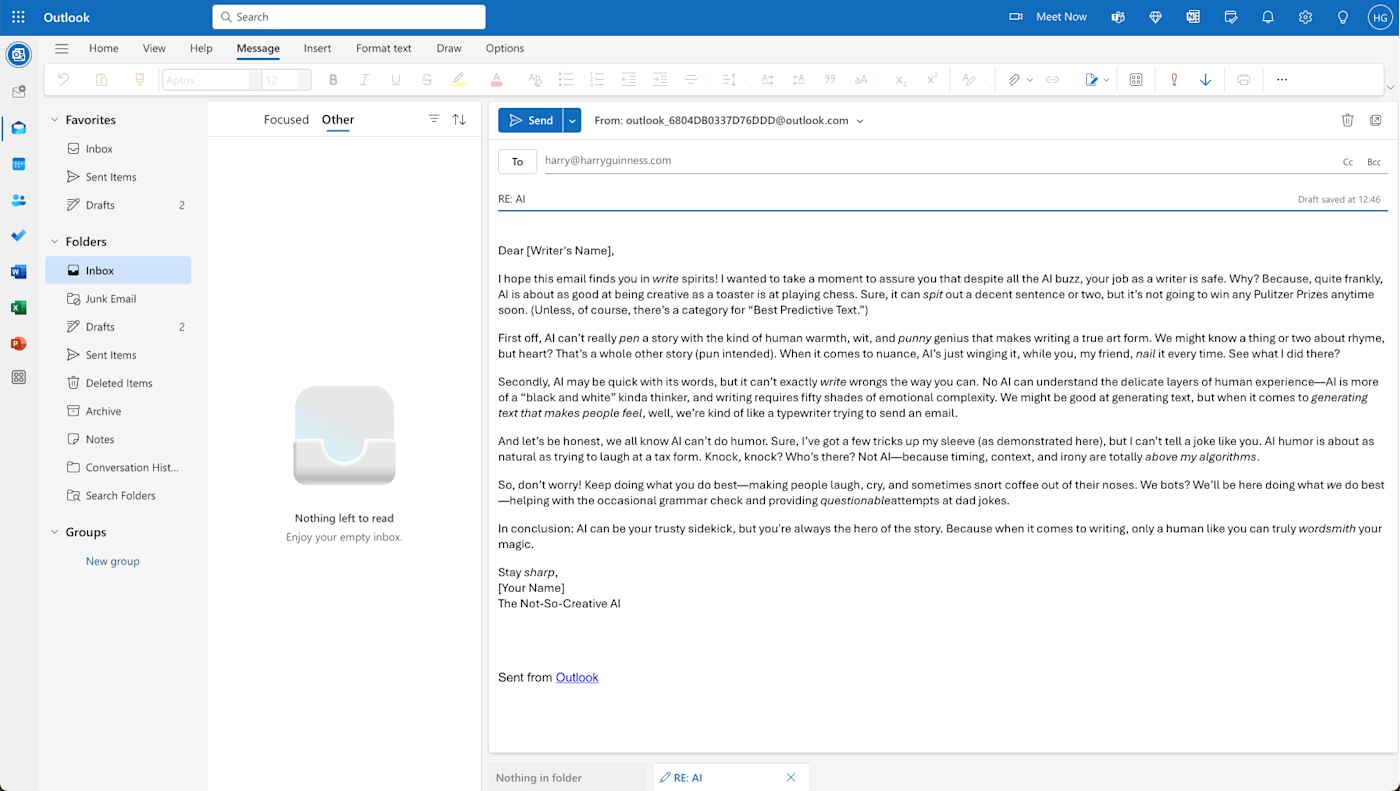
You get web hosting from a company. They give you space on a server. This server stores your emails. Then, you can send and get emails using this server. It is like having a special email post office. You can use email apps like Outlook or Gmail to read your emails. They connect to the server to show your messages. Web hosting email is useful for keeping your emails safe.
Credit: zapier.com
Features Of Web Hosting Email
Email services offer ample storage for messages. You can store thousands of emails. Large attachments fit easily. Storage grows with your needs. Easy to manage.
Safety is a top priority. Encryption keeps emails private. Spam filters block unwanted messages. Two-factor authentication protects accounts. Users feel safe.
Emails can be personalized. Themes change the look. Signatures add a personal touch. Aliases help organize messages. Users can adjust settings.
Benefits Of Web Hosting Email
Web hosting email helps your business look serious. It uses your own domain name. This makes your emails look professional and trusted. Clients feel safe when they see your domain. They know you are not a spammer. Trust is important. Your domain shows you care.
Using web hosting email keeps your brand consistent. All emails come from the same domain. This helps people remember you. It builds your brand image. Customers see the same name every time. It makes your brand stronger. Brand strength means more loyal customers.
Web hosting email is more reliable. It has better security. Your emails are safe from hackers. Messages get delivered faster. You don’t lose important emails. Reliability is key for business. Your work depends on safe emails. Web hosting email gives you that safety.
Types Of Web Hosting Email Services
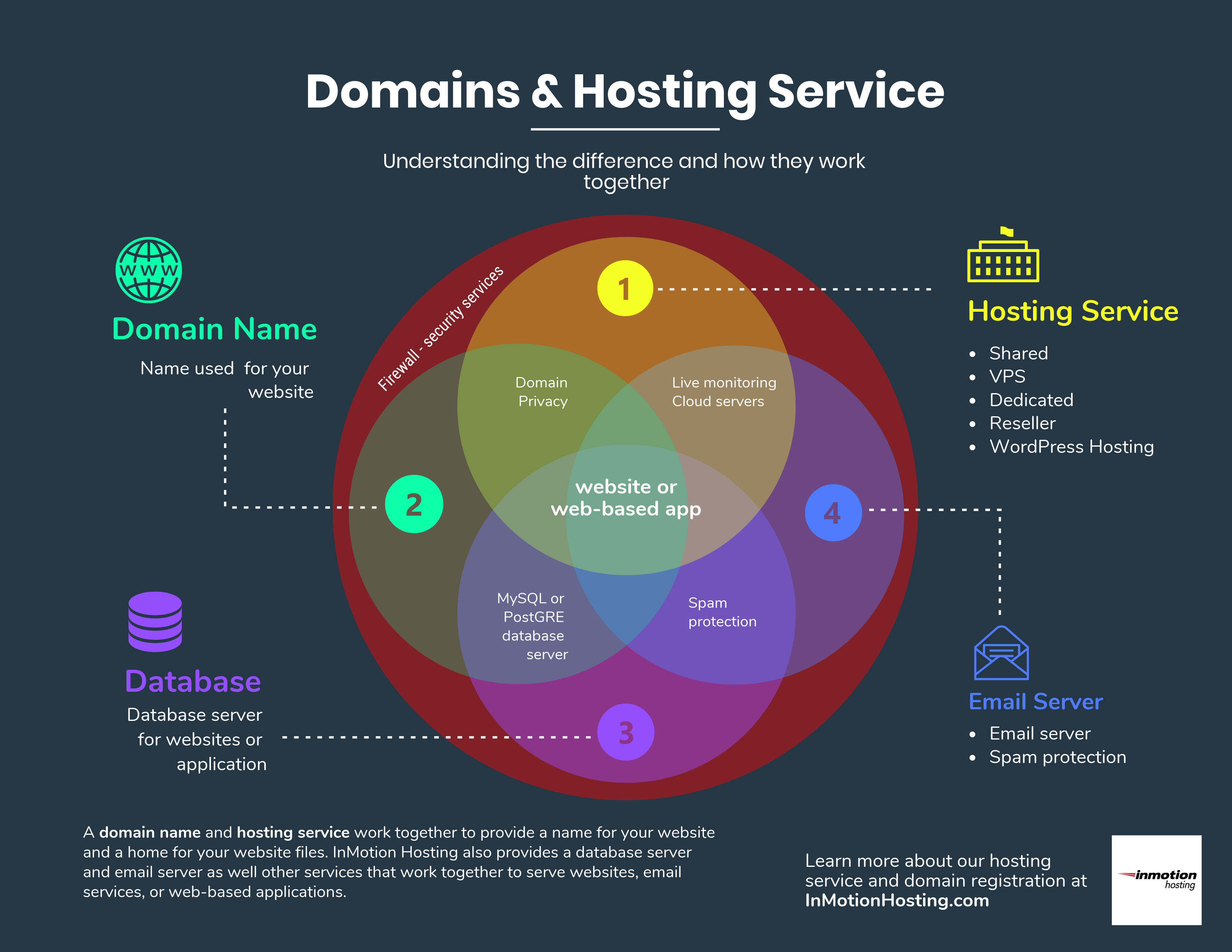
Shared hosting email services are budget-friendly. Many users share the same server. This can sometimes slow down the service. Limited storage space is another feature. Good for small businesses or personal use. Easy to manage with basic features.
Dedicated hosting email offers a private server. No sharing with others. This means more control and better performance. Ideal for large businesses. More secure than shared hosting. Comes with a higher cost. But worth it for high traffic websites.
VPS stands for Virtual Private Server. It combines benefits of shared and dedicated hosting. Users have their own space but on a shared server. Offers more flexibility and customization. Costs are mid-range. Suitable for medium-sized businesses. Provides better security than shared hosting.
Choosing The Right Web Hosting Email Service
Every business has different email needs. Some need many email accounts. Others need strong security features. Think about what your business needs most. Is it storage or spam protection? Make a list of your top needs.
Different providers offer different features. Look at spam filtering, storage space, and security options. Compare them carefully. Do they offer 24/7 support? Check if they have easy setup tools. Choose the features that meet your needs.
Prices vary a lot. Some services are free. Others have monthly fees. Look at your budget. Compare the costs with the features offered. Sometimes paying more gives better support and features. Choose a plan that fits your budget and needs.
Credit: www.inmotionhosting.com
Setting Up Web Hosting Email
Start by logging into your web hosting account. Find the email section in the dashboard. Click on “Create Email Account”. Choose a username and a strong password. Save your details securely. You will see your new email account listed. Use it for sending and receiving emails.
Go to your email settings page. Locate the incoming and outgoing server details. Enter these in your email client. Set the port numbers correctly. Enable SSL for secure connections. Test sending and receiving emails. Adjust spam filters if needed. Save your settings when done.
Email not sending? Check your outgoing server settings. Emails going to spam? Adjust your spam filter settings. Cannot receive emails? Verify incoming server details. Password issues? Reset your password if forgotten. Contact support if problems persist. Keep your settings updated.
Best Practices For Web Hosting Email
Using email storage wisely is very important. Delete old emails you don’t need. This frees up space. Organize emails into folders. This makes it easy to find them later. Always keep your inbox tidy. It helps in managing storage better.
Keeping emails safe is a must. Use strong passwords for your email accounts. They keep bad people away. Enable two-factor authentication for extra safety. This adds another step to log in. Always check for suspicious emails. They might contain harmful links.
Backing up emails is very important. It saves your emails from loss. Use cloud storage for backups. It is safe and reliable. Set a regular schedule for backups. This ensures your data is always safe. Remember, backups help recover lost emails.
Credit: www.lrswebsolutions.com
Frequently Asked Questions
What Is Web Hosting Email?
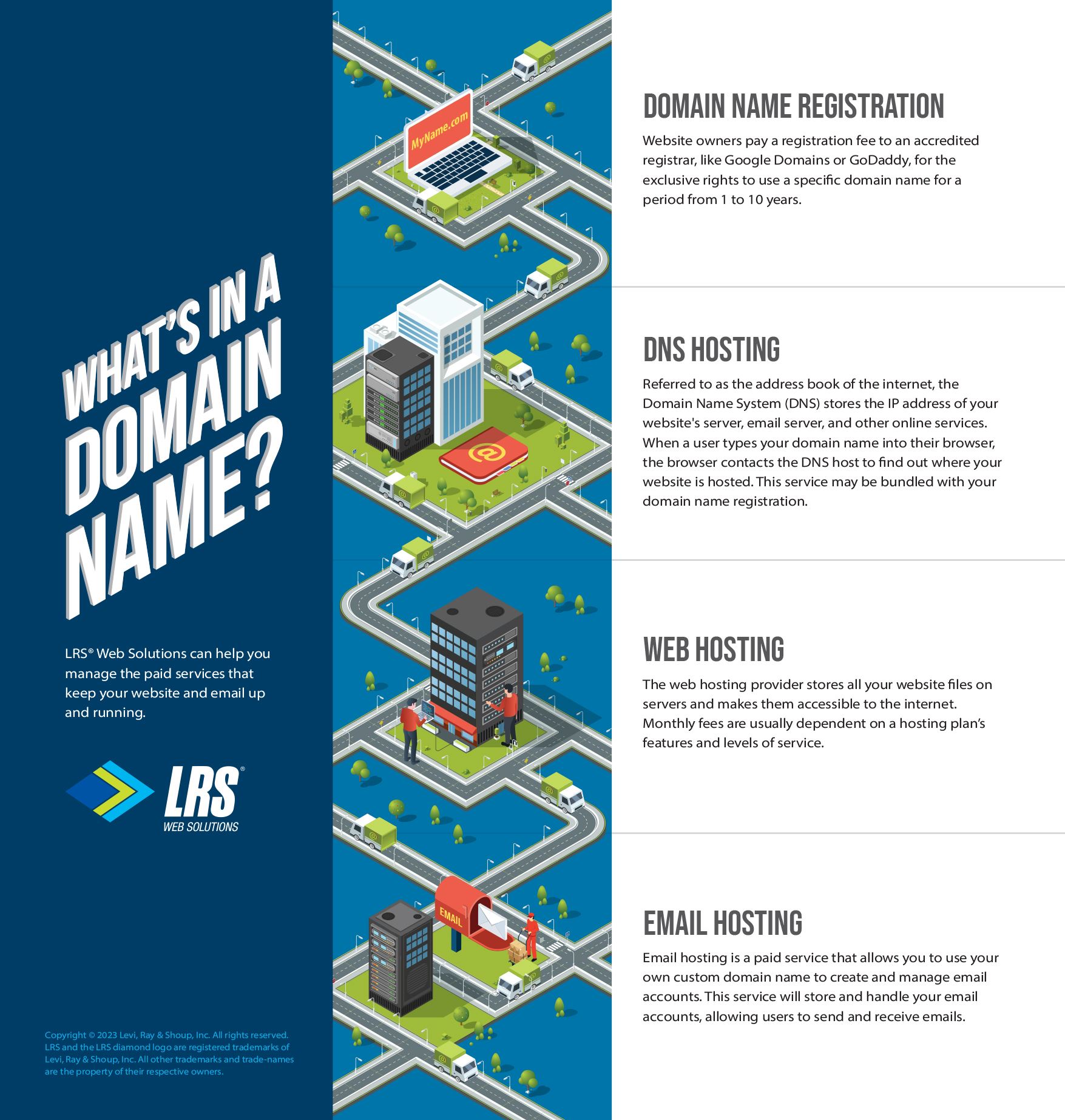
Web hosting email provides email services linked to your domain name. It enables professional communication using custom email addresses. This service includes email storage, sending, and receiving capabilities. Web hosting providers often offer email hosting as part of their packages, ensuring seamless integration with your website’s domain.
Do I Need Web Hosting For Email?
You don’t need web hosting for email. Use services like Google Workspace or Microsoft 365 for professional email. They provide secure, reliable email hosting without a website. These platforms offer features like custom domain emails and ample storage, enhancing communication for your business.
Choose a plan that fits your needs for optimal service.
What Is The Difference Between Email Hosting And Email Server?
Email hosting stores and manages emails on a server. An email server sends, receives, and processes emails.
What Does A Web Hosting Service Do?
A web hosting service stores website files on servers, making them accessible online. It provides bandwidth, security, and support, ensuring your website runs smoothly. Hosting options vary in features and pricing, allowing you to choose based on your site’s needs.
Conclusion
Web hosting email services keep communication smooth and efficient. They offer reliable email delivery and ample storage. A good service ensures your messages reach their destination. It also protects against spam and threats. Choosing the right provider is crucial. It impacts your business communication and security.
Always compare features, prices, and support. Think about your needs. Small business or large, there’s an option for everyone. Prioritize security and reliability. Your emails are vital. Make informed decisions for peace of mind. Happy emailing!


