
You’ve taken the leap and secured your web hosting. Congratulations!
But now what? The world of web hosting can feel like uncharted territory. You might be wondering how to make the most of your new online space, or perhaps you’re unsure about the next steps to take. Don’t worry; you’re not alone.
Many people feel a bit overwhelmed after choosing their web host. You’re about to discover how to transform this blank canvas into a thriving digital hub. By the end of this article, you’ll have a clear path forward, filled with tips and insights that will empower you to build the website of your dreams. Ready to dive in? Let’s get started!
Choosing The Right Hosting Plan
Shared hosting is like living in a big house with others. You share space and resources. It is cheaper but can be slow if others use a lot of resources. Dedicated hosting is like having your own house. You have all the resources. It is faster but costs more. Choose based on your needs and budget.
Cloud hosting uses many servers to make your site fast. It is flexible. You can add more resources if needed. It is good for sites that change size often. Pay only for what you use. It is a smart choice for growing sites.
Bandwidth is the amount of data your site can handle. More bandwidth means more visitors can use your site at once. Storage is where your site’s data is kept. More storage allows you to have more files and content. Check your needs to choose the right plan.
Setting Up Your Domain
Choosing a domain name is fun. It’s like picking a name for a baby. The name should be easy to remember. Make sure it matches your website’s purpose. Use a domain registrar to register it. Popular ones are GoDaddy and Namecheap. Check if your name is available. If taken, try a different one. Once decided, pay the fee to register it. Done! Your domain is ready.
Now it’s time to connect your domain. This links it to your hosting. Go to your hosting account. Find the “Domains” section. You will see a place to add your domain name. Enter the name you registered. Save the changes. Next, update the DNS settings. Find your hosting’s DNS details. Add them to your domain registrar. Wait a bit. It can take time to update. After that, your website will be live!
Configuring Your Server
Start by adding basic tools. Apache is a popular choice for web servers. It helps to display web pages. MySQL is great for managing databases. You can store information there. PHP connects the server and databases. Many websites use PHP for dynamic pages. These tools work well together. They make your server strong and reliable.
Security is important. First, update your software regularly. This fixes bugs and protects your server. Use firewalls to block unwanted access. They guard your server from hackers. SSH keeps your connection safe. Always use strong passwords. This prevents unauthorized entry. Back up your data often. This keeps your information safe if something goes wrong. Security settings help keep your server secure and trustworthy.

Credit: www.greengeeks.com
Building Your Website
A Content Management System (CMS) helps you manage your site easily. WordPress is popular and user-friendly. Many people like it because it is free. Joomla and Drupal are also good options. They offer more features for advanced users. Choose a CMS that fits your needs. Consider how easy it is to use. Make sure it has good support.
Website layout is very important. It helps people navigate your site. Keep it simple and clean. Menus should be easy to find. Use clear headings and subheadings. This makes it easy to read. Images should be relevant and clear. Avoid cluttering the page. A good layout keeps visitors happy. They stay longer on your site.
Many people use phones to browse the web. Ensure your site is mobile-friendly. Text should be easy to read on small screens. Images should load quickly. Avoid heavy files that slow down the site. Test your site on different devices. This ensures it looks good everywhere. A mobile-friendly site reaches more people.
Launching Your Website
Check all links and buttons. Ensure they work correctly. Test your site’s load speed. A slow site can be frustrating. Try different devices and browsers. Your site should look good everywhere. Fix any broken links. They can confuse visitors. Test forms and chat boxes. They must send messages correctly. Look for errors in your text. They can make your site look bad. Make sure images load well. They should be clear and not blurry.
Analytics help understand your visitors. They show how people use your site. Set up Google Analytics. It tracks visits and behavior. See which pages are popular. Learn where visitors come from. Check how long they stay. Track what they click. Analytics show if changes are needed. Adjust your site for better use. They help improve user experience. Make sure the setup is correct. Wrong settings can give wrong data.
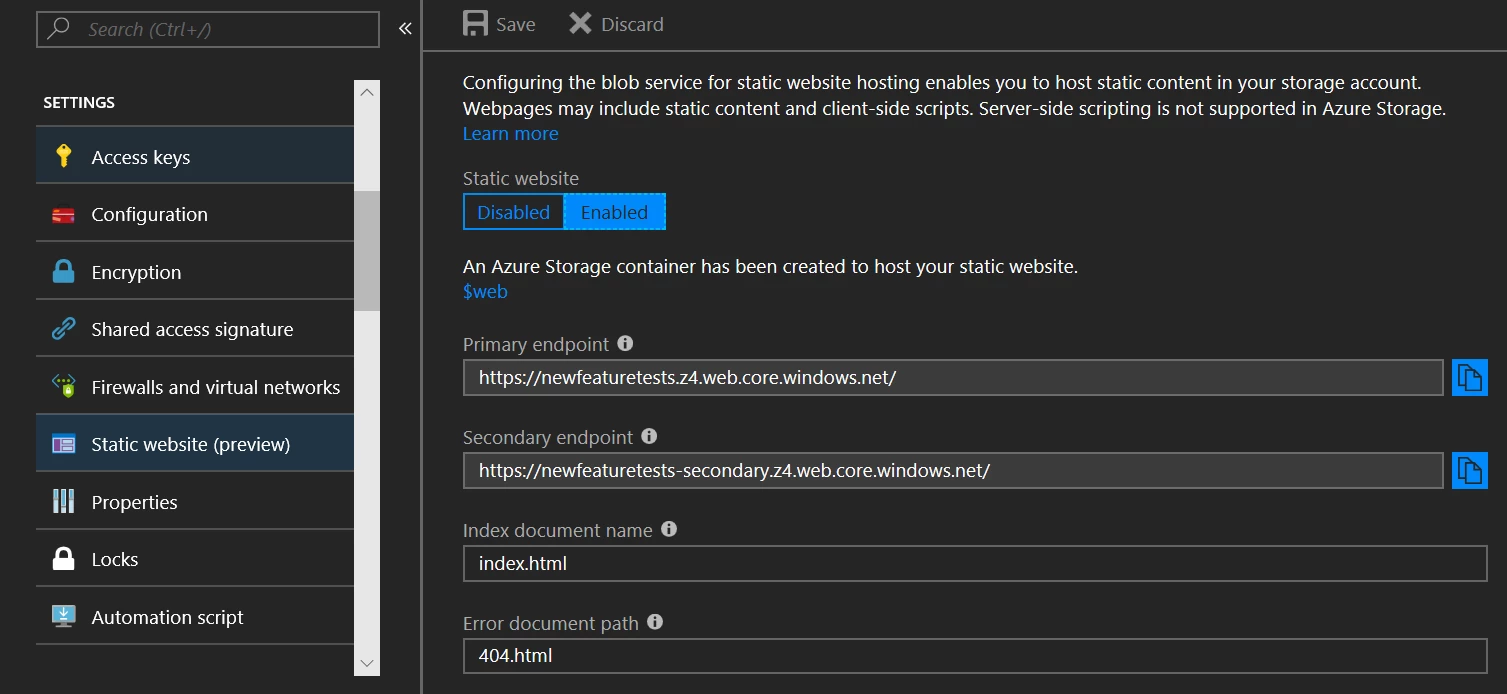
Credit: azure.microsoft.com
Maintaining Your Web Presence
Websites need regular updates to stay fresh. This helps in fixing bugs. It also improves features. Updating plugins and themes is key. Always keep your website safe. Make a habit of regular backups. Backups keep your data safe. Use a reliable backup tool. Store backups in a safe place. This helps if something goes wrong.
Keep an eye on your site’s speed. A fast website keeps users happy. Use tools like Google PageSpeed. These tools show how fast your site is. Check your website’s uptime too. A website that is down often loses visitors. Use services that alert you if the site is down. This way, you can fix issues quickly.

Credit: wegic.ai
Frequently Asked Questions
What Can I Do With Web Hosting?
Web hosting lets you create and manage a website. It stores your site’s files on a server. You can run blogs, online stores, or business sites. It also provides email accounts and security features. Hosting ensures your site is accessible online 24/7.
What To Do After Having A Domain?
After acquiring a domain, set up hosting. Install a content management system like WordPress. Design your website with a user-friendly theme. Optimize for SEO by using relevant keywords. Regularly update content to engage visitors and improve search rankings.
What Are The Three Types Of Web Hosting?
The three types of web hosting are shared hosting, VPS hosting, and dedicated hosting. Shared hosting is affordable and best for beginners. VPS hosting offers more resources and control. Dedicated hosting provides exclusive server access for high-traffic websites. Each type caters to different needs and budgets.
Can You Permanently Own A Domain Name?
You can’t permanently own a domain name. Domains are leased from registrars on a renewable basis. Keep renewing to maintain control. Use auto-renew options to prevent accidental loss of ownership. Choose a reliable registrar to ensure long-term management of your domain.
Conclusion
Web hosting opens new doors for your online presence. Choosing the right plan boosts your site’s performance. Remember, support and security are key. Don’t overlook them. Regular updates keep your site fresh. They improve user experience. Always back up data.
It protects your hard work. Explore options as you grow. Scalability matters. Stay informed about trends. This helps in making smart decisions. Your website reflects your brand. Make it stand out. Hosting is just the beginning. Keep learning and adapting.
Success takes time and effort. Your journey continues.


