
Imagine you’re sitting at your computer, ready to manage your website, but you need a secure way to connect to your server. Enter SSH, or Secure Shell, a powerful tool that can transform the way you handle web hosting tasks.
But what exactly is SSH, and how can it benefit you? By the end of this article, you’ll discover how SSH can enhance your web hosting experience, offering you the security and efficiency you’ve been craving. You’ll gain insights into why SSH is essential, and how it can make your online endeavors not just possible, but easier and safer.
So, if you’re ready to take control of your web hosting in a secure and streamlined way, keep reading to unlock the secrets of SSH.

Credit: help.ovhcloud.com
Ssh Basics
SSH stands for Secure Shell. It is a network protocol. SSH lets you access and control a computer from anywhere. It uses a secure connection. This means your data is safe. People use SSH in web hosting a lot. It helps them manage websites easily.
SSH is very important for web hosting. It helps webmasters manage their servers. You can upload files, check server status, and more. SSH makes all these tasks secure. Your login details stay safe. SSH also helps in automating tasks. This saves time and effort. Web hosting becomes easier with SSH.
Benefits Of Ssh
SSH makes your data safe. It uses strong encryption to protect files. No one can see your data while it moves. This keeps your secrets safe. With SSH, passwords are secure. Hackers can’t steal them. SSH is like a lock for your digital world.
SSH helps manage servers far away. You can control servers from home. It’s like being there, but online. You can fix problems easily with SSH. It saves time and effort. No need to travel to the server. Everything is done with a few commands. Simple and effective.
Ssh Key Authentication
SSH key authentication uses two keys: a public key and a private key. The public key is shared with the server. The private key stays on your computer. No one should see your private key. It is like a secret password. When you connect, the server checks your public key. If it matches, access is granted. This method is secure and keeps your data safe.
Setting Up Ssh Keys
Setting up SSH keys is simple. First, generate your keys. Use a tool like ssh-keygen. It will create the public and private keys. Save the private key safely. Copy the public key to the server. You can use commands for this. Once done, try connecting. If everything is correct, you will have access. Secure and easy.
Common Ssh Commands
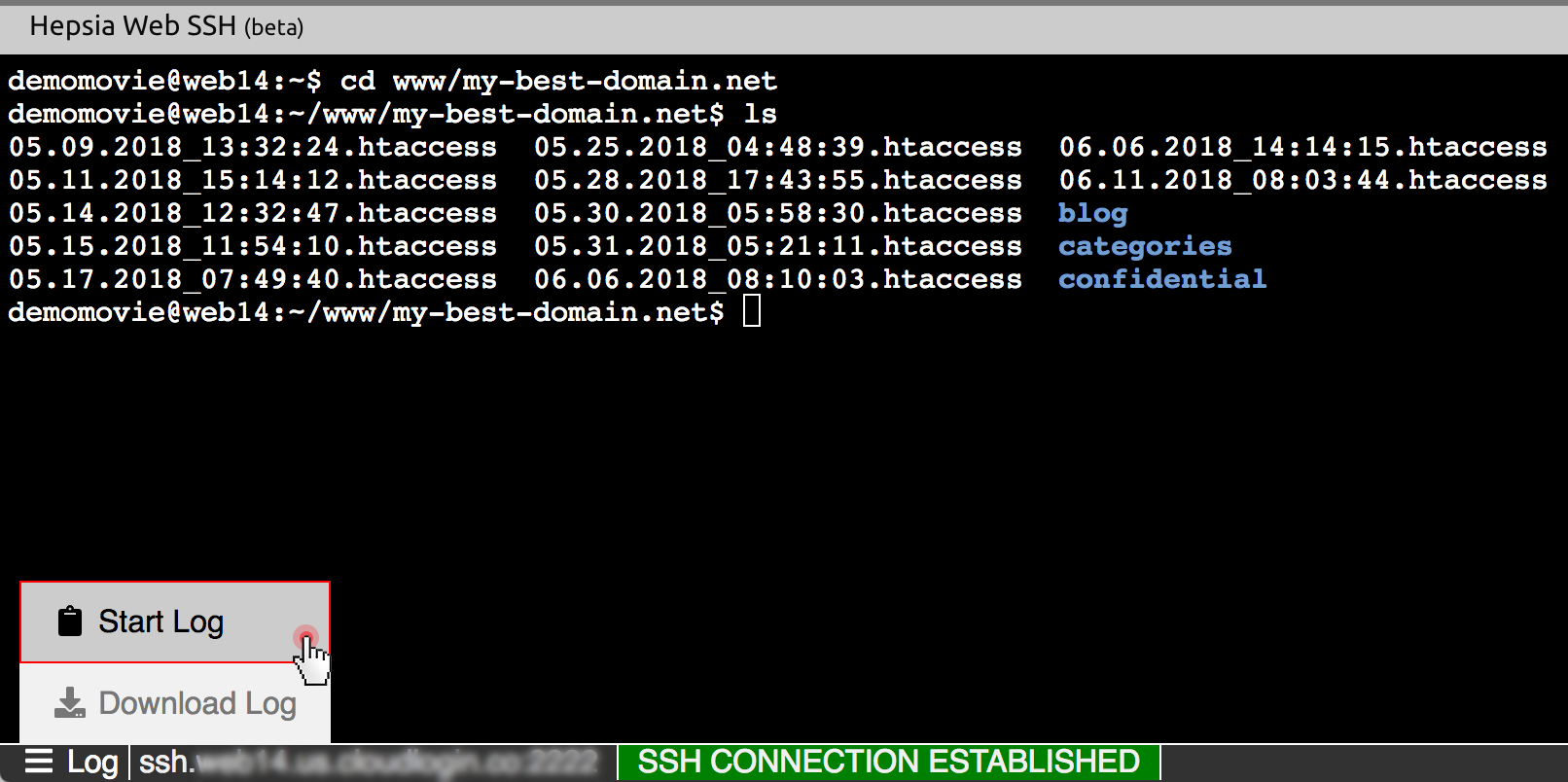
SSH helps you move through directories. Use the cd command. Type cd followed by the directory name. This takes you to that directory. To go back, type cd ... It moves you up one directory level. To see where you are, use pwd. It shows the current directory path. To list all files, use ls. It displays files in that directory.
You can transfer files using SSH. The scp command helps. It copies files between computers. To send a file, use scp source destination. Replace “source” and “destination” with your file paths. To fetch a file, reverse the paths. SSH makes file transfer easy and secure. Always check paths before transferring files.
Ssh And Secure File Transfer Protocols
SFTP stands for Secure File Transfer Protocol. It helps to move files safely online. People use it with SSH. SSH keeps data safe from hackers. SFTP works like a shield for your files. It is much safer than other ways to send files.
FTP is File Transfer Protocol. It is older than SFTP. FTP sends files without hiding them. This means hackers can see your files. SFTP hides your files from hackers. This makes SFTP a better choice for safety. Many people choose SFTP for safety reasons.
Credit: blog.resellerspanel.com
Troubleshooting Ssh Issues
SSH, or Secure Shell, is essential in web hosting. It allows secure access to servers remotely. Troubleshooting SSH issues involves checking network settings, server configurations, and user authentication to ensure smooth and secure connections. Understanding SSH helps maintain website security and server management efficiency.
Common Errors
SSH can have common errors. Sometimes, the connection might fail. This can be due to incorrect credentials. Maybe the username or password is wrong. Another error is permission denied. This happens if your keys are not set right. Sometimes, the server might not respond. This could be due to a firewall blocking the connection.
A bad configuration file can also cause issues. It’s important to double-check your settings. Network issues like a poor internet connection can also interrupt SSH. Always ensure your network is stable.
Debugging Tips
Check your login details first. They must be correct. Ensure your SSH keys are properly configured. Try using the “-v” option for more details. This helps in finding errors.
Look at your firewall settings too. Sometimes, they block SSH connections. Restarting the SSH service can solve many problems. If nothing works, ask for help from someone who knows SSH well.
Enhancing Ssh Security
SSH, or Secure Shell, protects your web hosting by encrypting data exchanges between your computer and server. It ensures secure access, blocking unauthorized users and safeguarding sensitive information. Enhancing SSH security strengthens your hosting environment against potential threats, keeping your data safe.
Best Practices
Use strong passwords for your SSH accounts. They should be hard to guess. Combine letters, numbers, and symbols. Change passwords regularly. Use key-based authentication. This adds an extra layer of security. It’s more secure than passwords. Disable root login. This prevents unauthorized access. Limit SSH access to specific IPs. This reduces risks from unknown users. Regularly update SSH software. Updates fix security bugs. Keep your system safe. Always monitor SSH logs. Look for unusual activity. This helps catch problems early.
Additional Security Measures
Consider using firewalls to control access. They protect your server from attacks. Implement fail2ban. This tool blocks suspicious IPs. It helps prevent brute force attacks. Use a VPN for SSH connections. VPNs encrypt your data. They keep your information private. Use two-factor authentication. It requires two proofs to log in. This makes access harder for hackers.

Credit: www.interserver.net
Frequently Asked Questions
What Is Ssh In Hosting?
SSH, or Secure Shell, is a protocol used in hosting. It enables secure remote access and file transfers between computers. SSH encrypts data, ensuring privacy and protection. Hosting providers often offer SSH for managing servers and executing commands securely, essential for developers and administrators.
What Is Ssh And Why Is It Used?
SSH, or Secure Shell, is a protocol used for secure remote server access. It encrypts data, ensuring confidentiality and integrity. SSH is commonly used for secure system administration, file transfers, and tunneling. It provides a safer way to manage servers and networks over unsecured networks.
What Is The Difference Between Ssh And Https?
SSH provides secure remote access to servers, while HTTPS encrypts data transfer between web browsers and servers. SSH uses port 22, whereas HTTPS uses port 443. SSH is mainly for managing servers, and HTTPS is for secure web browsing. Both ensure data security but serve different purposes.
Is It Safe To Open Ssh To The Internet?
Opening SSH to the internet poses security risks. Hackers can attempt unauthorized access. Use strong passwords, change default ports, and enable firewalls for protection. Implement SSH key authentication for better security. Regularly update software to patch vulnerabilities. Consider using a VPN or allow access only from trusted IPs for enhanced safety.
Conclusion
SSH is essential in web hosting for secure management. It ensures safe data transfer. Users can control servers remotely with it. SSH offers encrypted communication, protecting information from threats. It’s important to understand its basics. This tool simplifies server tasks for users.
Learning SSH boosts your web hosting skills. It adds a layer of security and efficiency. As technology evolves, SSH remains a key tool. Embrace its benefits for better hosting experiences. Start exploring SSH today for safer web management.


