
Are you ready to take control of your online presence and host your own web domain? You’re about to discover the essential software that can make it happen.
Imagine the satisfaction of managing your own website, customizing it just the way you want, and having full control over your data. Whether you’re building a personal blog, launching a business site, or creating an online portfolio, hosting your own domain offers endless possibilities.
You’ll learn about the best software options available for domain hosting. We’ll guide you through the tools that simplify the process, ensuring you can get your site up and running smoothly. You’ll find out what features to look for, how to ensure your site is secure, and how to choose the right software to match your needs. By the end, you’ll feel empowered to make informed decisions and take your online presence to the next level. Don’t miss out on the chance to become the master of your own digital domain.
Choosing The Right Server Software
Apache is a popular choice. It’s flexible and easy to use. Many people choose it for their web hosting. Nginx is another option. It’s fast and efficient. This makes it good for busy websites. Both have their strengths. Picking one depends on your needs.
Lighttpd is a great choice for lightweight servers. It uses less memory. It’s good for smaller sites. Easy to set up and manage. It can handle many connections at once. This makes it a smart choice for small projects.
Caddy is simple to use. It sets up fast. It even gives you free HTTPS. That means your site is secure. Caddy is great for beginners. Everything is easier with Caddy. A good option if you want less stress.
Database Management Options
MySQL is a popular choice for web hosting. It offers speed and reliability. Many websites use MySQL because it handles large data well. It is easy to set up. Users find it simple to manage databases with MySQL. It supports a wide range of applications. MySQL is often used with PHP. This makes it a favorite for dynamic websites. The community around MySQL is large. It offers plenty of support and resources.
PostgreSQL is known for its advanced features. It supports complex queries and data types. Developers like its flexibility and power. PostgreSQL is great for applications needing advanced data processing. It handles large amounts of data efficiently. Many users appreciate its robust security features. PostgreSQL also supports custom functions. This makes it a good choice for complex projects. It is open-source and has strong community support.
SQLite is perfect for simple projects. It is lightweight and easy to use. No server is needed for SQLite. This makes it great for local applications. Developers can integrate SQLite quickly. It uses fewer resources than other databases. Many apps use SQLite for data storage. It is efficient for small to medium-sized projects. The setup process is straightforward. SQLite is often used in mobile apps. It offers simplicity and speed.
Content Management Systems
WordPress is very popular for bloggers. It is easy to use. You can write and share posts easily. Many themes are available for free. These themes help your blog look nice. WordPress has many plugins. Plugins add special features to your site. You can add contact forms or photo galleries. This makes WordPress a good choice for beginners.
Joomla offers great flexibility. It is perfect for different types of websites. You can create online stores or business sites. Joomla has many extensions. Extensions add extra functions to your site. It is easy to learn but needs more time than WordPress. Joomla is good for people who want more control.
Drupal is very strong. It handles big websites well. Many large companies use Drupal. It has lots of options to customize your site. You need some technical skills to use it. It is not as easy as WordPress or Joomla. Drupal is great for complex sites. It is a powerful tool for advanced users.
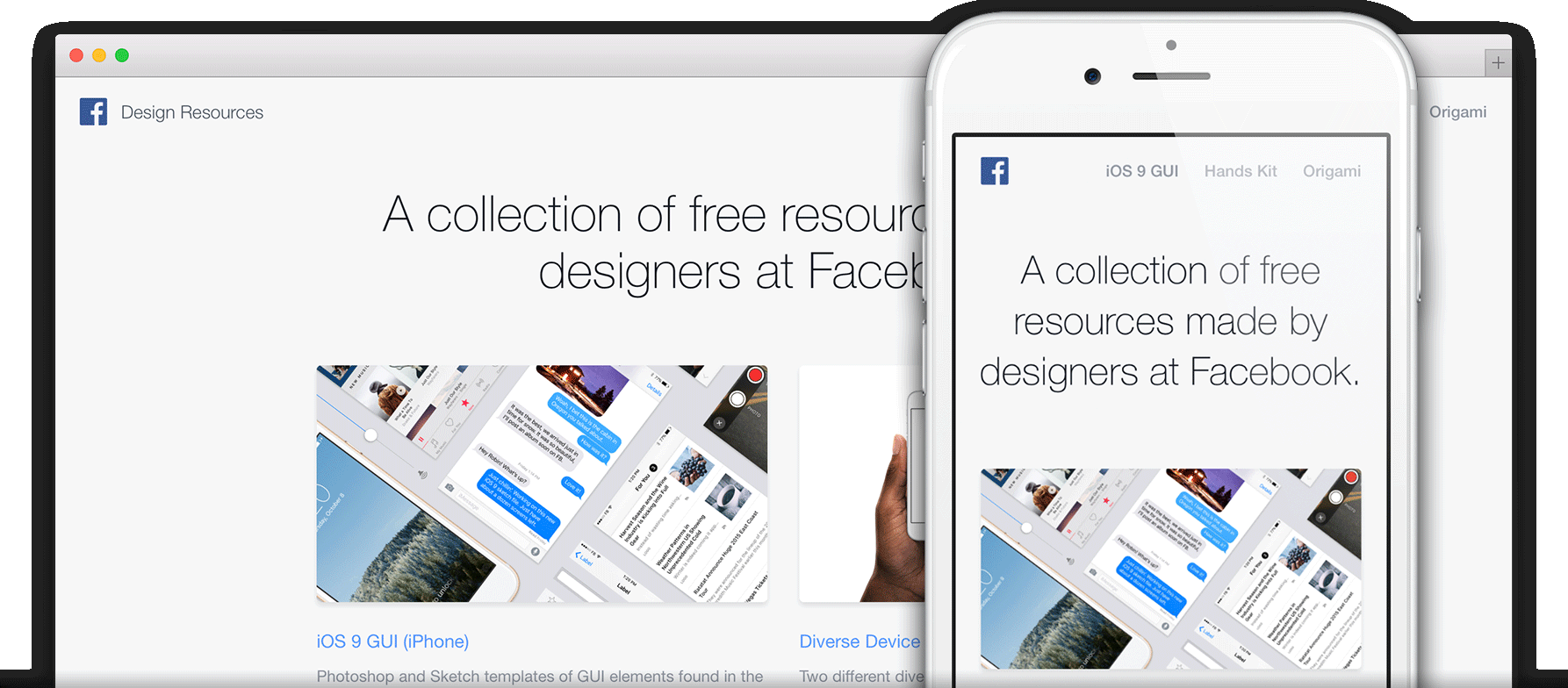
Credit: pages.github.com
Choosing A Control Panel
cPanel makes managing websites easy. It has a friendly interface. Even beginners find it simple. You can manage files, emails, and databases. It’s very popular for hosting. Many hosting services use cPanel.
Plesk is flexible. It works on Windows and Linux. You can manage multiple websites. Plesk supports different technologies. Developers like its versatility. It is perfect for advanced users and beginners.
Webmin is for advanced users. It offers many features. You can control many settings. Webmin is free and open-source. It’s great for those who like customization. It needs some technical skills.
Security Software Essentials
SSL Certificates keep your data safe. They encrypt information. This protects users from hackers. Websites with SSL are trusted more. Users feel safe with these sites. Without SSL, data can be stolen. Always use SSL for secure communication.
A firewall blocks bad traffic. It stops hackers from entering. Firewalls make sure only safe data enters. They are like guards for your network. Some firewalls are free, others need payment. Choose a reliable firewall for strong security.
Malware can harm your computer. It can steal data or destroy files. Malware scanners find these bad programs. They remove them quickly. Scanners keep your system clean. Regular scans are important for safety. Use scanners to protect your domain.
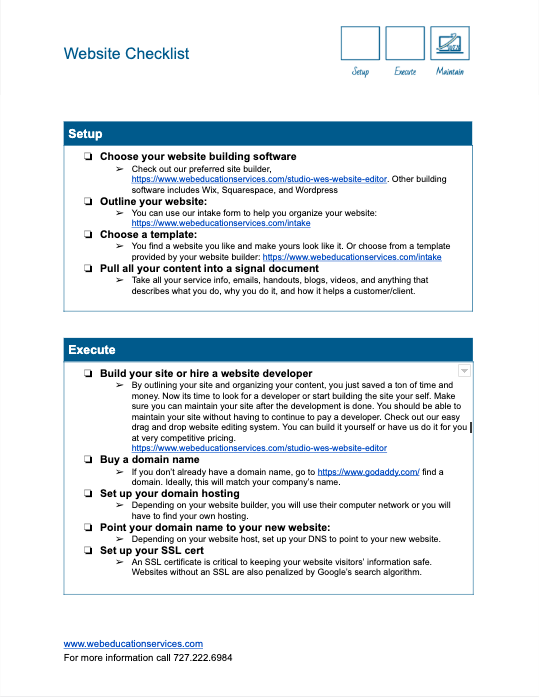
Credit: www.webeducationservices.com
Backup Solutions
Explore backup solutions with software like cPanel or Plesk for hosting your web domain. These tools offer user-friendly interfaces and essential features for seamless domain management. Secure your data and ensure reliable hosting with these trusted options.
Automated Backup Tools
Keeping your data safe is very important. Automated backup tools can help. These tools save your work without you needing to remember. Once set up, they do the job on their own. Ease and reliability make them a popular choice. They work on a schedule. You can choose daily or weekly backups. With these tools, data loss worries are fewer. They ensure your files are always backed up. No manual work needed.
Cloud-based Backup Options
Cloud-based options store your data online. This means your files are safe from computer problems. You can access them anywhere, anytime. Google Drive and Dropbox are popular choices. They offer free storage up to a limit. For more space, you can pay a bit extra. Files are encrypted, ensuring they stay private. These services update your backups automatically. No need to worry about doing it yourself.
Monitoring And Optimization Tools
Tools like New Relic and Datadog help check server health. They show how well your server works. This is very important. It helps keep websites up and running. Data from these tools can show slow areas. Fix them to make things better. They also send alerts if something breaks. This way, you can fix it fast. A good server means a happy website.
Google PageSpeed Insights and GTmetrix are great tools. They help make websites load fast. Speed is key. People leave slow sites. These tools show what slows a site down. Use their tips to make it faster. A fast site is good for business. It keeps people coming back. It also helps your site rank higher in search results.
Dns Management Software
BIND stands for Berkeley Internet Name Domain. It is a popular choice for DNS server needs. Many people trust it for its reliability and flexibility. BIND is open-source. This means it is free to use. It works on most systems like Linux and Windows. It handles domain name resolution well. Many large organizations use BIND. It’s suitable for both small and big setups.
PowerDNS is another great option. It is known for its high performance. PowerDNS can handle many DNS requests fast. It is also open-source. Many people like it for its speed and security. PowerDNS is easy to set up. It works on various platforms. It is perfect for websites that need quick DNS responses. Many companies rely on PowerDNS for their needs.
Email Server Software
Postfix is a great choice for mail transfer. It is reliable and secure. Many people use it for sending emails. It helps in handling large amounts of emails. Postfix is easy to set up. It also works well with other software. This makes it a popular choice for many.
Dovecot is ideal for managing emails. It supports IMAP and POP3 protocols. This means you can access emails from anywhere. Dovecot is fast and uses less memory. It is also secure and keeps emails safe. Many users prefer Dovecot for its simplicity. It is easy to install and works well with Postfix.

Credit: www.facebook.com
Frequently Asked Questions
How Can I Host My Own Website Domain?
To host your website domain, choose a reliable hosting provider, register your domain, and configure DNS settings. Upload your website files via FTP and ensure your site is secure with an SSL certificate. Finally, test your website for functionality before launching it publicly.
What Do I Need To Host My Own Website?
To host your own website, you need a domain name, web hosting service, and website files. Choose a reliable hosting provider and ensure your site is secure. Optimize for SEO to attract visitors. Regularly update content and monitor site performance.
Can I Use My Computer To Host A Website?
Yes, you can host a website on your computer using server software. Ensure your internet connection and hardware are reliable. Consider security measures and keep your computer running 24/7. For professional hosting, using a dedicated hosting service is recommended for better performance and security.
How Do You Create Your Own Hosting Provider?
Start by researching server requirements and setting up a reliable infrastructure. Register your business and obtain hosting software. Configure security measures and create pricing plans. Develop a user-friendly website and integrate billing systems. Market your hosting services to attract customers.
Conclusion
Choosing software for web hosting can be simple. Start with what you need. Consider cost, features, and support. Popular choices include Apache, Nginx, and Lighttpd. Each offers unique benefits. Apache is user-friendly. Nginx handles traffic well. Lighttpd uses low resources.
Match software with your skills and needs. Research and compare options. Read user reviews. Remember, the right software makes hosting easy. Keep learning and exploring. Your website deserves the best. Hosting your own domain is rewarding. Enjoy the process and grow your skills.
Happy hosting!


