
Are you wondering how much you should expect to pay for a sales system solution? Whether you’re a small business owner or managing a growing team, understanding the costs behind sales systems can feel confusing.
Prices vary widely depending on features, complexity, and the provider you choose. But knowing what others typically charge can help you make smarter decisions and avoid overspending. You’ll discover clear insights into the pricing of sales system solutions, what factors influence those costs, and how to find the best value for your money.
Keep reading to get the answers you need to invest confidently in a system that will boost your sales and streamline your operations.
Sales System Pricing Basics
Understanding the basics of sales system pricing helps businesses plan their budgets. Sales system solutions vary widely in cost depending on features and complexity. Knowing the pricing basics allows you to compare options clearly. This section breaks down common types of sales systems and key pricing factors.
Types Of Sales Systems
Sales systems come in different forms. Point of Sale (POS) systems handle in-store transactions. Customer Relationship Management (CRM) systems focus on managing customer data and interactions. Some systems combine both POS and CRM functions. There are also cloud-based and on-premise solutions. Each type serves different business needs and has different costs.
Key Pricing Factors
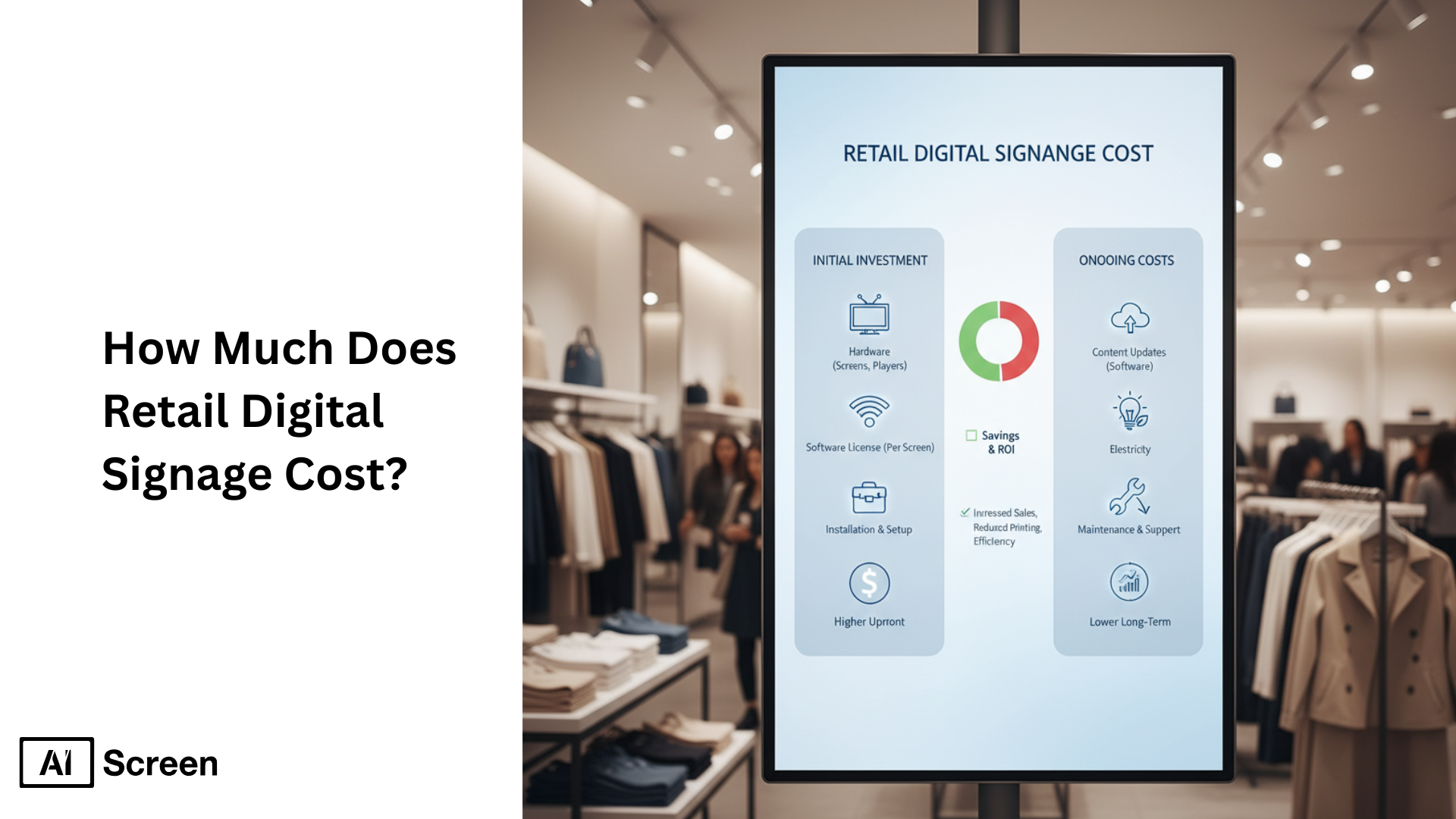
Pricing depends on many factors. Number of users affects the price. More users usually mean higher costs. Feature set also impacts cost; basic versions are cheaper. Advanced features like analytics or automation raise prices. Deployment style matters too—cloud systems often use monthly fees, while on-premise may require a one-time payment. Support and training services may add extra charges. Customization and integration with other software also increase the price.

Credit: www.moneris.com
Point Of Sale System Costs
Point of Sale (POS) systems help businesses handle sales and manage customers. The cost depends on various factors. Understanding these costs helps businesses plan their budgets well.
POS systems usually include hardware, software, and extra services. Each part has its own price. These costs vary by provider and system features.
Hardware And Software Expenses
Hardware includes devices like terminals, barcode scanners, and receipt printers. Prices range from a few hundred to thousands of dollars. Software costs depend on features and complexity. Some software requires a one-time payment, while others need regular updates.
Monthly Subscription Fees
Many POS systems charge monthly fees. These fees cover software access and support. Prices typically range from $20 to $100 per month. Higher fees often mean more features and better customer service.
Additional Service Charges
Some providers add fees for services like payment processing or cloud storage. These charges can be per transaction or monthly. Installation and training may also cost extra. Always check for hidden fees before choosing a system.
Crm System Pricing
CRM system pricing varies widely depending on the vendor and the features included. Businesses must understand different pricing models before choosing a CRM solution. Pricing affects overall cost and how you scale your system as your team grows.
Many CRM providers offer flexible plans to meet diverse business needs. Understanding the pricing structure helps companies avoid unexpected expenses. Let’s explore common CRM pricing models and what they mean for your business.
License Models
CRM systems often charge based on license types. Some offer perpetual licenses, where you pay once and own the software. Others use subscription licenses, charging monthly or yearly fees. Subscription models usually include updates and support.
License models can also depend on deployment. Cloud-based CRMs charge subscription fees. On-premise solutions may require upfront license purchases plus maintenance costs. Choose a model that fits your budget and technical setup.
User-based Pricing
User-based pricing charges per individual who accesses the CRM. This model suits small to medium teams that want to control costs. Each user gets a login and personalized access to the system.
Costs rise as you add users. Some CRMs offer discounts for larger teams. User-based pricing helps businesses scale easily without paying for unused seats. It also allows clear budgeting based on team size.
Tiered Feature Plans
Many CRMs provide tiered plans with different feature sets. Basic plans include essential tools like contact management and simple reporting. Higher tiers offer advanced features such as automation, analytics, and integrations.
Businesses pay more for premium plans with more capabilities. Tiered pricing allows companies to start with a simple plan and upgrade as needs grow. It matches price to value by offering features relevant to each stage.
Erp System Pricing Models
ERP system pricing models vary widely based on business needs and vendor offerings. Understanding these models helps companies budget effectively. Costs often include more than just software purchase. Implementation, licensing, customization, and ongoing maintenance all affect the total price. Choosing the right pricing model depends on company size and goals.
Implementation Costs
Implementation costs cover installation and setup of the ERP system. They include data migration, training, and system integration. This phase requires expert support to ensure smooth operation. Costs vary based on system complexity and business size. Small businesses usually pay less than large enterprises. Proper implementation reduces future issues and expenses.
License Fees
License fees allow users to access the ERP software. Pricing can be subscription-based or a one-time payment. Subscription fees are often monthly or yearly. Some vendors charge per user or per module. One-time licenses might include support for a limited time. Always check what the license covers before purchasing.
Customization And Maintenance
Customization adapts the ERP system to specific business needs. This may include adding features or changing workflows. Custom work increases initial costs but improves usability. Maintenance keeps the system updated and secure. Vendors usually offer maintenance as an ongoing service. Budgeting for these ensures the system stays efficient and reliable.
Pricing For Small To Medium Businesses
Small to medium businesses often need sales system solutions to improve their sales processes. Pricing varies widely depending on features, user numbers, and customization. Understanding typical costs helps these businesses plan budgets wisely. Choosing the right system means balancing price with business needs and future growth.
Budget Considerations
Many sales systems offer tiered pricing plans. Entry-level plans start around $20 to $50 per user monthly. Mid-level options range from $50 to $150 per user monthly. Advanced or custom solutions can cost $200 or more per user each month. Some providers charge setup fees or require annual contracts. Businesses must factor in training and support costs. Cloud-based solutions often reduce upfront expenses. On-premise systems might require larger initial investments for hardware and licenses.
Cost Vs. Value Analysis
Low-cost systems may lack advanced features needed for growth. Higher prices often mean better automation and integration capabilities. Consider how the system improves sales efficiency and customer management. A more expensive system can save time and increase revenue. Assess the return on investment by comparing system costs to expected sales gains. Look for systems with scalable pricing that grows with the business. Avoid paying for features that will not be used. Prioritize solutions that offer clear benefits to daily sales operations.

Credit: www.sphinx-solution.com
Sales Software Monthly Charges
Sales software monthly charges vary widely based on features and user needs. Many businesses prefer monthly payments for flexibility and updates. Understanding these charges helps you plan budgets and select the right solution for your sales team. Monthly fees often cover access, support, and cloud storage, making them easier to manage than upfront costs.
Subscription Vs. One-time Payment
Subscription plans charge a monthly fee for ongoing software use. This fee usually includes updates and customer support. One-time payments require a large upfront cost but no monthly fees. Subscriptions suit businesses wanting the latest features and easy scaling. One-time payments fit companies with stable needs and limited budgets.
Common Pricing Ranges
Basic sales software subscriptions start around $20 per user each month. Mid-level plans range from $50 to $100 per user monthly. High-end or enterprise solutions can cost $150 or more per user monthly. Prices vary depending on features like automation, analytics, and integrations. Some vendors offer discounts for annual payments or large teams.
Comparing Leading Sales Systems
Choosing the right sales system solution is crucial for any business. Different systems offer various features and price points. Comparing the leading sales systems helps find the best fit for your needs and budget. This section explores popular providers and compares their key features and costs.
Popular Providers
Many sales system solutions are available today. Salesforce is a top name, known for its robust CRM and sales tools. HubSpot offers a user-friendly platform with marketing and sales integration. Zoho CRM is popular for its affordability and customization options. Pipedrive focuses on simplicity and pipeline management. Each provider targets different business sizes and requirements.
Feature And Price Comparison
Salesforce pricing starts around $25 per user monthly for basic plans. Its advanced plans can go over $150 per user monthly. HubSpot offers a free tier, with paid plans from $45 to $1200 monthly, depending on features. Zoho CRM begins at $14 per user monthly, with more features at $40 or $52 levels. Pipedrive charges from $15 to $99 per user monthly.
Features vary by plan. Basic plans include contact management and sales tracking. Higher tiers add automation, analytics, and integrations. Businesses should assess needed features versus budget. Some providers charge extra for add-ons or support. Understanding these details avoids surprises later.
Hidden Costs In Sales Solutions
Hidden costs in sales system solutions often surprise businesses. These extra fees go beyond the initial purchase price. Overlooking them can lead to budget problems and delays. Understanding these costs helps companies plan better and avoid unexpected expenses.
Training And Support Fees
Training is essential for using a sales system well. Many providers charge extra for training sessions. These fees cover teaching staff how to use the system properly. Support fees may also apply after purchase. Support helps fix problems and keep the system running smoothly. Some companies offer limited free support, but extended help often costs more.
Integration Expenses
Sales systems rarely work alone. They need to connect with other tools like accounting or marketing software. Integration can involve extra work and costs. Businesses may pay for custom coding or special connectors. These expenses vary depending on the complexity of the systems. Ignoring integration costs can lead to incomplete setups and lost productivity.
Negotiating Sales System Pricing
Negotiating the price of a sales system solution can save businesses a significant amount. Sellers often have some flexibility, especially for small to medium-sized companies. Understanding key negotiation points can lead to better deals and more favorable terms.
Discount Opportunities
Many vendors offer discounts based on contract length or payment terms. Paying annually instead of monthly often lowers the total cost. Volume discounts may apply if you buy licenses for many users. Some providers reduce prices for startups or non-profits. Always ask about seasonal promotions or special deals. Negotiating early in the sales process can secure better discounts.
Contract Terms To Watch
Look closely at contract length and renewal terms. Long contracts might lock you into high prices. Check if price increases are capped or unlimited. Understand cancellation policies to avoid penalties. Ensure the contract includes support and updates at no extra cost. Clear terms protect your budget and prevent surprises later.
Credit: www.aiscreen.io
Frequently Asked Questions
What Is The Cost Of Sales System?
The cost of a sales system varies widely, typically ranging from $20 to $300 per month. Prices depend on features, user numbers, and software type. Small businesses may pay less, while advanced systems for larger companies cost more. Customization and integration also affect the final price.
What Is The Average Cost Of A Point Of Sale System?
The average cost of a point of sale system ranges from $300 to $1,500 for hardware. Software fees typically cost $20 to $100 monthly. Additional costs may include installation, maintenance, and payment processing fees. Small businesses often spend around $600 to $1,200 upfront.
How Much Does Sales Software Cost?
Sales software costs vary widely, ranging from $10 to $150+ per user monthly. Pricing depends on features and scalability. Free plans or one-time fees may apply for basic options. Always compare vendors to find the best fit for your business needs and budget.
What Is The Average Cost Of A Crm System?
The average CRM system costs between $12 and $150 per user monthly, depending on features and scalability.
Conclusion
Pricing for sales system solutions varies widely by features and provider. Small businesses often spend less than large enterprises. Monthly fees can range from affordable to premium plans. Customization and support add to the total cost. Choose a solution that fits your budget and needs.
Understanding pricing helps avoid unexpected expenses later. Compare options carefully before deciding on a system. Investing in the right sales system supports better business growth.


