
Imagine you’re launching a new website. You’ve got stunning visuals, compelling content, and a brilliant idea to share with the world.
But there’s one crucial piece missing: web hosting tools. Without these, your website is like a car without an engine—full of potential but going nowhere fast. You might be wondering, what exactly are web hosting tools, and why do they matter for your online presence?
Web hosting tools are the unsung heroes behind every successful website. They power your site, keep it secure, and ensure it runs smoothly for your visitors. Whether you’re a seasoned developer or just getting started, understanding these tools can unlock a world of possibilities. With the right web hosting tools, you can enhance your site’s performance, improve user experience, and even boost your search engine rankings. Curious about how these tools can transform your digital space? Stick around. We’ll break down everything you need to know about web hosting tools, helping you make informed decisions that can skyrocket your site’s success. Let’s dive in and discover how you can leverage these tools to elevate your online game.
Types Of Web Hosting
Shared hosting is like sharing a room. Many websites live on one server. Costs are low because resources are shared. This type is great for small websites and blogs. But, if one site gets busy, others may slow down. It’s easy to use and perfect for beginners.
VPS hosting is like having your own apartment. A server is divided into parts. Each part is called a virtual private server. You get more control and resources. It’s more secure than shared hosting. Good for websites that need more power. It costs more than shared hosting.
Dedicated hosting is like owning a house. You get the whole server. No sharing with anyone. High performance and security are the benefits. Best for large businesses. It can handle heavy traffic. This is the most expensive option.
Cloud hosting uses many servers. If one server fails, others help. This makes it reliable. You only pay for what you use. Scalable and flexible. It can grow with your needs. Perfect for sites with changing traffic. Costs vary based on usage.
Essential Features
Bandwidth and storage are key in web hosting. Bandwidth means the amount of data that can be sent. More bandwidth lets more users visit your site. Storage is where your site files are kept. Images and videos need more storage. Choose hosting that fits your needs.
Uptime is the time your site is online. Uptime guarantee means your site will be up most of the time. Look for a host that offers at least 99% uptime. This keeps your site available to users.
Security is crucial for any website. Security measures protect your data. Look for hosts with firewalls and SSL certificates. These keep hackers away. Regular updates help too. Ensure your host takes security seriously.
Control Panels
cPanel is a popular web hosting control panel. It helps manage websites easily. Users find it simple and friendly. You can add email accounts, databases, and files. It offers many features that help manage sites better. cPanel is used worldwide for web hosting tasks. It supports multiple languages too. It is a trusted choice for many users.
Plesk is another control panel for web hosting. It supports both Linux and Windows servers. Many website owners prefer Plesk for its ease of use. It offers a clean interface for managing sites. Users can install applications with one click. Plesk helps in website security and updates. It is a reliable tool for managing web servers.
DirectAdmin is a simple control panel. It is lightweight and fast. Users find it easy to navigate. It supports multiple users and domains. DirectAdmin is less complex than other panels. It offers basic tools for web hosting. It is a cost-effective choice for many businesses. Users like its simplicity and efficiency.
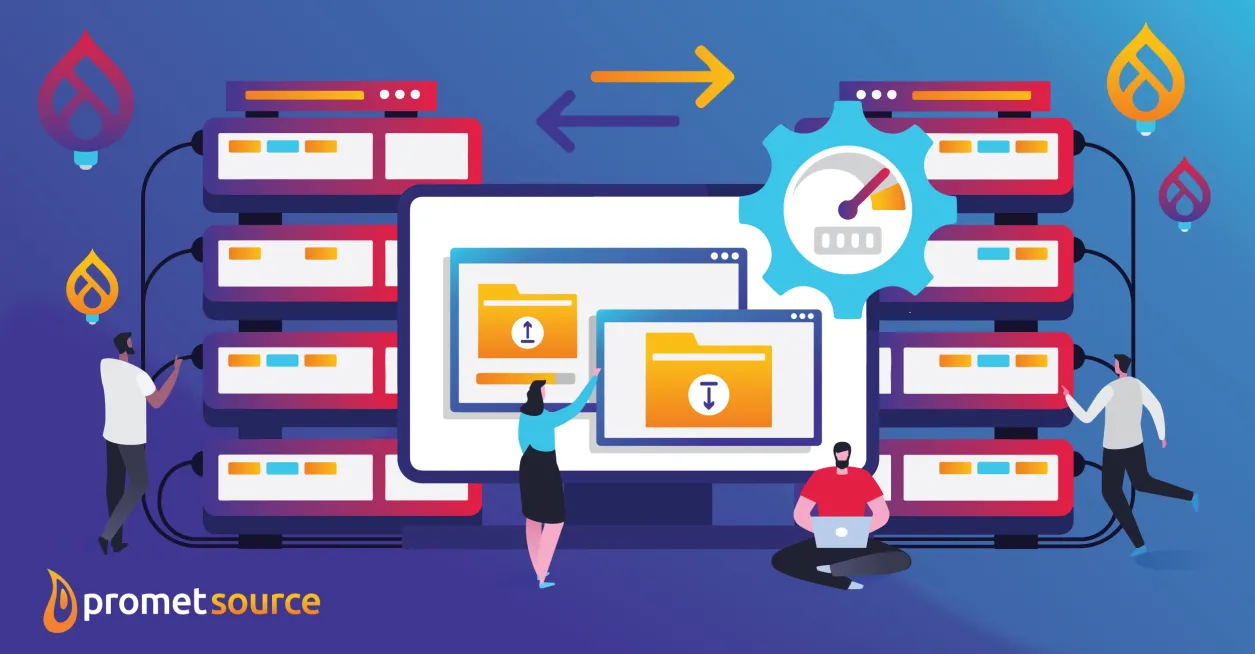
Credit: www.prometsource.com
Performance Optimization Tools
Websites load faster with caching solutions. These tools store copies of web pages. This means less work for your server. More speed for your users. Popular tools include Varnish and Memcached. They help reduce load times. Faster sites mean happy visitors.
CDNs spread your content worldwide. They store copies close to users. This reduces lag. Your website loads quicker. Cloudflare and Amazon CloudFront are top choices. They make sites fast and reliable. Users love fast-loading pages.
Load balancing divides traffic evenly. It uses multiple servers. This prevents overload. HAProxy and Nginx are popular tools. They keep sites stable. Balanced loads mean no downtime. Users stay happy.
Backup Solutions
Automated backups save time and reduce errors. Software can schedule these backups. Data is stored safely without needing user action. This method is fast and reliable. Many hosting providers offer automated backup services. Cloud storage is often used for safe keeping. Users can relax knowing their data is secure.
Manual backups need user action. Users must select files and folders. Copy them to a safe place. External drives or cloud storage can be used. Manual backups give control over data. Users decide what to save. This option is useful but takes time. Regular checks ensure data safety.
Disaster recovery plans are crucial. They help restore lost data. Natural events or cyber threats can cause loss. Recovery tools retrieve data quickly. Hosting providers often include these tools. Regular updates to plans are important. Users should understand their recovery options.

Credit: www.cloudpanel.io
Security Tools
SSL Certificates keep your data safe. They help protect information between users and websites. With SSL, users see a padlock icon in the browser. This icon means their data is secure. Websites with SSL show “https” in their URL. This is a sign of trust and safety. Many users feel better when they see this. Without SSL, data could be at risk. So, SSL is very important for any website.
Firewall Protection acts like a shield for your website. It blocks bad traffic and keeps out hackers. Firewalls check data coming in and going out. They make sure only safe data gets through. This helps keep your website secure. Firewalls are very important for keeping websites safe. They guard against many threats online.
Malware Scanning helps find harmful software on your site. It checks files and looks for anything dangerous. If it finds malware, it alerts you. Removing malware quickly is important. It keeps your site healthy and visitors safe. Regular scans prevent damage and data loss. This tool is a must-have for website security.
Support Services
Web hosting tools help manage websites smoothly. They provide support for server management, security, and data backups. Essential for maintaining website performance and ensuring user access.
Technical Support
Technical support helps solve problems fast. Experts are ready to answer questions. They fix bugs and errors. 24/7 support is often available. This means help anytime. Some teams use live chat. Others use email or phone. Choose the best way for you. Support makes hosting easier.
Knowledge Base
A knowledge base is a library of articles. It helps users learn on their own. Guides and tutorials teach new skills. FAQs answer common questions. Users find solutions quickly. It’s a great resource. Easy to read and use. Many topics are covered. Check it out when stuck.
Community Forums
Community forums are places to talk. Users share tips and tricks. Ask questions and get answers. Meet other users and learn from them. Forums are friendly and helpful. People share their experiences. It’s like a big group chat. Discover new ways to solve problems.
Choosing The Right Tools
Understand what your website needs. Small websites need fewer resources. Big websites might need more storage and bandwidth. Think about what tools can help. Some tools help with security. Others help with speed or design.
Money matters. Some tools cost a lot. Others are free or cheap. Decide how much you can spend. Look for tools that fit your budget. Don’t spend too much. But also don’t choose tools that are too cheap. Balance is key.
Think about the future. Will your website grow? Choose tools that can grow too. Some tools work well now. But might not work later. Pick tools that can handle more users. Or more data. Planning ahead helps avoid problems.

Credit: uasg.tech
Frequently Asked Questions
What Are The 3 Types Of Web Hosting?
The three types of web hosting are shared hosting, VPS hosting, and dedicated hosting. Shared hosting is cost-effective, ideal for beginners. VPS hosting offers more resources and control, suitable for growing websites. Dedicated hosting provides maximum control and performance, perfect for large businesses.
What Are Hosted Tools?
Hosted tools are online software services managed by third-party providers. They offer cloud-based access and maintenance, enhancing productivity without installation hassles. Users benefit from regular updates, scalability, and security. Ideal for businesses, they minimize technical overhead while ensuring efficient operations.
Examples include Google Workspace and Dropbox.
What Is Web Hosting And An Example?
Web hosting is a service that stores and serves websites on the internet. An example is Bluehost, which provides reliable hosting solutions for businesses and individuals.
What Are Web Hosting Platforms?
Web hosting platforms provide online space and services to store websites and make them accessible on the internet. They offer various features like server management, security, and support, catering to different website needs. Popular options include shared, VPS, and dedicated hosting, ensuring reliability and performance for websites.
Conclusion
Web hosting tools simplify managing your website. They offer essential features and support. Easy site backups, security options, and speed enhancements are available. These tools help keep your site running smoothly. Choosing the right hosting tool can make a big difference.
It ensures your site is reliable and efficient. Explore options that fit your needs. Compare pricing, features, and reviews. Make informed decisions based on your goals. The right tools can improve your online presence. Start with basic tools and grow as needed.
Keep your site safe and accessible to all visitors.


