
Imagine having the power to control every aspect of your website with just a few clicks. Sounds appealing, right?
That’s exactly what cPanel offers you in the realm of web hosting. If you’ve ever felt overwhelmed by the technicalities of managing a website, you’re not alone. But here’s the good news: cPanel simplifies the process, making it accessible even if you’re not a tech expert.
You’ll discover how cPanel can transform your web management experience, saving you time and energy. By the end of this article, you’ll understand why cPanel is a game-changer for anyone looking to streamline their online presence. Ready to take control of your website effortlessly? Let’s dive into the world of cPanel and see what it can do for you.

Credit: www.interserver.net
Cpanel Overview
CPanel is a tool for managing websites. It helps control many parts of a website. You can use it to manage files, emails, and databases. It makes web hosting simple. CPanel uses a graphical interface that is easy to understand. Even beginners can use it. The dashboard is user-friendly. It shows everything in one place. No need for complex codes or commands.
Many web hosting companies offer CPanel. It is widely popular. It saves time and effort. Users can install applications with one click. This includes WordPress and other tools. Backup and security options are also available. CPanel is a powerful tool for anyone with a website.
User-friendly Interface
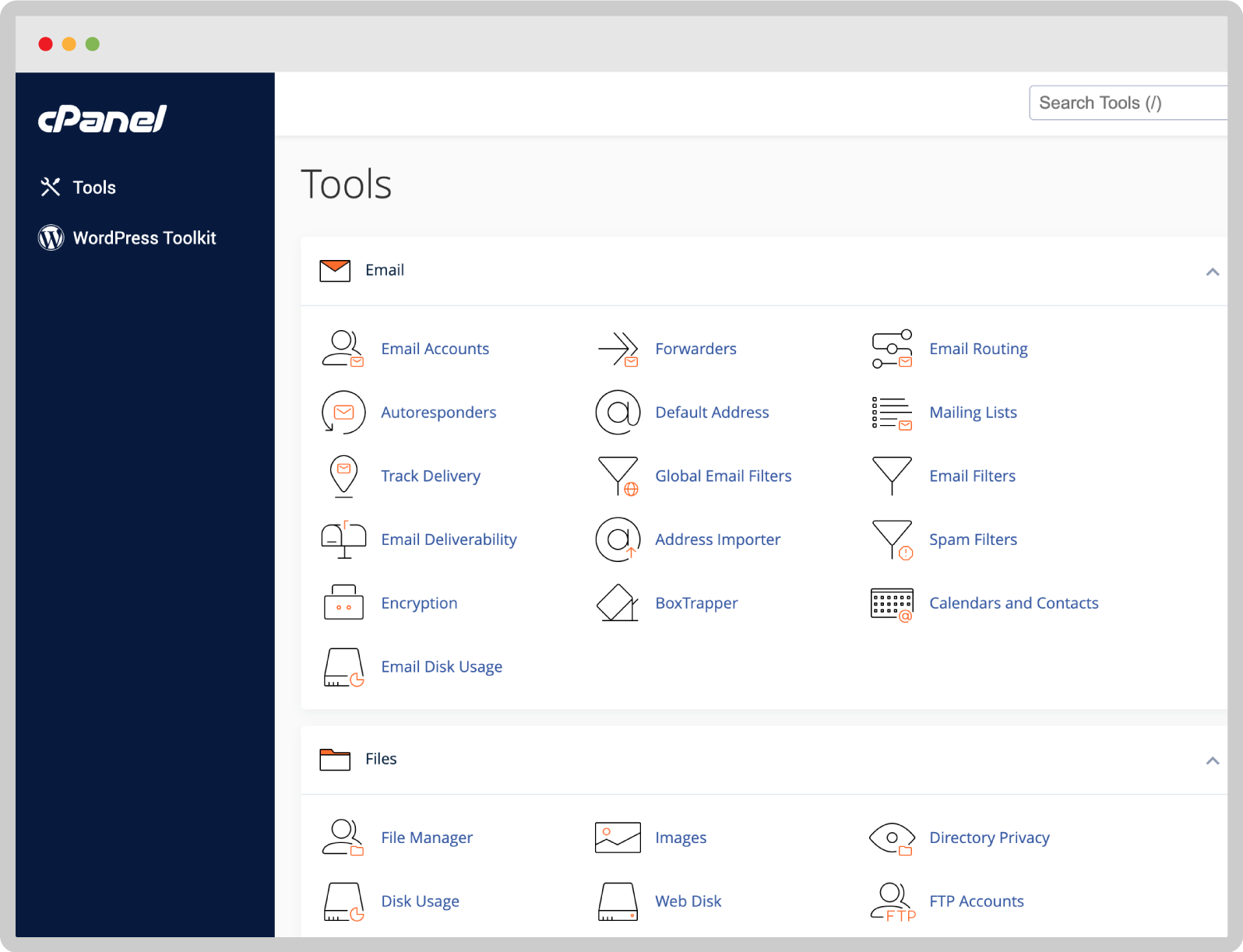
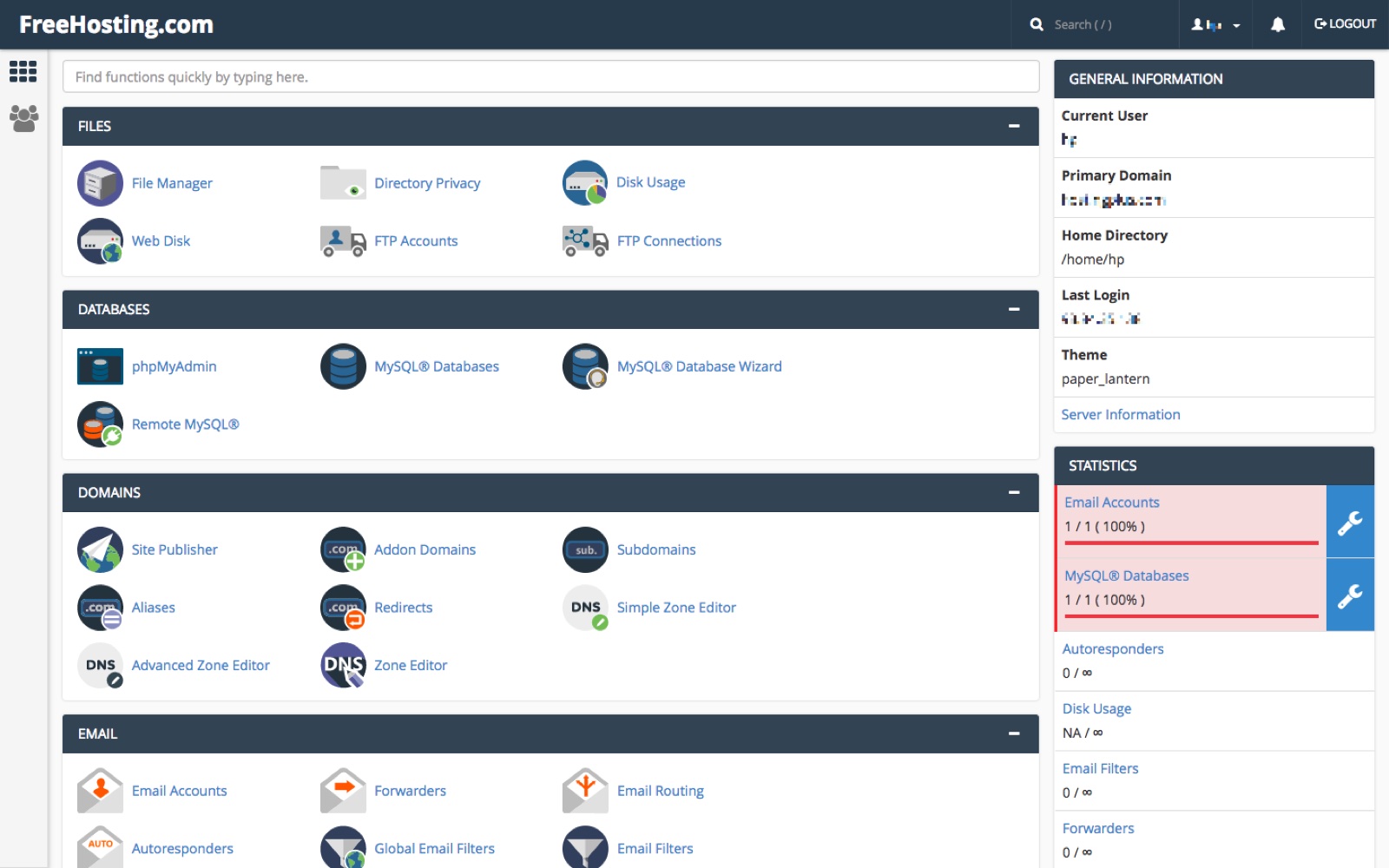
cPanel offers a simple layout for web hosting users. Many icons are present for easy navigation. Users can manage files, emails, and databases with just a few clicks. Even beginners find it easy to use. The design is clean and organized. Each section is labeled clearly. This helps users find tools quickly.
The interface supports multiple languages. This is helpful for people worldwide. Users can change settings easily. Tutorials are available within cPanel. They guide users through each task. This makes learning smooth and simple. The dashboard is customizable. Users can arrange it to suit their needs.
Account Management
Cpanel helps you make email accounts fast. First, click on the email section. Then, choose “Create Account”. Enter the name you want. Pick a strong password. Now, your email is ready. You can send and get messages. It’s that easy!
You can control domains with Cpanel. Add a new domain by selecting the domain tool. Type your domain name. Click “Add Domain”. Now, your domain is linked. You can also remove domains. Just select the domain and choose “Remove”.
Databases store your site data. To create one, go to the database section. Click on “Create Database”. Name your database. Then, add a user. Give it a password. Link the user to the database. Now, your database is ready for use!
File Management
The File Manager Tool in cPanel lets you manage files easily. It works like the file explorer on your computer. You can upload, download, delete, or rename files. It is good for moving files or creating new folders. You do not need any special skills to use it. It’s simple and fast.
FTP Access means connecting to your website’s files through the Internet. You use a special program, called an FTP client, for this. It lets you transfer files to and from the server. This method is useful for managing many files. You can make changes to your website without logging into cPanel directly.
Security Features
SSL certificates keep data safe. They make sure information is private. Cpanel helps install these certificates easily. This means websites are secure. Visitors feel safe when they see the lock icon. It builds trust and confidence. No complex steps needed. Just follow simple instructions.
Password protection keeps areas safe. Only users with passwords can enter. Cpanel allows setting strong passwords. Easy to create and manage. Protects important files and folders. Keeps unwanted visitors out. This provides an extra layer of security. Simple tools make it easy for everyone.
Software And Applications
Cpanel is a popular control panel in web hosting. It helps manage websites easily. Users can handle domains, emails, and databases.
One-click Installations
Cpanel makes installing software easy. It offers one-click installations. You can install apps with just one click. No need for special skills. This saves time and effort. Everyone can use it.
Popular Applications
Many apps are available in Cpanel. Some popular ones include WordPress, Joomla, and Drupal. These apps help build websites. They are great for beginners. You can also find apps for e-commerce. Examples are Magento and PrestaShop. These help create online stores. All these apps are easy to install.
Performance Monitoring
Cpanel is a popular web hosting tool that simplifies website management. It offers user-friendly interfaces for managing files, databases, and email accounts. Performance monitoring tools within Cpanel help ensure your website runs smoothly and efficiently, enhancing user experience.
Resource Usage Tracking
cPanel helps you track your website’s resource usage. It shows how much CPU and memory your site uses. This helps in finding what needs fixing. A red bar means high usage. Green is good. Keeping these in check avoids slowdowns. Tracking helps you know what part of your site is heavy. You can make changes to improve speed. Always check usage reports in cPanel.
Error Logs
Error logs tell you about problems on your website. These logs list all errors that happen. Reading them helps you fix issues. It is like a list of things that went wrong. cPanel makes it easy to see these logs. Find errors fast and solve them. Fixing errors keeps your site healthy. Look at these logs often. This keeps your website running well.
Credit: www.sectorlink.com
Backup And Restore
Cpanel makes saving your website data easy. It offers automated backups. These backups run on their own. You do not need to do anything. This ensures your data is safe. It saves time and effort. Cpanel stores these backups regularly. You can set how often it backs up your data. Weekly, daily, or even hourly. Choose what works best for you.
Restoring data is simple with Cpanel. It provides easy data recovery options. You can retrieve lost data quickly. This tool is great if your files get deleted. Just click to restore your files. You can also select specific files to restore. It is quick and efficient. Your website will be back up fast.
Customization Options
Cpanel lets you change the look of your website. Choose from many themes. Make your site look unique. Easy clicks for changes. You can match colors to your brand. Add logos quickly. Customize your site with ease. Perfect for beginners.
Install custom scripts using Cpanel. Add special features to your site. Scripts can be for forms, shopping carts, or galleries. No need to code. Just a few clicks. Make your site smart and interactive. Let visitors enjoy new tools. Enhance user experience. Make your site stand out.
Credit: www.freehosting.com
Frequently Asked Questions
What Is The Function Of Cpanel?
CPanel simplifies website management with a user-friendly interface. It allows users to manage domains, files, email accounts, and databases efficiently. This tool provides essential features like backup, security, and performance monitoring. Web hosting becomes easier with cPanel, making it popular among beginners and experts alike.
Why Is A Cpanel Required?
CPanel simplifies website management with an intuitive interface. It allows easy control over domains, emails, and files. It offers powerful features like backups and security tools. CPanel enhances server efficiency and saves time with user-friendly tools. Its compatibility with various applications makes it essential for web hosting.
Is Godaddy A Cpanel?
GoDaddy is not a cPanel. It provides cPanel as a hosting control panel option for managing websites. Users can access features like file management, email setup, and domain management through cPanel on GoDaddy hosting plans. This helps simplify website management for users.
What Is An Example Of A Cpanel?
An example of a cPanel is Bluehost’s control panel. It allows users to manage website hosting efficiently. With features like file management, email settings, and domain management, cPanel simplifies web hosting tasks. It is popular for its user-friendly interface and comprehensive tools.
Conclusion
Cpanel simplifies web hosting for everyone. Its user-friendly interface makes managing websites easy. Even beginners can navigate without difficulty. Key features include file management, email setup, and domain management. Security tools also help protect your data. Cpanel supports various web applications, enhancing your website’s functionality.
Regular updates keep it current and reliable. Choosing Cpanel means less time worrying about technical details. More time focused on creating great content for your site. It’s a trusted choice for many web hosts. Consider Cpanel for a smoother hosting experience.
Perfect for both new and experienced users.


