
Are you diving into the world of web hosting and stumbled upon the term “shell access”? You might be wondering what it means and why it’s important for your website.
Understanding shell access can be a game-changer, offering you the power to manage your web hosting environment with greater efficiency and control. Imagine having the ability to perform tasks faster, directly communicating with your server, and solving problems with ease.
That’s what shell access can offer you. We’ll demystify shell access, explaining what it is, how it works, and why it could be the key to unlocking your website’s full potential. Keep reading to discover how shell access can transform your web hosting experience.

Credit: www.nexcess.net
Shell Access Basics
Shell access lets you talk to your web server. You use text commands. It feels like chatting with your computer. This tool is powerful. It helps you manage files. You can also run programs. It’s like having a secret door to your server.
Shell access has main parts. First is the command line. It’s where you type orders. Next is the terminal emulator. It shows the text interface. Then, there are commands. They tell the server what to do. Bash and SSH are examples. Bash is a shell program. SSH lets you connect safely. These components make shell access work.
Role In Web Hosting
Shell access is like a doorway to your web server. It lets you control the server using commands. This is useful for developers. They can fix issues quickly. It’s like talking directly to the server. Shell access helps in setting up applications. It speeds up tasks and saves time. Many hosting companies offer this feature. It’s a handy tool for those who know how to use it.
Shell access is important for many reasons. First, it gives more control over the server. This means you can make changes easily. Second, it helps in running scripts. Scripts are like short programs. They do tasks automatically. Third, shell access allows for remote management. You can manage your server from anywhere. This is helpful if you are far from your computer.
- File Management: Move or delete files easily.
- Software Installation: Install or update software quickly.
- System Monitoring: Check server health and performance.
- Backup Creation: Make copies of important files.
- User Management: Add or remove server users.
Types Of Shell Access
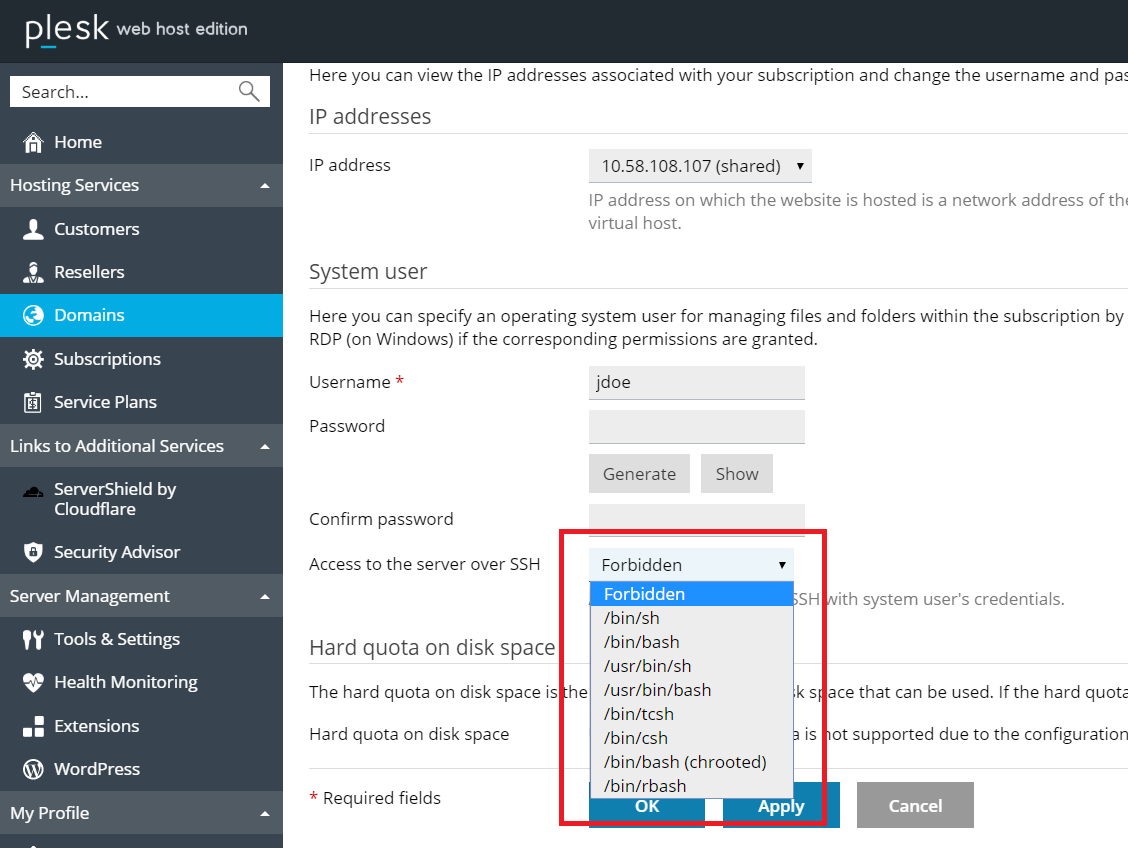
SSH stands for Secure Shell. It provides a safe way to access your server. You can work on your server from anywhere. All data is sent over an encrypted connection. This keeps information safe from hackers. SSH uses a special key for security. You need this key to log in. It is a popular choice for web hosting. It is fast and reliable. Many developers use SSH every day.
Telnet is an older way to connect to servers. It does not use encryption. This means data can be seen by others. Telnet is not as safe as SSH. It is simple to use. But it can be risky. Many web hosts prefer SSH over Telnet. Telnet can be useful for basic tasks. It works well in controlled environments. But for sensitive data, SSH is better. Always think about security first.
Credit: www.plesk.com
Security Considerations
Shell access can be risky if not handled well. Hackers may use it to get into your site. They can steal data or cause harm. Weak passwords make it easy for them. Old software might have holes they can use. Always update your tools. Be careful with whom you share access. Not everyone should have shell access. Limit access to only those who need it.
Use strong passwords to keep accounts safe. Change them often. Always use two-factor authentication for extra safety. This adds a second layer of security. Regular updates are important too. They fix security problems. Avoid using public Wi-Fi when accessing shell. It can be risky. Secure your network to protect data. Limit the number of users who can access shell. Only allow trusted users.
Setting Up Shell Access
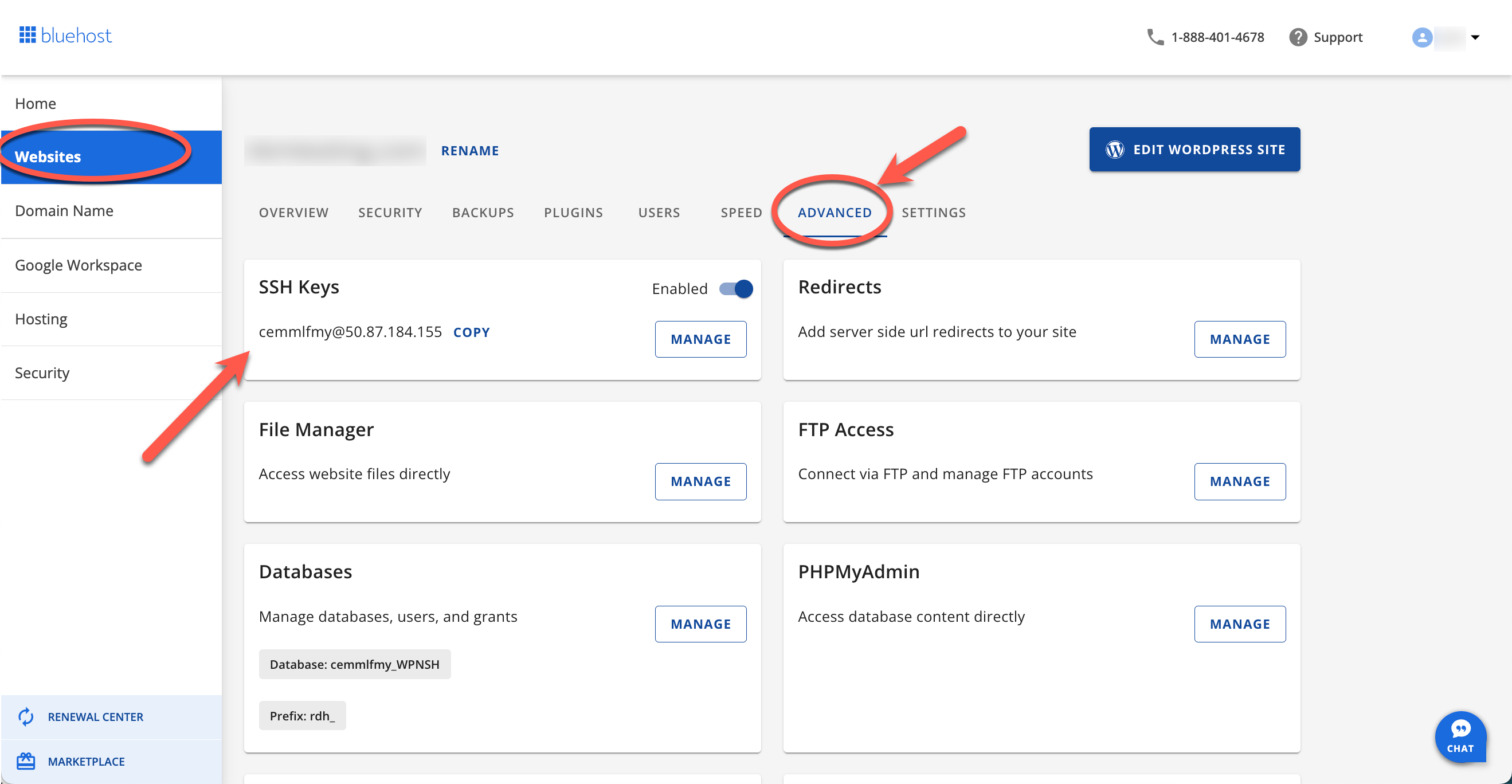
Shell access needs a secure connection. Use SSH for safety. Check if SSH is enabled in your hosting account. You need login credentials. These include a username and password. Sometimes, a private key is required. Make sure your IP address is allowed. Some hosts block unknown IPs. Ensure your computer has a terminal or SSH client installed.
First, open your terminal. Type the command: ssh username@yourserver.com. Replace username with your actual username. Use the server’s address instead of “yourserver.com”. Enter your password when asked. If using a private key, add -i /path/to/key to the command. Wait for the connection. You should see a shell prompt. Now, you have shell access.
Troubleshooting Shell Access
Many face problems with login and permissions when using shell access. Sometimes, passwords may not work. This can happen due to incorrect credentials. Also, files might not open due to wrong permissions.
Another common issue is network problems. This can stop you from connecting. Firewalls and settings may block your access. Ensuring settings are correct is vital.
Always check your username and password. Make sure they are correct. Reset them if you forget. For permissions, use chmod to change file settings. Ensure files are set to allow access.
For network issues, check your internet connection. Ensure firewalls allow access. Contact support if problems persist. Keep your software updated. This helps avoid many issues.
Benefits Of Shell Access
Shell access in web hosting provides direct interaction with the server’s command line. It enhances server management efficiency, allowing users to execute complex tasks easily. This access grants more control, flexibility, and customization for technical configurations and troubleshooting.
Enhanced Control
Shell access gives better control over the server. It allows direct interaction with the server’s operating system. Users can manage files, install software, and run scripts. This level of control is vital for advanced tasks. It helps to customize the server to meet specific needs. Shell access is a powerful tool for tech-savvy users. It allows them to optimize their server’s performance.
Increased Efficiency
Shell access boosts efficiency in server management. Commands can be executed quickly and without delay. This saves time compared to graphical interfaces. Users can perform multiple tasks at once. Automation is easier with shell access. Scripts can handle repetitive tasks. This reduces human error and increases accuracy. It is a good choice for those who need fast server operations.
Credit: www.bluehost.com
Limitations And Challenges
Shell access in web hosting offers powerful tools but presents challenges. It demands technical skills to navigate command-line interfaces. Security risks arise with improper use, requiring caution and knowledge.
Technical Challenges
Shell access is powerful but not easy. It requires technical skills. Many users struggle with command line language. Commands must be typed correctly. A single mistake can cause problems. Files can be lost or damaged. Servers may crash. These issues can be difficult to fix. Not everyone knows how to resolve them. Learning shell access takes time. Patience is needed. It is not for beginners.
User Limitations
Users often lack knowledge. They find shell access confusing. Many prefer user-friendly interfaces. Shell access is not visual. It is text-based. Reading and typing commands can be challenging. Errors are common. Some users fear making mistakes. They worry about breaking their website. Security risks are present. Without caution, sites can be hacked. Proper training is essential. Users must be careful.
Frequently Asked Questions
What Is Meant By Shell Access?
Shell access allows users to interact with a server using a command-line interface. It enables executing commands, managing files, and running scripts directly on the server. This access is crucial for developers and system administrators to manage server operations effectively and securely.
Is Shell The Same As Ssh?
Shell and SSH are not the same. Shell is a command-line interface to interact with the operating system. SSH (Secure Shell) is a protocol for securely connecting to a remote machine, often using a shell interface. Both serve different purposes in system administration and networking.
What Is Secure Shell Access?
Secure Shell (SSH) access provides encrypted network communication. It ensures secure data exchange between devices. Users can remotely manage servers and systems safely. SSH enhances security by preventing unauthorized access. It uses encryption to protect sensitive information and credentials.
What Is Shell In Server?
A shell in a server is a command-line interface. It allows users to execute commands and manage server tasks directly. Shells like Bash or Zsh offer scripting capabilities to automate processes. This interface is essential for server administration, enabling efficient system control and configuration.
Conclusion
Shell access in web hosting offers significant control and flexibility. It allows direct interaction with the server using commands. This can be a powerful tool for managing and customizing your hosting environment. Users can perform tasks quickly and efficiently. It’s ideal for those comfortable with command-line interfaces.
But it’s not necessary for everyone. Beginners might find it intimidating at first. Understanding its basics can help make informed decisions. Consider your needs and technical skills before using shell access. With knowledge, it becomes an asset in your hosting toolkit.
Always ensure your server’s security while using shell access.


