
Are you navigating the world of WordPress and stumbled upon the term “Parent Page”? You’re not alone.
Understanding what a parent page is can transform how you organize and display your website’s content. Imagine having a perfectly structured site that not only makes sense to you but also guides your visitors seamlessly through your content. A parent page is a key element in achieving that, and mastering it can elevate your website’s user experience.
Stick around to learn exactly what a parent page is, why it’s important, and how it can make your WordPress site more intuitive for your audience. Let’s unravel this together and empower you to take control of your site’s structure with confidence.
Credit: www.greengeeks.com
Understanding Parent Pages
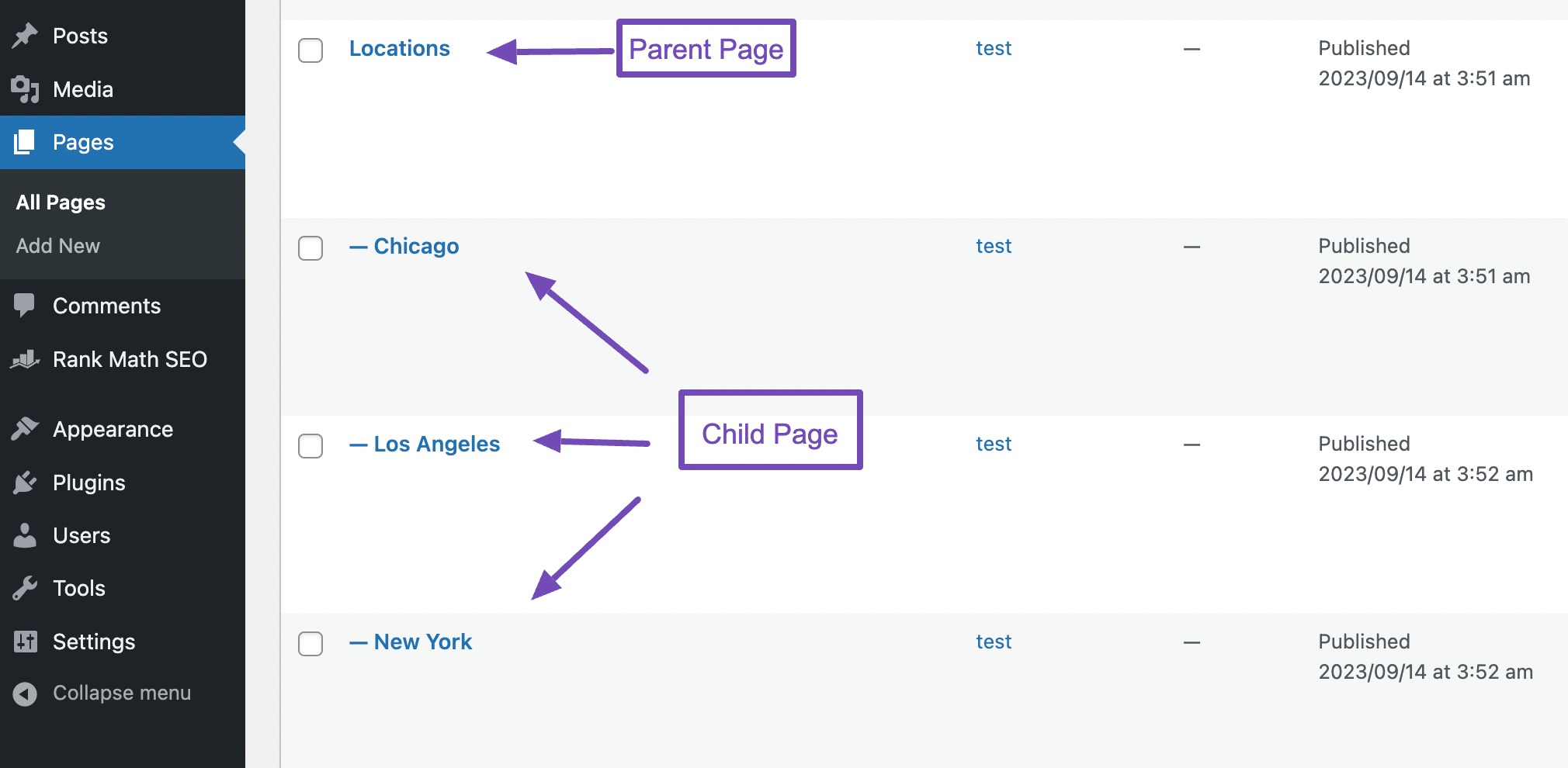
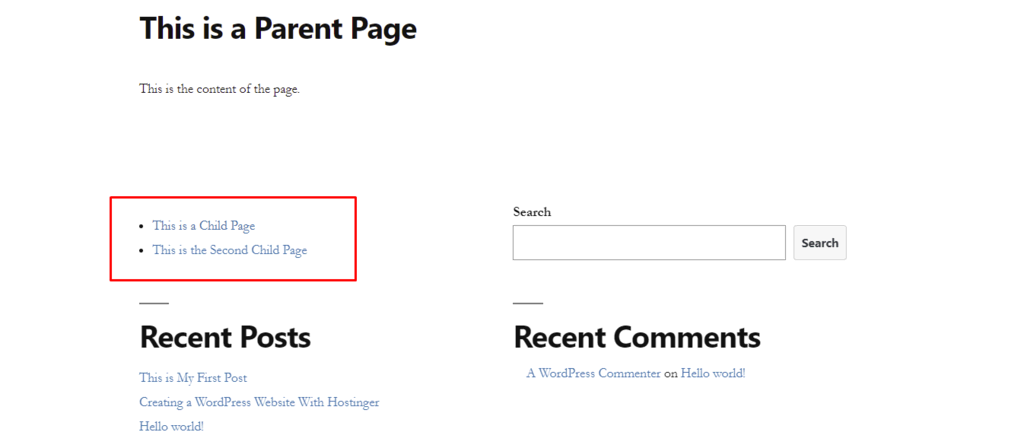
Parent pages are like big folders. They hold other pages. These pages are called child pages. Think of a tree. The trunk is the parent page. Branches are child pages. Parent pages help organize your website. They make it easier to find things. They create a clear path for visitors. A parent page gives structure. It shows the main topic. Child pages show details. This makes browsing simple.
Use parent pages to group similar content. This helps in navigation. It improves user experience. Visitors can find related information quickly. Organizing content is important. Parent pages do this well. They keep your site neat. They improve understanding. Parent pages are powerful tools. Use them wisely.
Credit: rankmath.com
Role In Website Structure
Parent pages help organize content on a website. They act like a folder. Children pages are inside this folder. This makes it easy to find things. Parents and children pages create a clear path for visitors. They help people know where they are on the site. Pages under a parent page are related to each other. This helps make the site tidy.
Using parent pages makes the site user-friendly. It boosts navigation. This helps visitors stay on the site longer. Parent pages help with SEO too. Search engines understand the site’s structure better. This can improve the site’s ranking.
Creating A Parent Page
A parent page in WordPress helps keep your content organized. It acts as a main page. Other pages can be grouped under it. This makes your website easier to navigate. Each child page relates to the parent page’s topic. Visitors can find related content quickly.
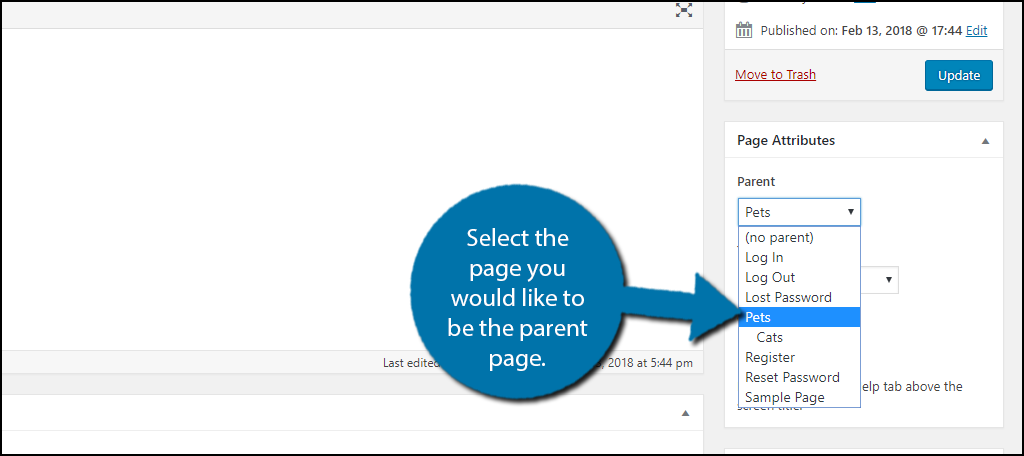
Start by creating your main page. Go to the WordPress dashboard. Click on “Pages,” then “Add New.” Enter a title for your parent page. Add your content. In the right sidebar, find “Page Attributes.” This is where you set the parent page. Choose “No Parent” for your main page. Publish the page when ready.
You have now created a parent page. Next, add child pages to it. This way, your site will be neat and easy to use.
Benefits Of Using Parent Pages
Parent pages help users find information quickly. They group related pages together. This makes the website easy to explore. Visitors can see the structure clearly. No more getting lost. Kids love finding things fast. Parent pages guide them like a map. They make websites less confusing. Simple clicks lead to the right place.
Parent pages help search engines. They organize content better. Search engines like Google understand your site more. This can lead to better rankings. More visitors will find you. Clear structure means clear paths. SEO gets a boost from this. Parent pages show how pages link. This helps with search visibility.
Organizing Content Hierarchically
Organizing content with a parent page in WordPress is simple. A parent page acts like a big folder. It holds other pages inside it. These pages are called child pages. This way, content stays neat and easy to find.
Imagine a book with chapters. The parent page is the book. Each chapter is a child page. This helps readers understand the content better. It also helps search engines know what is important.
Creating a parent page is easy. Go to your WordPress dashboard. Select “Pages” and choose the page you want. Set the parent page from the options. Now, your pages are linked together.
Managing Parent And Child Pages
Child pages belong to a parent page. They help organize content. To assign a child page, go to the page settings. Look for the Page Attributes section. Choose a parent page from the dropdown menu. It is simple and quick. Child pages can be moved later. They make websites tidy. Ensure the parent page is correct. This helps users navigate easily. A well-organized site looks professional. It is important for visitor experience.
Pages can be reordered. This changes the display order. Go to the Pages section in the dashboard. Click on Quick Edit for the page you want. Use the Order field to set a new number. Lower numbers show first. Higher numbers show later. Save changes when finished. Check the new order on your site. Make sure it looks good. Proper order helps visitors find information. It enhances site usability.
Common Use Cases
Corporate websites often use parent pages. They help organize company information. A parent page might be “About Us”. Under it, you find subpages like “Mission” or “Team”. This makes the website easy to navigate. Visitors can find what they need fast. Parent pages also keep content grouped. This helps with branding and structure.
Educational platforms use parent pages too. They group lessons and resources. A parent page might be “Math”. Subpages might be “Algebra” or “Geometry”. This helps students find their lessons. Parent pages make learning organized. Teachers can add more subpages easily. It keeps everything neat and tidy. Students won’t feel lost. This is crucial for online learning.
Troubleshooting Parent Page Issues
Understanding parent pages in WordPress is crucial for organizing content. They act as a hierarchy tool, linking related pages. Troubleshooting involves checking settings, theme compatibility, and plugins to ensure pages display correctly.
Missing Parent Pages
Sometimes, the parent page is not visible. This can be confusing. Ensure the parent page is published. Check if it is set as a draft. A draft page won’t show up. Also, confirm the correct page is assigned as the parent. Navigate to the page settings. Here you can adjust the parent page option. Save changes after updating. This will help fix missing pages.
Incorrect Page Hierarchy
Page hierarchy helps organize your site. Sometimes, pages are in the wrong order. This can make navigation hard. Check your page hierarchy settings. Make sure each page is in the right spot. Use the WordPress dashboard for this. Go to the page settings. Reassign pages to their correct parents. Save your changes. This will help fix the hierarchy.
Credit: www.hostinger.com
Frequently Asked Questions
What Is A Parent Page In WordPress?
A parent page in WordPress is a top-level page that can have subpages. It helps in organizing content hierarchically. This structure is beneficial for maintaining a clean website navigation. Parent pages act as a category for related subpages, enhancing user experience and SEO.
How Do I Set A Parent Page In WordPress?
To set a parent page, go to the page editor in WordPress. In the “Page Attributes” section, choose the desired parent page from the dropdown menu. This creates a hierarchy, linking your page as a subpage under the selected parent page.
Why Use Parent Pages In WordPress?
Using parent pages improves site organization and navigation. It creates a clear hierarchy, making content easier to find. This structure benefits SEO by logically grouping related content. Visitors can easily navigate between related topics, enhancing user experience.
Can A Parent Page Have Multiple Child Pages?
Yes, a parent page can have multiple child pages. This allows you to organize related content under one main category. It improves site structure and navigation. Multiple child pages under a parent page enhance user experience and help with SEO.
Conclusion
Understanding parent pages in WordPress simplifies website structure. They help organize content neatly. This organization enhances user experience and site navigation. Parent pages group similar topics under one main heading. Visitors find related information easily. This clarity boosts engagement and reduces bounce rates.
WordPress offers flexibility in setting up parent and child pages. Use this feature to improve your site’s hierarchy. A well-organized site attracts more visitors. It keeps them engaged longer. Remember, a simple structure benefits both users and search engines. So, utilize parent pages to create a cohesive, user-friendly website experience.


