
Have you ever found yourself tangled in the web of creating and managing strong passwords for your WordPress site? You’re not alone.
In a digital era where security breaches are all too common, it’s crucial to safeguard your online presence with robust passwords. Enter the “Generate Password” feature in WordPress—a simple yet powerful tool designed to enhance your site’s security effortlessly. But what exactly is it, and how can it make your life easier?
As you dive into this article, you’ll discover how this feature not only strengthens your defenses but also saves you time and mental energy. Prepare to unlock the secrets of secure password management and transform the way you protect your digital domain. Your journey to fortified security starts here.

Credit: kinsta.com
Generate Password Feature
The generate password feature helps users create strong passwords easily. Strong passwords protect accounts from hackers. Some people find it hard to make good passwords. This feature helps them. It makes passwords that are hard to guess. It uses numbers, letters, and symbols. This makes the password secure. Users can trust this tool to keep their information safe. It saves time because users don’t need to think of a password. They can use the generated password right away.
Many people use weak passwords. Weak passwords are easy to crack. The generate password tool helps avoid this problem. It is easy to use and fast. Security is important for everyone. Strong passwords keep accounts safe. This tool is available to everyone using WordPress. It helps people who struggle with password creation. Safety and ease are important for users.
Importance Of Secure Passwords
Secure passwords keep your data safe. They stop bad people from getting in. If someone knows your password, they can see everything. Your pictures, emails, and work are at risk. So, having a strong password is important.
Passwords are like a key. A strong key keeps your stuff safe. Weak passwords are easy to guess. Long and mixed passwords are better. Use numbers, letters, and symbols. This way, your data stays private.
Unauthorized people may try to get in. They want to steal or change things. A strong password keeps them out. Change your passwords often. Never share them with others. This helps keep your accounts safe.
How Generate Password Works
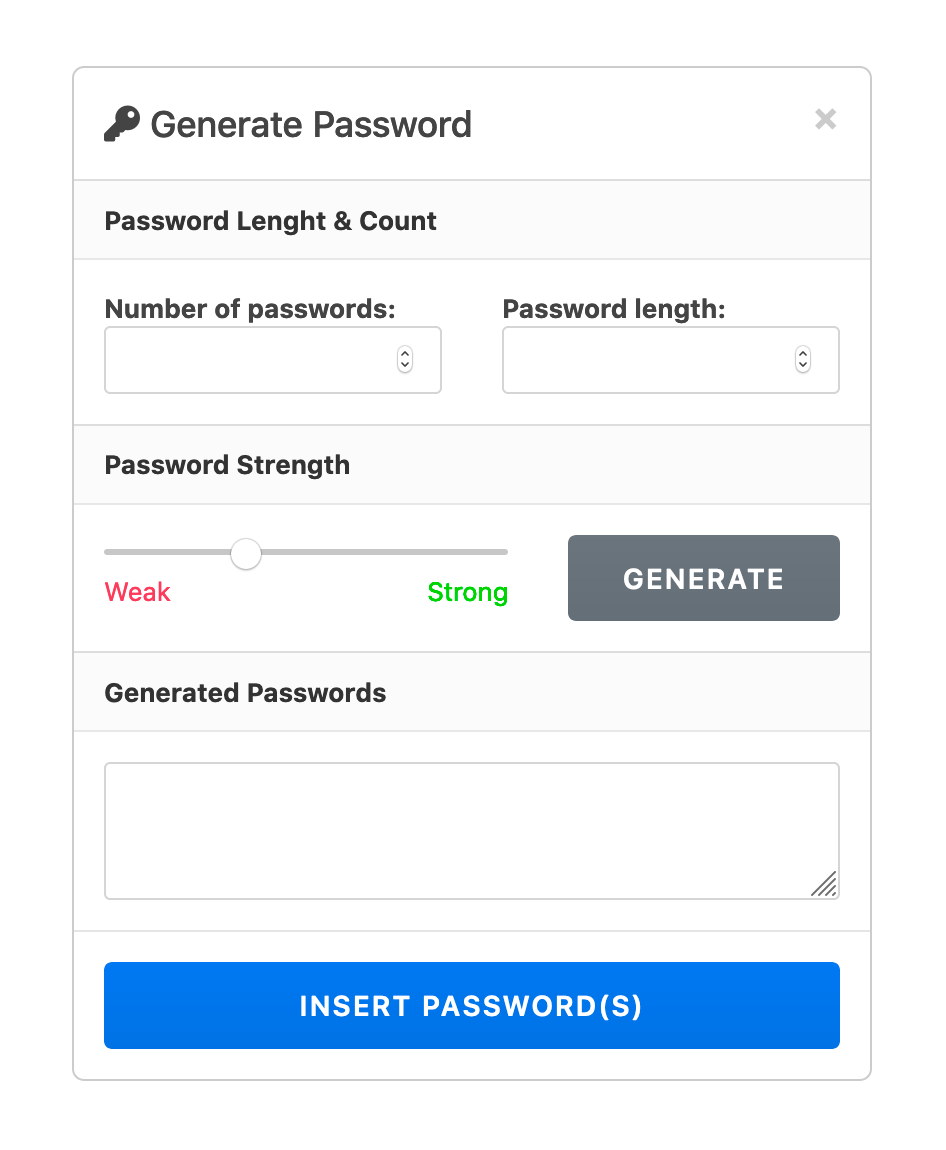
Generate Password creates strong passwords automatically. It uses special rules to make them. These passwords are hard to guess. They include a mix of letters, numbers, and symbols. The system ensures each password is unique. This keeps your accounts safe. No need to think hard about a new password. The tool does it for you quickly. You can trust these passwords to protect your data.
You can change how complex the password is. Choose how long you want it. Add more symbols if you like. This makes the password stronger. Some people need very strong passwords. Others need simple ones. Customizing helps you get the right fit. Adjust settings to match your needs. It is easy and quick to do. Keep your accounts safe your way.
Enabling Generate Password In WordPress
First, log in to your WordPress dashboard. Then, find the Users menu. Click on All Users. Choose the user you want to update. Click Edit under their name. This opens their profile settings.
Scroll down to Account Management. Locate the Generate Password button. Click it to create a new password. A strong password is shown. You can use it or type your own.
Make sure to save changes. Click Update Profile. Your new password is now active.
Benefits Of Using Generate Password
Generate Password makes passwords strong and safe. Bad people can’t guess them easily. This tool creates random letters, numbers, and symbols. These make passwords very hard to crack. Using this tool keeps your accounts safe. Strong passwords protect your private information. You keep hackers away.
Creating passwords manually takes time. Generate Password does it fast. It saves you from thinking hard. No need to remember tricky passwords. This tool does it for you. It creates passwords quickly. You save time and energy. Use your time for fun things. Let the tool do the hard work.

Credit: torquemag.io
Best Practices For Password Management
Password managers keep your passwords safe. They save all your passwords in one place. You don’t have to remember each password. Just remember one strong password for the manager. Password managers can create strong passwords for you. These passwords are hard to guess. They help keep your accounts safe. Many password managers are free. Some offer extra features for a small fee. Choose a manager that suits your needs. Make sure it’s secure and trusted. Using a password manager is a smart choice for everyone.
Passwords need changing often. Old passwords can be unsafe. Updating passwords keeps your accounts secure. Pick a new password every few months. Use a mix of letters, numbers, and symbols. Avoid using the same password everywhere. This makes it hard for hackers. Write down your new passwords in a safe place. Don’t share them with others. Regular updates help protect your online world. Stay safe by keeping passwords fresh and strong.
Troubleshooting Common Issues
Sometimes, a generated password might not work. Check if caps lock is on. Verify your password for any typing errors. Ensure no spaces are included at the start or end. If the password still isn’t accepted, try resetting it again.
Forgetting a generated password is common. Use the password recovery option on the login page. You will receive a link in your email. Follow the link to reset your password. It’s helpful to write down the new password. Store it safely.
Credit: www.wpdownloadmanager.com
Frequently Asked Questions
What Is The Generate Password Feature In WordPress?
The Generate Password feature in WordPress creates strong, secure passwords automatically. This tool enhances user account security by generating passwords that are hard to guess. It is essential for protecting your website against unauthorized access and potential security threats.
How To Use Generate Password In WordPress?
To use Generate Password, go to your user profile page in WordPress. Click on “Generate Password” to create a new, strong password. You can then update your password with the generated one. This ensures better security for your user account.
Why Is Generate Password Important For WordPress Security?
Generate Password is crucial for WordPress security as it creates complex passwords. Strong passwords are difficult to crack, reducing the risk of hacking. Using this feature helps protect your website from unauthorized access and potential data breaches.
Can I Customize The Generated Password In WordPress?
Yes, you can customize the generated password in WordPress. After generating a password, you can edit it before saving. However, ensure your custom password remains strong. Include a mix of uppercase, lowercase, numbers, and symbols for enhanced security.
Conclusion
Generate Password in WordPress ensures user security. It’s essential for safety. Strong passwords protect websites from unauthorized access. Creating them is easy with WordPress tools. Users benefit from increased security without extra effort. Understanding this feature boosts site protection. Keep exploring WordPress for more security tips.
Stay informed and protect your data. Always choose strong, unique passwords. Your website’s safety depends on it.


