
Imagine landing on a website and feeling instantly at ease. You know exactly where to go, what to do, and you’re compelled to explore further.
This is the magic of an effective home page layout, especially on WordPress. If you’ve ever felt lost trying to design your website or wondered why some sites feel more inviting than others, you’re in the right place. Your website’s home page is like a digital handshake—it sets the tone and creates the first impression.
You wouldn’t want a weak handshake, right? Understanding the ins and outs of a WordPress home page layout can transform your site from a mere web address into an engaging, user-friendly portal. Dive into this guide to discover how you can craft a home page that not only looks stunning but also captivates your audience and keeps them coming back for more.
Importance Of Home Page Layout
A good home page layout is very important. It makes a website look neat. It helps users find what they need quickly. A messy layout can confuse visitors. They may leave the site fast. A clean design keeps them there longer. It should be easy to read. The text size should be right. Colors must not hurt the eyes.
Important links should be easy to find. A well-placed menu helps a lot. Pictures should not be too big. They should load fast. This makes the site work better. The home page is the first thing people see. It must give a good impression. It tells users what the site is about. A good layout is key to a successful website.
Key Elements Of Effective Design
The navigation menu should be easy to find. Users like clear labels. Simple menus help users find pages faster. Drop-down menus can help organize content. This keeps the page neat. Users should reach their goal in three clicks or less. This keeps them happy.
Visual hierarchy means showing what’s important. Use big fonts for main headings. Colors guide the eyes. Important things should stand out. Images can grab attention. Arrange them wisely. This makes reading easy. Users like simple layouts.
Call-to-Action (CTA) buttons should be easy to see. Place them at the top and bottom. Use bright colors for CTAs. This makes them pop. Short text on CTAs works best. Words like “Buy Now” or “Learn More” are good. They tell users what to do.
Choosing The Right Theme
Every website must work on all devices. This is called responsive design. A good theme changes with screen size. Phones and tablets must show your site well. This helps users enjoy your site more.
Customization lets you change your website. Make it yours. Pick colors and fonts you like. Add your logo. Some themes offer many options. Others have only a few. Choose what suits your needs best.
SEO helps people find your site on search engines. A good theme supports SEO. It should have clean code. Fast loading is also important. This makes your site rank better. Always check if the theme is SEO-friendly.
Optimizing User Experience
Fast websites make users happy. Slow pages frustrate visitors. Optimize images to load quicker. Use smaller image sizes. Minify CSS and JavaScript. This helps pages load faster. Choose a reliable host. Good hosting improves speed.
Many people use phones to browse. Mobile-friendly sites are essential. Use a responsive design. It changes with screen size. Make buttons large enough to tap easily. Text should be readable without zooming. Avoid using flash. Most phones don’t support it.
Websites should be easy for everyone. Use alt text for images. This helps visually impaired users. Ensure keyboard navigation is possible. Not everyone uses a mouse. Color contrast is important. Users must read text easily. Provide captions for videos. This helps hearing-impaired users.
Enhancing Aesthetic Appeal
A good color scheme makes a big difference. It helps the site look nice. Colors should match the brand. Soft colors feel calm. Bright colors feel exciting. Choose colors wisely.
Typography choices are important too. Fonts should be easy to read. Big fonts are better for titles. Small fonts are for details. Mixing fonts can be fun. But not too many. Two or three is enough.
Imagery and icons bring life to the page. Pictures should be clear. Icons should be simple. They tell a story without words. Use them to guide the user. They make the site more friendly.
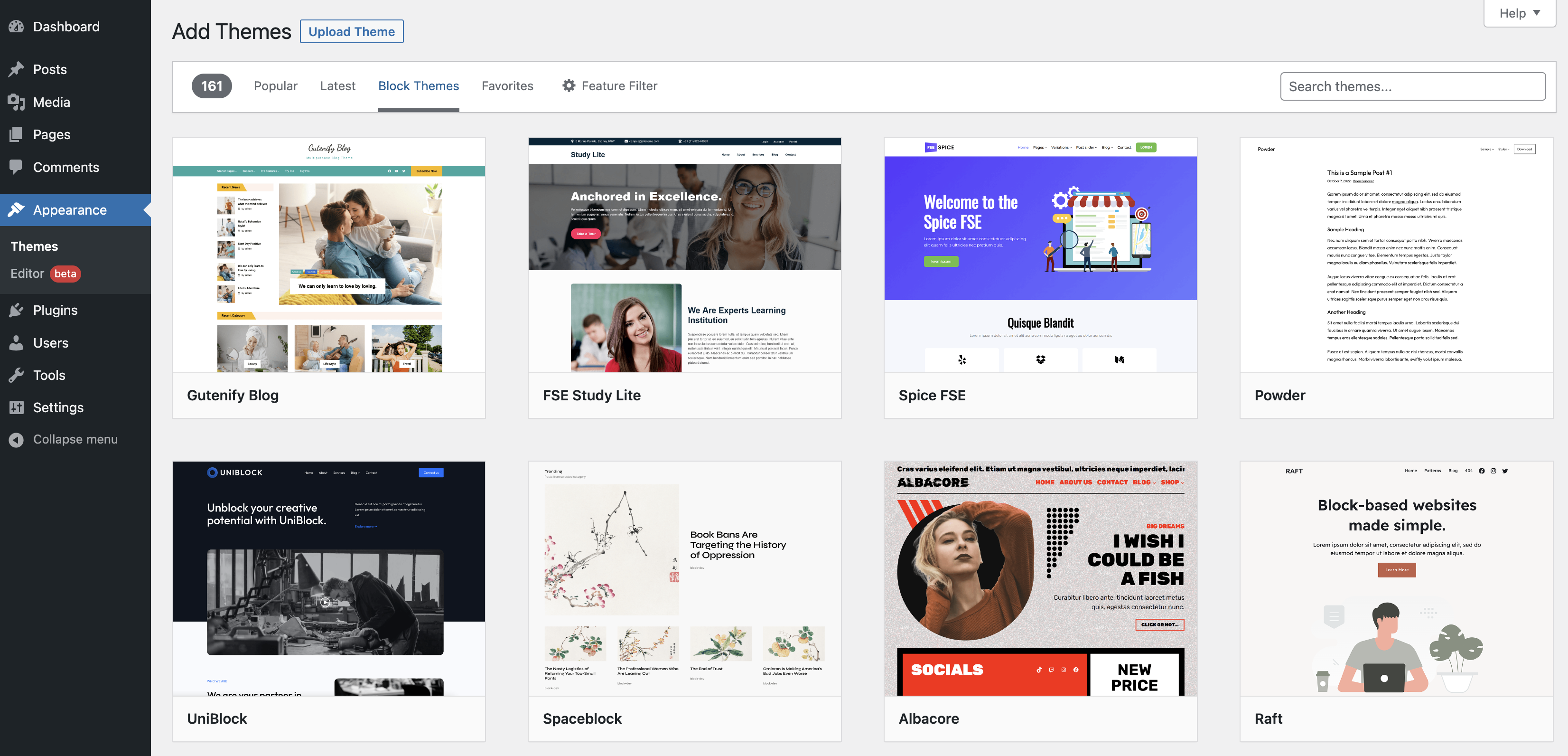
Credit: wordpress.org
Utilizing Plugins For Layout Enhancement
Page builder tools help create beautiful layouts. These tools have drag-and-drop features. Elementor and Beaver Builder are popular choices. They offer many templates. You can add buttons and images easily. No coding needed. Perfect for beginners.
Slideshows and galleries make pages more exciting. NextGEN Gallery is great for photos. MetaSlider helps with slideshows. Both are easy to use. Add many pictures fast. They look good on all devices. Responsive design is important for visitors.
SEO plugins help your site appear in search results. Yoast SEO is a top choice. It guides you to improve content. Analytics plugins track visitors. Google Analytics Dashboard shows who visits your site. Knowing this helps you grow. Better insights mean better decisions.
Testing And Iteration
Users tell us what they like or dislike. Their feedback helps us know what works. It shows us what needs fixing. Listening to users makes the site better. Users are important for growth.
We try two versions of a page. One is A and the other is B. See which one people like more. This helps in knowing the best layout. It helps in making the right choices. A/B testing is simple but powerful.
Websites need to get better all the time. Small changes can make a big impact. We look for ways to improve the layout. Keep checking what’s working and what’s not. Improvement is never-ending.

Credit: wordpress.org

Credit: themeforest.net
Frequently Asked Questions
What Is A WordPress Homepage Layout?
A WordPress homepage layout is the structure and design of your site’s main page. It helps organize content and guides visitors. You can customize it using themes, widgets, and plugins. A well-designed homepage layout enhances user experience and improves SEO.
How Do I Customize My WordPress Homepage?
To customize your WordPress homepage, go to the WordPress dashboard. Navigate to Appearance > Customize. Here, you can modify themes, add widgets, and adjust settings. Use page builders for more advanced customization. Always preview changes before publishing.
Why Is Homepage Layout Important For Seo?
A well-structured homepage layout improves user experience and helps search engines understand your content. It enhances navigation and reduces bounce rates, which are crucial for SEO. A clear layout ensures important content is visible and accessible.
Can I Use Plugins For Homepage Design?
Yes, you can use plugins to enhance your WordPress homepage design. Page builder plugins offer drag-and-drop functionality for easy customization. Popular options include Elementor, Beaver Builder, and WPBakery. Choose plugins that are compatible with your theme for best results.
Conclusion
Choosing the right home page layout in WordPress is crucial. It sets the tone for your site. A clear, engaging design helps visitors navigate easily. Remember to keep it simple. Avoid clutter. Use intuitive menus. Highlight important content first. Responsive design is key.
Ensure it looks good on all devices. Test different layouts. See what works best for your audience. Keep updating your design. Trends change, so stay current. A thoughtful layout enhances user experience. It can boost your site’s success. Ultimately, a well-designed home page invites visitors to explore further.


