
Ever found yourself staring at your WordPress login screen, racking your brain for that elusive username or password? You’re not alone.
Forgetting login details happens to the best of us, and the frustration can be real. But don’t worry, you’re in the right place. In this guide, you’ll discover simple, effective solutions to reclaim access to your WordPress site. Imagine the relief of finally logging in with ease and getting back to what you love — creating amazing content.
Keep reading to unlock the secrets that will end your login woes once and for all. You won’t want to miss a single tip!
Login Page Location
Finding your WordPress login page is easy. Just add /wp-admin or /wp-login.php to your site URL. For example, if your site is www.example.com, type www.example.com/wp-admin in the address bar. The login page will appear. Always remember your username and password. Keep them safe. If you forget, use the password reset option. Check your email for reset instructions. It’s simple and quick.
Avoid sharing login details with strangers. This keeps your website safe. Use strong passwords. Combine letters, numbers, and symbols. This helps protect your site. Always log out after use. Especially on public computers. Stay alert and secure.
Credit: hackguard.com
Username And Password Management
Always use a strong password for your WordPress login. A strong password is long. It includes numbers, letters, and symbols. Do not use easy words. Avoid using your name or “12345”. These are easy to guess. A good password is like a secret code. Only you should know it. Change your password often. This keeps your account safe.
Password managers can help remember your passwords. They store all your passwords safely. You only need to remember one master password. Password managers can create strong passwords for you. They make it easy to log in. No need to type your password each time. They keep your passwords safe from hackers. Try using one today.
Troubleshooting Login Issues
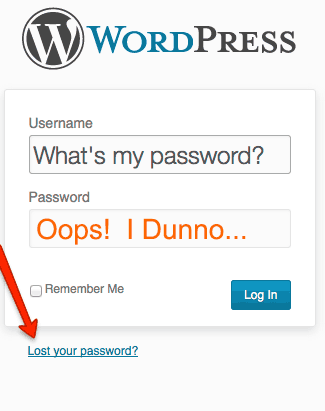
Forgetting your WordPress password can be frustrating. It’s important to stay calm. Click on the “Lost your password?” link. This is on the login page. Enter your email address. You will get a link to reset your password. Follow the instructions in the email. Choose a strong password that you can remember. Keep it safe for the future.
Accounts can get locked for many reasons. Too many wrong password tries can lock it. Wait for a while and try again. You can also contact your admin for help. They can unlock your account. Sometimes, plugins cause login issues. Deactivate them if needed. Always ensure your login details are correct.
Two-factor Authentication
Two-factor authentication adds a second layer of security. It protects your WordPress login. You need a password and another factor. The second factor could be a code or fingerprint. This makes it harder for hackers to access your account. Your personal information stays safe. It’s a smart way to keep your site secure. Everyone wants to protect their data. Extra security means more peace of mind.
Setting it up is easy. First, log into your WordPress account. Go to your security settings. Look for the two-factor option. Follow the steps provided. You might need an app on your phone. This app sends you a code. Use the code to log in. Now, your account is safer. You have added protection. It’s worth the few extra seconds it takes.
Tips For Frequent Access
Bookmarking is a smart way to keep your login page handy. It saves time and effort. Make sure you bookmark the right page. You won’t have to search for the page every time. Just one click and you’re there. Easy and quick access. Your browser can do it in seconds. Find the star icon in your browser. Click it to bookmark. No more typing the whole URL. It’s simple and efficient.
Autofill helps remember your login details. Saves you from typing each time. Activate this feature in your browser settings. Check if it’s turned on. Autofill fills in your username and password. Makes logging in faster. No need to remember complex passwords. Keep your login secure and private. Use a browser you trust. Always ensure your details are safe.

Credit: www.youtube.com
Common Mistakes To Avoid
Many people often forget their WordPress login details. This can cause frustration. Use a password manager to help. Write down your credentials in a safe place. Always have a backup plan for access. It saves time and stress.
Security updates keep your site safe. They fix problems and add new features. Ignoring them can make your site weak. Hackers can attack old versions. Make sure to update your site regularly. Protect your work by staying up-to-date.
Credit: www.greengeeks.com
Frequently Asked Questions
How Do I Find My WordPress Login Url?
To find your WordPress login URL, simply add “/wp-admin” or “/wp-login. php” at the end of your website’s URL. For example, if your site is www. example. com, your login URL would be www. example. com/wp-admin. Bookmarking this URL can make future logins quicker.
Can I Change My WordPress Login Url?
Yes, you can change your WordPress login URL for security reasons. Use a plugin like “WPS Hide Login” to customize your login URL. This reduces the risk of unauthorized access and protects your website from brute force attacks. Always keep a note of your new login URL.
What If I Forget My WordPress Password?
If you forget your WordPress password, click the “Lost your password? ” Link on the login page. Enter your email address to receive a password reset link. Follow the instructions in the email to set a new password. Always use a strong, unique password for security.
Why Can’t I Access My WordPress Login Page?
If you can’t access your WordPress login page, it might be due to plugin conflicts or server issues. Try disabling plugins via FTP or contact your hosting provider. Clearing your browser cache or using a different browser can also help resolve access issues.
Conclusion
Finding your WordPress login can be simple. Start by checking your email. It usually contains your login details. Bookmark your login page for easy access next time. Reset your password if you can’t find it. Use strong passwords to keep your account safe.
Remember, regular updates help secure your site. Keep your login information private. Share only if necessary and with trusted people. Follow these steps, and you’ll manage your WordPress account with ease. Stay organized and maintain a secure, efficient site.


