
Are you curious about the types of videos you can share on your WordPress site? You’re not alone.
As a content creator or website owner, you understand the power of video content in engaging and captivating your audience. But, it can be confusing to know which videos are allowed, and how to get them up and running smoothly on your site.
Imagine being able to enhance your website with the right video content, knowing you’re playing by the rules and boosting your audience’s experience. This blog post will guide you through the types of videos you can upload to WordPress, so you can confidently share your stories and messages. Let’s dive in and unlock the secrets to successful video content on your WordPress site!
Video Formats Supported
WordPress supports many video formats. The most common ones are MP4, M4V, and MOV. These formats are popular because they are easy to use. They also work on most devices. Another supported format is WMV. This format is often used on Windows devices.
AVI and MPG are also supported. These formats are older but still used. OGV is another option. It is an open-source format.
Different devices may need different formats. Apple devices work well with MOV and MP4. Windows devices are good with WMV. For the web, MP4 is a safe choice. It plays well on most browsers.
Some formats are smaller in size. This makes them load faster. Always check which format fits your needs best. Testing is a good idea. It ensures the video plays smoothly for all users.
Embedding Videos
YouTube and Vimeo videos work well with WordPress. They are easy to embed. Copy the video link. Then, paste it into your WordPress post. The video will show up. No extra steps needed.
Third-Party Platforms also allow video embedding. Some platforms might need plugins. Others need iframe codes. Check the platform for instructions. Follow the steps carefully.
Self-hosted Videos
Benefits of Self-Hosting include better control and customization. You can choose the file size and quality. This helps manage the site’s loading speed. Large files can slow down the site. Smaller files make the site faster. High-quality videos look great but take more space. Low-quality videos save space but may look blurry.
Self-hosting keeps your content safe. You don’t rely on third-party platforms. You have full control over your videos. This means fewer ads and distractions for viewers. You can ensure your videos match your brand’s style. Self-hosting allows easy updates. You can change videos without waiting.
Choosing the right file size and quality is key. It affects how your video performs online. Balancing quality and file size is important. This keeps your website running smoothly. Hosting your own videos gives you freedom. It gives you flexibility and security.

Credit: ninjaforms.com
Video Plugins
WordPress offers many popular plugins for videos. These plugins help you add videos to your site easily. VideoPress is one of them. It lets you upload and share videos fast. Another great plugin is WP Video Lightbox. It shows videos in a nice pop-up window. Embed Plus for YouTube is also popular. It helps to embed YouTube videos with ease.
Plugins offer many customization options. With these options, you can change video size. You can also set autoplay or loop. Some plugins let you add captions. Others help you change the video skin. These options make your videos look and feel unique. They give you control over how videos appear on your site.
Video Seo Techniques
Good video metadata boosts search visibility. Use clear titles. Add short descriptions. Include relevant keywords. This helps search engines. Make sure your tags match content. Proper tagging organizes videos better. Search engines understand your videos.
Embed videos on your site. This improves visibility. Share on social media. More views help your ranking. Encourage users to comment. Engagement improves SEO. Create video playlists. Playlists keep viewers longer. Longer views boost rankings. Use thumbnails. Thumbnails attract clicks. Clicks improve visibility.
Accessibility Considerations
Closed captions help everyone understand videos better. They show words spoken in the video. Deaf people or those who can’t hear well use captions. Captions are useful for people learning English too. They make videos clearer. Videos with captions are more accessible. Adding captions is simple. Many tools can help. YouTube has a caption tool. WordPress supports videos with captions. It’s important to make videos friendly for all.
Transcripts are written copies of video content. Reading is easier for some than listening. Transcripts help people who can’t hear. They are good for people who learn by reading. Transcripts can be searched. This helps find information fast. WordPress allows videos with transcripts. Transcripts make videos open to more viewers. They improve video accessibility. It’s smart to add transcripts to videos. This way, everyone can enjoy the content.
Legal And Copyright Issues
Using videos without permission can lead to legal trouble. Always make sure you have the right to use the video. Copyright infringement is serious. It can cost money and cause problems. To avoid this, only use videos you create or have permission to use. You can also buy video rights. This is a safe way. Many people use videos they find online. This is risky if they don’t check the rights. Always check first. Be smart and safe with videos.
Creative Commons licenses help share content legally. They let you use other people’s work. But you must follow their rules. Some licenses let you change the work. Others don’t. Always read the license details. It tells you what you can and can’t do. Some licenses need you to give credit. This means saying who made it. Using Creative Commons is a safe way to get videos. Just follow the rules and stay legal.
Credit: download-monitor.com
Troubleshooting Video Issues
WordPress supports various video formats, including MP4, WebM, and OGG. Uploading videos directly or embedding from platforms like YouTube and Vimeo works seamlessly. Ensuring compatibility with supported formats helps avoid playback issues.
Common Playback Problems
Videos may not play smoothly on WordPress. Sometimes, they buffer a lot. Other times, they might not load at all. This can frustrate viewers. Ensure videos are optimized for web. Large files can slow down websites. Use formats like MP4 for better compatibility. Check internet speeds. Slow connections affect video playback. Update your browser regularly. Outdated browsers cause playback problems. Clear cache and cookies to improve performance.
Resolving Compatibility Challenges
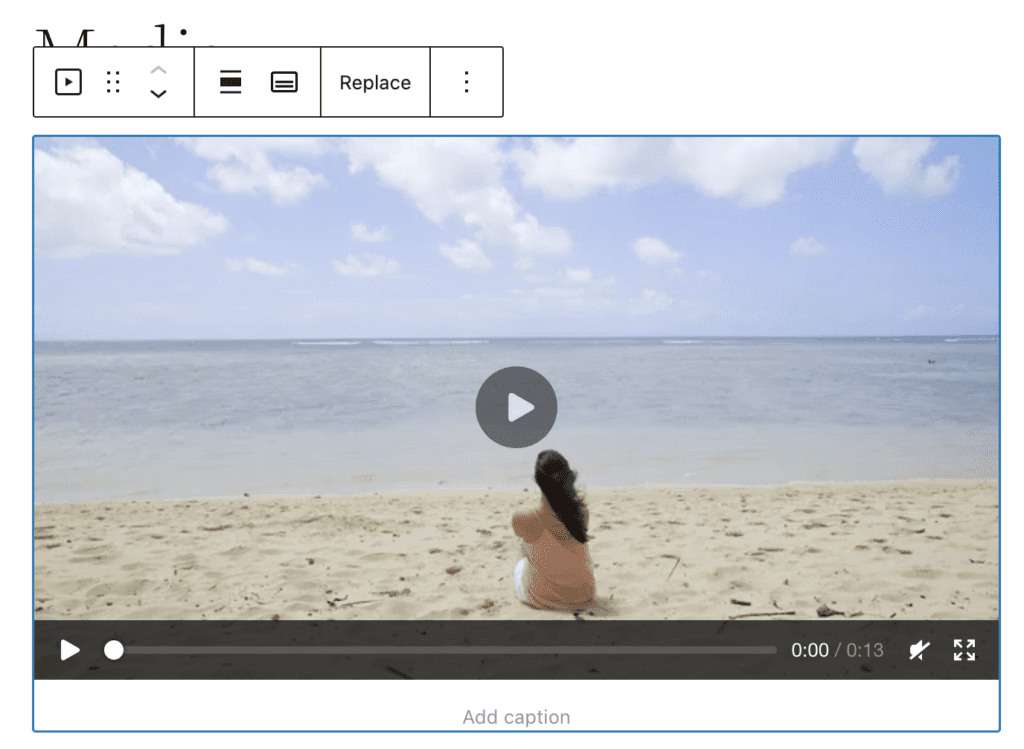
Some videos might not work on all devices. Make sure videos are compatible with different browsers. Use HTML5 players for better support. Flash videos often face issues. Mobile users need special attention. Many use phones to watch videos. Responsive design helps videos fit any screen. Test videos on various devices. Fix issues before users report them.
Credit: www.metaslider.com
Frequently Asked Questions
What Video Formats Does WordPress Support?
WordPress supports various video formats like MP4, MOV, WMV, and AVI. MP4 is recommended due to its compatibility across browsers and devices. You can easily upload and embed these formats into your WordPress site, enhancing your content with multimedia elements.
Can I Upload Videos Directly To WordPress?
Yes, you can upload videos directly to WordPress using the media library. This allows you to manage and embed them within your posts or pages. However, be mindful of file size and server limitations, as large videos may affect site performance.
Is Embedding Youtube Videos In WordPress Possible?
Embedding YouTube videos in WordPress is straightforward. You can simply paste the video URL into your post or page, and WordPress will automatically display the video player. This method saves server space and ensures smoother playback for users.
Are Vimeo Videos Allowed In WordPress?
Yes, Vimeo videos are allowed in WordPress. You can embed them by inserting the Vimeo video URL into your content. This approach offers high-quality video hosting and playback, enhancing the user experience on your WordPress site.
Conclusion
WordPress supports various video types for seamless content sharing. Upload directly or embed from platforms like YouTube and Vimeo. Always ensure videos comply with copyright laws. Optimize video size for faster loading times. Consider using plugins for better video management.
This keeps your site user-friendly and efficient. Remember, engaging videos enhance user experience. Always choose the right format for your audience. Videos can boost your website’s appeal. Use them wisely for the best impact. Happy blogging!


